Dados da Steam coletados em 21/11/2026 22:13 · 1 amostras de jogadores no banco. Projeto independente, sem ligação com a Valve.
Jogadores
Quando o jogo tem mais gente
O mapa de calor aparece quando houver pelo menos 24 horas de dados de jogadores deste jogo.
Atualizações do jogo
- BUILDAtualização publicada sem nota
O jogo foi atualizado na Steam (build
25630387), mas o estúdio não publicou notas. - ATUALIZAÇÃOGlimmith Optimization, Quality, and Tutorial Update
Esteemed Artisans, Another patch for The Artisan of Glimmith is now live. Our goals In this update, our goal was to address the most important technical and gameplay problems that were impacting players.
Esteemed Artisans,
Another patch for The Artisan of Glimmith is now live.
Our goals
In this update, our goal was to address the most important technical and gameplay problems that were impacting players.
Earlier this summer, we went through every bug report and every Steam review of the game (including many positive ones that nonetheless contained constructive feedback). From these, we produced a list of changes that we could feasibly make and identified those that would be the most impactful.
This update contains a number of improvements reflecting those priorities. While there aren't any new puzzles or gameplay features in the patch, there are many quality-of-life changes that should prevent the most common technical problems and improve everyone's experience with the game.
You'll find the list of changes below, but first...
The Tiger Lake crashes are (probably?) gone!
Buckle up for this one, because it's one of those weird debugging stories that makes your hair stand on end a little.
In our last patch, we made a one-line change to our compiler optimization settings, with the goal of improving performance by a tiny smidge for CPU-bound players. We expected that this change would go largely unnoticed.
It turned out to have an unplanned but very beneficial effect: it stopped a persistent and devastating crash for hundreds of Glimmith players!
We've been getting severe crash reports from a certain tiny fraction of players (roughly 1 in 300) for the last several months. These crash reports have a weird pattern, namely:
They only occur on laptops
They only occur on machines with 11th-gen Tiger Lake CPUs such as i5-11300H, i7-11700H, i5-1135G7, i7-1165G7, or i7-1185G7
They don't only result in Glimmith crashing, but often result in the entire operating system becoming unstable (i.e. yielding a blue screen of death or crashing the whole PC)
They happen randomly after a few minutes of gameplay
The crash logs show the game crashing in different random parts of the code every time, usually deep within CPU-intensive Unreal Engine code such as hash functions
After some research, we learned that this type of crash sounds a whole lot like a crash caused by a hardware flaw called TGL031. A tiny batch of Tiger Lake CPUs shipped with a problem that causes them to use the wrong voltage under a very specific condition, resulting in loss of system stability. For whatever reason, it seems like Glimmith was causing that very specific condition to happen. The problem can't be fixed with a driver patch, instead requiring a full BIOS update.
Once we became aware of this, we racked our brains to find a way to prevent this crash from happening. Unfortunately, we had no way of avoiding the triggering conditions, since they happened in all sorts of places, including in various Unreal Engine data structures that we relied on heavily for our puzzle-checking and error-handling code.
However, the conditions that trigger this problem seem to be quite rare (both rare enough that Intel's engineering team didn't discover the problem before Tiger Lake shipped, and rare enough that affected users weren't typically crashing in other games or software). Apparently the problem can come and go across different versions of the same piece of software due to changes in memory setups or different instruction orderings. And indeed, we were seeing this in Glimmith: the 20260326 build was stable, but 20260421 and later were not.
Because of this, we were not too surprised when a new build with adjusted compiler optimization settings seemed to make the problem stop happening. A compiler settings tweak is the exact type of thing that would shuffle the game's instructions around, bypassing the specific condition that triggered the problem. Indeed, we haven't seen a Tiger Lake crash since the July 24th patch went live, and several users with the problem reported that the game now seems stable. So we're 99% sure that it's gone.
Of course, we'll be vigilant in case there are any reports of it again in the future!
Thanks to everyone who reported this bug, shared their crashlogs with us, and helped us test different versions of the software!
Now, onto the notes from today's patch...
Performance improvements
Glimmith's performance and optimization are a frequent topic in Steam reviews and discussions. While the game has been optimized quite thoroughly, our environments contain highly detailed scenes and lighting that can be demanding on many systems, especially on older or less capable machines, large resolutions, high refresh rates, or epic graphics quality.
Many other cozy games or puzzle games use much simpler graphical styles, and a huge portion of Glimmith's audience has an expectation that Glimmith will be just as performant as those other games.
We want to meet those expectations while still preserving the high-end look of the game, and this required us to go back to the drawing board and find even more optimizations that we had previously overlooked.
We got our programmers, artists, and VFX staff to profile the game on a variety of systems and identify everything we could think of to improve the game's CPU and GPU performance. And we came up with a pretty good set of changes:
Particle systems: We reverted many particle systems from GPU-based to CPU-based. This was a massive discovery for us, and a bit of an unusual and surprising optimization. Typically, GPU particles are much faster than CPU-based ones. However, Glimmith's VFX tend to be handled quite well by the CPU—they contain small numbers of particles, so the GPU's ability to parallelize doesn't yield value relative to the overhead of making more GPU calls per frame. In some test scenes (e.g. zoomed out looking at hundreds of unsolved puzzles and dozens of torches), this saved over a third of the frame time! Ironically, this change actually saved CPU time, as the CPU took less time to do the particle calculations than it did to prepare the GPU calls, execute them, and process the results.
Shadows: We adjusted our shadow settings on all quality levels. We removed distance field shadows entirely on Low quality, as they were mostly making shadows less accurate than the existing baked shadows. On High and Epic quality, we adjusted our depth settings for cascading shadow maps (the most high-quality dynamic shadows) and tweaked a number of shadow settings on individual meshes. The result is a noticeable improvement in shadow accuracy and better performance (especially on Low quality).
Shaders: We optimized our terrain and light ray shaders to reduce their instruction counts.
Geometry: We reduced the triangle counts of a number of meshes in the game, particularly where there was internal or downward-facing geometry that was not visible in our scenes. Some of the trees got additional LODs (levels of detail) to prevent drawing needlessly many triangles on trees that are very far away from the camera.
Post-processing: We created a new version of our main post-processing shader for use on Low quality settings. This is the shader that gives everything on the screen a bit of a sketched look and adds thin, dark lines around the borders of objects. The Low quality version trades away a bit of accuracy in where outlines get added, but it runs substantially faster as a result. We think this is a very good tradeoff for players on the weakest machines, and you likely won't notice any difference in appearance.
Foliage: We improved the look of a number of grasses and small bushes. We set them up to inherit shadows from the terrain they are planted on, which fixed a number of issues with glowing foliage in dark areas on Low quality settings.
Lighting: We converted a number of dynamic lights (the torches) into static lights, which enabled us to bake their contributions to the scene and prevents them from disappearing when zoomed out.
Programming: We fixed a small inefficiency in how our puzzle lights were toggled, saving a tiny bit of frame time whenever you're inside a puzzle.
Many of these changes yield only a minor efficiency gain, but they really do add up. Overall, we achieved a noteworthy performance boost on all quality levels, with substantial improvements on Low quality and in VFX-heavy scenes. Despite this, the overall appearance of the game is almost completely identical, with several notable improvements.
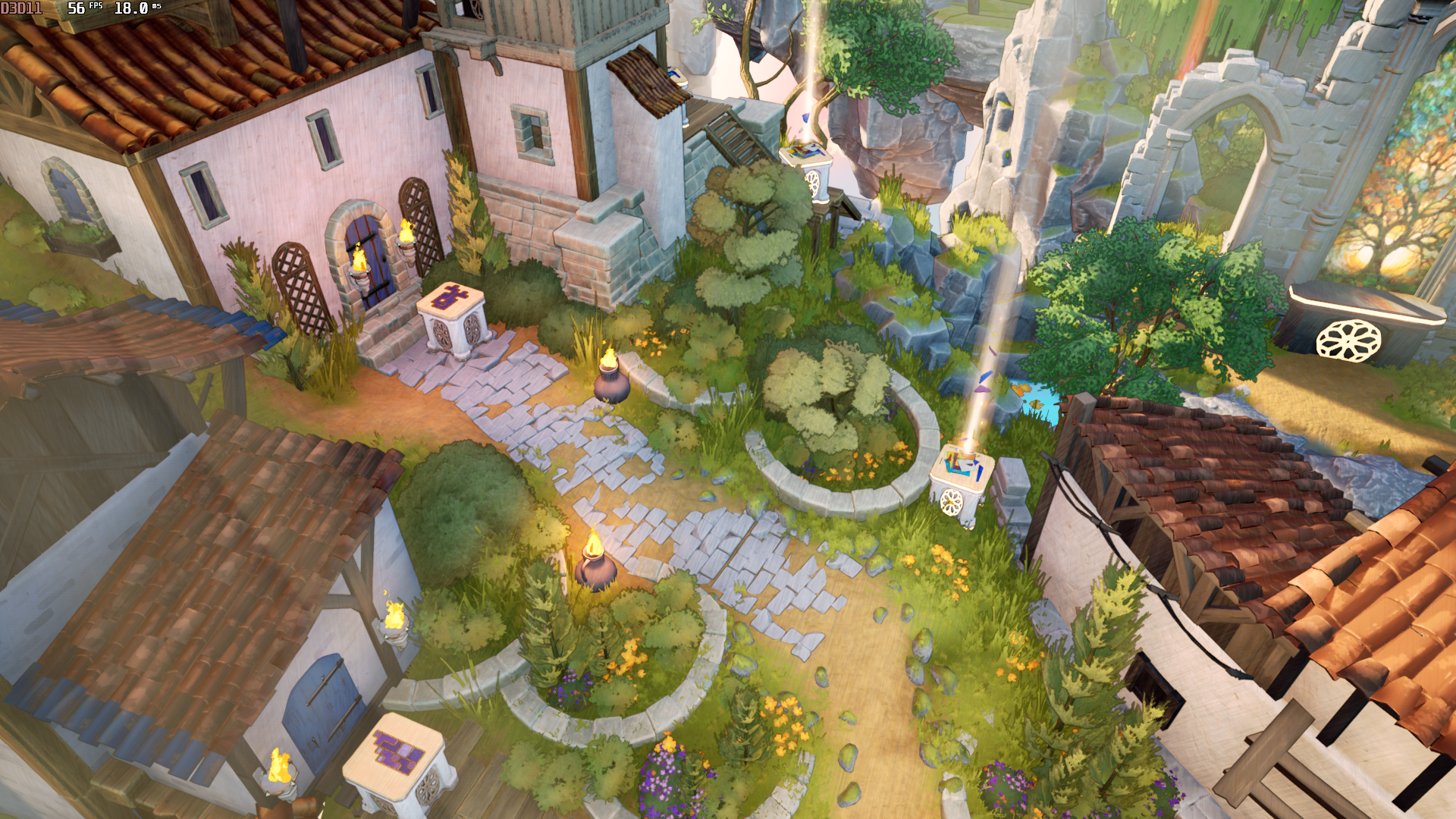
Here's an example scene on medium quality, taken on a 2019 laptop with an NVIDIA GTX1650 GPU. Before the changes, it took Unreal Engine 18 milliseconds to render this frame:
 After the improvements, the same scene renders in 10.9 milliseconds, saving almost half the frame time:
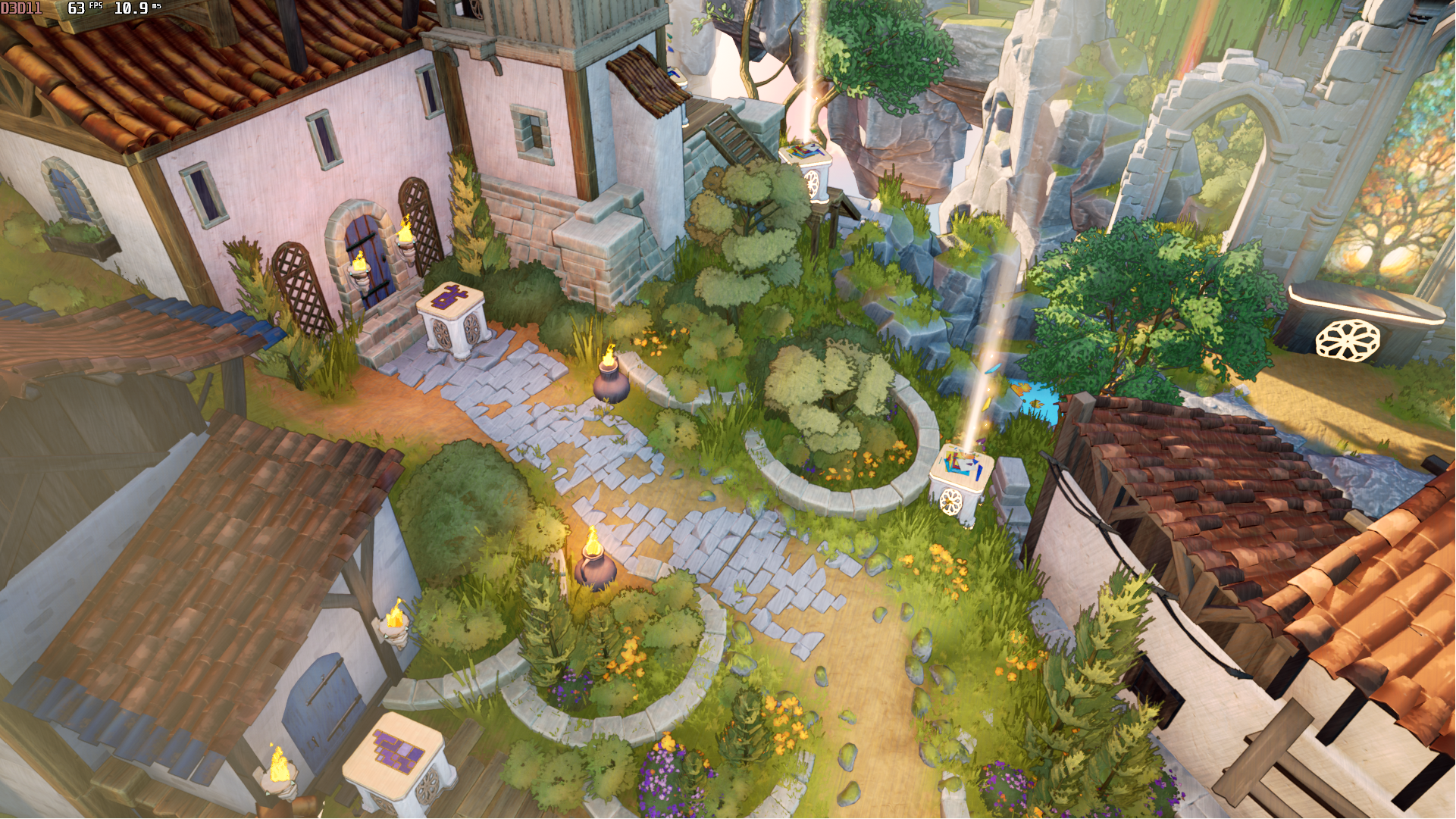
This results in an increase from 55.5 FPS to 91.7 FPS, a 65% improvement.
Of course, this particular laptop's screen can only display 60 FPS, so you won't actually get 92 FPS of output (that's why the capture above only shows 63 FPS). Instead, you'll get smoother performance, more responsiveness, and longer battery life.
New Loopy tutorial
Glimmith's Loopy mechanic currently has a bit of a notorious reputation. In Steam reviews, it receives more than twice as many complaints as any other puzzle rule in the game. In the Steam achievement stats, we observed a larger decrease between Bricky completions and Loopy completions than we did among other pairs of rules in similar prerequisite chains, meaning that a larger fraction of players were stuck on the Loopy section or had chosen to prioritize different areas first.
But Loopy has also been praised by a large number of players, many of whom ranked it among the best rules in the game in tier list posts.
We wanted to know why this discrepancy in player experiences existed.
So, we watched as many Twitch and YouTube VODs of this section as we could find, and we concluded that our early tutorials just weren't doing a good job of teaching some players the tricks they needed to confidently get through the area. Loopy puzzles contain a number of really interesting techniques and deductions, but many players weren't getting to experience those eureka moments because they hadn't yet fully mastered the basics of the rule.
So we decided to completely revamp our approach to teaching players the consequences of the Loopy rule by adding a sequence of illustrated tutorial panels that explain the basics much more explicitly:
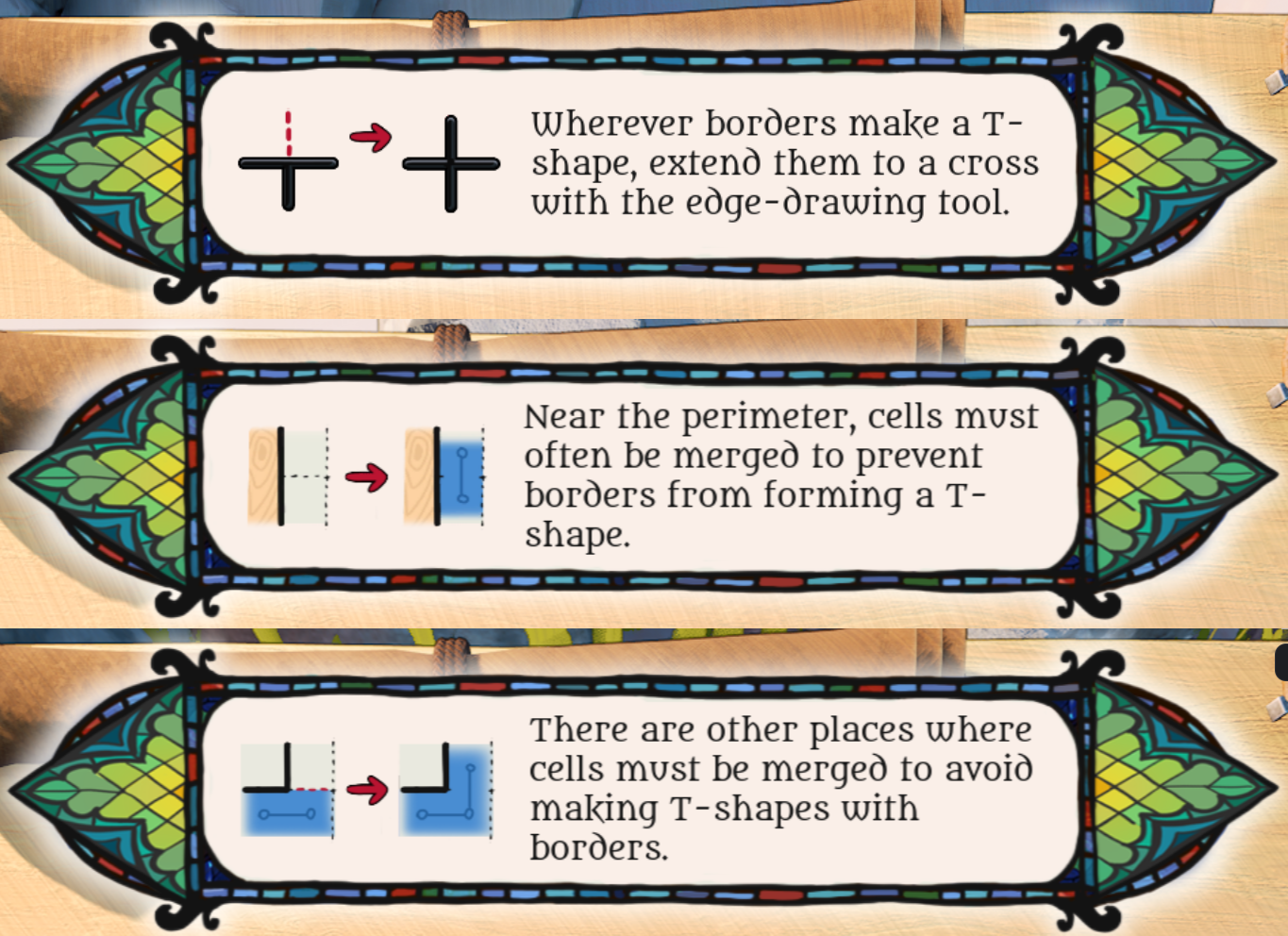
Including these is always a bit controversial for us. On the one hand, we want to preserve the ability for players to discover these deductions on their own. On the other hand, we've seen many players have negative experiences with the later Loopy puzzles if they get through the tutorial without really fully understanding these basic steps. Being explicit about these steps tends to help tremendously with those players.
Our compromise is usually to put these panels a bit later in the tutorial sequence. That way, players who discover these steps on their own have typically already discovered them by the time they are revealed, and players who need a small nudge still get it in time.
Later in the area, we also added some tutorials that hint at some of the deeper conceptual ideas in Loopy puzzles. These don't necessarily help players immediately, but our goal is to help get them thinking in the right direction on some of the more challenging puzzles.
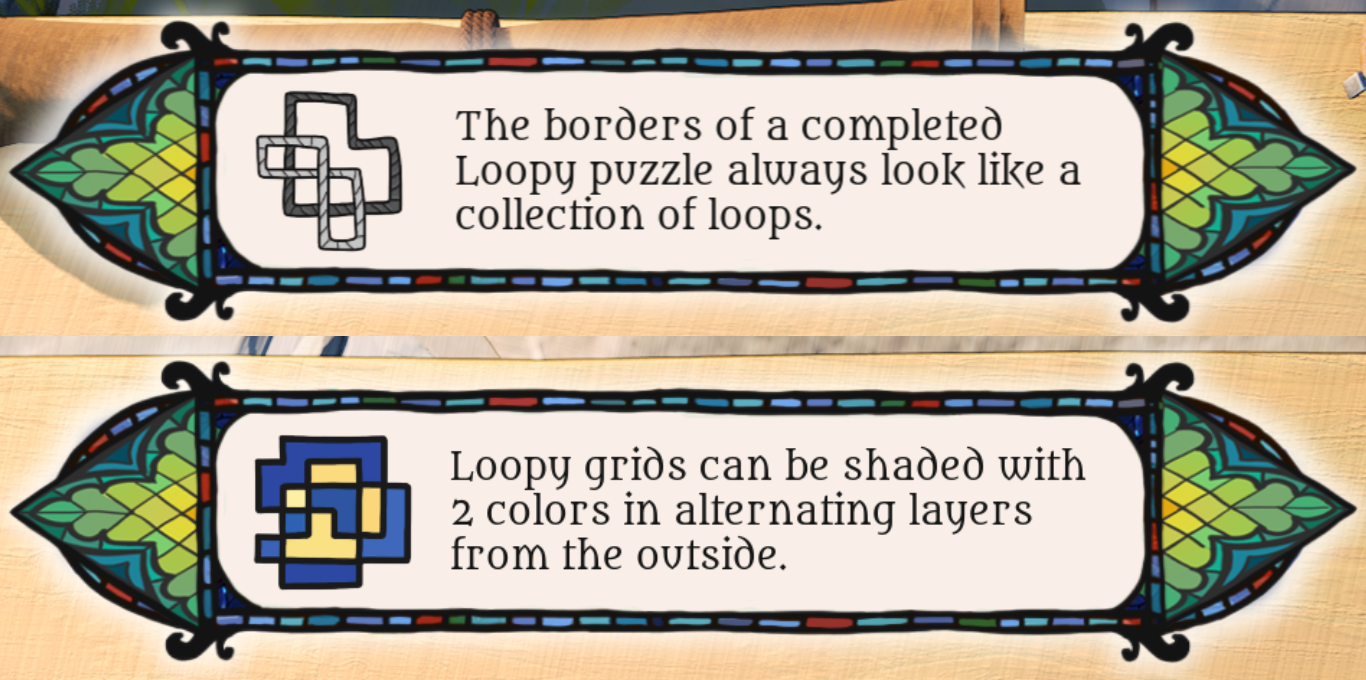
We're very interested in feedback on these new tutorials, so please let us know if they are helpful!
Hardware cursors
Glimmith's mouse pointer previously used an in-game shader to support the hue shift that occurs when you switch colors while solving puzzles. Unfortunately, this adds a bit of lag to the mouse movement, since the shader required a software cursor (effectively hiding your actual mouse and replacing it with one faked by the game). The game samples the mouse's position at the start of a frame, but then has to wait until the frame is fully rendered before the cursor's location on the screen is updated, and that lag reduces click accuracy when solving puzzles. It also makes the mouse feel less responsive if you've lowered the game's FPS to conserve your device's battery.
We decided to swap out this software pointer for a hardware cursor. With this change, Glimmith now uses the exact same mouse pointer that the rest of your operating system uses, and it simply swaps out the graphic when you change colors. We had to manually recreate the colored mouse pointer art that was previously rendered by a shader, but you shouldn't notice any difference. We hope you enjoy the snappier and more accurate input.
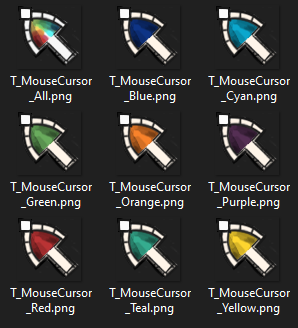
A note for content creators: you may need to update the settings in software like OBS to capture the new cursor correctly in video recordings, livestreams, and screenshots.
Warnings and popups
Many of the biggest complaints about Glimmith come from misunderstandings about how the game works or how the settings should be configured. For example:
Some players would set their frame rate to Unlimited and disable V-Sync, and then observe that their fans were blowing too loudly without realizing that the game was trying its hardest to use all available resources to generate as many frames as possible!
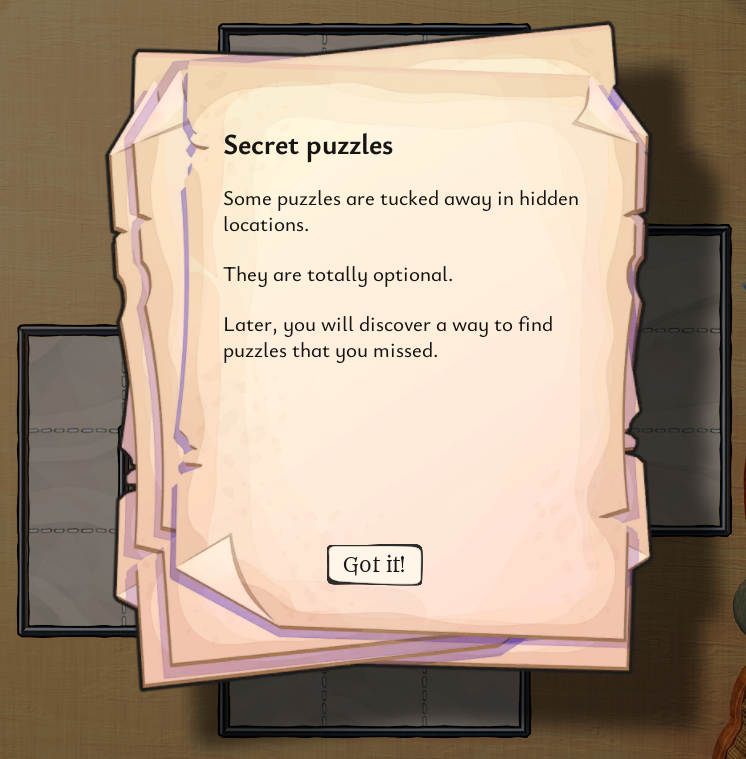
Some players were frustrated by not knowing the exact number of puzzles in each area. However, those players were unaware that we reveal this information later in the game (we wait to avoid spoiling a certain surprise).
We added a few new popups and prompts to help inform players about these kinds of issues. Here's an example:
Automatic restoration of backup saves
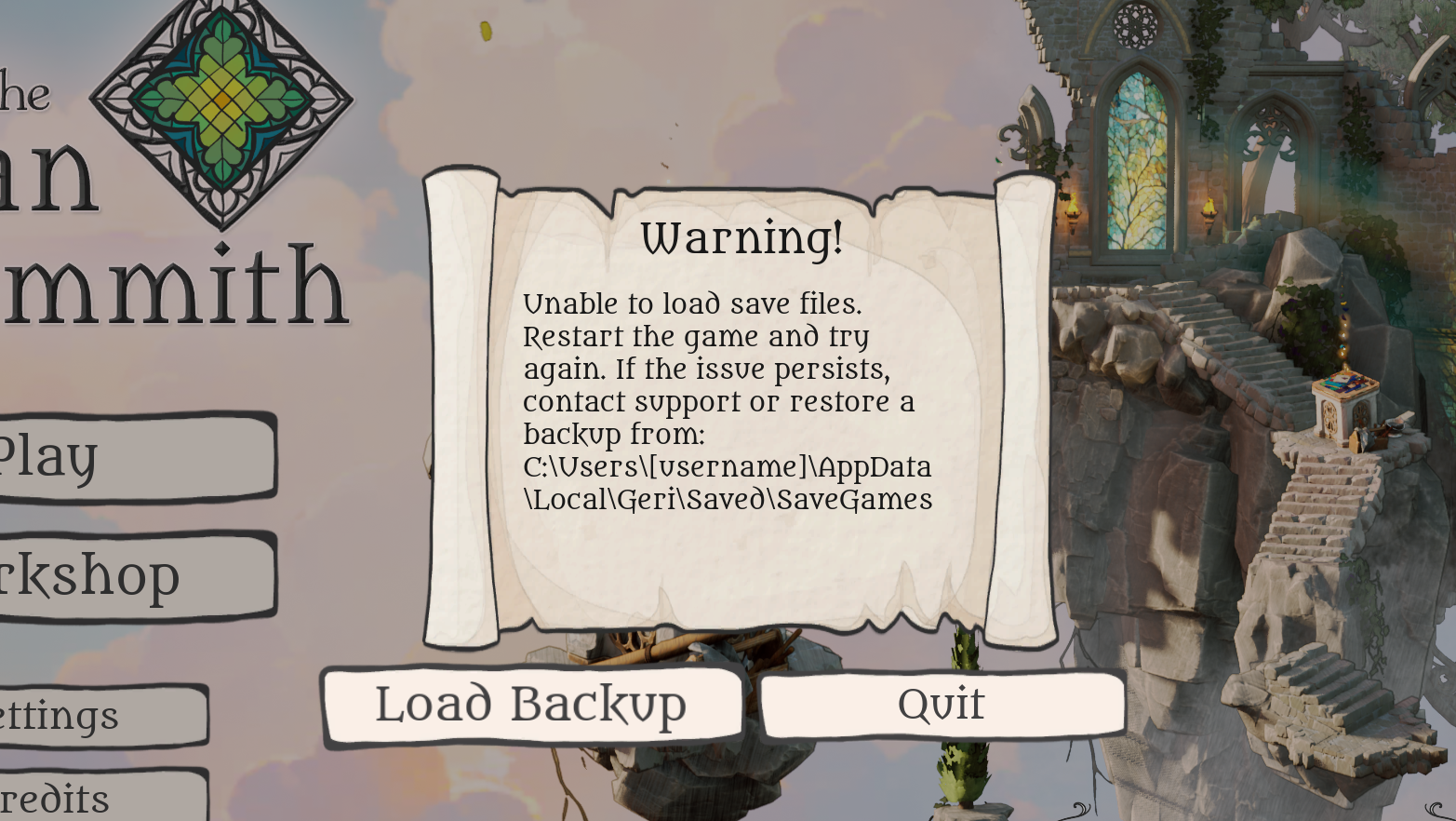
Sometimes, if your drive storage becomes full or the system crashes or loses power right at the exact moment that the game is being saved, it can cause a save file to become corrupted. This can happen with almost any video game, and it is the reason why so many games warn you against turning off the power while the game is being saved.
In Glimmith, we create backup saves every few minutes in case this happens. But until now, you had to manually restore your progress from a backup if your save file became corrupted. Now, we've added a new "Load Backup" feature that automatically loads from the latest backup in the event that the main save file couldn't be loaded.
We hope that this allows all affected players to get back into the game immediately without having to mess around with AppData files or submit a support ticket!
Bugfixes and minor tweaks
Fixed a bug where error highlights would sometimes be missing after resizing a grid in the editor.
Fixed a bug where trees were not blowing correctly in the wind.
Fixed a very rare bug where players could get trapped outside of the map boundaries and not get back in.
Fixed a few meshes in the castle area that allowed puzzles to be clicked through them.
Fixed a number of meshes that were not casting shadows correctly on some quality levels.
Fixed a compression setting on the crystal glass texture that was causing an unintended pixelation artifact.
Thanks again
To everyone who gave us feedback or wrote a review, thank you! That information is invaluable in helping us make Glimmith the best game it can be.
- PATCHArtisan of Glimmith 2026-07-24 patch notes
This is a minor patch consisting mainly of bugfixes, localization updates, editor improvements, and a few small puzzle edits.
This is a minor patch consisting mainly of bugfixes, localization updates, editor improvements, and a few small puzzle edits. Below are the changes:
Updated the difficulty numbers in several puzzles to better reflect their perceived difficulty.
Added additional clues to an endgame puzzle whose first steps were more difficult than intended.
Fixed an issue where compiler optimization settings were misconfigured. This may result in a minor performance boost for some players (likely only noticeable to players who were CPU bound).
Changed the wording of the Solitude rule explanation to make it more clear that exactly one symbol is required in each area.
Fixed a few translation mistakes in various languages, including Turkish, Polish, and Chinese.
Fixed a bug where 'half solved' puzzles would display an incorrect visual state after loading.
Added the ability to resize grids in the puzzle editor without deleting the contents of a puzzle.
Removed a blank line from the "add rule" dropdown menu in the puzzle editor.
Fixed a bug in the puzzle editor where the solved state of a puzzle would not update correctly when new clues were added.
Fixed a bug in the puzzle editor where some edits would not end up in the undo stack.
Thanks again to everyone who submitted bug reports! Happy puzzling! ~ Elyot Grant
CEO and Game Director, Lunarch Studios
- ATUALIZAÇÃOGlimmith Update! Trading cards, music player, puzzle IDs, new demo, and more...
Esteemed Artisans, The latest patch for The Artisan of Glimmith has been deployed! This time, both the main game and the free demo have been updated.
Esteemed Artisans,
The latest patch for The Artisan of Glimmith has been deployed! This time, both the main game and the free demo have been updated. We've listed the changes below, but first, a few announcements:
Steam Trading Cards are now available!
They actually went live a little while ago, but we're happy to announce that Valve has approved us to have Steam Trading Cards! There are 7 cards available in total, each featuring a different puzzle symbol from the game:
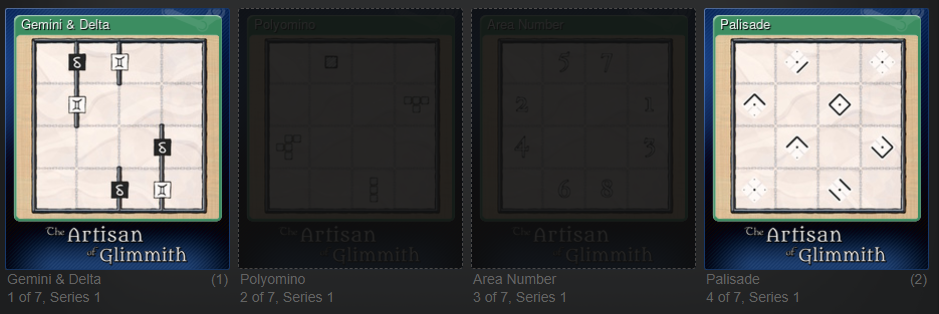 You'll get a card for every 2 hours of playtime, up to a maximum of 4 of the 7 cards. If you want more of them, you'll have to trade for them! Collect them all and something good might happen! (You'll get a badge, Steam profile XP, and a random drop such as a Glimmith-themed background or emoticon).
They might also conceal a bit of a secret for those with keen observation skills...
Steam backgrounds and emoticons
You can also get the Glimmith Steam backgrounds and emoticons directly using Steam points at https://store.steampowered.com/points/shop/app/4160210/
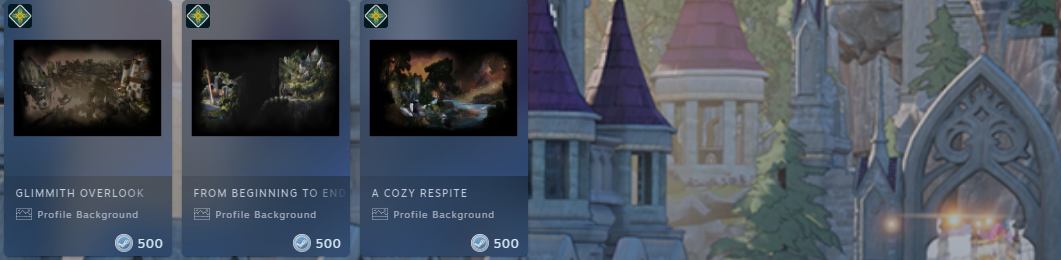
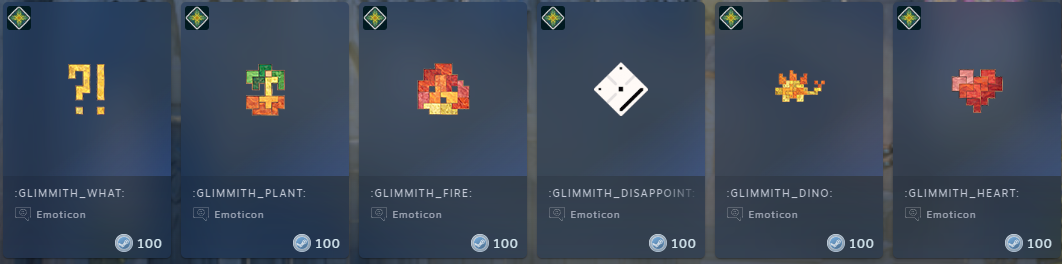
A giant wall of :GLIMMITH_HEART: makes a great Steam forum comment (or :GLIMMITH_DISAPPOINT: if you want to express maximum disapproval).
You can now use Glimmith as a music player
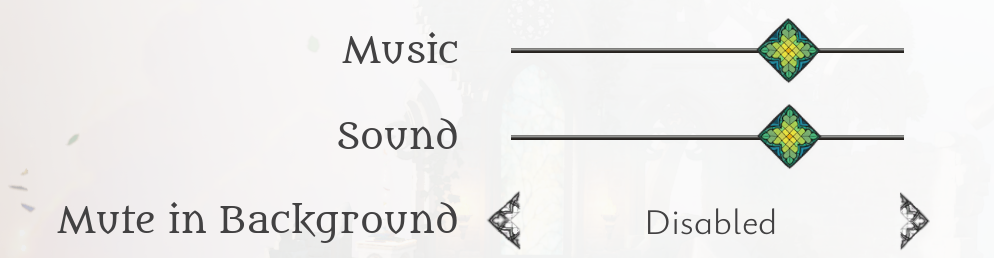
By popular demand, we've added a "Mute in Background" option in the settings menu. Disable it, and you can Alt-Tab away while leaving Glimmith running with its audio playing at full volume. Glimmith's music makes great background audio for studying, work, or writing patch notes on Steam (I can confirm!)
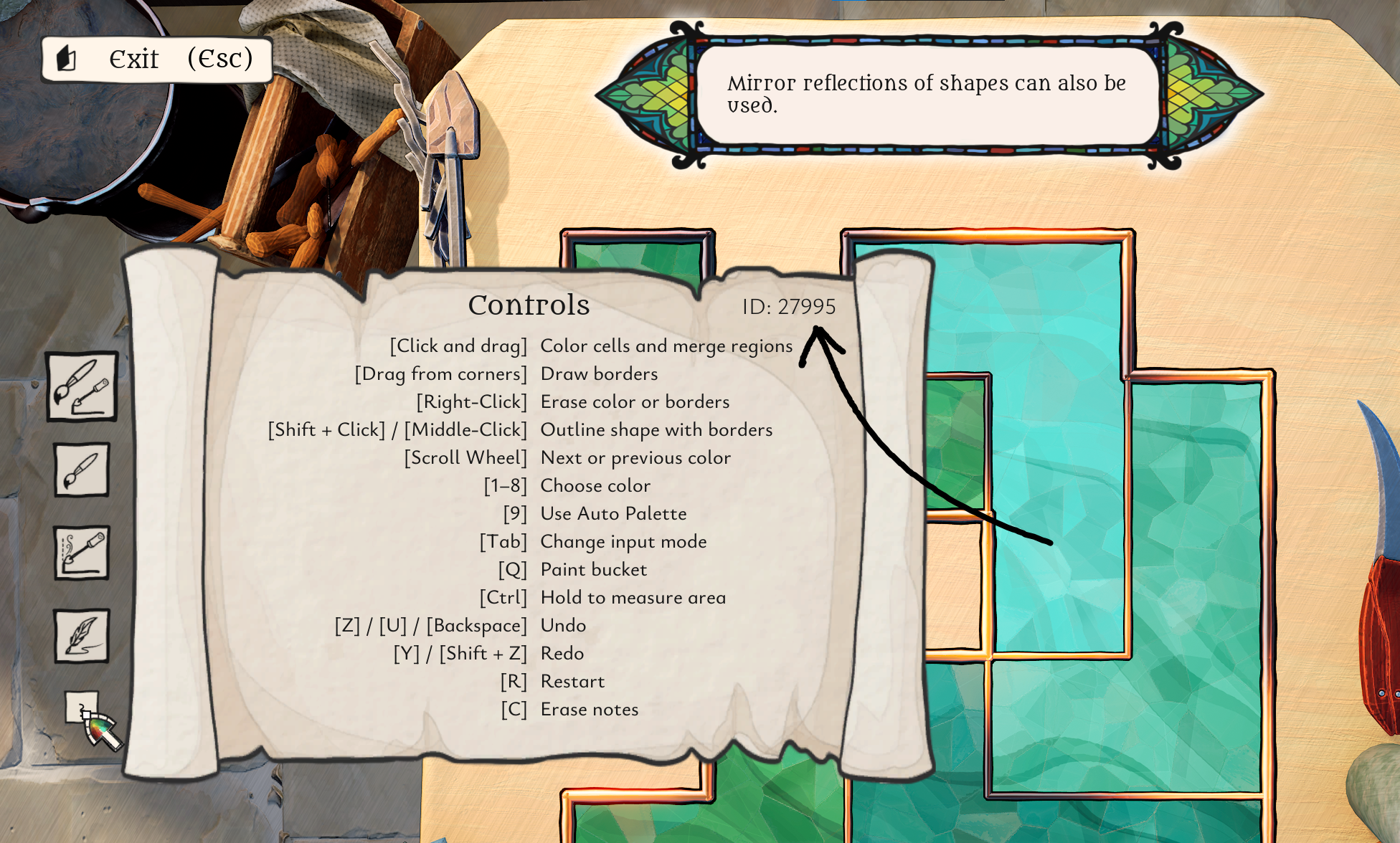
Puzzle IDs are now available
Some players have asked us for a way to get a unique ID for each puzzle so they could make videos, solution guides, or just have a way of naming each one! We have internal names for the puzzle files, but they won't make much sense to players (in particular, they are totally out of order and are full of gaps in the numbering because all the previous versions of every puzzle that all had their own IDs).
So instead, we've generated a unique 5-digit hashcode for each puzzle. You can view them by mousing over the (?) below the mode selection panel:
Demo update
We've updated Glimmith's free demo to include all the latest bugfixes and features from the last few months of patches. Plus, we've ported all the translations and controller support over to the demo, so you can now play it on Steam Deck and in all 16 languages.
Tutorial updates
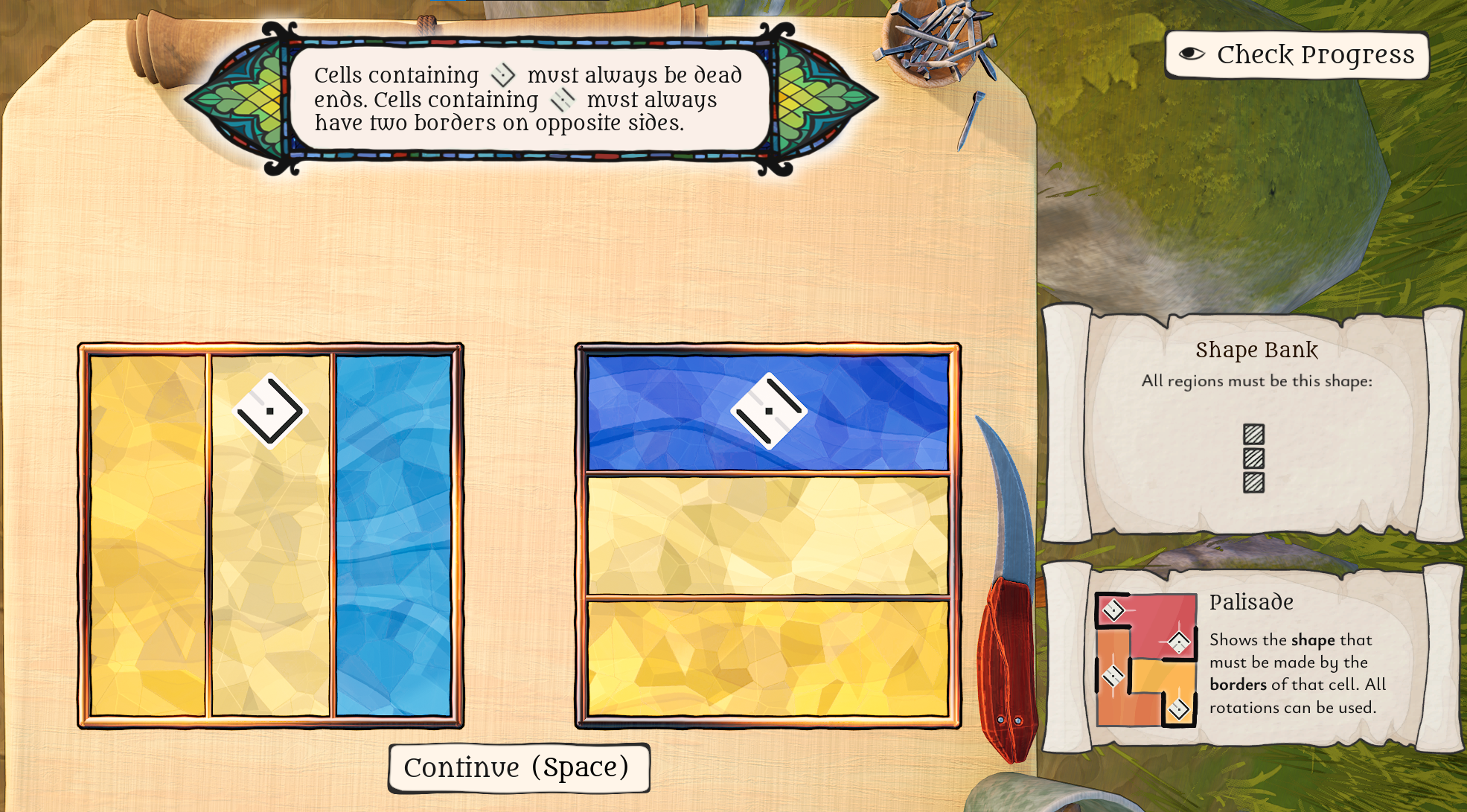
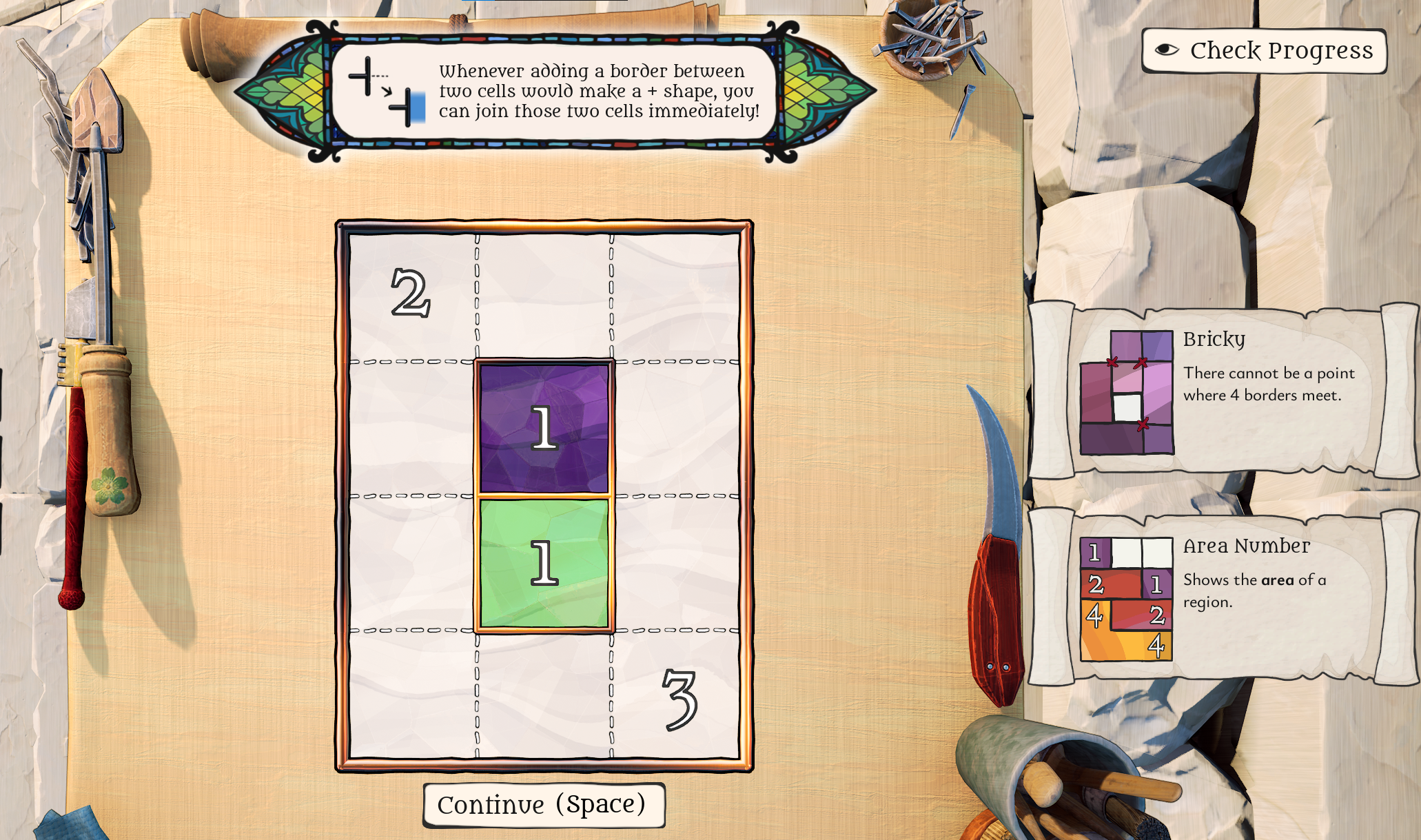
We've updated some of the tutorials for Palisade, Bricky, and Loopy to help make the rules clearer for new players and get them on the right track when solving these puzzles.
Usually, we prefer to rely as minimally as possible on text explanations for rules, and instead design the puzzle tutorials themselves to be as illustrative as possible, while also allowing players to experiment with the error-checking system of the game to verify their understanding and answer any questions about corner cases. This works great for about 95% of players (who really don't need these updated tutorials at all), but we've found a few instances where some players struggled because things weren't quite clicking into place for them. Palisade was the most common rule for which this was a problem, and the tutorial has been updated accordingly:
The Bricky and Loopy sections also continue to be quite difficult for some players, so we've added a few solving tips to help players get over the initial hump of learning the basic deductions. This should help to make players more prepared for the deeper solving tricks that come later in those sections:
Bugfixes and minor tweaks
Fixed a controller bug where the L2 and R2 buttons would sometimes not perform the right input if they were pressed halfway down on controllers supporting soft-press inputs.
Improved the Workshop to load about twice as fast for people who have subscribed to a large number of Workshop puzzles.
Added a workaround to improve stability for players who have Tiger Lake CPUs with Intel's TGL031 problem. We still highly recommend a BIOS update for these players to fully resolve the problem, but Glimmith should be less likely to trigger exceptions for them. Much thanks to everyone who sent us their crashlogs and memory dumps to help us track down the root cause of this issue!
Updated the error message that appears when a corrupted save file is found, so players are told where backup save files are located.
Fixed a few minor environment bugs.
Made some minor translation improvements.
Thank you!
Much love to all of our players for your continued support. If you have any feedback, please let us know on the Discord or on the Steam Forums!
- ATUALIZAÇÃO2026-04-21 Glimmith Update - Custom palette, Steam Deck, and Polish language
Esteemed Artisans, We have another patch to share with you for The Artisan of Glimmith . Our goal with these patches is to continue improving the quality of the game and to make it available to even more players.
Esteemed Artisans,
We have another patch to share with you for The Artisan of Glimmith. Our goal with these patches is to continue improving the quality of the game and to make it available to even more players.
Added Polish language
The game can now be played in Polish. Please let us know if you have any feedback on the new translation.
Improved Steam Deck & Controller Input
We are now Steam Deck Verified! We've pushed some major improvements to controller and Steam Deck input:
When playing with a controller or Steam Deck, controller glyphs are now shown on the screen in tutorials and messages.
Switching from controller to keyboard and back will automatically swap out the glyphs on the fly.
Joystick speed has been tweaked to enable more comfortable cursor movement with controllers.
We've added controller inputs for clear notes (D-pad left), redo (D-pad right), and area counter (D-pad up). The binding for default color palette has been moved from D-pad up to D-pad down to reduce the chance that it is accidentally pressed.
We fixed many controller bugs, including one where input could get stuck if you clicked on the \[?] icon in a puzzle with a controller.
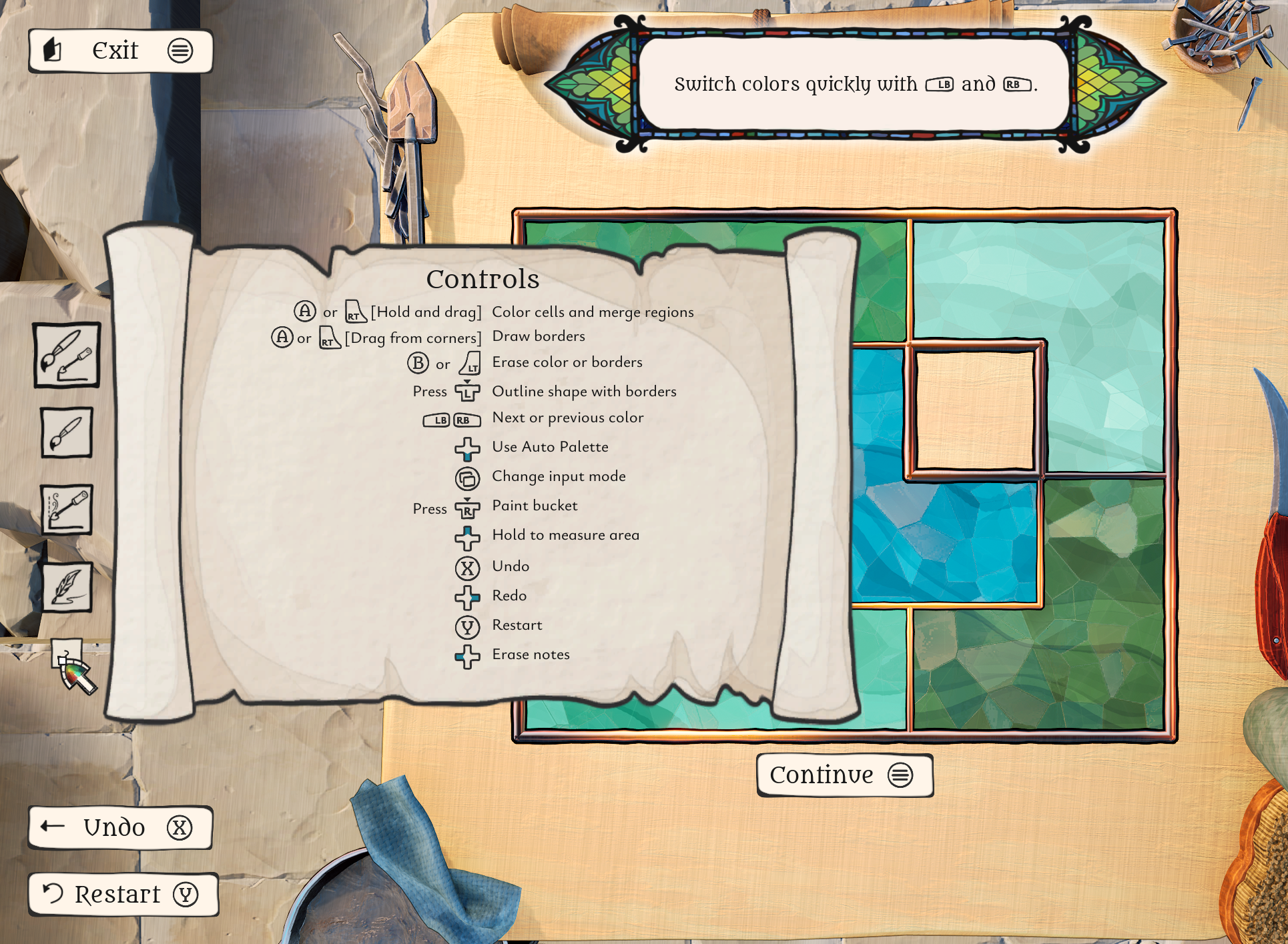
If you wish to adjust your joystick sensitivity or remap any buttons, you can still do so in the Steam Input panel by doing the following:
Launch The Artisan of Glimmith
Press Shift+TAB on a keyboard or the Steam button on a Steam controller or Steam deck
Find the Controller Settings menu (controller icon at the bottom of the screen on PC, or scroll right in the overlay on a Steam Deck)
Select Edit Layout
You can now adjust controller bindings or joystick sensitivity to your liking
Color palette customization
We've had a ton of requests from players who wanted new and different ways of customizing the way that The Artisan of Glimmith selects colors. We spent a lot of time exploring different possible changes to the interface that would accommodate as many of these requests as possible, while also minimizing confusion for casual players and not overwhelming them with a complex interface.
We also wanted to preserve the existing "default palette" behavior—rather than using a fully random rainbow palette, it uses a different set of 2-3 colors for each puzzle. This behavior produces more aesthetically dynamic grids, and also makes each puzzle feel more distinct and unique, so we still want it to be the default behavior for new players.
But now, you can override the default behavior and make Glimmith use any color palette you like:
You can now click a small circular "checkbox" next to each color to enable and disable it in your current color palette. You can choose your favorites, select a high-contrast set, or enable the full rainbow.
The "default color palette" button has been renamed to the "Auto Palette" button. It now looks a bit different, has a tooltip, and has been relocated to below the other colors.
If you customize your palette, then it will be remembered when you switch from puzzle to puzzle. But if "Auto Palette" is selected, you'll load each puzzle's existing default palette whenever you switch puzzles.
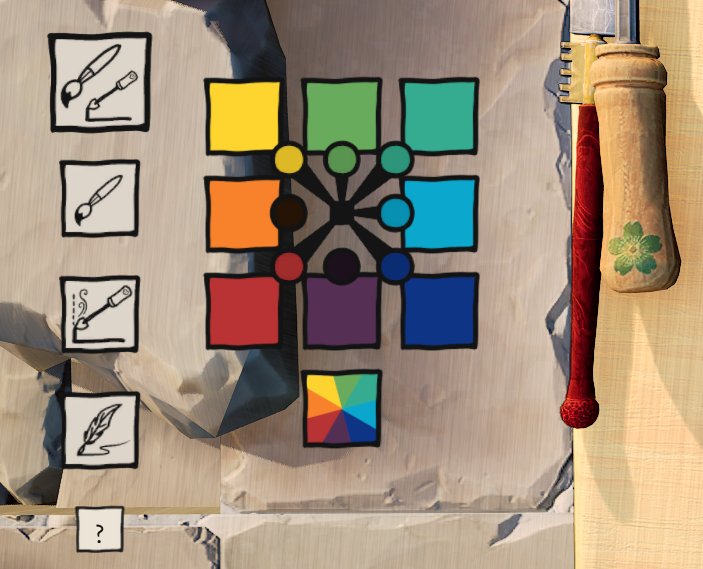
Coloring improvements
We've also made a few small tweaks to the game's color-picking algorithms:
When you're coloring a new cell in the grid, the game will now favor the use of major hues that are different from those of all the neighboring colors (if available). If not, a different minor hue variation will still be used.
When a region is split (by adding a wall or erasing a cell), the game now ensures that a different hue variation is used to recolor all of the resulting regions.
Bugfixes and minor tweaks
Fixed a bug where it was possible to become stuck in an overly large resolution in windowed mode with no easy way to revert back to a smaller resolution.
Fixed a bug where one of the Vidimus plinths in the endgame was clickable earlier than expected.
Fixed a bug that was causing the game to be blurry for some Linux users.
Fixed a bug where the clear notes button would sometimes be visible outside of note-taking mode.
Fixed some missing triggers for confirmation dialogs in the editor menu, and fixed all confirmation dialogs to respond to Space (Yes) and Escape (No).
Fixed a bug where some puzzle pieces would stop shimmering after the puzzle was solved if the shape of the piece was changed.
Fixed a bug where an editing mode tooltip could get stuck.
Troubleshooting Guide
We've posted a guide on the Steam Community for players who are having trouble with the game. It covers solutions to the most common technical problems that players are having, such as:
Restoring save files from backups
Getting the game working on Mac, Linux, or other unsupported hardware
Improving stability and performance on older or unsupported machines
Reverting to older builds of the game
Issues with anti-virus software preventing the game from running
The guide is available in English and Simplified Chinese. Please feel free to share this link with any players who are having technical issues:
https://steamcommunity.com/app/4160210/discussions/0/800093528412707949/
Thank you!
We're nearing 1000 reviews, with over 99% of them positive. Thank you so much to each and every one of our players for your continued support.
- PATCHArtisan of Glimmith 2026-04-05 patch notes
This is a quick patch that we've deployed to address some issues with the recently-added new languages. Thanks to everyone who reported these bugs and problems!
This is a quick patch that we've deployed to address some issues with the recently-added new languages.
Thanks to everyone who reported these bugs and problems!
The changes are as follows:
Fixed the broken packaging for the Czech localization.
Adjusted some Russian translations to make them more clear or fit better in the user interfaces (in particular, the descriptions for Palisade and Compass were adjusted).
Adjusted the Russian title font to fix characters that looked wrong.
Fixed the loading screen so that the text wouldn't fall off the side in some languages.
~ Elyot Grant
CEO and Game Director, Lunarch Studios
- ATUALIZAÇÃO2026-04-04 Glimmith Update - Languages, performance, bugfixes, and more.
Greetings Artisans, We have another patch to share with you for The Artisan of Glimmith .
Greetings Artisans,
We have another patch to share with you for The Artisan of Glimmith. This one focuses on adding new languages, improving the performance of the game, fixing bugs, and providing a couple of small quality-of-life tweaks.
Italian, Brazilian Portuguese, Czech, and Russian are now live!
You can now play The Artisan of Glimmith in these four new languages.
Other language changes include:
Substantial updates to the Spanish translation.
In the French translation, changing the names for Match and Mismatch to Pareille and Pas Pareille.
Fixing some mistakes in German and Chinese.
Adding a Cyrillic font for Russian.
Adding new translators to the credits.
Please let us know if you have any feedback on the translations.
Big performance enhancements
In our last update, we mentioned how we were observing some crashes among players who were trying to run the game on hardware that was well below our minimum system requirements.
Most of these crashes were due to these systems not having enough video memory to support the game. So we asked ourselves, "Could we try to lower the amount of video memory that the game required, particularly on LOW settings, without affecting its visual appearance?"
If we could, it would not only help improve stability for those players, but it might actually allow us to lower the game's minimum system requirements, allowing more Artisans to access the game.
We never spent much time trying to optimize Glimmith's video memory usage during development, because our goal was to get the game's VRAM usage below 3GB (to support 4GB graphics cards) and we were able to achieve that without much effort, so we never tried to push it further.
As it turned out, there were many more savings to be found! In fact, we've improved things so much that we expect that the game, on LOW settings, should be stable even on 2GB graphics cards. This should be a big win for those with older PCs or with integrated graphics only.
The changes made include:
Optimizing lightmap and shadowmap densities throughout the whole map. This made a huge difference! We were able to reduce the baked lightmap sizes by around 85% with no quality loss (and quality improvements in some cases!) This has a huge number of benefits, including lowering the download and install size of the game, fixing blotchy shadows, reducing video memory usage by hundreds of megabytes, and even reducing the number of draw calls due to better texture packing, which yields a small FPS boost.
Lowering distance field atlas sizes on LOW quality settings. This saves a massive amount of video memory, and doesn't affect visual quality very much (because LOW settings mainly rely on contact shadows for shadow detail).
Removing unneeded data from the project. We were able to remove a few more unused textures, remove unused navigation data, and remove a ton of unnecessary quality used for collision meshes (whose only purpose was to block mouse clicks on the map). We also removed adjacency buffers from every mesh in the entire project (since we don't use tessellation), and we removed reversed index buffers from a number of environment assets that never needed them (they're only used if the mirror image of an asset is placed on the map).
Optimizing triangle counts. Many of Glimmith's building meshes had very high triangle counts—enough that they would look flawless even when viewed up close in first person! But that extra quality is completely invisible when viewed from a bird's-eye-view camera, so we were able to reduce many mesh triangle counts with no perceptible quality loss. Some scenes in the game are now rendering with 30% fewer triangles!
Adjusting some foliage LOD transitions and distance fades. This one is 80% aesthetic but should reduce the pop-in effect on grass and trees, particularly on HIGH and EPIC quality. Flickering should also be reduced on some meshes like trees and the Glimmith bridge.
Adjusting texture resolutions and formats. Some textures were being stored in raw, uncompressed formats because their x and y resolutions were not divisible by 4. We've adjusted their resolutions and converted them to DXT5, BC7, and various other optimized formats, which saves a bunch of video memory.
In total, these changes reduce video memory usage by 30-40% across all quality settings. There should be no noticeable reduction in visuals, and there should be several minor visual improvements and a small FPS boost (5-10% on most systems, but it depends on what you're bottlenecked by).
Here's a comparison. This is from the before the changes. This scene has 17.4M triangles:
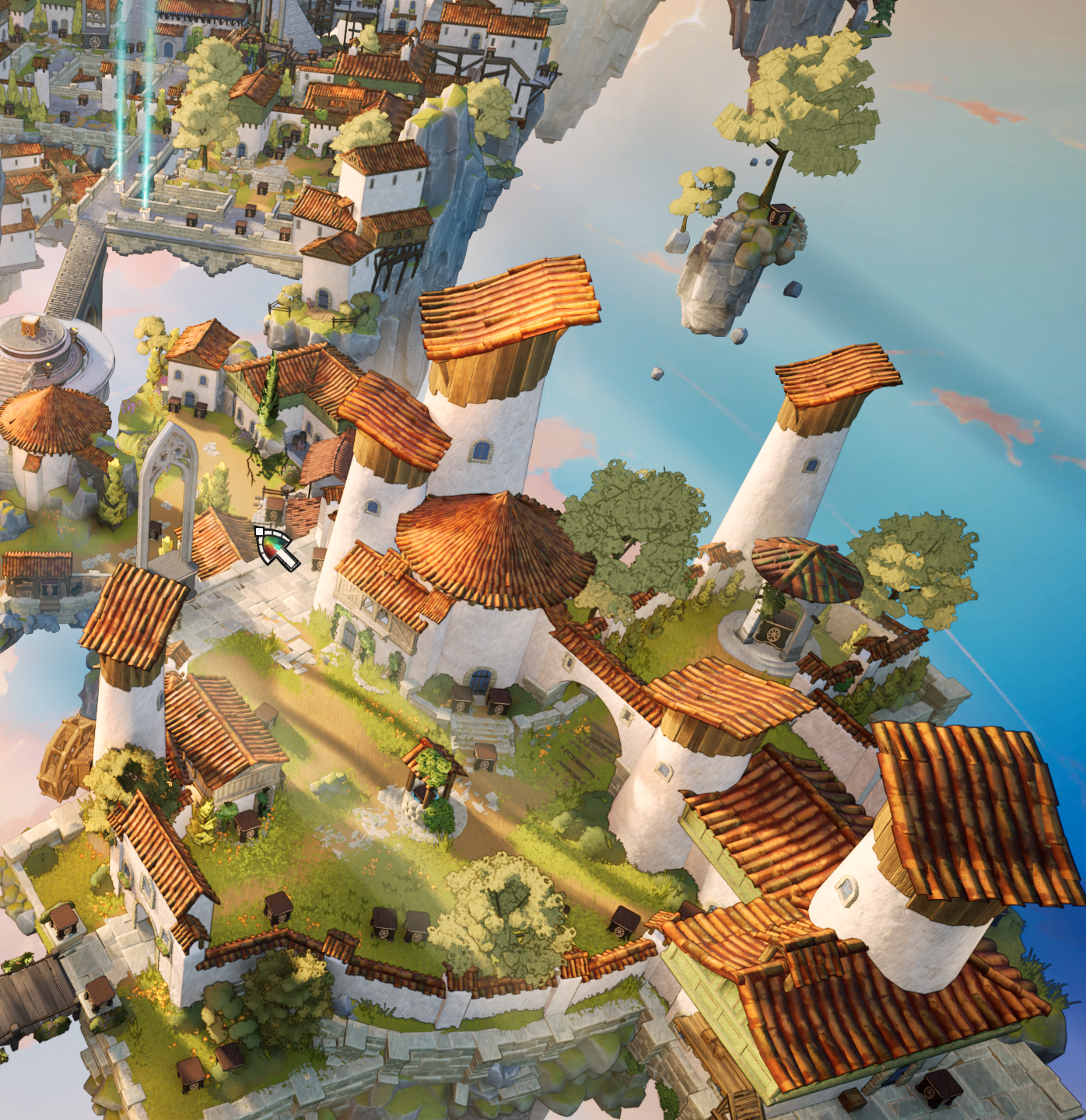
After, the scene has 12.3M triangles (~30% less) and uses 35% less video memory. There are some minor improvements to shadows and grass-drawing distance, but you otherwise shouldn't notice a difference:
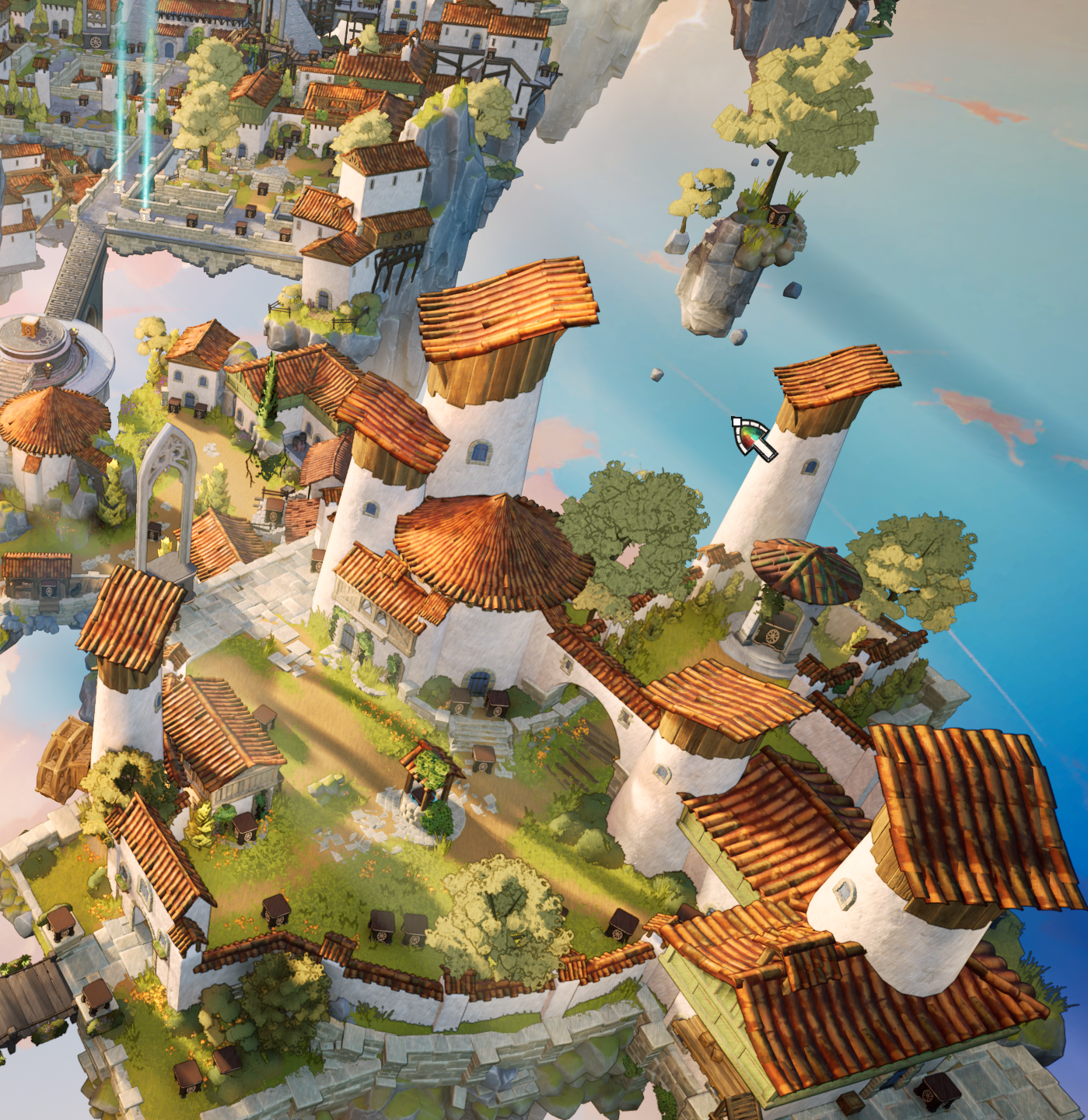
Please let us know if you notice anything that doesn't look right while playing with the updated build, as we messed around with a lot of assets.
Additional tweaks and fixes
Other changes that have gone live in this patch include:
Added an option in the Settings menu to hide the Check Progress button while in puzzles (for you people that can't stop yourselves from clicking it!)
Improved the map navigation when playing with a controller or Steam Deck.
Remade the difficulty indicator graphics and converted them to fully-baked textures (to fix the off-center numbers in them and improve their appearance).
Fixed a visual bug where the window progress graphic was squished in an early note from Elias Vidimus.
Fixed a bug where the map would sometimes snap to a different location after exiting a puzzle.
Fixed an unintended way to click the hidden puzzle on the floating island beneath the Glimmith Overlook.
Fixed a castle tower that was accidentally colored red instead of purple (no, this was not a puzzle!)
Fixed a missing wall in one of the red-roofed cottages in the forest.
Fixed a rock that was clipping through the floor inside one of the houses.
Fixed some objects that allowed puzzles and windows to be clicked through them.
Fixed a bug with water transparency sort ordering that made water visible through the fog.
Fixed a puzzle in the Compass area that had 2 solutions.
And here are some other fixes that we snuck in earlier this week:
Fixed a bug where the Community Craftsman achievement would fail to trigger (if you should have gotten this achievement but didn't, you can solve any puzzle from the workshop to trigger it, including a puzzle that you've already solved).
Fixed a bug where error highlights wouldn't update after changing the Show Errors setting.
Fixed a bug where the restoration progress pop-up could appear while in a puzzle.
Fixed a bug where the restoration progress text would appear in the wrong place for a frame.
Removed a performance hitch on mouse-up in note-taking mode.
Increased the drawable area for note-taking mode.
There are more improvements to come...
Upcoming changes include:
Controller glyphs (so we can get Steam Deck verified!)
New features and improvements for the color palette (this is a big change that needs a lot of testing, so thanks for your patience everyone!)
Adding Polish language support
Happy puzzling!
~ Elyot Grant
CEO and Game Director, Lunarch Studios
- ATUALIZAÇÃOA small performance fix that should help with crashes on low-end hardware
So we've pushed a patch this afternoon. The changes are pretty simple: Fixed a dumb bug that caused the game to use 200MB more video memory than it should Made further optimizations to save another ~100MB of video…
So we've pushed a patch this afternoon. The changes are pretty simple:
Fixed a dumb bug that caused the game to use 200MB more video memory than it should
Made further optimizations to save another ~100MB of video memory
But the dumb bug has a really funny story.
The Investigation
It started yesterday when, after the patch, we got a few reports of crashes. Usually this means the patch has a programming error that needs to be fixed, but the reports were quite sparse (we only ended up getting around 7 of them in 24 hours). And when we looked further, the crashes were... weird.
Normally if the crash is caused by a bug in our code, it's triggered whenever players do a very specific thing. But in this case, the crashes were happening at seemingly random times. And moreover, they didn't just crash The Artisan of Glimmith... they sometimes crashed players' entire computers!
When we looked at the hardware of the players having problems, we noticed something in common... these players were all running machines with Intel Iris Xe Graphics. This is an integrated GPU that ships with many low-end laptops, and it's not really meant to run high-end Unreal Engine games. In fact, it scores only 2608 on G3D Mark, and our minimum system requirements (a 1050Ti or similar) scores 6360.
However, it's used in about 1% of systems on Steam, which is still a lot:
https://store.steampowered.com/hwsurvey/Steam-Hardware-Software-Survey-Welcome-to-Steam
To be honest, I was surprised that these systems were able to run Glimmith in the first place with only 40% of the minimum required graphics power, but apparently they had been able to play reasonably comfortably with a good degree of stability... until yesterday's patch!
We peeked at the error messages and callstacks from the crashes, which revealed a whole slew of random crashes deep in Unreal's engine code, often relating to DirectX. Usually this means that the video card is out of memory and refusing to allocate more VRAM.
Sure enough, I checked in the task manager and discovered that the new build was using around 220MB more VRAM, which is about 10% more on LOW settings. We knew it would go up a little bit for all the new features we added (tutorial messages, area counter, progression tracking, etc.), but it didn't make any sense... there's no way those things would add up to 220MB.
So we ran a memreport and compared it to one from the previous build. And what I saw left me scratching my head even more. Starting from the March 27th patch, Glimmith now had a random 196MB 3D sky texture loaded into video memory. And I had never seen it before. It was called 01.01.
For reference, 196MB is absolutely massive for a texture, like this was a gorgeous 3D skybox for a high-end video game that wraps fully around you in all directions. And Glimmith wasn't using 01.01 at all. It was just... there. And it was wasting a ton of video memory (likely acting as the straw that broke the camel's back for machines with GPUs way below our minimum spec).
WTF?
We checked for all references to the object and found our culprit here:
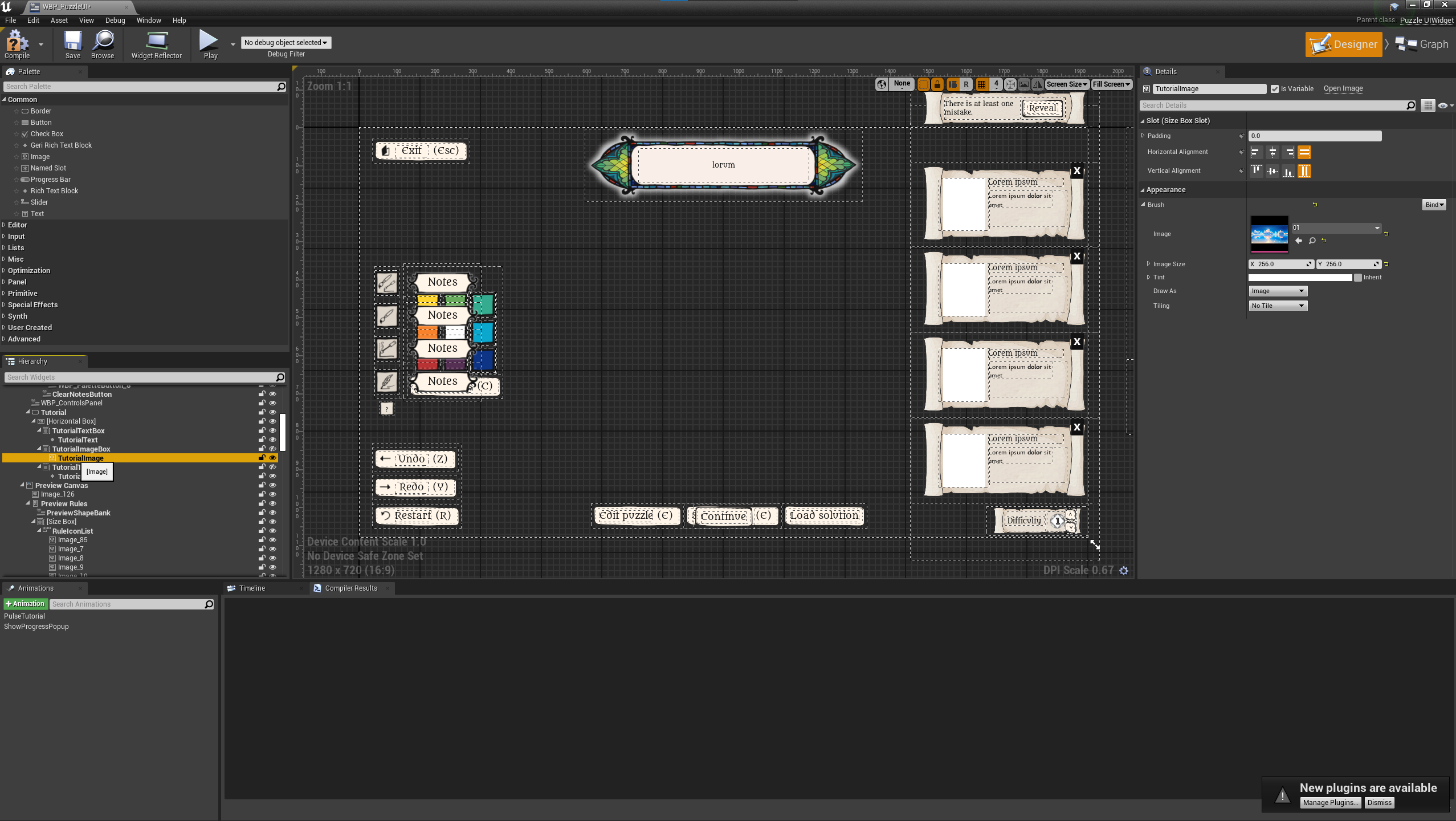
Buried deep in the UI widgets, there was the tutorial image box—a feature we added to support those new hand-drawn graphics you'll find in some of the game's tutorial boxes. It also happened to be a feature that went live in yesterday's patch!
The image box was set up with 01.01 as its default image. This was totally irrelevant to the game's functionality, because the default image is never used for this image box at all (our code immediately replaces it with the correct image). But Unreal had no way of knowing that, so 01.01 got packaged into the game and loaded into video memory all the time, at full quality, totally needlessly.
Why did 01.01 end up there as the default? Because 01.01 is the first texture alphabetically in the list of all textures in our library (which includes a bunch of asset packs and other files). If you create an image box and don't pick a default image, Unreal might just pick one for you.
After fixing this problem, we also poked around to see if we could find other VRAM optimizations. After all, if there were players with really low-end hardware that was just barely teetering on the verge of playability, a small change in VRAM requirements might create a massive improvement in stability for them.
We managed to find another 100MB of savings without much effort, mostly by compressing textures that were way higher quality than they needed to be. We'd have made these changes much sooner if we knew they would actually make a difference for players! (But our goal was to stay under 3GB of VRAM so we could run on 4GB cards, and we were already way below 3GB).
In any case, you shouldn't notice any visual differences as a result of the changes. If you do, please let us know.
One other thing...
We also got reports from a couple of players who had much more powerful GPUs than the Intel Iris Xe Graphics, but were still suffering from the same instability.
In all such cases, it turned out that they were running laptops with both integrated GPUs (the Iris Xe) and discrete Nvidia GPUs, and their systems were choosing to run Glimmith using the integrated graphics (definitely not a good idea if you want the best possible performance in the game)! This is likely because Nvidia just hasn't yet learned that Glimmith benefits from the more powerful GPU (likely because it's not particularly demanding).
So if anyone out there is not getting the performance out of the game that they think they should, check if this might be the problem!
To fix this issue, you need to override your system's assignment of which GPU is used for which program. For Nvidia users, you can use the NVIDIA Control Panel app to create overrides. Just go to Manage 3D settings -> Program Settings, and add Geri.exe (typically located at C:\\Program Files (x86)\\Steam\\steamapps\\common\\The Artisan of Glimmith\\Geri\\) and set it to use the NVidia GPU. Edit: you may also need to add Geri-Win64-Shipping.exe which is typically located at:
C:\\Program Files (x86)\\Steam\\steamapps\\common\\The Artisan of Glimmith\\Geri\\Binaries\\Win64
Thanks again to all the players who shared their crash reports and system specs with us to help us identify the problem. Please try the main build on Steam again and let us know if you have any further issues.
Happy puzzling!
~ Elyot Grant
CEO and Game Director, Lunarch Studios
- ATUALIZAÇÃO2026-03-27 Glimmith Update - Area Counter, Progress Tracker, and More
Greetings Artisans, We've been hard at work to bring you our first of many large patches for The Artisan of Glimmith , and we're finally ready to share it with you.
Greetings Artisans,
We've been hard at work to bring you our first of many large patches for The Artisan of Glimmith, and we're finally ready to share it with you.
This update contains a number of bugfixes and improvements to various parts of the game. Many of these changes have been the direct result of the suggestions and bug reports we've received from the community, so thank you to everyone who provided feedback.
Here are the chages:
Grid quality and readability improvements:
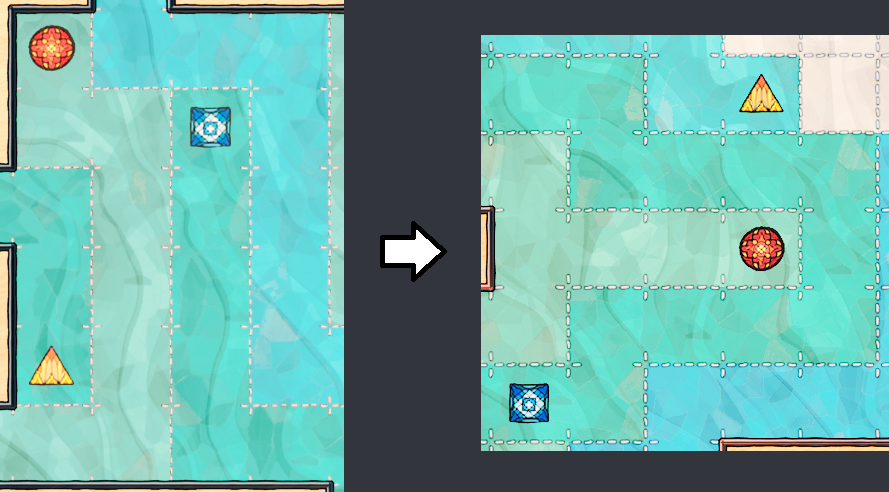
Dotted lines between cells are now easier to see at smaller sizes and on grids with large numbers of cells. The number of dashes decreases from 8->7->6 as squares get smaller, and the overall boldness of the dotted lines should be better preserved at smaller sizes. This should massively improve the issue of not being able to see whether two similar-colored regions are joined together or not.
We've added resolution-dependent tweaks to temporal anti-aliasing settings when entering puzzles. These should help reduce flicker when playing on smaller resolutions or grids with large numbers of cells.
Added TAA upsampling and a small amount of sharpening to make grid symbols and dotted lines more crisp.
Performance:
Fixed a major bug that was causing poor GPU performance when the quality settings were set to LOW. This was caused by an interaction between Unreal Engine's quality settings code (which sets r.LightMaxDrawDistanceScale=0 on LOW) and the custom code we wrote for the lights illuminating puzzle grid surfaces. The result was that on LOW settings, none of these lights were being culled at all. The game should now perform significantly better on LOW settings for players who were GPU bound (particularly those with on-board integrated graphics).
Fixed a bug that was automatically setting some players to Epic settings when they first started up the game, even though they should have been set to High or Medium. (The fix will not impact players with existing save files, but will provide better default settings for new players.)
Made the shader for the small fog clouds in the map much more efficient.
Area counter:

By popular demand, we have added the ability to hold CTRL while mousing over the grid to view the number of cells in any connected region in a puzzle (whether colored or uncolored). This also highlights the area, making it easier to see which squares are being counted.
Added a description of the area counter to the (?) controls popup in puzzles.
Added a tutorial tip for the area counter in the intro to the Precision section.
Puzzle UI:
Added tooltips for the buttons on the left that let you select your puzzle input mode.
Changed \ in the settings menu to have 3 options instead of 2. The options are: (1) Enabled (2) Side Panel Only (formerly Disabled) (3) Disabled (new 3rd option, and now fully disables the error highlights).
Fixed a bug where the diamonds on grid vertices disappeared while dragging.
Made the diamonds on grid vertices larger when playing on grids with small squares.
Made the diamonds on grid vertices visible in the workshop editor.
Fixed a bug where rule images would vibrate or bounce if you moused over their right edge.
Fixed a missing red X in the loopy rule image (fixed on the achievement as well).
Fixed a bug where, when drawing notes, mousing down would not cause any ink to appear until the mouse was dragged.
Progression:
Added the names of each zone of the map to the mouseover popups for the windows (the names will now appear instead of \ once the window has been filled up):

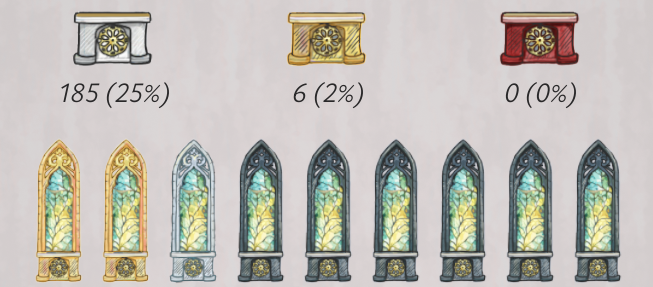
Added a new letter from Elias Vidimus at the end of the game that displays completion statistics and shows the name and completion status of each window in the game:
Added helpful images to many of the tutorial tips:

Workshop:
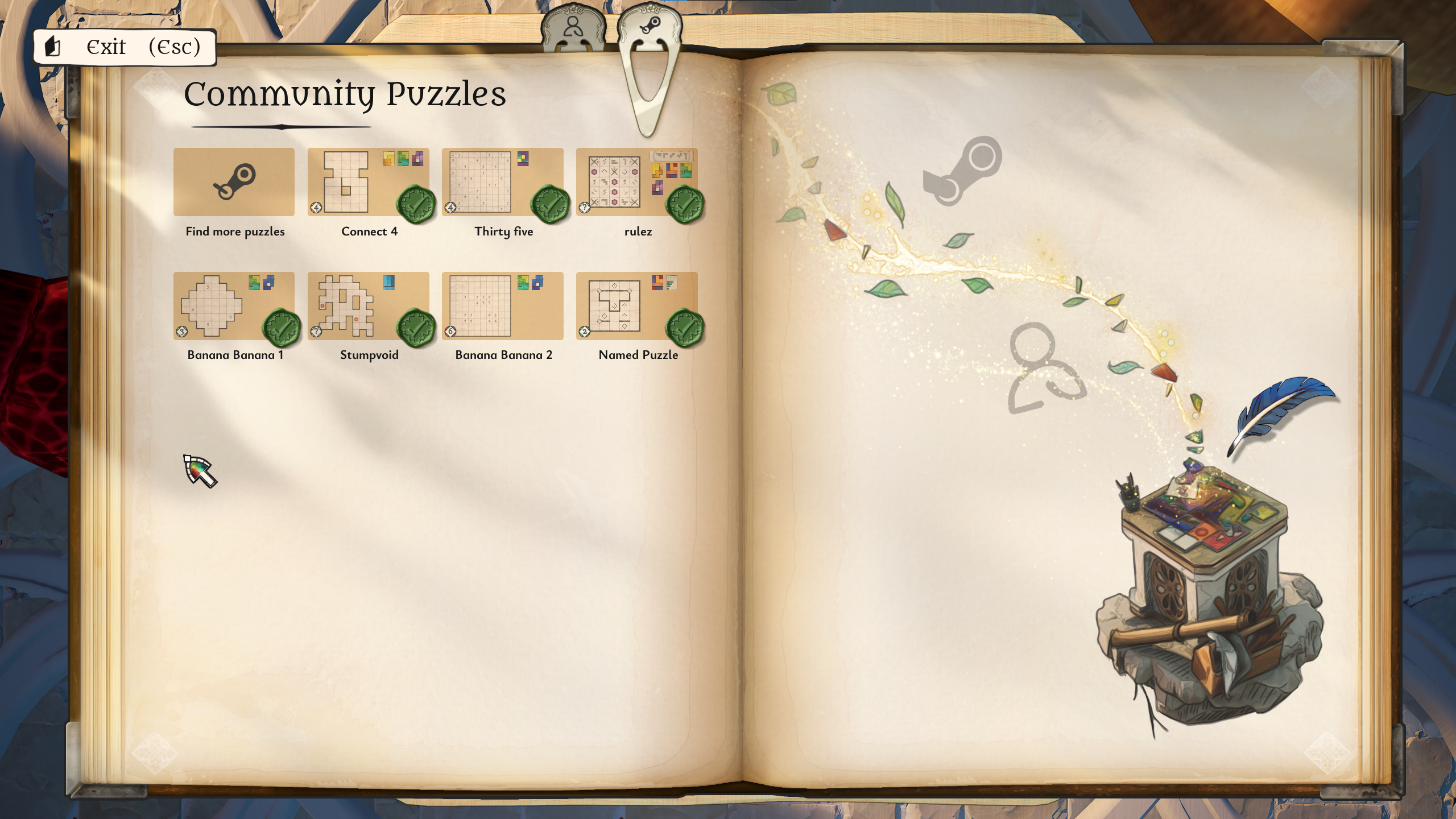
Made the bookmarks at the top of the workshop book animated and a bit shiny so that people will notice them!
Added an illustration when no puzzle has yet been selected in the workshop book.
Puzzles:
Made one endgame puzzle easier.
Fixed a puzzle that was accidentally uploaded without a solution (which disabled its Check Progress button).
Adjusted the difficulty indicators of some puzzles without changing the puzzles.
Fixed some puzzles that had multiple solutions (mostly done in a series of hotfixes late last week)
Added versioning to puzzles so that future puzzle corrections will not require that we reset player progress on them.
Input:
Added tilde/backquote as an alias for the 9 hotkey.
Adding bindings for Mouse4 (Z/undo) and Mouse5 (ESC).
Fixed an inconsistency where the mouse was sometimes constrained to the window and sometimes not.
Localization:
Added translations for all the new features in this patch.
Updated French, Spanish, German, and Chinese with various fixes.
Fixed some inconsistencies between achievement names and in-game names.
Misc:
Adjusted some settings (graphics quality, vsync, motion blur, frame rate, larger text) so that they are NOT cloud-synced between different devices (so you won't have to keep readjusting these settings if you play on, e.g. both a desktop PC and a laptop or Steam deck).
Fixed a bug where you could sometimes click puzzles through fog.
Made saving the game write to a temporary file first, and then replace the player's save file with the temporary file once the full save file has been written out. We hope this will reduce the number of save files that get corrupted when DirectX decides to crash at the exact moment that a game is being saved (often when loading the game or returning to the menu).
Fixed a bug where a 2nd difficulty number could sometimes end up appearing while mousing around the overworld.
Fixed a bug where the sides of the plinths remained glowing after entering a puzzle.
We're not done yet!
We're still working on more bugfixes and quality-of-life improvements for the game. Some features that will be coming soon but didn't quite make it into today's patch include:
Reducing the number of situations in which similar colors appear next to each other.
A feature that will allow players to customize their own random color palettes.
More languages.
We know that players are eagerly awaiting these features, and we hope to have another update for you soon!
Happy puzzling!
~ Elyot Grant
CEO and Game Director, Lunarch Studios
Notas de atualização que o estúdio publicou na Steam, mais as atualizações sem nota que o Radar percebeu nos dados técnicos do jogo (estas só a partir de quando o site começou a acompanhar).
Mídia




Usuários da Steam
- Tempo para zerar (HowLongToBeat)média de horas até terminar a história e até 100%
- Suporte
- E-mail de suporteglimmithsupport@lunarchstudios.com
- Redes sociaisYouTube · X (Twitter) · TikTok · Instagram · Facebook · Discord · Reddit
Tem português do Brasil: interface, legendas, dublagem.
| Idioma | Interface | Legendas | Áudio |
|---|---|---|---|
| Português (Brasil) | ✓ | ✓ | ✓ |
| Inglês | ✓ | ✓ | ✓ |
| Alemão | ✓ | ✓ | ✓ |
| Chinês simplificado | ✓ | ✓ | ✓ |
| Chinês tradicional | ✓ | ✓ | ✓ |
| Coreano | ✓ | ✓ | ✓ |
| Espanhol (América Latina) | ✓ | ✓ | ✓ |
| Francês | ✓ | ✓ | ✓ |
| Holandês | ✓ | ✓ | ✓ |
| Húngaro | ✓ | ✓ | ✓ |
| Italiano | ✓ | ✓ | ✓ |
| Japonês | ✓ | ✓ | ✓ |
| Polonês | ✓ | ✓ | ✓ |
| Russo | ✓ | ✓ | ✓ |
| Tailandês | ✓ | ✓ | ✓ |
| Tcheco | ✓ | ✓ | ✓ |
| Turco | ✓ | ✓ | ✓ |
| Ucraniano | ✓ | ✓ | ✓ |
Mínimos
- Sistema Operativo *
- Windows 7
- Processador
- Intel Core i3-8100 ou i5-6600, AMD Ryzen 3 1300X
- Memória
- 4 GB de RAM
- Placa gráfica
- NVidia GTX 950, AMD Radeon RX 550 ou uma GPU integrada recente (por exemplo, Ryzen com Radeon Graphics)
- DirectX
- Versão 11
- Espaço no disco
- Requer 2 GB de espaço livre
Recomendados
- Sistema Operativo
- Windows 10
- Processador
- Intel Core i3-9300, AMD Ryzen 3 3300X
- Memória
- 4 GB de RAM
- Placa gráfica
- NVidia GTX 1660 or AMD Radeon RX 5500
- DirectX
- Versão 11
- Espaço no disco
- Requer 2 GB de espaço livre
- Notas adicionais
- 4k video output requires a more powerful GPU
Informações técnicas
Depósitos · 1
| ID | Conteúdo | Sistema | Idioma | Download | Instalado |
|---|---|---|---|---|---|
4160211 | Conteúdo do jogo | Todos | Todos | 931 MB | 1,0 GB |
Dados técnicos públicos da Steam, os mesmos que o aplicativo da Steam baixa (lidos em 21/11/2026 22:13). Depósitos são as partes que a Steam baixa separadamente: o jogo, os idiomas e as DLCs. Os tamanhos são aproximados.
Preço em cada país
 Rússia · 16% abaixo do Brasil
| País | Preço atual | Preço cheio | Desconto | Em reais | vs Brasil | Menor visto |
|---|---|---|---|---|---|---|
| Rússia | ₽ 441 | ₽ 441 | — | -16% | ₽ 441 | |
 Indonésia | Rp 103.499 | Rp 103.499 | — | -11% | Rp 103.499 | |
 Ucrânia | ₴ 256 | ₴ 256 | — | -11% | ₴ 256 | |
 Paquistão · Sul da Ásia (dólar) | US$ 5,84 | US$ 5,84 | — | -8% | US$ 5,84 | |
 Índia | ₹ 549 | ₹ 549 | — | -7% | ₹ 549 | |
 Filipinas | ₱ 381,60 | ₱ 381,60 | — | -6% | ₱ 381,60 | |
 Vietnã | ₫ 162.000 | ₫ 162.000 | — | -1% | ₫ 162.000 | |
 Brasil | R$ 37,79 | R$ 37,79 | — | — | R$ 37,79 | |
 Chile | CLP$ 6.570 | CLP$ 6.570 | — | +2% | CLP$ 6.570 | |
 Taiwan | NT$ 214 | NT$ 214 | — | +2% | NT$ 214 | |
 África do Sul | R 114,30 | R 114,30 | — | +2% | R 114,30 | |
 Argentina · América Latina (dólar) | US$ 6,56 | US$ 6,56 | — | +3% | US$ 6,56 | |
 Turquia · Oriente Médio e N. África (dólar) | US$ 6,56 | US$ 6,56 | — | +3% | US$ 6,56 | |
 Armênia · ex-URSS (dólar) | US$ 6,74 | US$ 6,74 | — | +6% | US$ 6,74 | |
 Arábia Saudita | SR 25,87 | SR 25,87 | — | +8% | SR 25,87 | |
 China | CN¥ 46,80 | CN¥ 46,80 | — | +10% | CN¥ 46,80 | |
 Kuwait | KD 2,20 | KD 2,20 | — | +11% | KD 2,20 | |
 Cazaquistão | ₸ 3.240 | ₸ 3.240 | — | +13% | ₸ 3.240 | |
 Tailândia | ฿ 247,50 | ฿ 247,50 | — | +15% | ฿ 247,50 | |
 México | Mex$ 142,19 | Mex$ 142,19 | — | +17% | Mex$ 142,19 | |
 Malásia | RM 30,60 | RM 30,60 | — | +17% | RM 30,60 | |
 Catar | QR 27,89 | QR 27,89 | — | +20% | QR 27,89 | |
 Peru | S/ 26,55 | S/ 26,55 | — | +21% | S/ 26,55 | |
 Japão | ¥ 1.350 | ¥ 1.350 | — | +34% | ¥ 1.350 | |
 Uruguai | $U 359 | $U 359 | — | +39% | $U 359 | |
 Colômbia | COL$ 29.700 | COL$ 29.700 | — | +40% | COL$ 29.700 | |
 Emirados Árabes | AED 33,30 | AED 33,30 | — | +42% | AED 33,30 | |
 Singapura | S$ 11,70 | S$ 11,70 | — | +43% | S$ 11,70 | |
 Nova Zelândia | NZ$ 17,09 | NZ$ 17,09 | — | +47% | NZ$ 17,09 | |
 Hong Kong | HK$ 74,70 | HK$ 74,70 | — | +50% | HK$ 74,70 | |
 Coreia do Sul | ₩ 13.050 | ₩ 13.050 | — | +53% | ₩ 13.050 | |
 Canadá | CDN$ 15,29 | CDN$ 15,29 | — | +68% | CDN$ 15,29 | |
 Polônia | zł 44,99 | zł 44,99 | — | +74% | zł 44,99 | |
 Austrália | A$ 17,05 | A$ 17,05 | — | +78% | A$ 17,05 | |
 Estados Unidos | US$ 11,69 | US$ 11,69 | — | +84% | US$ 11,69 | |
 Costa Rica | ₡ 5.220 | ₡ 5.220 | — | +84% | ₡ 5.220 | |
 Zona do euro | € 11,51 | € 11,51 | — | +98% | € 11,51 | |
 Israel | ₪ 43,15 | ₪ 43,15 | — | +103% | ₪ 43,15 | |
 Reino Unido | £ 9,89 | £ 9,89 | — | +104% | £ 9,89 | |
 Noruega | kr 130,50 | kr 130,50 | — | +110% | kr 130,50 | |
 Suíça | CHF 13,05 | CHF 13,05 | — | +144% | CHF 13,05 |
Do mais barato ao mais caro em reais, pela cotação do dia (só para comparar: o preço cobrado é o da moeda local).
Histórico de preço
Ainda não há promoções registradas para este jogo aqui. Nas grandes promoções da Steam (verão, inverno, outono e primavera) a maioria dos jogos entra com desconto. As faixas douradas no gráfico marcam as grandes promoções da Steam.
Todas as mudanças de preço
| Visto em | País | Preço | Preço cheio | Desconto | Em reais |
|---|---|---|---|---|---|
| 21/11/2026 22:13 | Brasil | R$ 37,79 | R$ 37,79 | — | R$ 37,79 |
| 21/11/2026 22:13 | Estados Unidos | US$ 11,69 | US$ 11,69 | — | ≈ R$ 69,41 |
| 21/11/2026 22:13 | Argentina · América Latina (dólar) | US$ 6,56 | US$ 6,56 | — | ≈ R$ 38,95 |
| 21/11/2026 22:13 | México | Mex$ 142,19 | Mex$ 142,19 | — | ≈ R$ 44,15 |
| 21/11/2026 22:13 | Chile | CLP$ 6.570 | CLP$ 6.570 | — | ≈ R$ 38,47 |
| 21/11/2026 22:13 | Reino Unido | £ 9,89 | £ 9,89 | — | ≈ R$ 76,91 |
| 21/11/2026 22:13 | Zona do euro | € 11,51 | € 11,51 | — | ≈ R$ 75,00 |
| 21/11/2026 22:13 | Turquia · Oriente Médio e N. África (dólar) | US$ 6,56 | US$ 6,56 | — | ≈ R$ 38,95 |
| 21/11/2026 22:13 | Japão | ¥ 1.350 | ¥ 1.350 | — | ≈ R$ 50,50 |
| 21/11/2026 22:13 | Índia | ₹ 549 | ₹ 549 | — | ≈ R$ 35,09 |
| 21/11/2026 22:13 | Canadá | CDN$ 15,29 | CDN$ 15,29 | — | ≈ R$ 63,34 |
| 21/11/2026 22:13 | Austrália | A$ 17,05 | A$ 17,05 | — | ≈ R$ 67,18 |
| 21/11/2026 22:13 | Nova Zelândia | NZ$ 17,09 | NZ$ 17,09 | — | ≈ R$ 55,61 |
| 21/11/2026 22:13 | Suíça | CHF 13,05 | CHF 13,05 | — | ≈ R$ 92,21 |
| 21/11/2026 22:13 | Noruega | kr 130,50 | kr 130,50 | — | ≈ R$ 79,33 |
| 21/11/2026 22:13 | Polônia | zł 44,99 | zł 44,99 | — | ≈ R$ 65,81 |
| 21/11/2026 22:13 | Ucrânia | ₴ 256 | ₴ 256 | — | ≈ R$ 33,78 |
| 21/11/2026 22:13 | Rússia | ₽ 441Mais barato em reais | ₽ 441 | — | ≈ R$ 31,91 |
| 21/11/2026 22:13 | Cazaquistão | ₸ 3.240 | ₸ 3.240 | — | ≈ R$ 42,76 |
| 21/11/2026 22:13 | Armênia · ex-URSS (dólar) | US$ 6,74 | US$ 6,74 | — | ≈ R$ 40,02 |
| 21/11/2026 22:13 | Paquistão · Sul da Ásia (dólar) | US$ 5,84 | US$ 5,84 | — | ≈ R$ 34,68 |
| 21/11/2026 22:13 | China | CN¥ 46,80 | CN¥ 46,80 | — | ≈ R$ 41,52 |
| 21/11/2026 22:13 | Hong Kong | HK$ 74,70 | HK$ 74,70 | — | ≈ R$ 56,59 |
| 21/11/2026 22:13 | Taiwan | NT$ 214 | NT$ 214 | — | ≈ R$ 38,53 |
| 21/11/2026 22:13 | Coreia do Sul | ₩ 13.050 | ₩ 13.050 | — | ≈ R$ 57,68 |
| 21/11/2026 22:13 | Indonésia | Rp 103.499 | Rp 103.499 | — | ≈ R$ 33,60 |
| 21/11/2026 22:13 | Malásia | RM 30,60 | RM 30,60 | — | ≈ R$ 44,18 |
| 21/11/2026 22:13 | Filipinas | ₱ 381,60 | ₱ 381,60 | — | ≈ R$ 35,41 |
| 21/11/2026 22:13 | Singapura | S$ 11,70 | S$ 11,70 | — | ≈ R$ 53,87 |
| 21/11/2026 22:13 | Tailândia | ฿ 247,50 | ฿ 247,50 | — | ≈ R$ 43,33 |
| 21/11/2026 22:13 | Vietnã | ₫ 162.000 | ₫ 162.000 | — | ≈ R$ 37,31 |
| 21/11/2026 22:13 | Colômbia | COL$ 29.700 | COL$ 29.700 | — | ≈ R$ 52,77 |
| 21/11/2026 22:13 | Peru | S/ 26,55 | S/ 26,55 | — | ≈ R$ 45,81 |
| 21/11/2026 22:13 | Uruguai | $U 359 | $U 359 | — | ≈ R$ 52,52 |
| 21/11/2026 22:13 | Costa Rica | ₡ 5.220 | ₡ 5.220 | — | ≈ R$ 69,60 |
| 21/11/2026 22:13 | África do Sul | R 114,30 | R 114,30 | — | ≈ R$ 38,72 |
| 21/11/2026 22:13 | Emirados Árabes | AED 33,30 | AED 33,30 | — | ≈ R$ 53,84 |
| 21/11/2026 22:13 | Arábia Saudita | SR 25,87 | SR 25,87 | — | ≈ R$ 40,96 |
| 21/11/2026 22:13 | Catar | QR 27,89 | QR 27,89 | — | ≈ R$ 45,50 |
| 21/11/2026 22:13 | Kuwait | KD 2,20 | KD 2,20 | — | ≈ R$ 41,98 |
| 21/11/2026 22:13 | Israel | ₪ 43,15 | ₪ 43,15 | — | ≈ R$ 76,57 |
Uma linha nova aparece sempre que o preço muda. A linha em destaque é o preço atual de cada país. Valores em reais pela cotação do dia (21/11), só para comparar: o preço cobrado é o da moeda local. Rates By Exchange Rate API
Edições e pacotes
| Opção de compra | Preço no Brasil | Economia do pacote |
|---|---|---|
| Perfect PlacementsPacote | R$ 37,79 | R$ 4,20vs. R$ 41,99 separado |
| The Artisan of GlimmithJogo | R$ 41,99 | — |
| Glimmith and LinelithPacote · 2 itens | R$ 47,23 | R$ 5,25vs. R$ 52,48 separado |
| Lunarch Puzzle CollectionPacote · 2 itens | R$ 60,33 | R$ 10,65vs. R$ 70,98 separado |
| Mysteries and MasterpiecesPacote · 2 itens | R$ 87,28 | R$ 9,70vs. R$ 96,98 separado |
Da mais barata para a mais cara. "Economia do pacote" compara com comprar cada item separado, pelo preço de hoje.
DLCs · preços no Brasil
Este jogo não tem DLCs, ou elas ainda não foram coletadas.
Cartas colecionáveis · cartas, laminadas e insígnias
- ShatteredNível 1 · 100 XPInsígnia ↗
- Half-RestoredNível 2 · 200 XPInsígnia ↗
- RestoredNível 3 · 300 XPInsígnia ↗
- SilveredNível 4 · 400 XPInsígnia ↗
- GildedNível 5 · 500 XPInsígnia ↗
- JeweledLaminada · Nível 1 · 100 XPInsígnia ↗
Preços do Mercado da Comunidade (menor oferta, em dólar, convertida para reais pela cotação do dia). Clique na imagem para ampliar (setas passam de uma carta para outra). Atualizado em 21/11/2026 22:13.
Itens de perfil · fundos, emoticons e loja de pontos
Fundos e emoticons que caem das cartas (preço do Mercado, convertido para reais) e itens da loja de pontos da Steam (custo em pontos). Clique na imagem para ampliar. Atualizado em 21/11/2026 22:13.
Conquistas · percentual global de jogadores
As 5 mais raras
 Legendary Artisan6,2%Conquista oculta
 Renowned Artisan6,8%Conquista oculta
 Esteemed Artisan7,5%Conquista oculta
 Jeweled Age9,2%Conquista oculta
 A Hard Place9,3%Conquista oculta
Todas
 Journey's StartRestore your first Window98,8%0_01_WINDOW_SHAPE_BANK_1
 Fork in the RoadRestore your second Window97,7%0_02_WINDOW_SHAPE_BANK_MULTI
 Silver LiningConquista oculta95,8%1_01_SILVER_WINDOWS_1
 Gold RushConquista oculta89,4%2_01_GILD_WINDOWS_1
 NopeConquista oculta87,7%6_02_NOPE
 By Any Other NameRestore the "Rose Windows" Window85,7%0_03_WINDOW_ROSE_WINDOW
 A Small SignRestore the "Gemini & Delta" Window85,3%0_04_WINDOW_GEMINI_DELTA
 Isle of PuzzlesConquista oculta81,0%6_01_I_LOVE_PUZZLES
 Flawless SolveConquista oculta81,0%6_03_FLAWLESS_SOLVE
 A Perfect Five Out of SevenSolve a difficulty 5 puzzle75,7%5_01_DIFFICULTY_5
 Back to the BankRestore the "Shape Bank" Window72,2%0_05_WINDOW_SHAPE_BANK_2
 Six / SevenSolve a difficulty 6 puzzle70,2%5_02_DIFFICULTY_6
 Market RestoredConquista oculta69,5%0_06_MARKET_COMPLETE
 A Handful of SilverConquista oculta66,7%1_02_SILVER_WINDOWS_2
 No More, No LessRestore the "Precision" Window64,7%0_07_WINDOW_PRECISION
 The Shape of ThingsRestore the "Polyomino" Window62,8%0_08_WINDOW_POLYOMINO
 Ready to MingleRestore the "Mingle Shape" Window60,8%0_09_WINDOW_MINGLE_SHAPE
 A Handful of GoldConquista oculta56,7%2_02_GILD_WINDOWS_2
 Up to SevenSolve a difficulty 7 puzzle56,5%5_03_DIFFICULTY_7
 Into the WoodsRestore the Forest Entrance Window55,6%0_10_WINDOW_ZONE_1_MIXED
 Town RestoredConquista oculta52,6%0_11_TOWN_COMPLETE
 The "Area" AreaRestore the "Area Number" Window48,7%0_12_WINDOW_AREA_NUMBER
 Building FencesRestore the "Palisade" Window43,6%0_13_WINDOW_PALISADE
 UniformityRestore the "Match" Window43,6%0_14_WINDOW_MATCH
 Decade of SplendorConquista oculta43,5%1_03_SILVER_WINDOWS_3
 Out of RangeRestore the "Range" Window39,6%0_16_WINDOW_RANGE
 UniquenessRestore the "Mismatch" Window36,8%0_15_WINDOW_MISMATCH
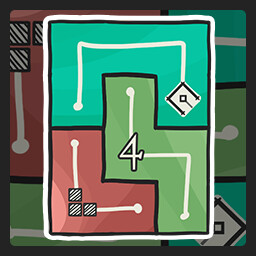 A Lonely IslandRestore the "Solitude" Window36,5%0_17_WINDOW_SOLITUDE
 Decade of GloryConquista oculta36,0%2_03_GILD_WINDOWS_3
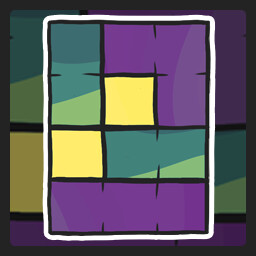 Size MattersRestore the "Size Separation" Window34,8%0_18_WINDOW_MINGLE_SIZE
 Inside the BoxRestore the "Boxy" Window33,6%0_19_WINDOW_BOXY
 Outside the BoxRestore the "Non-Boxy" Window33,3%0_20_WINDOW_NON_BOXY
 The Castle GatesRestore the Castle Entrance Window30,6%0_21_WINDOW_ZONE_2_MIXED
 Forest RestoredConquista oculta29,3%0_22_FOREST_COMPLETE
 Mark of TalentConquista oculta29,2%1_04_SILVER_WINDOWS_4
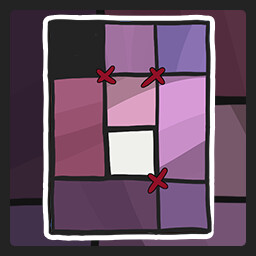 Brick by BrickRestore the "Bricky" Window26,0%0_23_WINDOW_BRICKY
 Tipping the ScalesRestore the "Inequality" Window25,6%0_25_WINDOW_INEQUALITY
 Keeping WatchRestore the "Watchtower" Window25,2%0_27_WINDOW_WATCHTOWER
 Mark of ProwessConquista oculta24,3%2_04_GILD_WINDOWS_4
 Making a DifferenceRestore the "Difference" Window23,0%0_26_WINDOW_DIFFERENCE
 Thrown for a LoopRestore the "Loopy" Window22,4%0_24_WINDOW_LOOPY
 Silver AgeConquista oculta21,2%1_05_SILVER_WINDOWS_5
 Hedging Your BetsRestore the Hedge Maze Window21,1%0_28_WINDOW_COMPASS_HEDGES
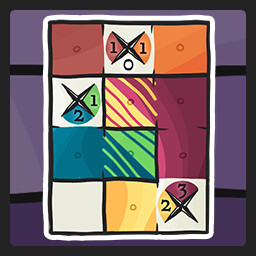 Pointing the WayRestore the "Compass" Window20,5%0_29_WINDOW_COMPASS_CASTLE
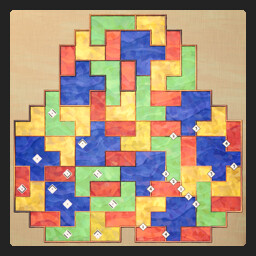 Journey's EndConquista oculta19,4%0_30_CASTLE_COMPLETE
 Crown JewelConquista oculta18,7%3_01_JEWEL_WINDOWS_1
 Golden AgeConquista oculta17,4%2_05_GILD_WINDOWS_5
 A Handful of JewelsConquista oculta15,7%3_02_JEWEL_WINDOWS_2
 Spiraling DeeperRestore the Spiral Island Window13,8%0_31_WINDOW_ZONE_3_MIXED
 Decade of TriumphConquista oculta13,6%3_03_JEWEL_WINDOWS_3
 Community CraftsmanSolve a puzzle from the Workshop12,2%4_01_SOLVE_FROM_WORKSHOP
 Mark of MasteryConquista oculta10,8%3_04_JEWEL_WINDOWS_4
- A Hard PlaceConquista oculta9,3%0_32_WINDOW_FINAL
- Jeweled AgeConquista oculta9,2%3_05_JEWEL_WINDOWS_5
- Esteemed ArtisanConquista oculta7,5%1_06_SILVER_WINDOWS_6
- Renowned ArtisanConquista oculta6,8%2_06_GILD_WINDOWS_6
- Legendary ArtisanConquista oculta6,2%3_06_JEWEL_WINDOWS_6
Evolução da nota · análises positivas mês a mês
Linha: % de análises positivas de cada mês (cor pela nota: azul 70%+, amarelo 40–69%, vermelho abaixo). Barras: quantas análises o mês teve. Passe o mouse para ver os números. Fonte: histórico de análises da loja da Steam, atualizado em 21/11/2026 22:13.
Comentários dos jogadores · análises da Steam
- ▲ Recomenda7,3 h jogadas ao escrever14 nov. 2026
Esse jogo foi uma baita surpresa, nunca tinha experimentado esse gênero de jogo (apesar de gostar muito de sudoku e outros puzzles mais famosos). Recomendo bastante para quem gosta do gênero e para quem busca as vezes algo novo e um desafio diferente.
1 acharam útilVer na Steam - ▲ Recomenda38,7 h jogadas ao escrever5 ago. 2026
O jogo mais viciante que descobri esse ano, nem sei quantos puzzles tem no total, mas a quantidade é enorme e tem vários níveis de dificuldade pra jogar na ordem que quiser. É perfeito pra colocar uma musiquinha no fone e passar o tempo.
- ▲ Recomenda7,0 h jogadas ao escrever2 jul. 2026
o jogo tem um equilibrio bom entre quadros mais desafiadores e até os mais simples são prazerosos e elegantes
- ▲ Recomenda15,8 h jogadas ao escrever31 mai. 2026
Que jogo incrível!!! Impressionante a quantidade de puzzles e o quão divertido é resolver eles. Não fica cansativo nunca, apesar do jogo ser gigante.
- ▲ Recomenda126,3 h jogadas ao escrever25 mai. 2026
o melhor jogo de puzzle que ja joguei, consegue te manter interessado em progredir no jogo sem enjoar em nenhum momento, e é extremamente criativo, obra-prima recomendo mto
- ▼ Não recomenda1,7 h jogadas ao escrever3 jul. 2026
Legalzinho mas ter dicas ilimitadas e o fato de nao ter nenhuma recompensa de resolver sem dica acaba dando uma broxada legal
- ▼ Não recomenda13,4 h jogadas ao escrever20 jul. 2026Em inglês
Hate to give "Not recommended" review, but I don't like a direction of this game.
No, really, it is a very good puzzle game. Reminds me a lot about "Witness" in both mechanics and visuals. Various rules, often combined, increase diversity very much.
But there is too much of it. While many players seem to appreciate it, I do not. There are literally hundreds of somewhat different puzzles: some are easy and some are not, but it makes no difference, because there is also a button that checks your current solution, so you may just grind through any particular puzzle disregarding its complexity. However diverse rules are, after 201st puzzle it is going straightforward to be tedious.
The game will really be OK for you if you prefer to launch games for 15-20 minutes couple of times during the week; it is completely normal mobile game design. If you, however, are inclined to actually finish games you own in a reasonable amount of time, well, there probably will be a lot of frustration. - ▼ Não recomenda9,6 h jogadas ao escrever23 abr. 2026Em inglês
Quantity over quality, again. This time I'm sure it's for others, but it's not for me. I would much prefer if every puzzle that didn't ask me to actually expand my understanding of *something* was cut. It's all very well made, well supported, great quality of life, and no obvious "problems" - but it's so unbelievably homogenous, and that hurts the fun value. I feel this way about a lot of these paper-puzzle types, but it's just so blatant here. There are to my knowledge over 1000 boards in the game, and that's at least 700-800 too many. Playing has so far felt like a waste of time.
Don't let this stop you from buying if you think you will enjoy it, because you probably still will. I just know that logic puzzles can be more than just this.
Still a big step in the right direction from IOI.
TBA/108 acharam útilVer na Steam - ▼ Não recomenda0,7 h jogadas ao escrever31 mai. 2026Em inglês
The puzzles are fun (I've been playing along with a friend on their screen) but the game appears to be very poorly optimized. Even with the graphics on low, with the screen resolution down, the game run extremely hot for me and the discussions indicate that it's not just me. It runs much hotter than other games which you would expect to be more demanding. This is quite surprising as it is at the core of it just a 2D puzzle game.
The game also crashes for me after a while, which is probably related to the above, but might be to do with my OS (I'm on Linux). Either way, I can't play it :(9 acharam útilVer na Steam - ▼ Não recomenda12,8 h jogadas ao escrever26 abr. 2026Em inglês
Despite not entirely liking Islands of Insight, I decided to give this game a fair shot anyway, as I did enjoy parts of it and heard that there had been some improvements with regards to the focus and scoping of the game. While that has improved, I am not convinced that what I disliked about Islands of Insight has really changed.
In this game and Islands of Insight, on the whole there seems to me to be an impetus to craft as many puzzles as possible rather than to curate ones which make the player learn or realize something new and interesting about how the rules work or how they interact. There are some interesting and cute puzzles scattered throughout but they are buried in a sea of puzzles that you mostly have to work through, just like in Islands of Insight, but they are few and far between in my experience playing the game. In some ways you have to do more of these puzzles than in Islands of Insight because of the stricter gating.
Yes, its fun and addictive to chug through a bunch of puzzles just applying knowledge that you have already learned, but there's only so much time I can do that for until I get bored. I started off full clearing areas but my patience eventually wore thin and just started skipping puzzles just to see if there would be something interesting around the corner to shake things up, only to be presented with stuff like a full area centered around having only one clue per region which, I dunno, didn't seem to me like it deserved a full area, for example. Its still quite a shame to me that the overworld is largely set dressing for a puzzle select menu, as far as I can tell.
Overall I felt I largely enjoyed Islands of Insight's rulesets, themed areas and puzzle chains more, and this game felt a bit of a step back rather than forward in that aspect, while still also not feeling adequately curated to me. Perhaps something in the endgame changes things, but I feel like I've played enough to make my decision for now.5 acharam útilVer na Steam
- ▲ Recomenda7,3 h jogadas ao escrever14 nov. 2026
Esse jogo foi uma baita surpresa, nunca tinha experimentado esse gênero de jogo (apesar de gostar muito de sudoku e outros puzzles mais famosos). Recomendo bastante para quem gosta do gênero e para quem busca as vezes algo novo e um desafio diferente.
1 acharam útilVer na Steam - ▲ Recomenda8,5 h jogadas ao escrever12 set. 2026
Jogo incrível! As fases são super equilibradas, tem grande quantidade de puzzles e ainda viciante. Amei <3
- ▲ Recomenda95,9 h jogadas ao escrever20 ago. 2026
Jogo muito bom de puzzles! 1225 puzzles no total, praticamente 100h de experiência.
1 acharam útilVer na Steam - ▲ Recomenda38,7 h jogadas ao escrever5 ago. 2026
O jogo mais viciante que descobri esse ano, nem sei quantos puzzles tem no total, mas a quantidade é enorme e tem vários níveis de dificuldade pra jogar na ordem que quiser. É perfeito pra colocar uma musiquinha no fone e passar o tempo.
- ▼ Não recomenda1,7 h jogadas ao escrever3 jul. 2026
Legalzinho mas ter dicas ilimitadas e o fato de nao ter nenhuma recompensa de resolver sem dica acaba dando uma broxada legal
Análises mais úteis do último ano (positivas e negativas) e as mais recentes, em português e, quando faltam, em inglês. A Steam não tem nota neutra: cada análise recomenda ou não o jogo. Atualizado em 21/11/2026 22:13.
Jogos parecidos
 Hello Kitty Island Adventure93% · 10.020 análisesR$ 147,45✓Deck: VerificadoProtonDB: Platina
 A Little to the Left91% · 17.314 análisesR$ 38,69✓Deck: VerificadoProtonDB: Platina
 Big Walk94% · 44.744 análisesR$ 53,99✓Deck: VerificadoProtonDB: Platina
 TOEM 292% · 854 análises-20% R$ 43,19✓Deck: VerificadoProtonDB: Platina
 Dice Hoarder95% · 1.305 análisesR$ 21,49!Deck: Jogável
 American Truck Simulator97% · 168.546 análises-75% R$ 16,74✓Deck: VerificadoProtonDB: Platina
 Blue Prince85% · 18.041 análises-46% R$ 43,24✓Deck: Verificado
 Escape Simulator 291% · 4.672 análisesR$ 50,00✓Deck: Verificado
Os jogos que a própria Steam considera parecidos (o "Mais como este" da loja). Preços do Brasil.
Comunidade · estimativas do SteamSpy
Idiomas
English, German, Dutch, Japanese, Spanish - Latin America, Filipino, Simplified Chinese, French, Korean, Traditional Chinese, Turkish, Italian, Czech, Portuguese - Brazil, Russian, Polish, Hungarian, Thai, Ukrainian
Estimativas do SteamSpy, atualizadas em 21/11/2026 22:13. Donos é uma faixa aproximada, não um número exato. O tempo de jogo só aparece quando o SteamSpy tem esse dado (hoje ele vem zerado para quase todos os jogos).
Últimas notícias e notas de atualização
| Data | Título |
|---|---|
| 18/11/2026 | Разработчики головоломки The Artisan of Glimmith представили трейлер дополнения Lunar Lights в рамках DevGamm Awards 2026. Расширение предложит игрокам отправиться на красочный Фестиваль стеклянных огней, познакомиться с новыми испытаниями и разгадать тайны праздничного события. Главной особенностью Lunar Lights станут более 12 новых правил головоломок, которые заметно расширят возможности оригинальной игры. Авторы обещают разнообразные испытания, рассчитанные как на опытных любителей логических задач, так и на новичков. События дополнения развернутся во время Фестиваля стеклянных огней (Glass Lights Festival). Игрокам предстоит погрузиться в атмосферу яркого праздника, решать необычные головоломки и постепенно раскрывать его секреты. Новый трейлер демонстрирует красочное оформление Lunar Lights, некоторые особенности будущего расширения, а также отзывы критиков об оригинальной игре. |
| 12/11/2026 | We are thrilled to announce that The Artisan of Glimmith has been nominated for three Thinky Awards:
Vote for us!The Game of the Year award is one of three categories where the community gets to vote for the winner. You can cast your vote HERE. If you've been enjoying your time with The Artisan of Glimmith, we would really appreciate your vote! You can also check out the rest of the nominees, which include a fantastic collection of many of the best puzzle and strategy games of 2026.
Thanks to everyone who nominated us for an award. We're thrilled to be considered and happy knowing so many of you have enjoyed your time with the game!
|
| 10/10/2026 | |
| 30/09/2026 | Greetings Artisans,We've added three new languages to The Artisan of Glimmith: Hungarian, Ukrainian, and Thai. The new languages are live now! This brings us to a total of 19 languages that you can experience the game in.
Happy puzzling!~ Elyot Grant CEO and Game Director, Lunarch Studios
|
| 22/08/2026 | Esteemed Artisans,Another patch for The Artisan of Glimmith is now live. Our goalsIn this update, our goal was to address the most important technical and gameplay problems that were impacting players. Earlier this summer, we went through every bug report and every Steam review of the game (including many positive ones that nonetheless contained constructive feedback). From these, we produced a list of changes that we could feasibly make and identified those that would be the most impactful. This update contains a number of improvements reflecting those priorities. While there aren't any new puzzles or gameplay features in the patch, there are many quality-of-life changes that should prevent the most common technical problems and improve everyone's experience with the game. You'll find the list of changes below, but first... The Tiger Lake crashes are (probably?) gone!Buckle up for this one, because it's one of those weird debugging stories that makes your hair stand on end a little. In our last patch, we made a one-line change to our compiler optimization settings, with the goal of improving performance by a tiny smidge for CPU-bound players. We expected that this change would go largely unnoticed. It turned out to have an unplanned but very beneficial effect: it stopped a persistent and devastating crash for hundreds of Glimmith players! We've been getting severe crash reports from a certain tiny fraction of players (roughly 1 in 300) for the last several months. These crash reports have a weird pattern, namely:
After some research, we learned that this type of crash sounds a whole lot like a crash caused by a hardware flaw called TGL031. A tiny batch of Tiger Lake CPUs shipped with a problem that causes them to use the wrong voltage under a very specific condition, resulting in loss of system stability. For whatever reason, it seems like Glimmith was causing that very specific condition to happen. The problem can't be fixed with a driver patch, instead requiring a full BIOS update. Once we became aware of this, we racked our brains to find a way to prevent this crash from happening. Unfortunately, we had no way of avoiding the triggering conditions, since they happened in all sorts of places, including in various Unreal Engine data structures that we relied on heavily for our puzzle-checking and error-handling code. However, the conditions that trigger this problem seem to be quite rare (both rare enough that Intel's engineering team didn't discover the problem before Tiger Lake shipped, and rare enough that affected users weren't typically crashing in other games or software). Apparently the problem can come and go across different versions of the same piece of software due to changes in memory setups or different instruction orderings. And indeed, we were seeing this in Glimmith: the 20260326 build was stable, but 20260421 and later were not. Because of this, we were not too surprised when a new build with adjusted compiler optimization settings seemed to make the problem stop happening. A compiler settings tweak is the exact type of thing that would shuffle the game's instructions around, bypassing the specific condition that triggered the problem. Indeed, we haven't seen a Tiger Lake crash since the July 24th patch went live, and several users with the problem reported that the game now seems stable. So we're 99% sure that it's gone. Of course, we'll be vigilant in case there are any reports of it again in the future! Thanks to everyone who reported this bug, shared their crashlogs with us, and helped us test different versions of the software! Now, onto the notes from today's patch... Performance improvementsGlimmith's performance and optimization are a frequent topic in Steam reviews and discussions. While the game has been optimized quite thoroughly, our environments contain highly detailed scenes and lighting that can be demanding on many systems, especially on older or less capable machines, large resolutions, high refresh rates, or epic graphics quality. Many other cozy games or puzzle games use much simpler graphical styles, and a huge portion of Glimmith's audience has an expectation that Glimmith will be just as performant as those other games. We want to meet those expectations while still preserving the high-end look of the game, and this required us to go back to the drawing board and find even more optimizations that we had previously overlooked. We got our programmers, artists, and VFX staff to profile the game on a variety of systems and identify everything we could think of to improve the game's CPU and GPU performance. And we came up with a pretty good set of changes:
Many of these changes yield only a minor efficiency gain, but they really do add up. Overall, we achieved a noteworthy performance boost on all quality levels, with substantial improvements on Low quality and in VFX-heavy scenes. Despite this, the overall appearance of the game is almost completely identical, with several notable improvements. Here's an example scene on medium quality, taken on a 2019 laptop with an NVIDIA GTX1650 GPU. Before the changes, it took Unreal Engine 18 milliseconds to render this frame:
This results in an increase from 55.5 FPS to 91.7 FPS, a 65% improvement. Of course, this particular laptop's screen can only display 60 FPS, so you won't actually get 92 FPS of output (that's why the capture above only shows 63 FPS). Instead, you'll get smoother performance, more responsiveness, and longer battery life. New Loopy tutorialGlimmith's Loopy mechanic currently has a bit of a notorious reputation. In Steam reviews, it receives more than twice as many complaints as any other puzzle rule in the game. In the Steam achievement stats, we observed a larger decrease between Bricky completions and Loopy completions than we did among other pairs of rules in similar prerequisite chains, meaning that a larger fraction of players were stuck on the Loopy section or had chosen to prioritize different areas first. But Loopy has also been praised by a large number of players, many of whom ranked it among the best rules in the game in tier list posts. We wanted to know why this discrepancy in player experiences existed. So, we watched as many Twitch and YouTube VODs of this section as we could find, and we concluded that our early tutorials just weren't doing a good job of teaching some players the tricks they needed to confidently get through the area. Loopy puzzles contain a number of really interesting techniques and deductions, but many players weren't getting to experience those eureka moments because they hadn't yet fully mastered the basics of the rule. So we decided to completely revamp our approach to teaching players the consequences of the Loopy rule by adding a sequence of illustrated tutorial panels that explain the basics much more explicitly:
Including these is always a bit controversial for us. On the one hand, we want to preserve the ability for players to discover these deductions on their own. On the other hand, we've seen many players have negative experiences with the later Loopy puzzles if they get through the tutorial without really fully understanding these basic steps. Being explicit about these steps tends to help tremendously with those players. Our compromise is usually to put these panels a bit later in the tutorial sequence. That way, players who discover these steps on their own have typically already discovered them by the time they are revealed, and players who need a small nudge still get it in time. Later in the area, we also added some tutorials that hint at some of the deeper conceptual ideas in Loopy puzzles. These don't necessarily help players immediately, but our goal is to help get them thinking in the right direction on some of the more challenging puzzles.
We're very interested in feedback on these new tutorials, so please let us know if they are helpful! Hardware cursorsGlimmith's mouse pointer previously used an in-game shader to support the hue shift that occurs when you switch colors while solving puzzles. Unfortunately, this adds a bit of lag to the mouse movement, since the shader required a software cursor (effectively hiding your actual mouse and replacing it with one faked by the game). The game samples the mouse's position at the start of a frame, but then has to wait until the frame is fully rendered before the cursor's location on the screen is updated, and that lag reduces click accuracy when solving puzzles. It also makes the mouse feel less responsive if you've lowered the game's FPS to conserve your device's battery. We decided to swap out this software pointer for a hardware cursor. With this change, Glimmith now uses the exact same mouse pointer that the rest of your operating system uses, and it simply swaps out the graphic when you change colors. We had to manually recreate the colored mouse pointer art that was previously rendered by a shader, but you shouldn't notice any difference. We hope you enjoy the snappier and more accurate input.
A note for content creators: you may need to update the settings in software like OBS to capture the new cursor correctly in video recordings, livestreams, and screenshots. Warnings and popupsMany of the biggest complaints about Glimmith come from misunderstandings about how the game works or how the settings should be configured. For example:
We added a few new popups and prompts to help inform players about these kinds of issues. Here's an example:
Automatic restoration of backup savesSometimes, if your drive storage becomes full or the system crashes or loses power right at the exact moment that the game is being saved, it can cause a save file to become corrupted. This can happen with almost any video game, and it is the reason why so many games warn you against turning off the power while the game is being saved. In Glimmith, we create backup saves every few minutes in case this happens. But until now, you had to manually restore your progress from a backup if your save file became corrupted. Now, we've added a new "Load Backup" feature that automatically loads from the latest backup in the event that the main save file couldn't be loaded. We hope that this allows all affected players to get back into the game immediately without having to mess around with AppData files or submit a support ticket!
Bugfixes and minor tweaks
Thanks againTo everyone who gave us feedback or wrote a review, thank you! That information is invaluable in helping us make Glimmith the best game it can be.
|
| 24/07/2026 | This is a minor patch consisting mainly of bugfixes, localization updates, editor improvements, and a few small puzzle edits. Below are the changes:
Thanks again to everyone who submitted bug reports! Happy puzzling! ~ Elyot Grant CEO and Game Director, Lunarch Studios
|
| 10/05/2026 | Esteemed Artisans,The latest patch for The Artisan of Glimmith has been deployed! This time, both the main game and the free demo have been updated. We've listed the changes below, but first, a few announcements: Steam Trading Cards are now available!They actually went live a little while ago, but we're happy to announce that Valve has approved us to have Steam Trading Cards! There are 7 cards available in total, each featuring a different puzzle symbol from the game:
They might also conceal a bit of a secret for those with keen observation skills... Steam backgrounds and emoticonsYou can also get the Glimmith Steam backgrounds and emoticons directly using Steam points at https://store.steampowered.com/points/shop/app/4160210/
A giant wall of :GLIMMITH_HEART: makes a great Steam forum comment (or :GLIMMITH_DISAPPOINT: if you want to express maximum disapproval). You can now use Glimmith as a music playerBy popular demand, we've added a "Mute in Background" option in the settings menu. Disable it, and you can Alt-Tab away while leaving Glimmith running with its audio playing at full volume. Glimmith's music makes great background audio for studying, work, or writing patch notes on Steam (I can confirm!)
Puzzle IDs are now availableSome players have asked us for a way to get a unique ID for each puzzle so they could make videos, solution guides, or just have a way of naming each one! We have internal names for the puzzle files, but they won't make much sense to players (in particular, they are totally out of order and are full of gaps in the numbering because all the previous versions of every puzzle that all had their own IDs). So instead, we've generated a unique 5-digit hashcode for each puzzle. You can view them by mousing over the (?) below the mode selection panel:
Demo updateWe've updated Glimmith's free demo to include all the latest bugfixes and features from the last few months of patches. Plus, we've ported all the translations and controller support over to the demo, so you can now play it on Steam Deck and in all 16 languages. Tutorial updatesWe've updated some of the tutorials for Palisade, Bricky, and Loopy to help make the rules clearer for new players and get them on the right track when solving these puzzles. Usually, we prefer to rely as minimally as possible on text explanations for rules, and instead design the puzzle tutorials themselves to be as illustrative as possible, while also allowing players to experiment with the error-checking system of the game to verify their understanding and answer any questions about corner cases. This works great for about 95% of players (who really don't need these updated tutorials at all), but we've found a few instances where some players struggled because things weren't quite clicking into place for them. Palisade was the most common rule for which this was a problem, and the tutorial has been updated accordingly:
The Bricky and Loopy sections also continue to be quite difficult for some players, so we've added a few solving tips to help players get over the initial hump of learning the basic deductions. This should help to make players more prepared for the deeper solving tricks that come later in those sections:
Bugfixes and minor tweaks
Thank you!Much love to all of our players for your continued support. If you have any feedback, please let us know on the Discord or on the Steam Forums!
|
| 21/04/2026 | Esteemed Artisans,We have another patch to share with you for The Artisan of Glimmith. Our goal with these patches is to continue improving the quality of the game and to make it available to even more players. Added Polish languageThe game can now be played in Polish. Please let us know if you have any feedback on the new translation. Improved Steam Deck & Controller InputWe are now Steam Deck Verified! We've pushed some major improvements to controller and Steam Deck input:
If you wish to adjust your joystick sensitivity or remap any buttons, you can still do so in the Steam Input panel by doing the following:
Color palette customizationWe've had a ton of requests from players who wanted new and different ways of customizing the way that The Artisan of Glimmith selects colors. We spent a lot of time exploring different possible changes to the interface that would accommodate as many of these requests as possible, while also minimizing confusion for casual players and not overwhelming them with a complex interface. We also wanted to preserve the existing "default palette" behavior—rather than using a fully random rainbow palette, it uses a different set of 2-3 colors for each puzzle. This behavior produces more aesthetically dynamic grids, and also makes each puzzle feel more distinct and unique, so we still want it to be the default behavior for new players. But now, you can override the default behavior and make Glimmith use any color palette you like:
Coloring improvementsWe've also made a few small tweaks to the game's color-picking algorithms:
Bugfixes and minor tweaks
Troubleshooting GuideWe've posted a guide on the Steam Community for players who are having trouble with the game. It covers solutions to the most common technical problems that players are having, such as:
The guide is available in English and Simplified Chinese. Please feel free to share this link with any players who are having technical issues: https://steamcommunity.com/app/4160210/discussions/0/800093528412707949/ Thank you!We're nearing 1000 reviews, with over 99% of them positive. Thank you so much to each and every one of our players for your continued support.
|
| 05/04/2026 | This is a quick patch that we've deployed to address some issues with the recently-added new languages. Thanks to everyone who reported these bugs and problems! The changes are as follows:
~ Elyot Grant CEO and Game Director, Lunarch Studios |
| 04/04/2026 | Greetings Artisans,We have another patch to share with you for The Artisan of Glimmith. This one focuses on adding new languages, improving the performance of the game, fixing bugs, and providing a couple of small quality-of-life tweaks. Italian, Brazilian Portuguese, Czech, and Russian are now live!You can now play The Artisan of Glimmith in these four new languages. Other language changes include:
Please let us know if you have any feedback on the translations. Big performance enhancementsIn our last update, we mentioned how we were observing some crashes among players who were trying to run the game on hardware that was well below our minimum system requirements. Most of these crashes were due to these systems not having enough video memory to support the game. So we asked ourselves, "Could we try to lower the amount of video memory that the game required, particularly on LOW settings, without affecting its visual appearance?" If we could, it would not only help improve stability for those players, but it might actually allow us to lower the game's minimum system requirements, allowing more Artisans to access the game. We never spent much time trying to optimize Glimmith's video memory usage during development, because our goal was to get the game's VRAM usage below 3GB (to support 4GB graphics cards) and we were able to achieve that without much effort, so we never tried to push it further. As it turned out, there were many more savings to be found! In fact, we've improved things so much that we expect that the game, on LOW settings, should be stable even on 2GB graphics cards. This should be a big win for those with older PCs or with integrated graphics only. The changes made include:
In total, these changes reduce video memory usage by 30-40% across all quality settings. There should be no noticeable reduction in visuals, and there should be several minor visual improvements and a small FPS boost (5-10% on most systems, but it depends on what you're bottlenecked by). Here's a comparison. This is from the before the changes. This scene has 17.4M triangles:
After, the scene has 12.3M triangles (~30% less) and uses 35% less video memory. There are some minor improvements to shadows and grass-drawing distance, but you otherwise shouldn't notice a difference:
Please let us know if you notice anything that doesn't look right while playing with the updated build, as we messed around with a lot of assets. Additional tweaks and fixesOther changes that have gone live in this patch include:
And here are some other fixes that we snuck in earlier this week:
There are more improvements to come...Upcoming changes include:
Happy puzzling!~ Elyot Grant CEO and Game Director, Lunarch Studios
|
| 28/03/2026 | So we've pushed a patch this afternoon. The changes are pretty simple:
But the dumb bug has a really funny story. The InvestigationIt started yesterday when, after the patch, we got a few reports of crashes. Usually this means the patch has a programming error that needs to be fixed, but the reports were quite sparse (we only ended up getting around 7 of them in 24 hours). And when we looked further, the crashes were... weird. Normally if the crash is caused by a bug in our code, it's triggered whenever players do a very specific thing. But in this case, the crashes were happening at seemingly random times. And moreover, they didn't just crash The Artisan of Glimmith... they sometimes crashed players' entire computers! When we looked at the hardware of the players having problems, we noticed something in common... these players were all running machines with Intel Iris Xe Graphics. This is an integrated GPU that ships with many low-end laptops, and it's not really meant to run high-end Unreal Engine games. In fact, it scores only 2608 on G3D Mark, and our minimum system requirements (a 1050Ti or similar) scores 6360. However, it's used in about 1% of systems on Steam, which is still a lot: https://store.steampowered.com/hwsurvey/Steam-Hardware-Software-Survey-Welcome-to-Steam To be honest, I was surprised that these systems were able to run Glimmith in the first place with only 40% of the minimum required graphics power, but apparently they had been able to play reasonably comfortably with a good degree of stability... until yesterday's patch! We peeked at the error messages and callstacks from the crashes, which revealed a whole slew of random crashes deep in Unreal's engine code, often relating to DirectX. Usually this means that the video card is out of memory and refusing to allocate more VRAM. Sure enough, I checked in the task manager and discovered that the new build was using around 220MB more VRAM, which is about 10% more on LOW settings. We knew it would go up a little bit for all the new features we added (tutorial messages, area counter, progression tracking, etc.), but it didn't make any sense... there's no way those things would add up to 220MB. So we ran a memreport and compared it to one from the previous build. And what I saw left me scratching my head even more. Starting from the March 27th patch, Glimmith now had a random 196MB 3D sky texture loaded into video memory. And I had never seen it before. It was called 01.01. For reference, 196MB is absolutely massive for a texture, like this was a gorgeous 3D skybox for a high-end video game that wraps fully around you in all directions. And Glimmith wasn't using 01.01 at all. It was just... there. And it was wasting a ton of video memory (likely acting as the straw that broke the camel's back for machines with GPUs way below our minimum spec). WTF?We checked for all references to the object and found our culprit here:
Buried deep in the UI widgets, there was the tutorial image box—a feature we added to support those new hand-drawn graphics you'll find in some of the game's tutorial boxes. It also happened to be a feature that went live in yesterday's patch! The image box was set up with 01.01 as its default image. This was totally irrelevant to the game's functionality, because the default image is never used for this image box at all (our code immediately replaces it with the correct image). But Unreal had no way of knowing that, so 01.01 got packaged into the game and loaded into video memory all the time, at full quality, totally needlessly. Why did 01.01 end up there as the default? Because 01.01 is the first texture alphabetically in the list of all textures in our library (which includes a bunch of asset packs and other files). If you create an image box and don't pick a default image, Unreal might just pick one for you. After fixing this problem, we also poked around to see if we could find other VRAM optimizations. After all, if there were players with really low-end hardware that was just barely teetering on the verge of playability, a small change in VRAM requirements might create a massive improvement in stability for them. We managed to find another 100MB of savings without much effort, mostly by compressing textures that were way higher quality than they needed to be. We'd have made these changes much sooner if we knew they would actually make a difference for players! (But our goal was to stay under 3GB of VRAM so we could run on 4GB cards, and we were already way below 3GB). In any case, you shouldn't notice any visual differences as a result of the changes. If you do, please let us know. One other thing...We also got reports from a couple of players who had much more powerful GPUs than the Intel Iris Xe Graphics, but were still suffering from the same instability. In all such cases, it turned out that they were running laptops with both integrated GPUs (the Iris Xe) and discrete Nvidia GPUs, and their systems were choosing to run Glimmith using the integrated graphics (definitely not a good idea if you want the best possible performance in the game)! This is likely because Nvidia just hasn't yet learned that Glimmith benefits from the more powerful GPU (likely because it's not particularly demanding). So if anyone out there is not getting the performance out of the game that they think they should, check if this might be the problem! To fix this issue, you need to override your system's assignment of which GPU is used for which program. For Nvidia users, you can use the NVIDIA Control Panel app to create overrides. Just go to Manage 3D settings -> Program Settings, and add Geri.exe (typically located at C:\\Program Files (x86)\\Steam\\steamapps\\common\\The Artisan of Glimmith\\Geri\\) and set it to use the NVidia GPU. Edit: you may also need to add Geri-Win64-Shipping.exe which is typically located at: C:\\Program Files (x86)\\Steam\\steamapps\\common\\The Artisan of Glimmith\\Geri\\Binaries\\Win64 Thanks again to all the players who shared their crash reports and system specs with us to help us identify the problem. Please try the main build on Steam again and let us know if you have any further issues. Happy puzzling! ~ Elyot Grant CEO and Game Director, Lunarch Studios |
| 27/03/2026 | Greetings Artisans,We've been hard at work to bring you our first of many large patches for The Artisan of Glimmith, and we're finally ready to share it with you. This update contains a number of bugfixes and improvements to various parts of the game. Many of these changes have been the direct result of the suggestions and bug reports we've received from the community, so thank you to everyone who provided feedback. Here are the chages:Grid quality and readability improvements:
Performance:
Area counter:
Puzzle UI:
Progression:
Workshop:
Puzzles:
Input:
Localization:
Misc:
We're not done yet!We're still working on more bugfixes and quality-of-life improvements for the game. Some features that will be coming soon but didn't quite make it into today's patch include:
We know that players are eagerly awaiting these features, and we hope to have another update for you soon! Happy puzzling!~ Elyot Grant CEO and Game Director, Lunarch Studios
|
| 20/03/2026 | Dearest Esteemed Artisan, At long last, I welcome you to Glimmith. Our stained glass artworks have long stood in ruin, and I am most pleased that they are in your capable hands to restore. I have studied these works very closely. Though I understand their design, I cannot seem to put them back together myself. So, I have left you a number of notes... rules, if you will... to aid in your efforts. If you are reading this letter, the airship already awaits you. When you reach Glimmith, I ask that you keep the following in mind:
Proceed with care, Artisan! The works you revive here will speak long after we are gone. Ever faithfully, Elias Vidimus P.S. I trust that you are not afraid of heights. |
| 19/03/2026 | We've pushed a patch just now with several bugfixes and improvements. Changes:
This was intended to be a quick patch, so these are mostly things that we could fix quickly and were relatively low-risk. We'll have more substantial changes coming later in the week so check back for additional patches. We're working on improvements to endgame progression tracking, new coloring options, some performance optimizations, and more. Please reach out via Steam forums or Discord if you encounter any further bugs or have any other suggestions for improvements. Also, a huge thank you to everyone who left a review. Our goal is to get to 500 reviews so we can be rated Overwhelmingly Positive on Steam and every review counts! So please leave one if you haven't already! ~ Elyot Grant CEO and Game Director, Lunarch Studios |
| 02/01/2026 | We've pushed another patch today. Here are the changes:
Thanks everyone for all the feedback and your reviews of the demo! ~ Elyot Grant CEO and Game Director, Lunarch Studios Previous patch notes: |
| 01/01/2026 | We've pushed an update to the demo with the following changes:
Coming next: The #1 most requested fix has been to improve the colors and prevent the same color from appearing next to itself, so we'll be looking at that soon. Thank you to everyone who has tried the demo and given us feedback, and a special thanks to everyone leaving a review! ~ Elyot Grant CEO and Game Director, Lunarch Studios |
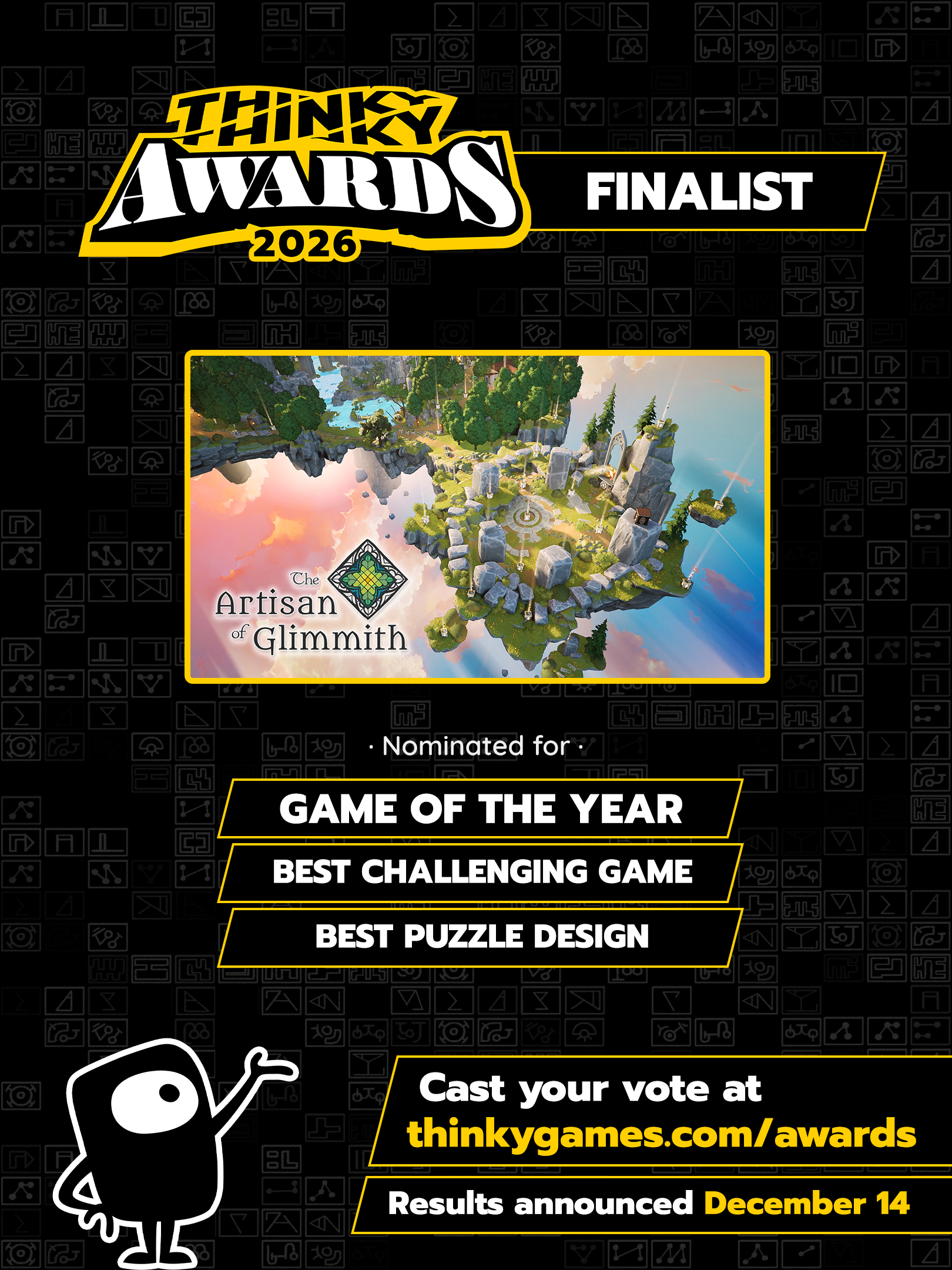 Thank you!
 - Elyot and the Glimmith dev team
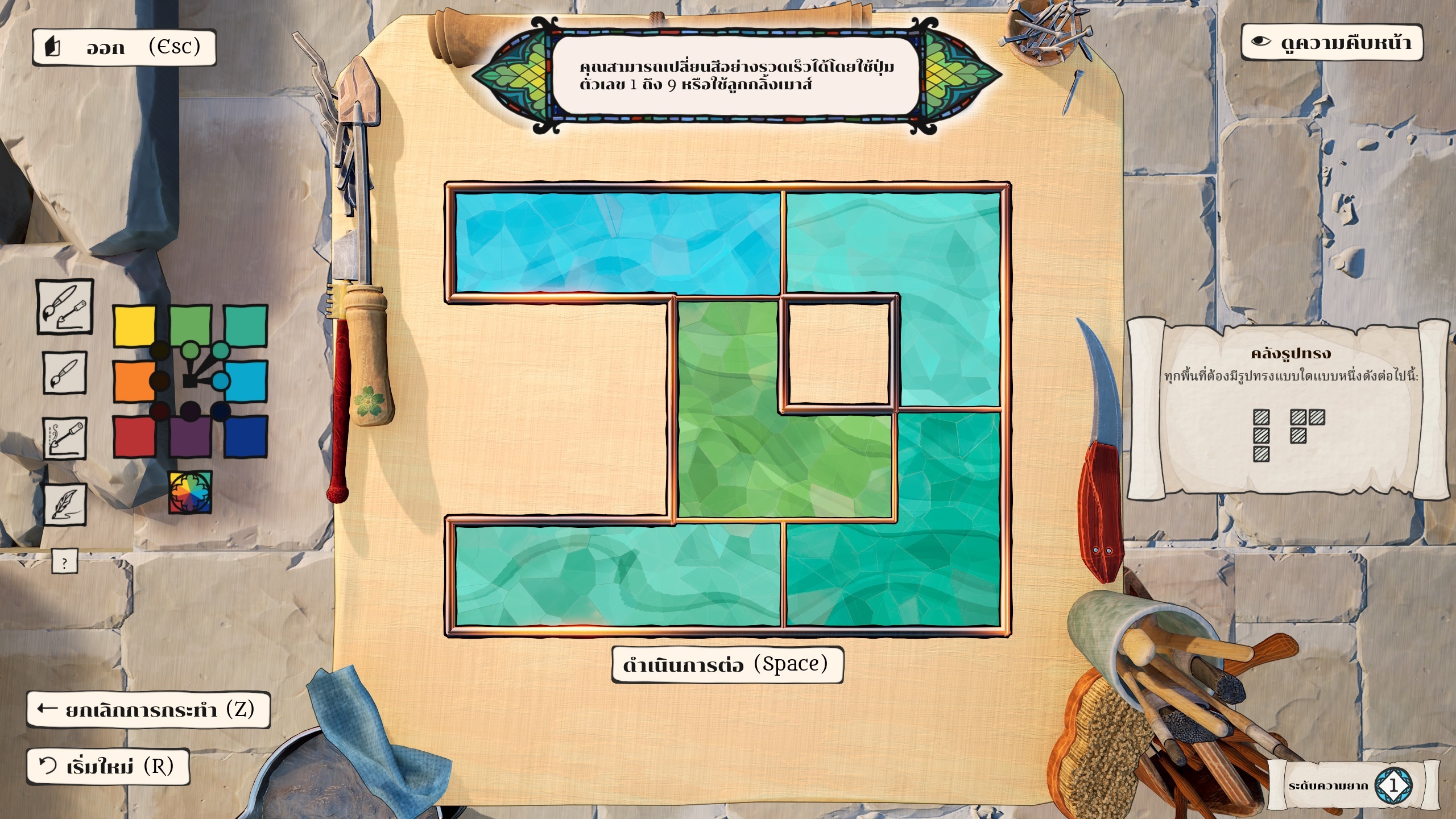 Please let us know if you notice any translation errors or interface problems in the new languages.