Dados da Steam coletados em 22/11/2026 13:19 · 1 amostras de jogadores no banco. Projeto independente, sem ligação com a Valve.
Jogadores
Quando o jogo tem mais gente
O mapa de calor aparece quando houver pelo menos 24 horas de dados de jogadores deste jogo.
Atualizações do jogo
- PATCHPatch 1.16.5a - stability fixes
Hullo! This is yet another in the series of random fixes. If the game already works correctly for you: splendid, have a fabulous day! If not, this might help. And if you're into nerdy rants...
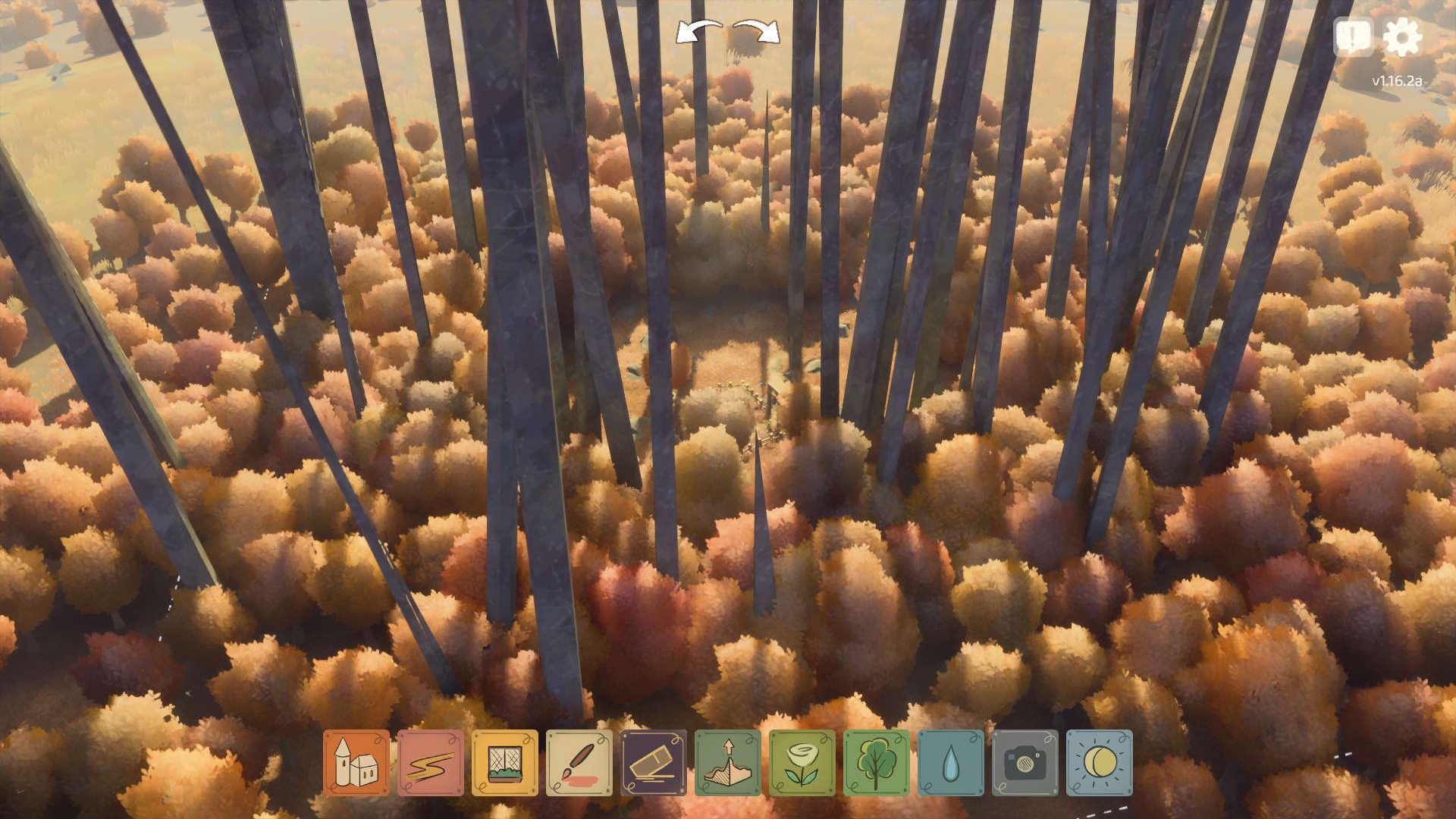
Hullo! This is yet another in the series of random fixes. If the game already works correctly for you: splendid, have a fabulous day! If not, this might help. And if you're into nerdy rants... stay awhile and listen 👴📜 🐛 Fix mysterious rocky "pillars" appearing in glades We got a few reports of terrain oddly extending into those thin and super tall rocky stalagmites that would also flicker in and out of existence. A bunch of detective work later, those turn out to be GPU-side memory stomping -- some (meta)data that should be written into an image ends up in a seemingly-unrelated buffer, corrupting its contents. I believe this to be an NVIDIA driver bug (or a hardware bug), seemingly only affecting the Pascal architecture (GTX 10x0 series). Those don't get functional driver updates anymore, so Tiny Glade now implements a workaround for it.
 🐛 Fix AMD UMA OOM
Don't we all love TLAs? (three-letter acronyms)
We've been getting some Out-Of-Memory errors on AMD systems with Unified Memory Architecture -- basically, laptops and mini PCs powered by integrated AMD graphics.
Those errors have been super silly and weird though. We'd ask the graphics driver to create some textures and buffers, and the driver would go "no probs!"... but when we'd finally try and use them to draw the game's visuals, the driver would then go "oops, out of memory!" ... which is not how things normally go. In any other case, we'd get OOM (out of memory) errors when attempting to create those textures and buffers. Even more funnily, I could see in the logs that the system had *plenty* of memory, the driver just refused to use it.
Long story short, if you set the "UMA Frame buffer size" in BIOS to something other than "Auto", this by default sets a *cap* on the max VRAM that apps can use; the driver will refuse to allocate any more of your RAM to graphics. Two ways to solve it: you manually change it to "Auto", or we use a special Vulkan graphics extension to hint to the driver that it should not be derpy. We now do the latter :P
🐛 Harden and fix race conditions in glade loading
Tiny Glade uses a separate background thread for saving the game -- this lets us keep your save files up-to-date continuously without introducing stalls or requiring manual saves. We just send little packets of data over a pipe whenever you edit something -- those packets then reach the save thread and it carefully persists them to disk. The orchestration is rather intricate, and there were a few cases where the main game thread and the save thread could get out of sync with each other, resulting in crashes. This should be much more robust now.
🐛 Sanitize invalid stair segments
This fixes a crashy crash we've had for a while where in an edge case you might end up with an invalid stair segment (e.g. two stair nodes placed exactly, bit-identically on top of each other). Some later interactions with that segment would then create invalid calculations, and make the game panic. Those invalid segments are now carefully... ignored.
🐛 Fix crash when dragging clutter and right-clicking over auto-clutter
Normally when you're interacting with some game element (e.g. dragging a chair), other interaction code should ignore inputs, and not try to interpret them -- you can't be dragging a chair *and* resizing a building at the same time. One of our gameplay systems was over-eager, trying to do just that, and messing with our internal state management. It promises to be nice now.
🐛 Fix crash on monitor disconnect/change
This we only have sparse logs for, so it's unclear exactly what was happening, but the game would apparently crash sometimes upon some monitor disconnections / changes -- you might know more than we do ^^; It was upsetting some third-party code that we rely on, which will now behave itself.
🐛 Fix crash when drag-n-dropping random files onto the loading screen
I found a crash report in our database where someone dropped a PDF file onto the game while it was loading... The poor thing didn't know what to do and panicked. This just goes to show that if there's an edge case, you folks will find it haha. Well played, well played.
🐛 Fix missing pillars in short wooden stair segments under ladders
Sometimes some short segments would stack in three, put on a trench coat, and pretend to be full supports for stairs. Then they'd also eat pillars, and as a result, stair arches would hover oddly. We're happy to announce that they've been put on a wood-free diet.
🐛 \ Fix load crash when the game is installed on an external drive with some file systems
macOS is a bit funny in that it sometimes creates meta data files that _look_ like other files but aren't. Our code for loading the image filters (LUTs) for photomode was trying to load all ".png" files, but unbeknownst to the code, macOS went and created files like ".somestuff.normalfilename.png" and made the game panic. This would only happen with the game installed on an external drive, and only in some Apple-only-knows cases. The code now skips those funny files, and also ignores (but logs) LUT loading errors.
🛠️ \ Automatically fix folder permissions on launch
Tiny Glade creates a folder to store its data (saves, configs, cache, etc). On some systems, the location at which we attempt to create this folder is inaccessible due to wrong permissions. The game will now detect this, and offer to fix it.
Thanks for coming to our TED talk 🖖
Love,
Tom & Ana
- PATCHPatch 1.16.3 - tiny fixy-fixes
Hallå! Just a few smol things again in the long tail of post-update glitches. 🐛 Stop the camera from clipping into the terrain in one specific glade corner This should fix the "I'm stuck underground, my screen looks…
Hallå! Just a few smol things again in the long tail of post-update glitches.
🐛 Stop the camera from clipping into the terrain in one specific glade corner
This should fix the "I'm stuck underground, my screen looks weird" issue a few of you reported. There was one area where you could push the camera slightly below the glade, and then you could see a portal to the Nether.
🦋 Fix crashes from clutter mod icon rendering
This one was funny -- turns out the rendering of icons for the clutter picker UI was one of the heaviest things in the game, graphics-wise (how? screen-space global illumination in the icons, of course). I may have written it on too-powerful a graphics card, and it seemed fine... But then on some potato integrated graphics chips it ended up causing driver timeouts 😅 The crazy shaders have found their sanity now.
🦗 Fix Intel driver version check and download links
Running on some Intel iGPUs, the game would complain about outdated drivers, and then also give the wrong link to download updates. Should be fixed now. Intel's practice of calling everything "UHD Graphics" means that stupid text-based matching does not work for detecting which driver you need... so we now ship a database of their product IDs :P
Love,
Tom (& Ana says "hi" again xD) - PATCHPatch 1.16.2(a) - more smol fixes
Hullo! This is yet another in the series of "which system compatibility quirks did we miss during beta testing". It fixes startup failures on GeForce NOW, and some Linux weirdness.
Hullo! This is yet another in the series of "which system compatibility quirks did we miss during beta testing". It fixes startup failures on GeForce NOW, and some Linux weirdness. 🛠️ Filter asset loading through our shipping manifest so we don't load stale files that Steam decided not to delete when updating the game.
🐛 Fix window resize loops on Linux + SDL + Wayland + cosmic rays or something.
📝 Log more diagnostics from mod baking so we can track down issues as swiftly as a 'ZIG' moving for great justice.
Edit: Build 1.16.2a just landed as well, with a quick fix to the "disable snapping" input so it doesn't collide with group select. Love, Tom (& Ana says "hi")
- PATCHPatch 1.16.1 - just some fixes
Hullo! Just a few small things: 🎨 Fix normal mapping strength in GLB (clutter). Switch to the glTF-standard OpenGL convention.
Hullo! Just a few small things: 🎨 Fix normal mapping strength in GLB (clutter). Switch to the glTF-standard OpenGL convention. 🐛 Fix two rare crashes when editing stairs 🐛 Fix a crash when typing in some languages while the Steam Overlay is open 🛠️ Work around Intel Iris Plus not supporting 64-bit integers in shaders 🛠️ Add a launch option to send diagnostics (logs, settings) in case the crash reporter doesn't pop up Thanks for the reports <3 Love, Tom & Ana P.S. We've disabled the beta-1_16_0 branch on Steam, so you may find that it kicks you back onto the default version if still were on the beta. You can import your beta saves using the button in the top-right corner of the Load screen.
- PATCH[BETA 1.16.0] Patch Notes
Hi, all! This is a shared post for all the beta patch notes 📝 It will be updated continuously until the beta is ready to be released. Thank you for all your F6 reports ♥ Build 1.16.0-pre19 is live!
Hi, all! This is a shared post for all the beta patch notes 📝 It will be updated continuously until the beta is ready to be released. Thank you for all your F6 reports ♥
Build 1.16.0-pre19 is live!
✍️ Make the slider in the clutter picker cursor-draggable
✍️ Remember the tab and scroll of the clutter picker
🎨 Bring back remembering the last color customization
🔈 Tweak audio of Quick Tools (Spacebar)
🐛 Fix a panic from invalid offsets of stone foundations
🐛 Fix rogue plaster appearing during style changes
🐛 Fix gaps in stone foundations and corner windows
🛠️ Harden handling of crashes & reduce chances of leaving zombie processes around
🛠️ Improve driver info/advice for Intel iGPUs
Build 1.16.0-pre18 is live!
👮 Prevent the color menu from escaping the screen
✍️ Add the ability to change elevation of a building group
✍️ Arches no longer block interaction with objects seen through the arches
🔊 Hook up sounds to the Quick Tools (Spacebar)
📏 Keep the freehand wall outline visible when manipulating its vertices
🐛 Add the missing highlights (selection, eraser, bulldozer) to curved planks
🐛 Improve visibility of the glade border outline, make it resize with resolution and UI/icon scale
🐛 Fix a crashy crash when manipulating/deleting stairs
🐛 Restore remembering flag and lantern colors upon customization (thank you for F6 reports about this!)
🐛 Fix gaps between gothic doors and stone foundation's transition into wood panels
🐛 Fix the bottom row of stone bricks for elevated buildings to appear correctly on building with stone foundation
🐛 Fix gaps when stone foundation was misaligned in gable roof areas on uneven terrain
🐛 Fix birdnests playing lantern sounds, lol
🐛 Fix gaps between cottage halfdormers and stone foundations on narrow towers
🐛 Fix gaps between doors and halftimber bottom beam when a building is elevated
Bald 1.16.0-pre17 is live!
🧑🦲 Fix grass balding near/between the olde gardens
🧑🦲 Fix balding between poppy flowers when you mix different colors
🧑🦲 Fix grass balding where stairs clip into terrain
🧑🦲 Reduce grass balding under elevated stairs
🐛 Hide input hints when interacting with toolbar so they don't overlap
Build 1.16.0-pre16 is live!
✍️ Stone foundation gizmo is now available in focus mode (aka right-click mode)
🎁 Update existing starting builds + add three new ones
🎨 Customization category of the toolbar is organized horizontally, and the brush icon now represents the category (so that the og palette icon is back to being the color menu tool)
🎨 Style picker (the bucket icon) now also copies window lights color
🐛 Fix the merged stairs of two different styles sometimes not restoring their original style upon undo
Build 1.16.0-pre15 is live!
🖌️ Strokes (path, water, etc) going outside the glade are no longer interrupted; their effects are still restricted, but it's easier to paint close to the edge
⛰️ Fix terrain cracks and "astroturf" popping on top of grass and rocky terrain
🪪 Cryptographically sign tiny-glade.exe on Windows to reduce chances of Defender / Smart App Control blocking it
🪧 Signify the button that will be auto-clicked in the Quick Tools when its input (def: Spacebar) is released
🧊 \ Fix blackness on ice on in ocean/coast mods
🐛 Fix mod installation warning log spam
Build 1.16.0-pre14 is live!
✨ New tool: style picker (the bucket icon) - you can now copy style from buildings, walls, stairs, fences and windows and transfer it to another structure. If you pick a window, you can either recolor other windows, one by one, or flood-color all the windows on a structure. The brush icon is the original coloring tool.
✨ Toolbar: the building category now has a material icon. You can choose which material new structures are built with: stone or wood. No more guessing! The color of stone/wood is whatever your style-picked the last on the given material.
🔊 New SFX: clutter menu now has new open, close and category change sounds
🐛 Fix gaps around arrow slits on stone foundation towers
🐛 When starting a new stair from a wooden building, it should now correctly adapt its starting style to wood
Build 1.16.0-pre13 is live!
🎨 Half-timber horizontal line now matches the stone foundation transition
🎨 Slightly narrower posts for smaller wooden stairs + neater tips
🐛 Switch underside material to wood, if the building is fully wood
🐛 Fix underside gaps in wooden buildings
Build 1.16.0-pre12 is live!
🎨 Wide wooden magic-supported stairs look less chaotic now
🏜️ Extend paths/cobblestone in a margin outside the glade
🖱️ When using the color menu on a wooden wall, also show the stone foundation height line, and make it interactive even if occluded by other scene elements
🐛 Give ducks the water ripple smoothness they deserve
🐛 Fix more blackness on water
🐛 Fix wooden auto-stairs corner generation
🐛 Make lanterns on ropes follow the rope orientation
🐛 Wooden and stone stairs' wall-attached supports now check whether there is enough wall
🐛 Fix a gap between wood panels and stone foundation on the inner side of buildings
🐛 Fix narrow vertical gaps appearing sometimes when an arch is created on a stone foundation
Build 1.16.0-pre11 is live!
🧵 Lanterns and flags now hang from ropes
🔈 New clutter move sound for wooden and stone floors as well as stairs
🔈 New lantern move sound for wooden walls
🔈 Fixed flags audio for stairs
🎢 Support modded clutter for riding rollercoasters (an empty node named "RollercoasterSeat" enables it, and determines rider position)
🛠️ Added an in-game mod editor so you don't need to manually write any JSON manifests to make clutter mods
🛠️ Got rid of the terrain_height and terrain_fog_height textures. They're now derived from the background terrain meshes, making environment mods easier to author
🌊 Smoothed out the glade boundary transition between water and ocean/coast mods
🐛 Fixed blackness in water rendering with no water bed
Build 1.16.0-pre9 is live!
🛠️ Add a status display to the `MODS/Workshop` menu (downloading, installing, error, etc.)
🛠️ Replace in the F6 feedback form "Attach benchmark" with "Attach diagnostics", which also sends the game's log file for debugging purposes
Build 1.16.0-pre8 is live!
✨ Allow recoloring of wooden stair railings
🎨 When changing material between wood and stone, try to match to a closest color (eyeballed by Ana)
🐛 Fix color menu incorrectly applying wall top line option on auto-close
📷 Fix intermittent overblurring in screen corners
💽 Delay file integrity check (for the "+ mods" display in screenshots) so as not to compete for I/O with game startup
🚪 Make "path + wall" gates double-sided, so they're not see-through or concave from the inside
🔎 Show mod name in clutter picker UI
Build 1.16.0-pre7 is up!
(build 1.16.0-pre6 didn't make it 😅)
🧵 Rope bridges no longer turn into ladders at steep angles
🎨 Color menu & rope bridges: hide wood colors only if no wooden elements are present
🐛 Don't deform gothic window hats on wooden walls (fixes some gaps)
🌷 In flower mode, only flatten plants when the cursor moves (so you can see what you're planting)
🖥️ Rejig fullscreen video settings
🖥️ Politely ask the video driver for non-exclusive fullscreen by default (maybe fixes screen blackness on alt-tab)
🎮 Fix multi-select and temp eraser inputs on controllers / Steam Deck
📉 Fix clutter texture memory duplication
Build 1.16.0-pre5 is up!
🐛 Fix a small gap in gothic window when it just crosses the stone foundation
🐛 Change the stone rim (when a roof meets a floor) into wooden when appropriate
🐛 Fix merlons not being removed for player-made stairs
🧵 Rope bridge now has 4 railing types
🧵 When a rope bridge has minimum width, then only a rope is created
💾 UI to copy saves between beta and main
🛠 Bump Intel UHD driver requirement to 101.4499
🕶️ Cap draw distance for shadows so they don't flicker in Tiny Ocean
Build 1.16.0-pre4 is up!
🧯 Fix blackness from Depth of Field on olde GeForce RTX drivers
🧱 Show half-timber option when coloring stone foundations
🧱 Fix stone foundation drag not reacting after lowering building height
🌳 Show Olden Glade clutter in the picker UI
🐛 Fix crash when loading some the Eastern Glade mod
🌊 Fix black artifacts on the horizon in the Tiny Ocean mod
Love,
Ana & Tom
- PATCH[BETA 1.16] Wood, flowers, Workshop, ...
Yarr harr me hearties, it's time to unleash the kraken! We’ve been taming it for a while but it might still be a bit spiky and capricious.

Yarr harr me hearties, it's time to unleash the kraken! We’ve been taming it for a while but it might still be a bit spiky and capricious. With your help, we’ll house-train it to be all soft and cuddly like the sheep :3 Which is to say, we have tested the beta internally and deemed it safe to use, but we’d still appreciate your help in finding any sneaky bugs, crashes, glitches, etc. If you find any, please don't hesitate to send in-game feedback (F6), post on Discord, or in Steam forums. If you need a reminder on how betas work and how to opt-in, please see instructions at the bottom of the post. The previous beta (stairs) was rather large. This one is a chonk. Originally, we wanted to have a smallish beta focused on just wooden walls, but then… it grew, um… a bit ^^; We've added a bunch of new features, UX improvements, fixes and also done a lot of mopping behind the scenes. Let's start with the exciting new stuffs!
Features
Wooden walls, stone foundations

This is the highlight of the coming update. A lot could be said about it, but it’s better experienced :3 Our initial prototypish version had a lot of tricky edge cases as usual, and it took a few iterations to figure out all the 4D chess: cutting window holes out of planks, placing the wooden and brick frames around windows in all the right places, tippy-tappy creaky audio for all the permutations, what happens if you raise the stone foundation all the way up, and so on. There's all the stuff mentioned in our last Dev Diary: wooden walls with horizontal & vertical planks, stone foundations, wooden fences (vertical planks only). It should all behave itself now, so all those Nordic villages can now be safely tinygladeified ✨
Wooden stairs

Once we got the wooden walls working, something still felt amiss. You'd have an olde wooden building, and then plop stairs on it and... they wouldn't quite fit, being all brick-like. So we went and added wooden stairs too. Just like with wooden buildings, you switch the material via the color customization tool.
New meadow plants

We've expanded our gardening tools -- you can now paint colorful flowers and grain plants in the meadow. You can "paint over" the same plant to make it bushier too. The grass is also much more detailed now, and looks fluffier in the distance.
Nerd trivia: this started as just a tech investigation: we'd been quietly scheming about maaaybe supporting larger glades in the future 🤫 and... our grass system just wouldn't scale. A few bathtubs of coffee later we had a new authoring & rendering system, loosely inspired by "Nanite Foliage", and it enabled us to add all sorts of plants, not just grass.
Controllable fog

The "time of day" menu now has controls for fog. You can change its density, height, and how much it clings to the ground. Just as with time passage, you can keep it locked however you like, or let it do its thing over time. In winter glades, there is now a snow control, too. And since we know you're really here for the nerd trivia: this took a complete rewrite of our participating media renderer; we've now switched to the "froxels" method, which also allowed us to cheaply integrate local lights, so lanterns illuminate the fog now 💡
Workshop support

In Swedish, there's a wonderful word: "nja". It's a blend of "nej" (no) and "ja" (yes). It was also our typical response to "does Tiny Glade support mods?"... Njaaaaaaa it kinda does, but you basically have to replace the game's own files, and it's a bit of a mess. We're shifting that a bit towards "jaaa": we're adding some Workshop support:
Mods can add new clutter items to the game (the stuff that spawns around windows and that you can move around)
Existing community mods that rely on asset replacement can now be shared via Workshop too (Tiny Farms, Eastern Glade, Tiny Ocean, etc)
Hint: modded clutter loads automatically. Other mods you need to enable per glade: Hit Escape, then MODS → GLADE MODS.
This doesn't mean that Tiny Glade is now infinitely moddable -- you can't turn it into a racing game or add new doodling tools, metal walls, etc. That kinda thing mostly flies in games made in C# or Java, where modders can decompile the bytecode and go wild. Mod developers: here's some info for y'all!
Editing tools
Clutter picker UI

Have you ever woken up at night thinking, "I wish Tiny Glade had more UI windows"? Yeah, we thought so too... Don't worry, we got you. We've been itching to add a new UI window somewhere but couldn't figure out where to put it. After much research and deliberation, we figured "ehh, I guess let's just add a clutter picker". So as a side effect I suppose it's now easier to change clutter -- especially if you download a bunch of clutter mods.
Grouping and group move / rotation

This one is not a new window, but hopefully still useful. You can select multiple buildings/walls/fences together and move/rotate them as a group. The groups can also be bookmarked, so next time you want to nudge that elaborate castle tower by 2cm eastward, you don't need to re-select the whole thing again. The default controls: right-click one building, then while holding Left Ctrl, right-click another, and another, and...
Freehand wall / fence rotation
Once we added the ability to rotate groups, we realized that it was the only way to rotate freehand walls/fences... so for completeness, we also added rotation to the latter.
Misc UX stuffs
Always-on input hints
We got inspired by how accessible some simulator games are, so we nicked an idea from them: the left side of the screen now has a box that always shows input/controls hints, based on the current tool, item being highlighted, etc. We think it's a nice discoverability boost, but if it makes you feel like you're playing Orbital Welding Simulator 2026, you can disable it in settings.
Cursor-centered toolbar popup

We also got slightly envious of games that have radial menus for quickly accessing commands. So we figured we could shorten our mouse travel distance as well. Mashing Spacebar (or the mouse "Back" button) will now bring up a compact version of the toolbar wherever your cursor is. You don't even need to click on any of the icons -- just release the key/button. If those keys aren't quite your vibe, you can rebind "Quick tools" in settings.`
Quick eraser for raster tools

When painting paths/cobblestone/plants/water, you can hold the "disable snapping" key (Left Ctrl by default) to temporarily switch to the eraser for the active tool -- so if you draw a path too far, you don't need to undo it and redraw it; you can just quickly erase it without embarking on a toolbar round-trip.
More flexible input binding
We've refactored our input binding system. Previously inputs could only be either keys or mouse buttons. Now they can be either. Or both. So for example if you play on a touchpad and "right click" is awkward for camera rotation, you can bind it to a key now.
Hit "Delete" to nuke the selected object
Anything that has "focus mode" (right click by default) can now be deleted via the keyboard "Delete" key (configurable, of course).
A button to open a saved glade's folder
In the glade load screen, there's a folder icon under each glade. Click it to open the operating system's file explorer in that save's folder. No more sorting folders and chasing after random hexadecimal strings to find where your glade lives.
Focus-mode gizmo hygiene

When manipulating tiny shapes / wall pieces in "focus mode", the chonky UI gizmos would often obscure most of the thing you're trying to nudge. Unnecessary gizmos now fade away, so you can get that 1mm placement precision you've always wanted.
Behind the scenes
Bumped most object limits to 1 million
We used to have individual limits for various objects, e.g. "you can only have N thousand windows" or "N hundred plant pots", rooted in being frugal with video memory use. Some players would then run out of those windows / plant pots, and we'd need to decide whether to bump memory requirements for everyone. We've now refactored all that, and now we dynamically allocate memory as needed. You can have up to 1 million of all the things now.
Max walls 10k -> 128k
A few players have also run out of walls while drawing intricate mosaics out of tiny wall fragments. We've shipped contraband builds to a few people, raising their limit to 20k walls. Well, after some code plumbing on our side, everyone gets to enjoy up to 131,072 walls now.
Roofs now bounce & block indirect light
We use ray tracing for indirect light, but it's not the fancy RTX-like ray tracing that modern GPUs have -- ours is very potato so that it can run on old machines. It uses heavily-simplified geometry, and before this update, completely lacked roofs. Well, we're upgrading the potato slightly: roofs are now welcome in our Bounding Volume Hierarchy, and lighting is a bit more realistic around them.
BTW if this makes your indoor scenes too dark, give us a shout!
TGSR 2.0
Tiny Glade doesn't support DLSS, FSR or XeSS. Instead we have our own thing: TGSR -- Tiny Glade Super Resolution, painstakingly eyeballed and hand-tuned for Tiny Glade. It runs on all our hardware targets, it's cheaper than the big upscalers from GPU vendors, but it's not the pinnacle of image quality. We're improving that with TGSR 2.0. It uses a tiiiiiiny neural network to make better decisions about color than a hand-tuned thing realistically could. It should run as fast as TGSR 1.0, but look more stable and less ghosty.
 TGSR version 1.0 vs 2.0, "Performance" preset; zoomed-in to highlight artifacts; BTW I really like this build but I can't remember where I got it -- probably F6 feedback; thank you <3
New rendering backend
This is mostly a nerd note, but we've rewritten our Vulkan renderer's backend, fixing some subtle bugs in the process (and possibly adding exciting new ones, as is the rule). The new one is easier on the CPU, so if you have a beefy GPU, your framerate might improve in heavier builds. Let us know if you get any unusual GPU-related crashes though.
More precise shadows
Our shadow maps now adapt rather precisely to what the camera is seeing. This typically results in higher-fidelity shadows near and far. Nerd note: we've switched to Sample Distribution Shadow Maps + receiver-mask-based culling. Volumetrics wanted to ruin it all, so we also ray trace tiny cascaded shadow maps for the fog.
\ SDL2 & Steam Overlay
The care and feeding of operating system windows and event pumps is a surprisingly nuanced art. We mainly use the winit library (crate) to deal with it, which works well enough on MS Windows, but on Linux we ran into trouble with Steam Overlay, which makes assumptions incompatible with winit. To placate Steam, we're adding SDL2 support to the game, and switching to it by default on Linux. This should make Steam Overlay work without gamescope tricks or Proton.
The windowing backend is switchable, so if SDL2 gives you any trouble, opt for winit via:
--window-backend winit
Misc
Visual
Color menu: the secondary ring is now always aligned with the primary one. Magic color options are only shown when the clicked segment is affected
Fix platform stairs assembled at a wrong angle sometimes when going over a rectangle's corner
Some sections of the wood railings on stone stairs are now curved (to better represent curvature)
Fixed some wood textures not tiling properly
Fixed stitch bricks not covering gable roof sides
Fixed incorrect ladder mesh spawned when gates on stone buildings are on steep terrain
Fixed halftimbering circular beams having no side faces when split by a window (aka no caps)
Fixed camera not rotating when high up
Reduced brickitis (bricks popping through plaster as you zoom out -- the distant brick LoD is now an SDF because we always need more raymarching in the game... thanks for coming to my TED talk)
Improved indirect lighting stability and detail
Audio
Tweaked the strength of path draw audio
Rotating single-node stairs now plays the correct sound (and not the same as rotating a lantern)
Walking on wooden floors now correctly triggers wooden footsteps instead of stone
Trapdoors now play unique sounds for wooden and stone floors. So do flags.
Stability
Fixed some stuttering on Linux (due to incorrect Vulkan swapchain usage)
Fixed race condition in mouse cursor visibility management
Aaand a bunch of crashy crashes have been un-crashy-crashed.
Testing this beta version
If you'd like to help out and opt into the beta, go to Tiny Glade in your Steam Library, then Properties → Betas → Beta participation → Select beta-1_16_0. The save files of this beta are separate from the main version of the game, and this is a beta rather than a regular patch. What does that all mean?
When using the beta, you won't see the glades you've built in the default branch.
We made beta saves separate from the regular saves because the beta branch contains new code unavailable in the default branch. Thus, the save files created in beta won't work in the default branch until we merge the beta into the default branch.
You can however copy your previous saves manually into the beta if you like.
Saves for the beta are in the "beta-saves" folder alongside "saves" in %USERPROFILE%\\Saved Games\\Tiny Glade\\Steam\\YOUR_STEAM_ID (~/.local/share/Tiny Glade/Steam/YOUR_STEAM_ID/saves on Linux and macOS)
The beta saves are not synchronized to Steam Cloud.
Some stuff might misbehave, and we might need to make changes if necessary. Beware that your beta glades might change during the testing period
After the beta is closed, you'll be able to just (manually) copy over your beta saves into the regular saves folder.
Please see our troubleshooting guide for more information about saves. Thank you for reading and playing! We hope you have fun 💚
Love, Tom & Ana (and Martin)
Known issues
We'll be investigating bugs and glitches, but it might take a while for us to land fixes. Meanwhile, let's have a workaround section here:
If mods don't load for you, restart Steam. We've only just enabled Workshop, and for some folks, Steam seems to be blocking downloads, pretending there's still no Workshop ^^;
If you don't see beta-1_16_0 on the list... restart... Steam. Thank Gaben :P
- PATCHPatch 1.14.3
Hullooooooooooooo here's a small patch with a few tweaks & fixes we've gathered recently: 🎃 Halloween weekly theme (it will be available from the 24th of October until the 31st of October) 🌿 Fix ivy growing over doors &…
Hullooooooooooooo here's a small patch with a few tweaks & fixes we've gathered recently:
🎃 Halloween weekly theme (it will be available from the 24th of October until the 31st of October)
🌿Fix ivy growing over doors & windows (finally!)(it seems we haven't caught all the rogue ways it sneaks onto doors & windows yet ^^")
👆 Add our own mouse cursor (disabled by default) for when the OS cursor refuses to show up to work
☁️ Detect if running in GeForce NOW, work around session freezing when using the photo mode folder button
🛠️ Bundle parts of our asset pipeline to make texture replacement easier
🛠️ Slightly reduce video memory utilization
🛠️ Don't load old texture assets that Steam failed to delete
🐛 Fix some crashes when very low on video memory
Askion kataski! (we're definitely not playing too much Hades 2)
Ana & Tom - HOTFIX(hotfix) Patch 1.14.2 - some more fixes
Howdy! We continue monitoring the game's stability and your bug reports following the launch of the stairs update, and we've noticed a few reports of stairs climbing invisible terrain upon loading a glade.
Howdy! We continue monitoring the game's stability and your bug reports following the launch of the stairs update, and we've noticed a few reports of stairs climbing invisible terrain upon loading a glade. We saw this during the beta, and thought we'd fixed it, but it still managed to sneak through. This patch should finally resolve it.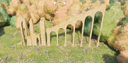
We've also noticed that owners of GeForce RTX 50-series GPUs are experiencing crashes when launching the game. Those crashes are linked to the just-released 580.88 driver. We're in contact with NVIDIA about the issue, and we've added an in-game warning with a link to download the 577.00 driver, which works fine. Thanks for all the crash reports and troubleshooting help!
BTW, a few folks are experiencing crashes on startup due to Steam incorrectly deploying the patch. There's a handful of old files that it failed to delete, and Tiny Glade crashes while trying to load them. Our crash reporter detects and highlights this problem - if you see it complaining about problems with the game's installation, try the steps it outlines, or reinstall the game, so that the old files get deleted.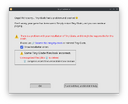
Patch notes:- 👻⛰️ Fix phantom terrain for real this time
- 🔥 Add warning for broken NVIDIA driver 580.88 on RTX 50-series cards
- 🔥 Add additional resolution advice to the crash reporter for a few external factors that mess with the game
Tom & Ana
Notas de atualização que o estúdio publicou na Steam, mais as atualizações sem nota que o Radar percebeu nos dados técnicos do jogo (estas só a partir de quando o site começou a acompanhar).
Mídia




Usuários da Steam
Imprensa
- —
“Tiny Glade is the most beautiful pile of digital lego I've ever seen!”
- —
“I absolutely love this game. But it's not just me who loves it, my whole family loves this game. My kids walked in my office while I was playing this, and both asked if they could play. Soon after, my wife walked in and asked if she could play. And all of us had an absolute blast with it.”
- —
“The truly magnificent visuals allow for great screenshots, and the procedural adaptation never ceases to amaze me”
- Site oficial
- Tempo para zerar (HowLongToBeat)média de horas até terminar a história e até 100%
- Suporte
- Redes sociaisX (Twitter) · YouTube · Bluesky
Tem português do Brasil: interface.
| Idioma | Interface | Legendas | Áudio |
|---|---|---|---|
| Português (Brasil) | ✓ | — | — |
| Inglês | ✓ | — | — |
| Alemão | ✓ | — | — |
| Chinês simplificado | ✓ | — | — |
| Coreano | ✓ | — | — |
| Espanhol (Espanha) | ✓ | — | — |
| Francês | ✓ | — | — |
| Italiano | ✓ | — | — |
| Japonês | ✓ | — | — |
| Norueguês | ✓ | — | — |
| Polonês | ✓ | — | — |
| Russo | ✓ | — | — |
| Sueco | ✓ | — | — |
| Turco | ✓ | — | — |
| Ucraniano | ✓ | — | — |
Mínimos
- Requer um sistema operativo e processador de 64 bits
- Sistema Operativo
- Windows 10+
- Processador
- AMD Ryzen / Intel Core i5 / Snapdragon X Plus
- Memória
- 4 GB de RAM
- Placa gráfica
- For 720p: A graphics card with Vulkan 1.2 support and 2+ GB of video memory: Radeon R9 270 (driver 21.3.1), GeForce GTX 670 (at least Kepler architecture, driver 472.12 or newer), Intel Iris Xe, or similar.
- Espaço no disco
- Requer 4 GB de espaço livre
- Placa de som
- Yes, please
- Notas adicionais
- A mouse with 2 buttons + scroll wheel is necessary for camera control. ========================================= UNSUPPORTED graphics cards: laptop NVIDIA Kepler series, e.g. GeForce GT 740M, and older Intel HD Graphics series, e.g. 500, 4000, 5000, 6000.
Recomendados
- Requer um sistema operativo e processador de 64 bits
- Sistema Operativo
- Windows 10+
- Processador
- AMD Ryzen / Intel Core i5 / Snapdragon X Elite
- Memória
- 4 GB de RAM
- Placa gráfica
- For 1080p: A graphics card with Vulkan 1.2 support and 4+ GB of video memory: Radeon RX 580, GeForce GTX 1060, Intel Arc A380, or similar.
- Rede
- Ligação à Internet de banda larga
- Espaço no disco
- Requer 4 GB de espaço livre
- Placa de som
- Absolutely
- Notas adicionais
- A mouse with 2 buttons + scroll wheel is necessary for camera control. ========================================= UNSUPPORTED graphics cards: laptop NVIDIA Kepler series, e.g. GeForce GT 740M, and older Intel HD Graphics series, e.g. 500, 4000, 5000, 6000.
Informações técnicas
Depósitos · 3
| ID | Conteúdo | Sistema | Idioma | Download | Instalado |
|---|---|---|---|---|---|
2198151 | Conteúdo do jogo | Windows | Todos | 1,6 GB | 3,0 GB |
2198152 | Conteúdo do jogo | Linux | Todos | 1,6 GB | 3,1 GB |
2198153 | Conteúdo do jogo | macOS | Todos | 1,6 GB | 2,8 GB |
Dados técnicos públicos da Steam, os mesmos que o aplicativo da Steam baixa (lidos em 22/11/2026 13:19). Depósitos são as partes que a Steam baixa separadamente: o jogo, os idiomas e as DLCs. Os tamanhos são aproximados.
Preço em cada país
 Ucrânia · 30% abaixo do Brasil
| País | Preço atual | Preço cheio | Desconto | Em reais | vs Brasil | Menor visto |
|---|---|---|---|---|---|---|
| Ucrânia | ₴ 250 | ₴ 250 | — | -30% | ₴ 250 | |
 Rússia | ₽ 550 | ₽ 550 | — | -15% | ₽ 550 | |
 Paquistão · Sul da Ásia (dólar) | US$ 6,99 | US$ 6,99 | — | -12% | US$ 6,99 | |
 Indonésia | Rp 130.999 | Rp 130.999 | — | -9% | Rp 130.999 | |
 Índia | ₹ 690 | ₹ 690 | — | -6% | ₹ 690 | |
 Filipinas | ₱ 485,00 | ₱ 485,00 | — | -4% | ₱ 485,00 | |
 Brasil | R$ 46,99 | R$ 46,99 | — | — | R$ 46,99 | |
 Vietnã | ₫ 205.000 | ₫ 205.000 | — | 0% | ₫ 205.000 | |
 Argentina · América Latina (dólar) | US$ 7,99 | US$ 7,99 | — | +1% | US$ 7,99 | |
 Turquia · Oriente Médio e N. África (dólar) | US$ 7,99 | US$ 7,99 | — | +1% | US$ 7,99 | |
 Taiwan | NT$ 268 | NT$ 268 | — | +3% | NT$ 268 | |
 Chile | CLP$ 8.300 | CLP$ 8.300 | — | +3% | CLP$ 8.300 | |
 África do Sul | R 145,00 | R 145,00 | — | +5% | R 145,00 | |
 Armênia · ex-URSS (dólar) | US$ 8,49 | US$ 8,49 | — | +7% | US$ 8,49 | |
 China | CN¥ 58,00 | CN¥ 58,00 | — | +9% | CN¥ 58,00 | |
 Arábia Saudita | SR 32,95 | SR 32,95 | — | +11% | SR 32,95 | |
 Kuwait | KD 2,80 | KD 2,80 | — | +14% | KD 2,80 | |
 Cazaquistão | ₸ 4.100 | ₸ 4.100 | — | +15% | ₸ 4.100 | |
 Tailândia | ฿ 315,00 | ฿ 315,00 | — | +17% | ฿ 315,00 | |
 Catar | QR 33,99 | QR 33,99 | — | +18% | QR 33,99 | |
 México | Mex$ 178,99 | Mex$ 178,99 | — | +18% | Mex$ 178,99 | |
 Malásia | RM 38,50 | RM 38,50 | — | +18% | RM 38,50 | |
 Peru | S/ 33,50 | S/ 33,50 | — | +23% | S/ 33,50 | |
 Japão | ¥ 1.700 | ¥ 1.700 | — | +35% | ¥ 1.700 | |
 Uruguai | $U 455 | $U 455 | — | +42% | $U 455 | |
 Colômbia | COL$ 37.500 | COL$ 37.500 | — | +42% | COL$ 37.500 | |
 Singapura | S$ 14,50 | S$ 14,50 | — | +42% | S$ 14,50 | |
 Emirados Árabes | AED 42,00 | AED 42,00 | — | +45% | AED 42,00 | |
 Nova Zelândia | NZ$ 21,99 | NZ$ 21,99 | — | +52% | NZ$ 21,99 | |
 Hong Kong | HK$ 95,00 | HK$ 95,00 | — | +53% | HK$ 95,00 | |
 Coreia do Sul | ₩ 16.500 | ₩ 16.500 | — | +55% | ₩ 16.500 | |
 Canadá | CDN$ 19,49 | CDN$ 19,49 | — | +72% | CDN$ 19,49 | |
 Polônia | zł 58,50 | zł 58,50 | — | +82% | zł 58,50 | |
 Austrália | A$ 21,95 | A$ 21,95 | — | +84% | A$ 21,95 | |
 Costa Rica | ₡ 6.500 | ₡ 6.500 | — | +84% | ₡ 6.500 | |
 Estados Unidos | US$ 14,99 | US$ 14,99 | — | +89% | US$ 14,99 | |
 Zona do euro | € 14,79 | € 14,79 | — | +105% | € 14,79 | |
 Israel | ₪ 55,95 | ₪ 55,95 | — | +111% | ₪ 55,95 | |
 Reino Unido | £ 12,79 | £ 12,79 | — | +112% | £ 12,79 | |
 Noruega | kr 165,00 | kr 165,00 | — | +113% | kr 165,00 | |
 Suíça | CHF 16,79 | CHF 16,79 | — | +152% | CHF 16,79 |
Do mais barato ao mais caro em reais, pela cotação do dia (só para comparar: o preço cobrado é o da moeda local).
Histórico de preço
Ainda não há promoções registradas para este jogo aqui. Nas grandes promoções da Steam (verão, inverno, outono e primavera) a maioria dos jogos entra com desconto. As faixas douradas no gráfico marcam as grandes promoções da Steam.
Todas as mudanças de preço
| Visto em | País | Preço | Preço cheio | Desconto | Em reais |
|---|---|---|---|---|---|
| 22/11/2026 13:19 | Brasil | R$ 46,99 | R$ 46,99 | — | R$ 46,99 |
| 22/11/2026 13:19 | Estados Unidos | US$ 14,99 | US$ 14,99 | — | ≈ R$ 89,01 |
| 22/11/2026 13:19 | Argentina · América Latina (dólar) | US$ 7,99 | US$ 7,99 | — | ≈ R$ 47,44 |
| 22/11/2026 13:19 | México | Mex$ 178,99 | Mex$ 178,99 | — | ≈ R$ 55,58 |
| 22/11/2026 13:19 | Chile | CLP$ 8.300 | CLP$ 8.300 | — | ≈ R$ 48,60 |
| 22/11/2026 13:19 | Reino Unido | £ 12,79 | £ 12,79 | — | ≈ R$ 99,46 |
| 22/11/2026 13:19 | Zona do euro | € 14,79 | € 14,79 | — | ≈ R$ 96,37 |
| 22/11/2026 13:19 | Turquia · Oriente Médio e N. África (dólar) | US$ 7,99 | US$ 7,99 | — | ≈ R$ 47,44 |
| 22/11/2026 13:19 | Japão | ¥ 1.700 | ¥ 1.700 | — | ≈ R$ 63,59 |
| 22/11/2026 13:19 | Índia | ₹ 690 | ₹ 690 | — | ≈ R$ 44,11 |
| 22/11/2026 13:19 | Canadá | CDN$ 19,49 | CDN$ 19,49 | — | ≈ R$ 80,74 |
| 22/11/2026 13:19 | Austrália | A$ 21,95 | A$ 21,95 | — | ≈ R$ 86,49 |
| 22/11/2026 13:19 | Nova Zelândia | NZ$ 21,99 | NZ$ 21,99 | — | ≈ R$ 71,55 |
| 22/11/2026 13:19 | Suíça | CHF 16,79 | CHF 16,79 | — | ≈ R$ 118,64 |
| 22/11/2026 13:19 | Noruega | kr 165,00 | kr 165,00 | — | ≈ R$ 100,30 |
| 22/11/2026 13:19 | Polônia | zł 58,50 | zł 58,50 | — | ≈ R$ 85,57 |
| 22/11/2026 13:19 | Ucrânia | ₴ 250Mais barato em reais | ₴ 250 | — | ≈ R$ 32,98 |
| 22/11/2026 13:19 | Rússia | ₽ 550 | ₽ 550 | — | ≈ R$ 39,80 |
| 22/11/2026 13:19 | Cazaquistão | ₸ 4.100 | ₸ 4.100 | — | ≈ R$ 54,11 |
| 22/11/2026 13:19 | Armênia · ex-URSS (dólar) | US$ 8,49 | US$ 8,49 | — | ≈ R$ 50,41 |
| 22/11/2026 13:19 | Paquistão · Sul da Ásia (dólar) | US$ 6,99 | US$ 6,99 | — | ≈ R$ 41,51 |
| 22/11/2026 13:19 | China | CN¥ 58,00 | CN¥ 58,00 | — | ≈ R$ 51,45 |
| 22/11/2026 13:19 | Hong Kong | HK$ 95,00 | HK$ 95,00 | — | ≈ R$ 71,96 |
| 22/11/2026 13:19 | Taiwan | NT$ 268 | NT$ 268 | — | ≈ R$ 48,25 |
| 22/11/2026 13:19 | Coreia do Sul | ₩ 16.500 | ₩ 16.500 | — | ≈ R$ 72,93 |
| 22/11/2026 13:19 | Indonésia | Rp 130.999 | Rp 130.999 | — | ≈ R$ 42,53 |
| 22/11/2026 13:19 | Malásia | RM 38,50 | RM 38,50 | — | ≈ R$ 55,58 |
| 22/11/2026 13:19 | Filipinas | ₱ 485,00 | ₱ 485,00 | — | ≈ R$ 45,01 |
| 22/11/2026 13:19 | Singapura | S$ 14,50 | S$ 14,50 | — | ≈ R$ 66,77 |
| 22/11/2026 13:19 | Tailândia | ฿ 315,00 | ฿ 315,00 | — | ≈ R$ 55,15 |
| 22/11/2026 13:19 | Vietnã | ₫ 205.000 | ₫ 205.000 | — | ≈ R$ 47,21 |
| 22/11/2026 13:19 | Colômbia | COL$ 37.500 | COL$ 37.500 | — | ≈ R$ 66,63 |
| 22/11/2026 13:19 | Peru | S/ 33,50 | S/ 33,50 | — | ≈ R$ 57,80 |
| 22/11/2026 13:19 | Uruguai | $U 455 | $U 455 | — | ≈ R$ 66,57 |
| 22/11/2026 13:19 | Costa Rica | ₡ 6.500 | ₡ 6.500 | — | ≈ R$ 86,67 |
| 22/11/2026 13:19 | África do Sul | R 145,00 | R 145,00 | — | ≈ R$ 49,12 |
| 22/11/2026 13:19 | Emirados Árabes | AED 42,00 | AED 42,00 | — | ≈ R$ 67,91 |
| 22/11/2026 13:19 | Arábia Saudita | SR 32,95 | SR 32,95 | — | ≈ R$ 52,17 |
| 22/11/2026 13:19 | Catar | QR 33,99 | QR 33,99 | — | ≈ R$ 55,45 |
| 22/11/2026 13:19 | Kuwait | KD 2,80 | KD 2,80 | — | ≈ R$ 53,43 |
| 22/11/2026 13:19 | Israel | ₪ 55,95 | ₪ 55,95 | — | ≈ R$ 99,28 |
Uma linha nova aparece sempre que o preço muda. A linha em destaque é o preço atual de cada país. Valores em reais pela cotação do dia (21/11), só para comparar: o preço cobrado é o da moeda local. Rates By Exchange Rate API
Edições e pacotes
| Opção de compra | Preço no Brasil | Economia do pacote |
|---|---|---|
| Cozy GladePacote | -55% | R$ 13,68vs. R$ 22,99 separado |
| Drawquarium x Tiny GladePacote | -20% | R$ 10,92vs. R$ 38,99 separado |
| Tiny Glade x MakeRoomPacote | R$ 29,69 | R$ 3,30vs. R$ 32,99 separado |
| Tiny Glade + HozyPacote | R$ 35,99 | R$ 4,00vs. R$ 39,99 separado |
| Cozy Contrasts CollectionPacote · 2 itens | R$ 36,44 | R$ 4,05vs. R$ 40,49 separado |
| Tiny GladeJogo | R$ 46,99 | — |
| Dressmaker X Tiny GladePacote | R$ 48,12 | R$ 5,35vs. R$ 53,47 separado |
| Tiny Glade + SoundtrackPacote | R$ 63,44 | R$ 7,05vs. R$ 70,49 separado |
| Tiny TownsPacote | R$ 80,99 | R$ 9,00vs. R$ 89,99 separado |
| Tiny FlipperPacote | R$ 97,19 | R$ 10,80vs. R$ 107,99 separado |
Da mais barata para a mais cara. "Economia do pacote" compara com comprar cada item separado, pelo preço de hoje.
DLCs · preços no Brasil
 Tiny Glade SoundtrackApp ID 3226080 · 23 set. 2024R$ 23,50
Cartas colecionáveis · cartas, laminadas e insígnias
Este jogo não tem cartas colecionáveis Steam.
Itens de perfil · fundos, emoticons e loja de pontos
Este jogo não tem itens de perfil nem itens na loja de pontos (conferido em 22/11/2026 13:19).
Conquistas · percentual global de jogadores
Este jogo não tem conquistas, ou elas ainda não foram coletadas.
Evolução da nota · análises positivas mês a mês
Linha: % de análises positivas de cada mês (cor pela nota: azul 70%+, amarelo 40–69%, vermelho abaixo). Barras: quantas análises o mês teve. Passe o mouse para ver os números. Fonte: histórico de análises da loja da Steam, atualizado em 22/11/2026 13:19.
Comentários dos jogadores · análises da Steam
- ▲ Recomenda33,2 h jogadas ao escrever3 fev. 2026
Você cria seu próprio mundo, um lugar livre, livre de tudo aquilo que você quer ficar longe : Filas grandes, salas cheias, papeis inacabáveis, transportes lotados, cobranças, reclamações e etc... No seu lugar seguro, você pode construir sem se preocupar com alguém que te julgue ou com criticas, apenas construir.
Tire suas emoções frustradas e suas mais belas inspirações de dentro de você, construa tudo aquilo que ah em sua mente, e sinta-se livre, em Tiny Glade.16 acharam útilVer na Steam - ▲ Recomenda3,0 h jogadas ao escrever16 mai. 2026
apenas relaxamento, sem raiva, sem ódio, sem estresse, apenas tranquilidade, belos cenários, deixar criatividade rolar e é isso, sendo sincero, este jogo faz bem para minha cabeça, parabéns a desenvolvedora.
12 acharam útilVer na Steam - ▲ Recomenda15,4 h jogadas ao escrever27 ago. 2026
Usei pra construir um vilarejo inteiro pra uma campanha que mestro e ainda pude explorar tudo com as mecânicas de câmera.
Adorei a liberdade de criação e espero que adicionem NPCs, mapas maiores e água customizável.
Se continuarem evoluindo isso, vai virar ferramenta obrigatória pra mestre.13 acharam útilVer na Steam - ▲ Recomenda0,6 h jogadas ao escrever14 ago. 2026Recebeu de graça
Muito legal de jogar, musica calma modo de construção legal mais pouca variedade mais da para construir coisas legais, ainda vão ter novas coisas então novas coisinhas para fazer. otimo jogo cozy
9 acharam útilVer na Steam - ▲ Recomenda21,5 h jogadas ao escrever7 fev. 2026
Recomendo fortemente!
É um excelente passa-tempo, e extremamente relaxante! Tiny Glade foi e é uma experiência única, que nos da liberdade criativa para estimular e aguçar mais a nossa criatividade, construindo casas, vilarejos, castelos, e até reinos inteiros.
Pontos Positivos:
- Variedade de criação e manipulação de construções;
- Itens decorativos como aboboras de halloween, carroças, bigornas de blacksmith, vasos de flores, e variadas outras decorações que podem ser posicionadas do lado de fora das residências;
- estilização de cores e padrões de arquiteturas, como: muros de pedra, ou detalhes de madeira em casas antigas ;lamparinas sob as portas ou onde quer que desejar; janelas de 3 modelos diferentes que combinadas até 3 vezes podem "evoluir" para janelas maiores; janelas posicionadas ao rodapé que viram portas; e tintura de paredes, telhados, lamparinas, janelas, madeiras;
- manipulação de terrenos para criar montanhas, penhascos e lagos da forma que desejar;
- Interface de câmeras e movimentações para tirar fotos do seu trabalho;
- E muito mais detalhes que você vai notar quando construir;
Pontos Negativos:
- Não da pra posicionar animais;
- Não da pra posicionar pessoas;
- Não da pra fazer Ctrl+C e Ctrl+V das construções e otimizar o tempo de criação;
- A área de criação é limitada a uns metros quadrados, não tendo como criar reinos gigantescos;
- Não da pra criar fogueiras como as conhecemos, com madeiras e fogo (Só é possível simular com uma base de construção bem baixa e sem telhado, e posicionar uma lamparina no chão, na cor laranja);
- Não da pra fazer arvores secas sem folhas (pelo menos não achei até agora);
Se eu esqueci de algo, me perdoem.
Entrem no meu perfil pra ver as fotos do meu reino criado.8 acharam útilVer na Steam
- ▼ Não recomenda1,7 h jogadas ao escrever31 out. 2026
Joguei por um tempo e dropei full do game, tipo de jogo que você compra, joga uma vez e desinstala.
2 acharam útilVer na Steam - ▼ Não recomenda0,1 h jogadas ao escrever28 fev. 2026
uma bosta, nao roda no meu pc, so fez eu gastar dinheiro atoa. Não comprem pessoal, tem jogos melhores nesta vida para ser desfrutados.
6 acharam engraçadaVer na Steam - ▼ Não recomenda11,3 h jogadas ao escrever3 fev. 2026Em inglês
Whilst this game isn't technically abandoned as it has fully released, it feels it. What exists is enough to make something very simple, but you will be frustrated over the lack of flexibility, especially for a game whose selling point is how flexible it is. I was holding out hope after they added stairs that vital changes would be made, but there's been nothing said in months except... merch.
- There are controls you'd expect that are missing, such as simply pressing delete to remove selected objects/buildings, and copy+pasting.
- Some existing features lack functionality. E.g. you cannot place water above floor level. So you can't make a lake on a hill or a flowing river, or waterfall.
- Placing objects is strange. You have to place windows, unlink them and move them.
- There is little life to the game. The game doesn't need it, but it would be nice to have people. walking about.
It feels like another tech demo, full of amazing possibilities that have not been realized.
Fixes and improvements would make this a decent little game.
Also adding more content would make it a game to remember and keep returning to.32 acharam útilVer na Steam - ▼ Não recomenda5,4 h jogadas ao escrever26 dez. 2025Em inglês
This is a really beautiful game, it just doesn't have enough features to justify the price. I would really love an overhaul to how clutter is applied instead of having to fight with vines being automatically added to my castle and in general, just more features. The build system is somewhat limited by a sheer lack of options.
Some features are really indepth like how the stair/ladder/archway tool can be used in a variety of simple yet diverse ways. But then the game lacks basic functions like copy/paste, save structure, duplicate structure, etc. It's almost impossible to make symmetrical castles due to the absence of any of these features.
All in all, it's a fun game, but very simple. I was hoping for a lot more customization from the trailers.27 acharam útilVer na Steam - ▼ Não recomenda6,0 h jogadas ao escrever12 ago. 2026Em inglês
I would LOVE this game if it hadn't such a tiny area. I dont want to build 1 castle, one small area. I want this game to build a massive city. Spend hours an hours putting in details and giving live to it. Alas, you can only build on a tiny square. Would not recommend until build area is made much larger.
- ▲ Recomenda12,9 h jogadas ao escrever15 nov. 2026
Esse jogo é terapêutico, me salvou de uma depressão absurda.
2 acharam útilVer na Steam - ▼ Não recomenda1,7 h jogadas ao escrever31 out. 2026
Joguei por um tempo e dropei full do game, tipo de jogo que você compra, joga uma vez e desinstala.
2 acharam útilVer na Steam - ▲ Recomenda14,4 h jogadas ao escrever26 out. 2026
Este jogo tem uma temática muito interessante, que é de construir tudo que você quiser, este jogo também tem uma proposta muito boa, para quem quer construir e ser arquiteto. Todo mundo pode construir!!!
1 acharam útilVer na Steam - ▲ Recomenda7,7 h jogadas ao escrever20 out. 2026
Eu amei esse jogo, baixei inicialmente para jogar com minha namorada, eventualmente começamos a fazer uma linda cidade, em um certo momento minha vó faleceu e sempre que entro para ver a cidade a casinha que fiz com ela está lá. Obrigado por esse jogo maravilhoso, recomendo muito!
1 acharam útilVer na Steam - ▲ Recomenda23,2 h jogadas ao escrever12 out. 2026
simplesmente maravilhoso para passar tempo, relaxar, criar ambientes, pra quem é arquiteto é perfeito para treinar projetos, mesmo que não para os tempos atuais, mas uma ótima simulação de iluminação, luz e sombra, ambientação, paisagismo, seria um sonho se softwares de arquitetura fossem tão eficientes quanto a estrutura desse jogo
4 acharam útilVer na Steam
Análises mais úteis do último ano (positivas e negativas) e as mais recentes, em português e, quando faltam, em inglês. A Steam não tem nota neutra: cada análise recomenda ou não o jogo. Atualizado em 22/11/2026 13:19.
Jogos parecidos
 Dressmaker98% · 21.269 análisesR$ 48,12!Deck: Jogável
 Canvas of Kings93% · 843 análisesR$ 29,00!Deck: Jogável
 House Flipper 287% · 17.052 análisesR$ 97,19✓Deck: Verificado
 Paralives89% · 20.926 análisesR$ 97,19×Deck: IncompatívelProtonDB: Platina
 Hozy80% · 4.616 análisesR$ 35,99!Deck: JogávelProtonDB: Platina
 Planet Zoo 264% · 6.627 análisesR$ 154,99✓Deck: Verificado
 Drawquarium98% · 417 análises-20% R$ 28,07!Deck: Jogável
 My Dream Setup91% · 6.836 análisesR$ 20,49!Deck: JogávelProtonDB: Platina
Os jogos que a própria Steam considera parecidos (o "Mais como este" da loja). Preços do Brasil.
Comunidade · estimativas do SteamSpy
Tags mais votadas pelos jogadores
Idiomas
English, French, German, Spanish - Spain, Japanese, Norwegian, Polish, Portuguese - Brazil, Russian, Swedish, Simplified Chinese, Ukrainian, Italian, Turkish, Korean
Estimativas do SteamSpy, atualizadas em 22/11/2026 13:19. Donos é uma faixa aproximada, não um número exato. O tempo de jogo só aparece quando o SteamSpy tem esse dado (hoje ele vem zerado para quase todos os jogos).
Últimas notícias e notas de atualização
| Data | Título |
|---|---|
| 08/10/2026 | Hullo! This is yet another in the series of random fixes.
If the game already works correctly for you: splendid, have a fabulous day! If not, this might help. And if you're into nerdy rants... stay awhile and listen 👴📜
🐛 Fix mysterious rocky "pillars" appearing in glades
We got a few reports of terrain oddly extending into those thin and super tall rocky stalagmites that would also flicker in and out of existence. A bunch of detective work later, those turn out to be GPU-side memory stomping -- some (meta)data that should be written into an image ends up in a seemingly-unrelated buffer, corrupting its contents. I believe this to be an NVIDIA driver bug (or a hardware bug), seemingly only affecting the Pascal architecture (GTX 10x0 series). Those don't get functional driver updates anymore, so Tiny Glade now implements a workaround for it.
|
| 26/09/2026 | Hallå! Just a few smol things again in the long tail of post-update glitches. 🐛 Stop the camera from clipping into the terrain in one specific glade corner This should fix the "I'm stuck underground, my screen looks weird" issue a few of you reported. There was one area where you could push the camera slightly below the glade, and then you could see a portal to the Nether. 🦋 Fix crashes from clutter mod icon rendering This one was funny -- turns out the rendering of icons for the clutter picker UI was one of the heaviest things in the game, graphics-wise (how? screen-space global illumination in the icons, of course). I may have written it on too-powerful a graphics card, and it seemed fine... But then on some potato integrated graphics chips it ended up causing driver timeouts 😅 The crazy shaders have found their sanity now. 🦗 Fix Intel driver version check and download links Running on some Intel iGPUs, the game would complain about outdated drivers, and then also give the wrong link to download updates. Should be fixed now. Intel's practice of calling everything "UHD Graphics" means that stupid text-based matching does not work for detecting which driver you need... so we now ship a database of their product IDs :P Love, Tom (& Ana says "hi" again xD) |
| 25/09/2026 | Hullo! This is yet another in the series of "which system compatibility quirks did we miss during beta testing". It fixes startup failures on GeForce NOW, and some Linux weirdness. 🛠️ Filter asset loading through our shipping manifest so we don't load stale files that Steam decided not to delete when updating the game. 🐛 Fix window resize loops on Linux + SDL + Wayland + cosmic rays or something. 📝 Log more diagnostics from mod baking so we can track down issues as swiftly as a 'ZIG' moving for great justice. Edit: Build 1.16.2a just landed as well, with a quick fix to the "disable snapping" input so it doesn't collide with group select. Love, Tom (& Ana says "hi") |
| 24/09/2026 | Hullo! Just a few small things: 🎨 Fix normal mapping strength in GLB (clutter). Switch to the glTF-standard OpenGL convention. 🐛 Fix two rare crashes when editing stairs 🐛 Fix a crash when typing in some languages while the Steam Overlay is open 🛠️ Work around Intel Iris Plus not supporting 64-bit integers in shaders 🛠️ Add a launch option to send diagnostics (logs, settings) in case the crash reporter doesn't pop up Thanks for the reports <3 Love, Tom & Ana P.S. We've disabled the beta-1_16_0 branch on Steam, so you may find that it kicks you back onto the default version if still were on the beta. You can import your beta saves using the button in the top-right corner of the Load screen. |
| 23/09/2026 |
I can't believe it's been two years since Tiny Glade shipped :D I was secretly hoping we could launch this chonk of an update on our anniversary. Some of the features here have been at various stages of prototyping for more than a year, and it feels simply great to finally place them in your hands. As is our custom, the update grew even throughout the beta: inspired by your creations, we couldn't keep ourselves from adding a few little bits here and there. Huge thanks to everyone who helped us with testing, and took the time to write feedback <3 Okie-dokie, let's go through the list of all the exciting new stuffs! Features
Wooden walls, stone foundations
This is the highlight of the coming update. A lot could be said about it, but it’s better experienced :3 Our initial prototypish version had a lot of tricky edge cases as usual, and it took a few iterations to figure out all the 4D chess: cutting window holes out of planks, placing the wooden and brick frames around windows in all the right places, tippy-tappy creaky audio for all the permutations, what happens if you raise the stone foundation all the way up, and so on. There's all the stuff mentioned in our last Dev Diary: wooden walls with horizontal & vertical planks, stone foundations, wooden fences (vertical planks only). It should all behave itself now, so all those Nordic villages can now be safely tinygladeified ✨ Wooden stairs
Once we got the wooden walls working, something still felt amiss. You'd have an olde wooden building, and then plop stairs on it and... they wouldn't quite fit, being all brick-like. So we went and added wooden stairs too. Just like with wooden buildings, you switch the material via the color customization tool. New meadow plants
We've expanded our gardening tools -- you can now paint colorful flowers and grain plants in the meadow. You can "paint over" the same plant to make it bushier too. The grass is also much more detailed now, and looks fluffier in the distance. Nerd trivia: this started as just a tech investigation: we'd been quietly scheming about maaaybe supporting larger glades in the future 🤫 and... our grass system just wouldn't scale. A few bathtubs of coffee later we had a new authoring & rendering system, loosely inspired by "Nanite Foliage", and it enabled us to add all sorts of plants, not just grass. Controllable fog
The "time of day" menu now has controls for fog. You can change its density, height, and how much it clings to the ground. Just as with time passage, you can keep it locked however you like, or let it do its thing over time. In winter glades, there is now a snow control, too. And since we know you're really here for the nerd trivia: this took a complete rewrite of our participating media renderer; we've now switched to the "froxels" method, which also allowed us to cheaply integrate local lights, so lanterns illuminate the fog now 💡 Workshop support
In Swedish, there's a wonderful word: "nja". It's a blend of "nej" (no) and "ja" (yes). It was also our typical response to "does Tiny Glade support mods?"... Njaaaaaaa it kinda does, but you basically have to replace the game's own files, and it's a bit of a mess. We're shifting that a bit towards "jaaa": we're adding some Workshop support:
Hint: modded clutter loads automatically. Other mods you need to enable per glade: Hit Escape, then MODS → GLADE MODS. This does not mean that Tiny Glade is now infinitely moddable -- you can't turn it into a racing game or add new doodling tools, metal walls, etc. That kinda thing mostly flies in games made in C# or Java, where modders can decompile the bytecode and go wild. Please also note that this is just our first baby step in Workshop land, and there will likely be some teething troubles initially, for example:
We will address those sorta issues over time. Please hold... 📞 Mod developers: here's some info for y'all! Editing toolsClutter picker UI
Have you ever woken up at night thinking, "I wish Tiny Glade had more UI windows"? Yeah, we thought so too... Don't worry, we got you. We've been itching to add a new UI window somewhere but couldn't figure out where to put it. After much research and deliberation, we figured "ehh, I guess let's just add a clutter picker". So as a side effect I suppose it's now easier to change clutter -- especially if you download a bunch of clutter mods. Grouping and group move / rotation / elevation
This one is not a new window, but hopefully still useful. You can select multiple buildings/walls/fences together and move/rotate/elevate them as a group. The groups can also be bookmarked, so next time you want to nudge that elaborate castle tower by 2cm eastward, you don't need to re-select the whole thing again. The default controls: right-click one building, then while holding Left Ctrl, right-click another, and another, and... Freehand wall / fence rotationOnce we added the ability to rotate groups, we realized that it was the only way to rotate freehand walls/fences... so for completeness, we also added rotation to the latter. Style clone tool
There is a new tool in town! It's located under the customization category (a bucket icon). It allows you to copy style from buildings, walls, stairs, fences and windows and transfer it onto another structure. If you pick a window, you can either recolor other windows, one by one, or flood-color all the windows on a structure. Misc UX stuffsAlways-on input hintsWe got inspired by how accessible some simulator games are, so we nicked an idea from them: the left side of the screen now has a box that always shows input/controls hints, based on the current tool, item being highlighted, etc. We think it's a nice discoverability boost, but if it makes you feel like you're playing Orbital Welding Simulator 2026, you can disable it in settings. Cursor-centered toolbar popup
We also got slightly envious of games that have radial menus for quickly accessing commands. So we figured we could shorten our mouse travel distance as well. Mashing Spacebar (or the mouse "Back" button) will now bring up a compact version of the toolbar wherever your cursor is. You don't even need to click on any of the icons -- just release the key/button. If those keys aren't quite your vibe, you can rebind "Quick tools" in settings.` Quick eraser for raster tools
When painting paths/cobblestone/plants/water, you can hold the "disable snapping" key (Left Ctrl by default) to temporarily switch to the eraser for the active tool -- so if you draw a path too far, you don't need to undo it and redraw it; you can just quickly erase it without embarking on a toolbar round-trip. More flexible input bindingWe've refactored our input binding system. Previously inputs could only be either keys or mouse buttons. Now they can be either. Or both. So for example if you play on a touchpad and "right click" is awkward for camera rotation, you can bind it to a key now. Hit "Delete" to nuke the selected objectAnything that has "focus mode" (right click by default) can now be deleted via the keyboard "Delete" key (configurable, of course). A button to open a saved glade's folderIn the glade load screen, there's a folder icon under each glade. Click it to open the operating system's file explorer in that save's folder. No more sorting folders and chasing after random hexadecimal strings to find where your glade lives. Focus-mode gizmo hygiene
When manipulating tiny shapes / wall pieces in "focus mode", the chonky UI gizmos would often obscure most of the thing you're trying to nudge. Unnecessary gizmos now fade away, so you can get that 1mm placement precision you've always wanted. Glade border improvements
Strokes (path, water, etc) going outside the glade are no longer interrupted; their effects are still restricted, but it's easier to paint close to the edge. More than that, the paths/cobblestone will continue outside the glade for a bit, giving it a more natural look (we totally didn't add it just so the desert glade mod would look more handsome). UI for importing beta saves
If you played the beta, and find yourself missing the glades you built there, there's now a button for you in the top-right corner of the Load menu. It opens a screen where you can import beta saves into the main game. Behind the scenesBumped most object limits to 1 millionWe used to have individual limits for various objects, e.g. "you can only have N thousand windows" or "N hundred plant pots", rooted in being frugal with video memory use. Some players would then run out of those windows / plant pots, and we'd need to decide whether to bump memory requirements for everyone. We've now refactored all that, and now we dynamically allocate memory as needed. You can have up to 1 million of all the things now. Max walls 10k -> 128kA few players have also run out of walls while drawing intricate mosaics out of tiny wall fragments. We've shipped contraband builds to a few people, raising their limit to 20k walls. Well, after some code plumbing on our side, everyone gets to enjoy up to 131,072 walls now. Roofs now bounce & block indirect lightWe use ray tracing for indirect light, but it's not the fancy RTX-like ray tracing that modern GPUs have -- ours is very potato so that it can run on old machines. It uses heavily-simplified geometry, and before this update, completely lacked roofs. Well, we're upgrading the potato slightly: roofs are now welcome in our Bounding Volume Hierarchy, and lighting is a bit more realistic around them. BTW if this makes your indoor scenes too dark, give us a shout! TGSR 2.0Tiny Glade doesn't support DLSS, FSR or XeSS. Instead we have our own thing: TGSR -- Tiny Glade Super Resolution, painstakingly eyeballed and hand-tuned for Tiny Glade. It runs on all our hardware targets, it's cheaper than the big upscalers from GPU vendors, but it's not the pinnacle of image quality. We're improving that with TGSR 2.0. It uses a tiiiiiiny neural network to make better decisions about color than a hand-tuned thing realistically could. It should run as fast as TGSR 1.0, but look more stable and less ghosty.
New rendering backendThis is mostly a nerd note, but we've rewritten our Vulkan renderer's backend, fixing some subtle bugs in the process (and possibly adding exciting new ones, as is the rule). The new one is easier on the CPU, so if you have a beefy GPU, your framerate might improve in heavier builds. Let us know if you get any unusual GPU-related crashes though. More precise shadowsOur shadow maps now adapt rather precisely to what the camera is seeing. This typically results in higher-fidelity shadows near and far. Nerd note: we've switched to Sample Distribution Shadow Maps + receiver-mask-based culling. Volumetrics wanted to ruin it all, so we also ray trace tiny cascaded shadow maps for the fog. \ Signed game binaryWe now cryptographically sign tiny-glade.exe, so hopefully Windows Defender / Smart App Control will trigger on it less. If you right-click the exe, and look at Properties, then under Digital Signatures, you should see Pounce Light AB as the signer. \ SDL2 & Steam OverlayThe care and feeding of operating system windows and event pumps is a surprisingly nuanced art. We mainly use the winit library (crate) to deal with it, which works well enough on MS Windows, but on Linux we ran into trouble with Steam Overlay, which makes assumptions incompatible with winit. To placate Steam, we're adding SDL2 support to the game, and switching to it by default on Linux. This should make Steam Overlay work without gamescope tricks or Proton. The windowing backend is switchable, so if SDL2 gives you any trouble, opt for winit via: --window-backend winit MiscVisual
UX
Audio
Stability
Misc
Phew! What a list :D Thank you for reading and playing! We're so happy the update is now out, and we hope you have fun 💚 (meanwhile, we will finally attend to the backlog of laundry we've accumulated throughout the beta)
Love, Tom & Ana (and Martin) P.S. The previous version is available on the Steam version/beta "old-1_14_3" -- in case something doesn't work, or you don't want to update. |
| 08/09/2026 | Hi, all! This is a shared post for all the beta patch notes 📝 It will be updated continuously until the beta is ready to be released. Thank you for all your F6 reports ♥ Build 1.16.0-pre19 is live!✍️ Make the slider in the clutter picker cursor-draggable ✍️ Remember the tab and scroll of the clutter picker 🎨 Bring back remembering the last color customization 🔈 Tweak audio of Quick Tools (Spacebar) 🐛 Fix a panic from invalid offsets of stone foundations 🐛 Fix rogue plaster appearing during style changes 🐛 Fix gaps in stone foundations and corner windows 🛠️ Harden handling of crashes & reduce chances of leaving zombie processes around 🛠️ Improve driver info/advice for Intel iGPUs Build 1.16.0-pre18 is live!👮 Prevent the color menu from escaping the screen ✍️ Add the ability to change elevation of a building group ✍️ Arches no longer block interaction with objects seen through the arches 🔊 Hook up sounds to the Quick Tools (Spacebar) 📏 Keep the freehand wall outline visible when manipulating its vertices 🐛 Add the missing highlights (selection, eraser, bulldozer) to curved planks 🐛 Improve visibility of the glade border outline, make it resize with resolution and UI/icon scale 🐛 Fix a crashy crash when manipulating/deleting stairs 🐛 Restore remembering flag and lantern colors upon customization (thank you for F6 reports about this!) 🐛 Fix gaps between gothic doors and stone foundation's transition into wood panels 🐛 Fix the bottom row of stone bricks for elevated buildings to appear correctly on building with stone foundation 🐛 Fix gaps when stone foundation was misaligned in gable roof areas on uneven terrain 🐛 Fix birdnests playing lantern sounds, lol 🐛 Fix gaps between cottage halfdormers and stone foundations on narrow towers 🐛 Fix gaps between doors and halftimber bottom beam when a building is elevated Bald 1.16.0-pre17 is live!🧑🦲 Fix grass balding near/between the olde gardens 🧑🦲 Fix balding between poppy flowers when you mix different colors 🧑🦲 Fix grass balding where stairs clip into terrain 🧑🦲 Reduce grass balding under elevated stairs 🐛 Hide input hints when interacting with toolbar so they don't overlap Build 1.16.0-pre16 is live!✍️ Stone foundation gizmo is now available in focus mode (aka right-click mode) 🎁 Update existing starting builds + add three new ones 🎨 Customization category of the toolbar is organized horizontally, and the brush icon now represents the category (so that the og palette icon is back to being the color menu tool) 🎨 Style picker (the bucket icon) now also copies window lights color 🐛 Fix the merged stairs of two different styles sometimes not restoring their original style upon undo Build 1.16.0-pre15 is live!🖌️ Strokes (path, water, etc) going outside the glade are no longer interrupted; their effects are still restricted, but it's easier to paint close to the edge ⛰️ Fix terrain cracks and "astroturf" popping on top of grass and rocky terrain 🪪 Cryptographically sign tiny-glade.exe on Windows to reduce chances of Defender / Smart App Control blocking it 🪧 Signify the button that will be auto-clicked in the Quick Tools when its input (def: Spacebar) is released 🧊 \ Fix blackness on ice on in ocean/coast mods 🐛 Fix mod installation warning log spam Build 1.16.0-pre14 is live!✨ New tool: style picker (the bucket icon) - you can now copy style from buildings, walls, stairs, fences and windows and transfer it to another structure. If you pick a window, you can either recolor other windows, one by one, or flood-color all the windows on a structure. The brush icon is the original coloring tool. ✨ Toolbar: the building category now has a material icon. You can choose which material new structures are built with: stone or wood. No more guessing! The color of stone/wood is whatever your style-picked the last on the given material. 🔊 New SFX: clutter menu now has new open, close and category change sounds 🐛 Fix gaps around arrow slits on stone foundation towers 🐛 When starting a new stair from a wooden building, it should now correctly adapt its starting style to wood Build 1.16.0-pre13 is live!🎨 Half-timber horizontal line now matches the stone foundation transition 🎨 Slightly narrower posts for smaller wooden stairs + neater tips 🐛 Switch underside material to wood, if the building is fully wood 🐛 Fix underside gaps in wooden buildings Build 1.16.0-pre12 is live!🎨 Wide wooden magic-supported stairs look less chaotic now 🏜️ Extend paths/cobblestone in a margin outside the glade 🖱️ When using the color menu on a wooden wall, also show the stone foundation height line, and make it interactive even if occluded by other scene elements 🐛 Give ducks the water ripple smoothness they deserve 🐛 Fix more blackness on water 🐛 Fix wooden auto-stairs corner generation 🐛 Make lanterns on ropes follow the rope orientation 🐛 Wooden and stone stairs' wall-attached supports now check whether there is enough wall 🐛 Fix a gap between wood panels and stone foundation on the inner side of buildings 🐛 Fix narrow vertical gaps appearing sometimes when an arch is created on a stone foundation Build 1.16.0-pre11 is live!🧵 Lanterns and flags now hang from ropes 🔈 New clutter move sound for wooden and stone floors as well as stairs 🔈 New lantern move sound for wooden walls 🔈 Fixed flags audio for stairs 🎢 Support modded clutter for riding rollercoasters (an empty node named "RollercoasterSeat" enables it, and determines rider position) 🛠️ Added an in-game mod editor so you don't need to manually write any JSON manifests to make clutter mods 🛠️ Got rid of the terrain_height and terrain_fog_height textures. They're now derived from the background terrain meshes, making environment mods easier to author 🌊 Smoothed out the glade boundary transition between water and ocean/coast mods 🐛 Fixed blackness in water rendering with no water bed Build 1.16.0-pre9 is live!🛠️ Add a status display to the `MODS/Workshop` menu (downloading, installing, error, etc.) 🛠️ Replace in the F6 feedback form "Attach benchmark" with "Attach diagnostics", which also sends the game's log file for debugging purposes Build 1.16.0-pre8 is live!✨ Allow recoloring of wooden stair railings 🎨 When changing material between wood and stone, try to match to a closest color (eyeballed by Ana) 🐛 Fix color menu incorrectly applying wall top line option on auto-close 📷 Fix intermittent overblurring in screen corners 💽 Delay file integrity check (for the "+ mods" display in screenshots) so as not to compete for I/O with game startup 🚪 Make "path + wall" gates double-sided, so they're not see-through or concave from the inside 🔎 Show mod name in clutter picker UI Build 1.16.0-pre7 is up!(build 1.16.0-pre6 didn't make it 😅) 🧵 Rope bridges no longer turn into ladders at steep angles 🎨 Color menu & rope bridges: hide wood colors only if no wooden elements are present 🐛 Don't deform gothic window hats on wooden walls (fixes some gaps) 🌷 In flower mode, only flatten plants when the cursor moves (so you can see what you're planting) 🖥️ Rejig fullscreen video settings 🖥️ Politely ask the video driver for non-exclusive fullscreen by default (maybe fixes screen blackness on alt-tab) 🎮 Fix multi-select and temp eraser inputs on controllers / Steam Deck 📉 Fix clutter texture memory duplication Build 1.16.0-pre5 is up!🐛 Fix a small gap in gothic window when it just crosses the stone foundation 🐛 Change the stone rim (when a roof meets a floor) into wooden when appropriate 🐛 Fix merlons not being removed for player-made stairs 🧵 Rope bridge now has 4 railing types 🧵 When a rope bridge has minimum width, then only a rope is created 💾 UI to copy saves between beta and main 🛠 Bump Intel UHD driver requirement to 101.4499 🕶️ Cap draw distance for shadows so they don't flicker in Tiny Ocean Build 1.16.0-pre4 is up!🧯 Fix blackness from Depth of Field on olde GeForce RTX drivers 🧱 Show half-timber option when coloring stone foundations 🧱 Fix stone foundation drag not reacting after lowering building height 🌳 Show Olden Glade clutter in the picker UI 🐛 Fix crash when loading some the Eastern Glade mod 🌊 Fix black artifacts on the horizon in the Tiny Ocean mod Love, Ana & Tom |
| 07/09/2026 |
Yarr harr me hearties, it's time to unleash the kraken! We’ve been taming it for a while but it might still be a bit spiky and capricious. With your help, we’ll house-train it to be all soft and cuddly like the sheep :3 Which is to say, we have tested the beta internally and deemed it safe to use, but we’d still appreciate your help in finding any sneaky bugs, crashes, glitches, etc. If you find any, please don't hesitate to send in-game feedback (F6), post on Discord, or in Steam forums. If you need a reminder on how betas work and how to opt-in, please see instructions at the bottom of the post. The previous beta (stairs) was rather large. This one is a chonk. Originally, we wanted to have a smallish beta focused on just wooden walls, but then… it grew, um… a bit ^^; We've added a bunch of new features, UX improvements, fixes and also done a lot of mopping behind the scenes. Let's start with the exciting new stuffs! FeaturesWooden walls, stone foundations
This is the highlight of the coming update. A lot could be said about it, but it’s better experienced :3 Our initial prototypish version had a lot of tricky edge cases as usual, and it took a few iterations to figure out all the 4D chess: cutting window holes out of planks, placing the wooden and brick frames around windows in all the right places, tippy-tappy creaky audio for all the permutations, what happens if you raise the stone foundation all the way up, and so on. There's all the stuff mentioned in our last Dev Diary: wooden walls with horizontal & vertical planks, stone foundations, wooden fences (vertical planks only). It should all behave itself now, so all those Nordic villages can now be safely tinygladeified ✨ Wooden stairs
Once we got the wooden walls working, something still felt amiss. You'd have an olde wooden building, and then plop stairs on it and... they wouldn't quite fit, being all brick-like. So we went and added wooden stairs too. Just like with wooden buildings, you switch the material via the color customization tool. New meadow plants
We've expanded our gardening tools -- you can now paint colorful flowers and grain plants in the meadow. You can "paint over" the same plant to make it bushier too. The grass is also much more detailed now, and looks fluffier in the distance. Nerd trivia: this started as just a tech investigation: we'd been quietly scheming about maaaybe supporting larger glades in the future 🤫 and... our grass system just wouldn't scale. A few bathtubs of coffee later we had a new authoring & rendering system, loosely inspired by "Nanite Foliage", and it enabled us to add all sorts of plants, not just grass. Controllable fog
The "time of day" menu now has controls for fog. You can change its density, height, and how much it clings to the ground. Just as with time passage, you can keep it locked however you like, or let it do its thing over time. In winter glades, there is now a snow control, too. And since we know you're really here for the nerd trivia: this took a complete rewrite of our participating media renderer; we've now switched to the "froxels" method, which also allowed us to cheaply integrate local lights, so lanterns illuminate the fog now 💡 Workshop support
In Swedish, there's a wonderful word: "nja". It's a blend of "nej" (no) and "ja" (yes). It was also our typical response to "does Tiny Glade support mods?"... Njaaaaaaa it kinda does, but you basically have to replace the game's own files, and it's a bit of a mess. We're shifting that a bit towards "jaaa": we're adding some Workshop support:
Hint: modded clutter loads automatically. Other mods you need to enable per glade: Hit Escape, then MODS → GLADE MODS. This doesn't mean that Tiny Glade is now infinitely moddable -- you can't turn it into a racing game or add new doodling tools, metal walls, etc. That kinda thing mostly flies in games made in C# or Java, where modders can decompile the bytecode and go wild. Mod developers: here's some info for y'all! Editing toolsClutter picker UI
Have you ever woken up at night thinking, "I wish Tiny Glade had more UI windows"? Yeah, we thought so too... Don't worry, we got you. We've been itching to add a new UI window somewhere but couldn't figure out where to put it. After much research and deliberation, we figured "ehh, I guess let's just add a clutter picker". So as a side effect I suppose it's now easier to change clutter -- especially if you download a bunch of clutter mods. Grouping and group move / rotation
This one is not a new window, but hopefully still useful. You can select multiple buildings/walls/fences together and move/rotate them as a group. The groups can also be bookmarked, so next time you want to nudge that elaborate castle tower by 2cm eastward, you don't need to re-select the whole thing again. The default controls: right-click one building, then while holding Left Ctrl, right-click another, and another, and... Freehand wall / fence rotationOnce we added the ability to rotate groups, we realized that it was the only way to rotate freehand walls/fences... so for completeness, we also added rotation to the latter. Misc UX stuffsAlways-on input hintsWe got inspired by how accessible some simulator games are, so we nicked an idea from them: the left side of the screen now has a box that always shows input/controls hints, based on the current tool, item being highlighted, etc. We think it's a nice discoverability boost, but if it makes you feel like you're playing Orbital Welding Simulator 2026, you can disable it in settings. Cursor-centered toolbar popup
We also got slightly envious of games that have radial menus for quickly accessing commands. So we figured we could shorten our mouse travel distance as well. Mashing Spacebar (or the mouse "Back" button) will now bring up a compact version of the toolbar wherever your cursor is. You don't even need to click on any of the icons -- just release the key/button. If those keys aren't quite your vibe, you can rebind "Quick tools" in settings.` Quick eraser for raster tools
When painting paths/cobblestone/plants/water, you can hold the "disable snapping" key (Left Ctrl by default) to temporarily switch to the eraser for the active tool -- so if you draw a path too far, you don't need to undo it and redraw it; you can just quickly erase it without embarking on a toolbar round-trip. More flexible input bindingWe've refactored our input binding system. Previously inputs could only be either keys or mouse buttons. Now they can be either. Or both. So for example if you play on a touchpad and "right click" is awkward for camera rotation, you can bind it to a key now. Hit "Delete" to nuke the selected objectAnything that has "focus mode" (right click by default) can now be deleted via the keyboard "Delete" key (configurable, of course). A button to open a saved glade's folderIn the glade load screen, there's a folder icon under each glade. Click it to open the operating system's file explorer in that save's folder. No more sorting folders and chasing after random hexadecimal strings to find where your glade lives. Focus-mode gizmo hygiene
When manipulating tiny shapes / wall pieces in "focus mode", the chonky UI gizmos would often obscure most of the thing you're trying to nudge. Unnecessary gizmos now fade away, so you can get that 1mm placement precision you've always wanted. Behind the scenesBumped most object limits to 1 millionWe used to have individual limits for various objects, e.g. "you can only have N thousand windows" or "N hundred plant pots", rooted in being frugal with video memory use. Some players would then run out of those windows / plant pots, and we'd need to decide whether to bump memory requirements for everyone. We've now refactored all that, and now we dynamically allocate memory as needed. You can have up to 1 million of all the things now. Max walls 10k -> 128kA few players have also run out of walls while drawing intricate mosaics out of tiny wall fragments. We've shipped contraband builds to a few people, raising their limit to 20k walls. Well, after some code plumbing on our side, everyone gets to enjoy up to 131,072 walls now. Roofs now bounce & block indirect lightWe use ray tracing for indirect light, but it's not the fancy RTX-like ray tracing that modern GPUs have -- ours is very potato so that it can run on old machines. It uses heavily-simplified geometry, and before this update, completely lacked roofs. Well, we're upgrading the potato slightly: roofs are now welcome in our Bounding Volume Hierarchy, and lighting is a bit more realistic around them. BTW if this makes your indoor scenes too dark, give us a shout! TGSR 2.0Tiny Glade doesn't support DLSS, FSR or XeSS. Instead we have our own thing: TGSR -- Tiny Glade Super Resolution, painstakingly eyeballed and hand-tuned for Tiny Glade. It runs on all our hardware targets, it's cheaper than the big upscalers from GPU vendors, but it's not the pinnacle of image quality. We're improving that with TGSR 2.0. It uses a tiiiiiiny neural network to make better decisions about color than a hand-tuned thing realistically could. It should run as fast as TGSR 1.0, but look more stable and less ghosty.
New rendering backendThis is mostly a nerd note, but we've rewritten our Vulkan renderer's backend, fixing some subtle bugs in the process (and possibly adding exciting new ones, as is the rule). The new one is easier on the CPU, so if you have a beefy GPU, your framerate might improve in heavier builds. Let us know if you get any unusual GPU-related crashes though. More precise shadowsOur shadow maps now adapt rather precisely to what the camera is seeing. This typically results in higher-fidelity shadows near and far. Nerd note: we've switched to Sample Distribution Shadow Maps + receiver-mask-based culling. Volumetrics wanted to ruin it all, so we also ray trace tiny cascaded shadow maps for the fog. \ SDL2 & Steam OverlayThe care and feeding of operating system windows and event pumps is a surprisingly nuanced art. We mainly use the winit library (crate) to deal with it, which works well enough on MS Windows, but on Linux we ran into trouble with Steam Overlay, which makes assumptions incompatible with winit. To placate Steam, we're adding SDL2 support to the game, and switching to it by default on Linux. This should make Steam Overlay work without gamescope tricks or Proton. The windowing backend is switchable, so if SDL2 gives you any trouble, opt for winit via: --window-backend winit MiscVisual
Audio
Stability
Testing this beta versionIf you'd like to help out and opt into the beta, go to Tiny Glade in your Steam Library, then Properties → Betas → Beta participation → Select beta-1_16_0. The save files of this beta are separate from the main version of the game, and this is a beta rather than a regular patch. What does that all mean?
Please see our troubleshooting guide for more information about saves. Thank you for reading and playing! We hope you have fun 💚 Love, Tom & Ana (and Martin) Known issuesWe'll be investigating bugs and glitches, but it might take a while for us to land fixes. Meanwhile, let's have a workaround section here:
|
| 11/07/2026 | 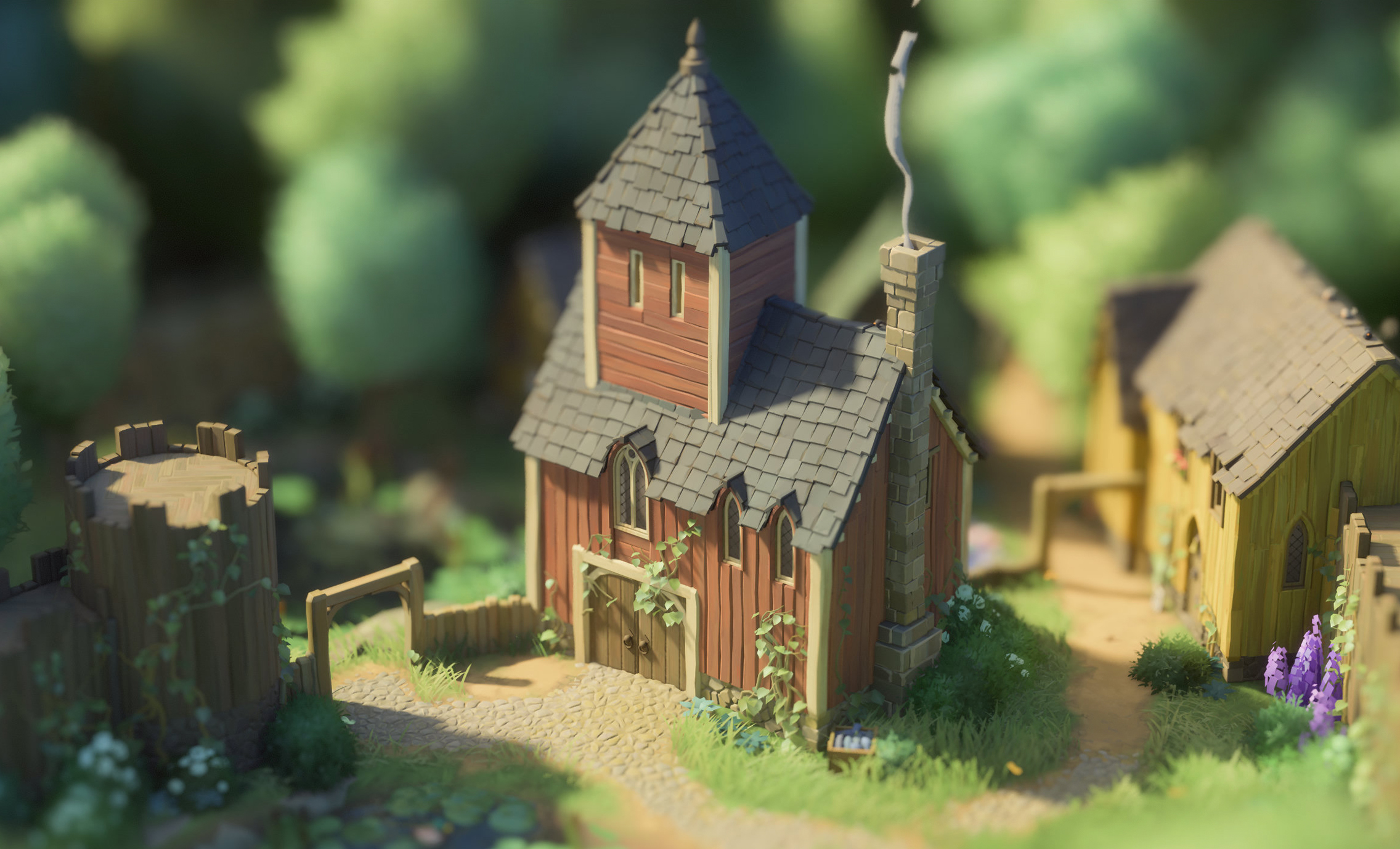 Hi, everyone. I hope you're well! A considerable amount of time has passed since our last dev diary. This one we've been cooking for a while, and now that it's in a presentable-enough state, I can conclusively say: we're adding wooden walls! Woo! (Note: this is still a dev prototype and a work-in-progress) 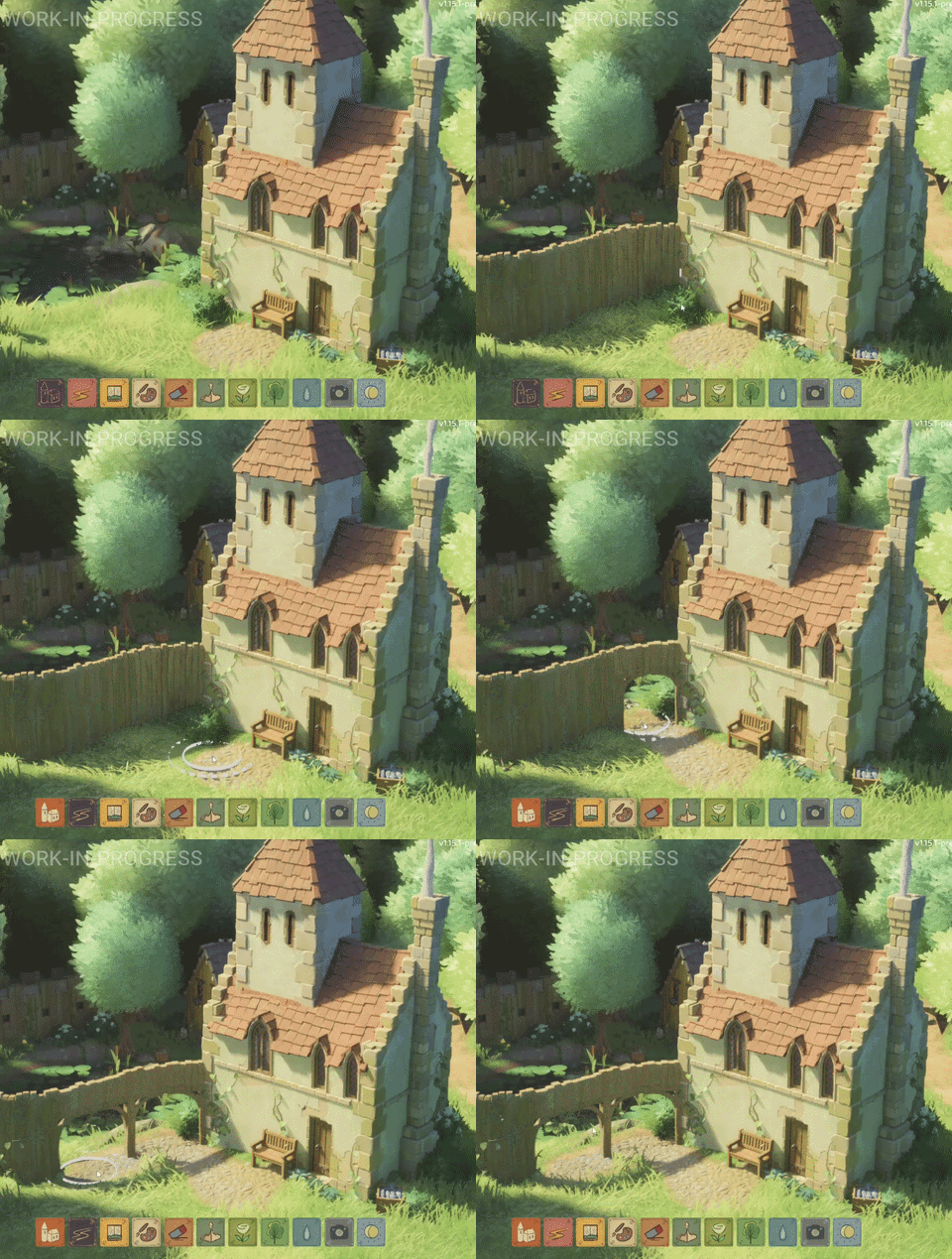 Our initial prototype was simply a texture, but we weren't happy with how it looked. A big part of Tiny Glade's charm is how touchable everything looks. Thus, in the end, each wooden plank is its own little piece, arranged individually by the game just like the bricks. I love bricks, they're well-behaved chunks. Planks, however, are divas, with their lanky elongated shapes that need to be split up to fit with arches, windows/doors and various roof shapes. The negotiations took a lot of coffee, and recently, ice *slurp* (iced coffee with cardamom is my new best friend) 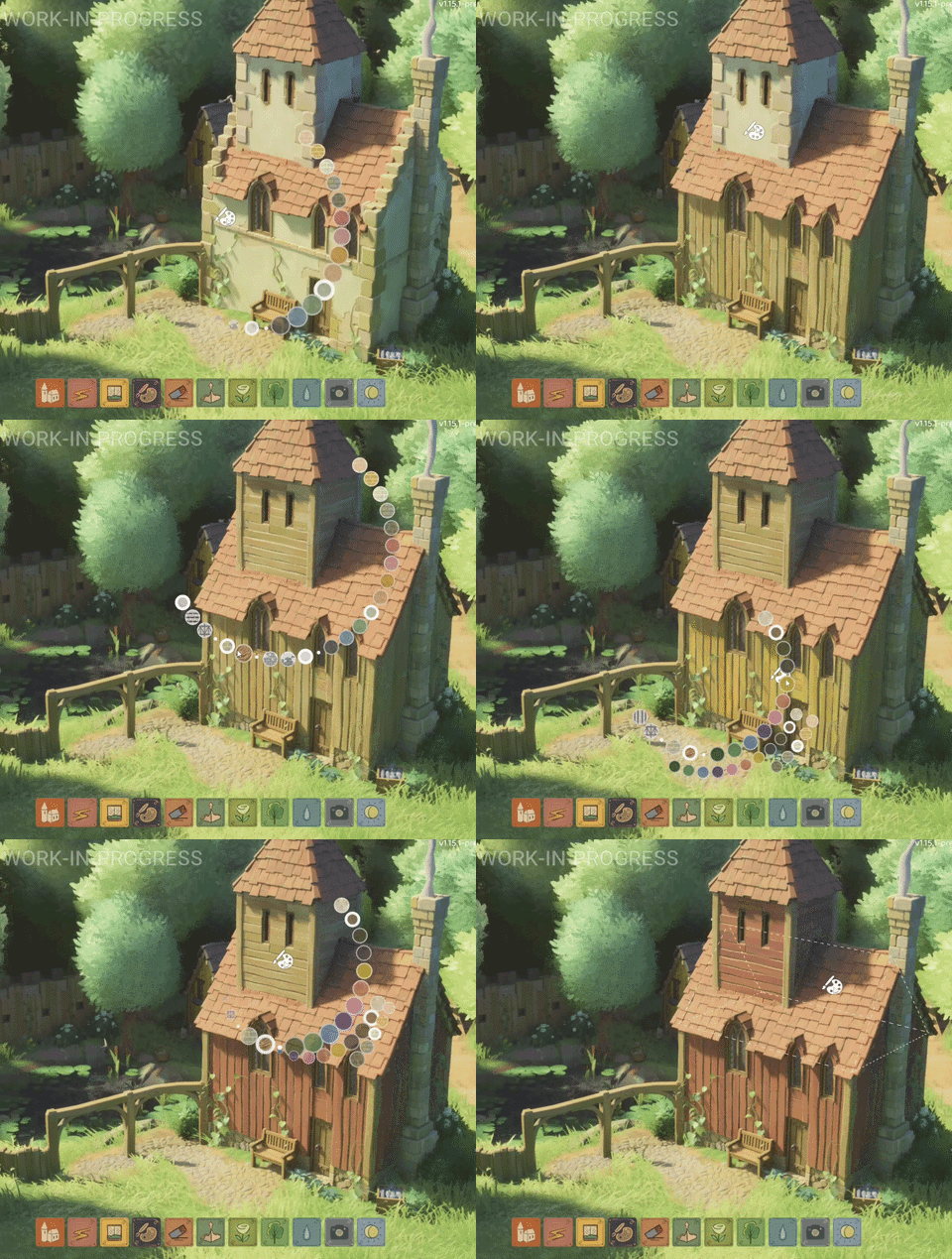 You can, of course, recolor the planks. On rectangular and circular shapes you can also change their layout: horizontal or vertical. Freeform walls only have vertical, to avoid a craftsmanship conundrum of how to arrange horizontal planks on an -arbitrarily- curved surface. Instead of getting hung up on that, we spent time on... 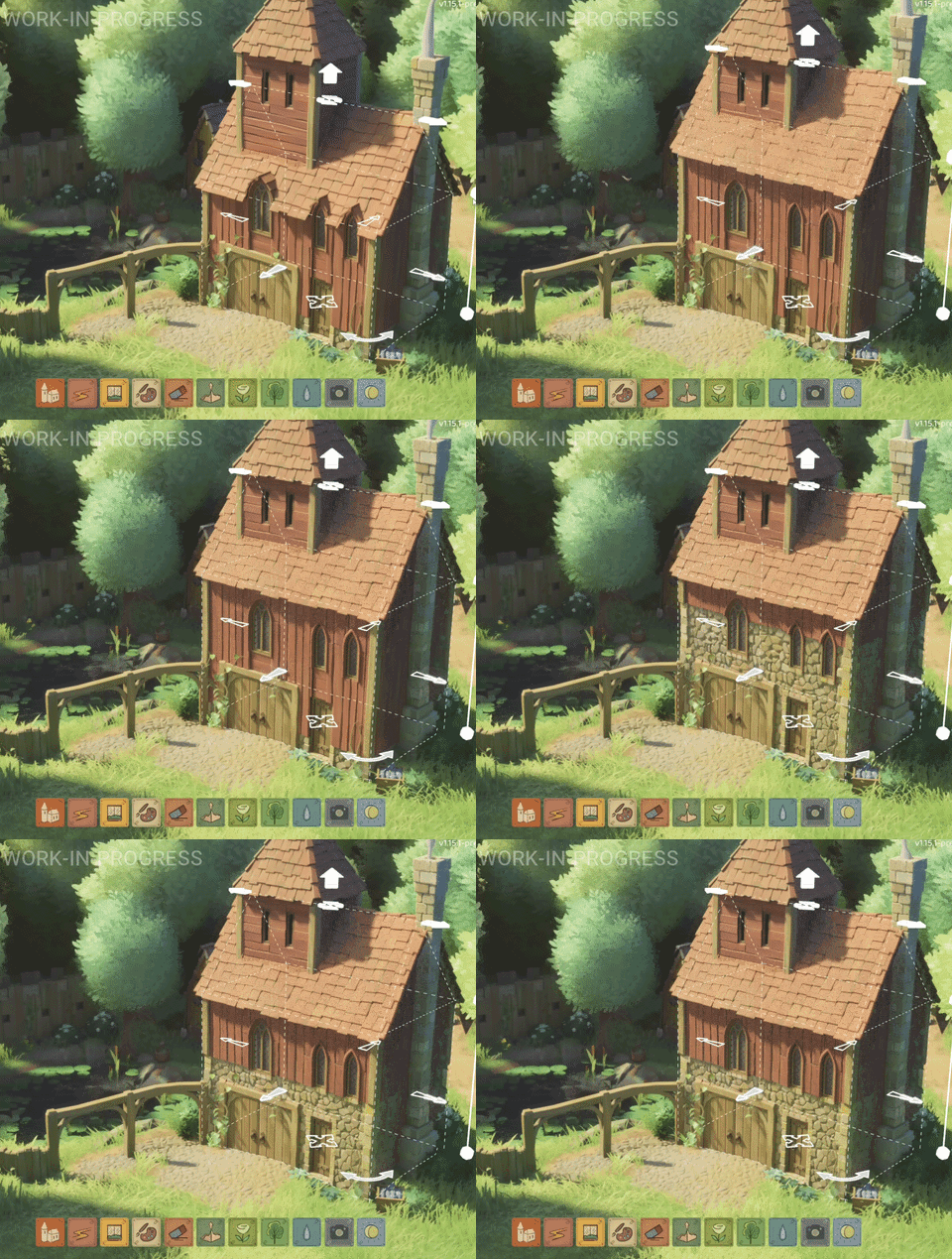 ...adding stone foundations. You can adjust their height. Raise them all the way up and you gain a new stone surface type, or lower them all the way down and you're left with pristine wooden walls. Meanwhile, in Tom-land... Because Tom is a madman (respectfully and lovingly), he took it upon himself to rewrite our grass system. He's been mumbling something about unimplementing the "Tiny" from Tiny Glade, and grass got in the way. Apparently the new system supports all sorts of flowers too... Anyhoo, the clip above is a tech prototype, and its visuals are subject to change. 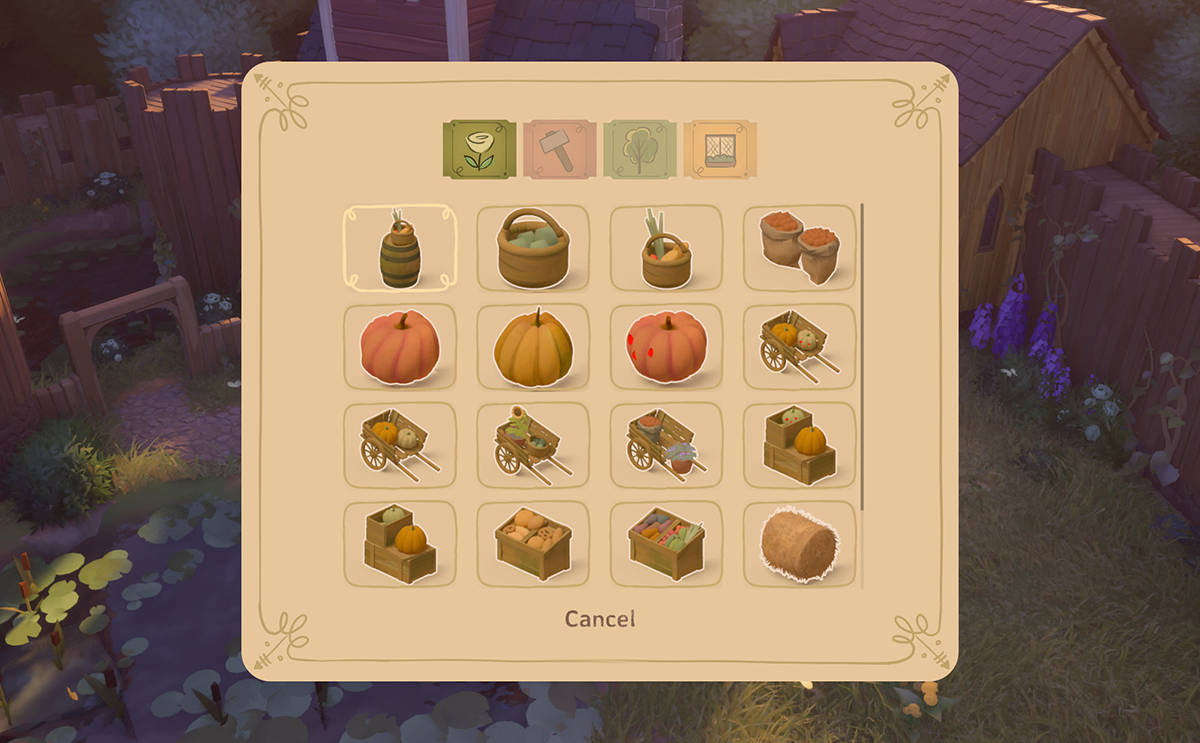 Aaaand last but not least, clutter selection menu. Just a few days ago, Tom got the basics working! It still needs a bit work (as you can probably tell by the placeholder "category" icons :P), but I think it shows the promise not only for a better UX, but also for... steam workshop. We're currently upgrading our asset pipeline to make it easy to add custom clutter. I'm getting giddy just thinking about it! There's still a lot of work ahead before we can beta-test this (our current estimate is September'ish), but we hope you enjoyed this sneak peek. Thank you all for playing and following the updates. Sending you lots of love. Ana & Tom |
| 13/05/2026 | Hey y'all! We're happy to announce that Tiny Glade now runs on macOS! We sneakily released the Mac version two weeks ago as a semi-secret beta, and it went well, so now it's official. Woooo! Mac users can finally pet the sheep and ride rollercoasters (um, the rest of the game should work too 🤭) To run Tiny Glade on macOS, you'll need a Mac equipped with an Apple silicon chip: M1, M2, M3, etc., or the A18 Pro in MacBook Neo. We don't plan to support the older Intel Macs, as very few of them would actually be able to run the game (and the rare ones with AMD graphics can use the Windows/Linux builds by booting those OSes). The oldest version of macOS we've tested is 14 (Sonoma), and the newest is 26 (Tahoe). As such, we're claiming 14 (Sonoma) as the minimum requirement. If you find that it works on 13 (Ventura), that's cool, but we can't promise that it will continue working.  Please note that the macOS edition is still rather fresh out of the oven -- we ended up rewriting half of our graphics engine to support it well, which means that it contains some experimental code 👀 We also only have two test devices (a 13" MBP M1 and a MacBook Neo), so please shout in the forums if you run into trouble with your config; and if you're a Mac expert and see us struggling with support in the forums, plz send help xD Finally, because Mac users often have ambivalent relationships with input devices... a mouse with two buttons + scroll wheel is highly recommended. If you don't have such an artifact, then a two-finger tap on the trackpad works as a right click. If that's awkward to use for camera rotation, you can also bind it to a key in settings (which is something that the PC version can't do yet, so hey, we also have a Mac-exclusive feature... for now) Lots of l🍏ve as always, Tom & Ana |
| 18/12/2025 |  Hello hello! This is Oda speaking 👋 As some of you might now, I’m the composer on Tiny Glade, and today I have a special announcement that will hopefully make your hearts sing 🎶 For the past few months I’ve been working on something special, and that something special is a new version of the soundtrack, made especially for vinyl! It features new mixes of my favorite tunes from each glade, carefully pieced together using instrument and ambience files from the game. It also contains the five new compositions I wrote for the “stairs” update, making it a total of 14 tracks. I think it captures the atmosphere of Tiny Glade, and I hope it can be your source of good vibes while reading, drawing, studying, or you know, going for a casual stroll with your vinyl player 🍃 The vinyl will be released in Q2 2026, and can be preordered through Stumpy Frog Records' website. It’s also possible to pre-order a digital version on Bandcamp, which will be released at the same time. The digital version will also contain the beautiful artwork by Thomas Chamberlain-Keen as a bonus download ✨ I wish you all cozy Winter holidays ❤ P.S. I’ve also updated the original soundtrack (on both Steam and Bandcamp), adding the new compositions from the “stairs” update!  |
| 08/10/2025 | Hullooooooooooooo here's a small patch with a few tweaks & fixes we've gathered recently: 🎃 Halloween weekly theme (it will be available from the 24th of October until the 31st of October) 🌿 👆 Add our own mouse cursor (disabled by default) for when the OS cursor refuses to show up to work ☁️ Detect if running in GeForce NOW, work around session freezing when using the photo mode folder button 🛠️ Bundle parts of our asset pipeline to make texture replacement easier 🛠️ Slightly reduce video memory utilization 🛠️ Don't load old texture assets that Steam failed to delete 🐛 Fix some crashes when very low on video memory Askion kataski! (we're definitely not playing too much Hades 2) Ana & Tom |
| 16/09/2025 | Hey, y'all! Hope the start of autumn is treating you well. I could use a bit more summer, to be honest; but there is a certain charm to the chill of the wind - the kind that pulls you back to your computer :P This post is a bit unusual for us, but I figured it is worth a small announcement. We've made two new bundles, which give you 10% discounts for the games inside. https://store.steampowered.com/bundle/59018/Tiny_Towns/ The first one is with the lovely folks who work on Town to City. I suspect a lot of you have already heard of it! They've just launched their game into early access. It's very cute and chill. It even has people (! :D). https://store.steampowered.com/bundle/59147/Tiny_Glade_x_MakeRoom/ And the second one is with Make Room, which also released recently. If you've been craving interiors, that one might be for you! Aaaand, that's all for now ∠(^ー^) Love, Ana & Tom |
| 02/08/2025 | Howdy! We continue monitoring the game's stability and your bug reports following the launch of the stairs update, and we've noticed a few reports of stairs climbing invisible terrain upon loading a glade. We saw this during the beta, and thought we'd fixed it, but it still managed to sneak through. This patch should finally resolve it.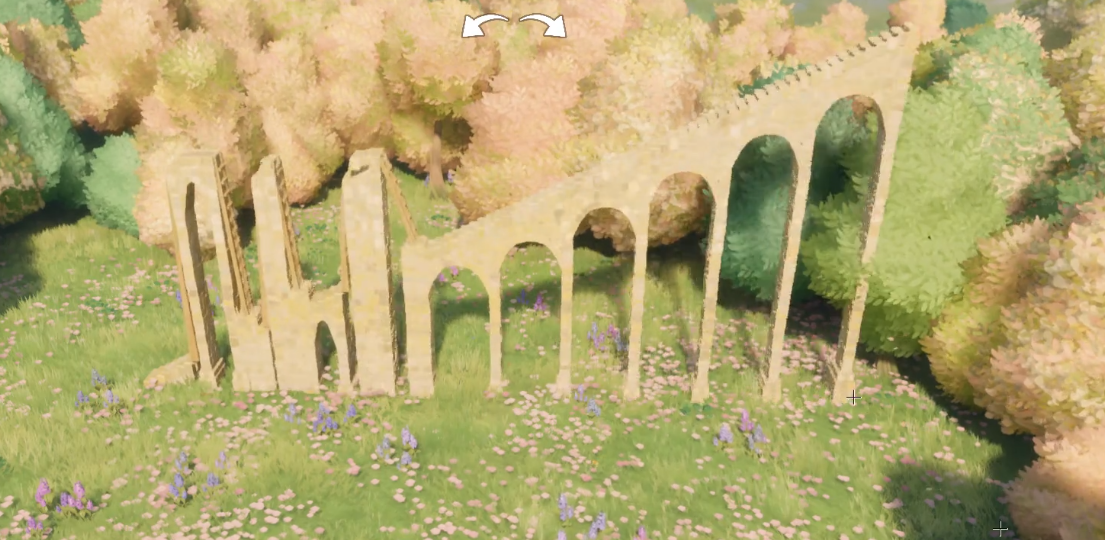 We've also noticed that owners of GeForce RTX 50-series GPUs are experiencing crashes when launching the game. Those crashes are linked to the just-released 580.88 driver. We're in contact with NVIDIA about the issue, and we've added an in-game warning with a link to download the 577.00 driver, which works fine. Thanks for all the crash reports and troubleshooting help!  BTW, a few folks are experiencing crashes on startup due to Steam incorrectly deploying the patch. There's a handful of old files that it failed to delete, and Tiny Glade crashes while trying to load them. Our crash reporter detects and highlights this problem - if you see it complaining about problems with the game's installation, try the steps it outlines, or reinstall the game, so that the old files get deleted. 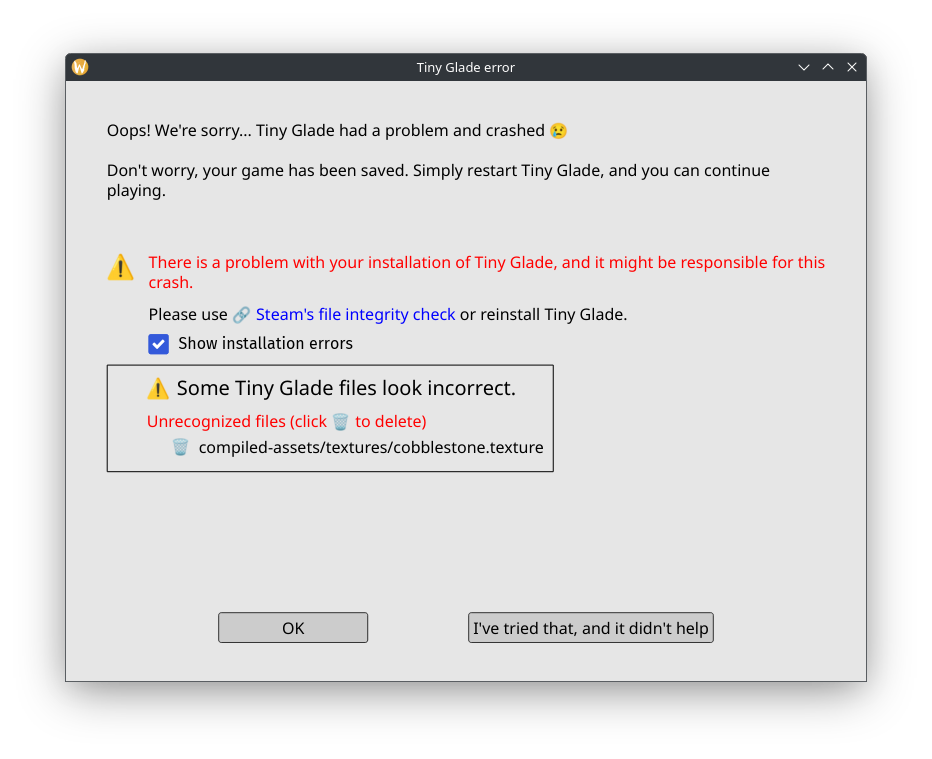 Patch notes:
Tom & Ana |
| 31/07/2025 | Hi, all! Here comes a small patch with a few fixes: 🚒 Detect the presence of stale game files upon a crash - Steam failed to delete them for some folks, the game tries to load them, and then crashes 🐛 Hopefully fix inability to delete glades - if a glade with the same folder name existed inside the deleted-saves folder, the deletion would fail. Now it will rename the save folder, and proceed to moving it into deleted-saves 🐛 Fix floor pattern not being inherited when creating a snapped shape ✍️ Display a small link when a stair node is attached to a wall (before it was displaying a small circle around the node and that was not very clear ^^") 👩🏫 Add a tutorial hint on how to detach stairs from a wall 🧹 Sanitize a crash when using coloring menu on a wall that was just undone 🧹 Sanitize a crash related to zero length curves when drawing walls and fences ✍️ and while I was at it, I figured I'd finally improve the wall snapping UI. When snapping to a wall while drawing a wall or a fence, the game will display a solid line with a dot that follows the shape of the wall you're snapping to, instead of two straight dashed lines. Love, Ana & Tom |
| 30/07/2025 | Cozy castle doodler Tiny Glade has rolled out its most significant update yet, and there are a tonne of new features to make your building experience even better. As shared in an announcement posted to Steam , the update has been "cooking since March" and I'll be the first to tell you, it does not disappoint in any way, shape, or form... Read more. |
| 29/07/2025 | Hi, everyone! I'm so happy to share that the stairs update has finally landed in the main branch of the game. This is by far our biggest update, and we've been cooking it since *checks calendar* omg, since March x_x Huge thanks to everyone who helped us test it while it was in beta <3 It includes a lot of complicated changes since we've rewritten multiple systems to support stairs, and I'm so happy that it's finally liiiiiiiive. Phew, okay, without further ado, lemme walk you through all the new shinies :3Stairs tool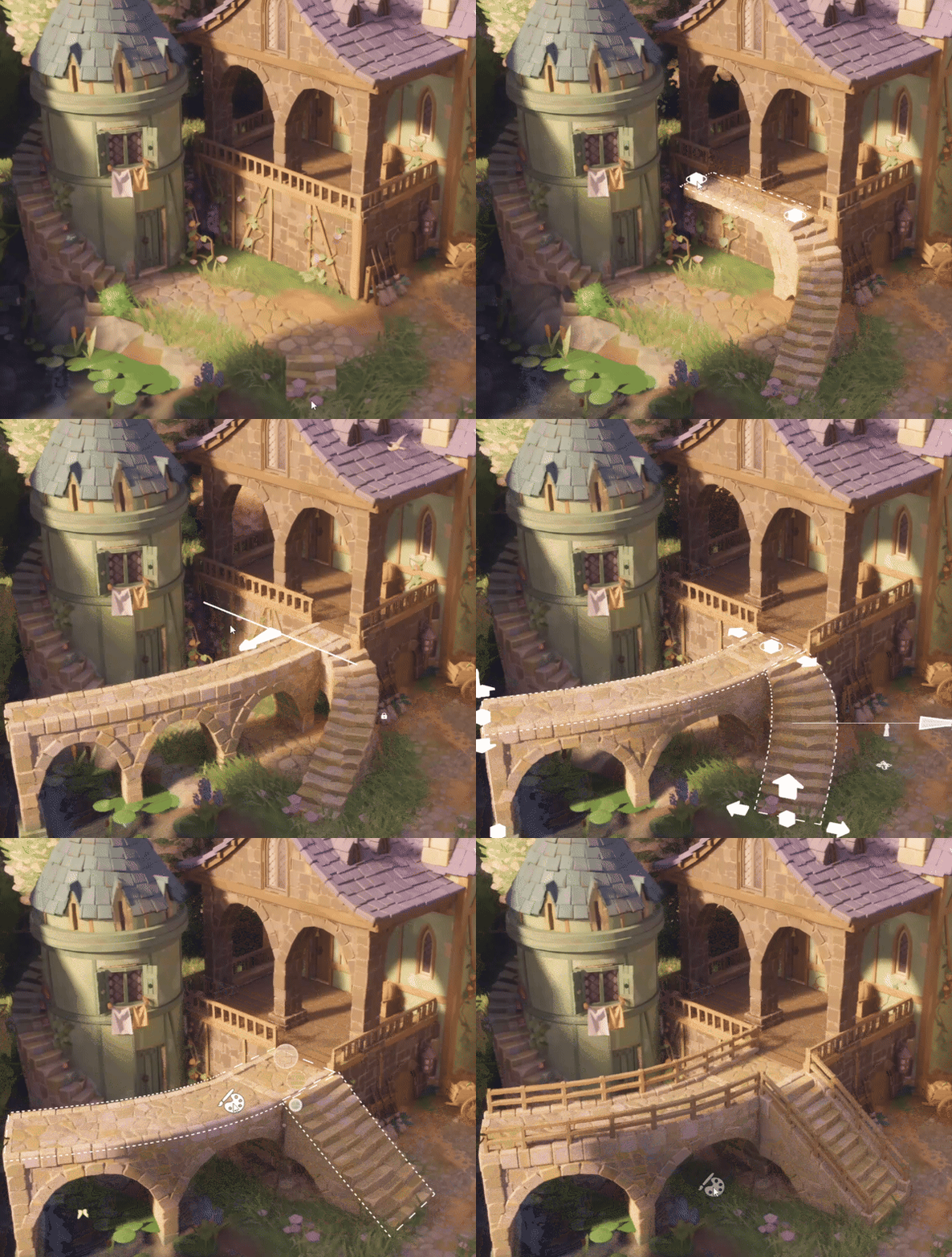 The star of this update is of course the new stairs! Initially the tool set was intended for stairs alone, but we've designed it to also accommodate bridges and walkways. You click to place individual nodes, and you can access a detailed editing mode by right-clicking existing stairs. They come with customization of color and railings, and you can even place clutter on top. 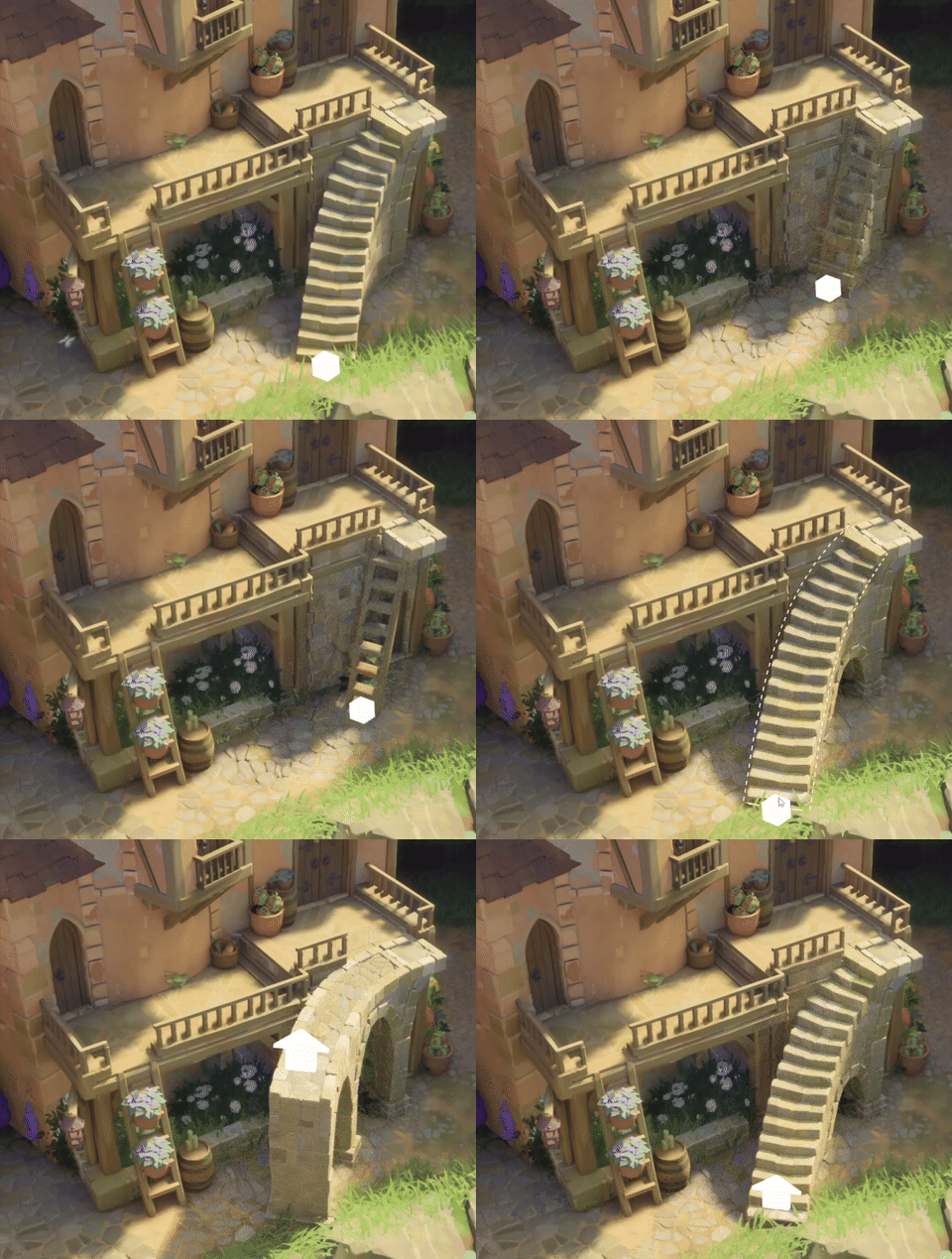 Stairs turn into platforms & ladders depending on steepness, and can be attached to walls and flattened roofs. 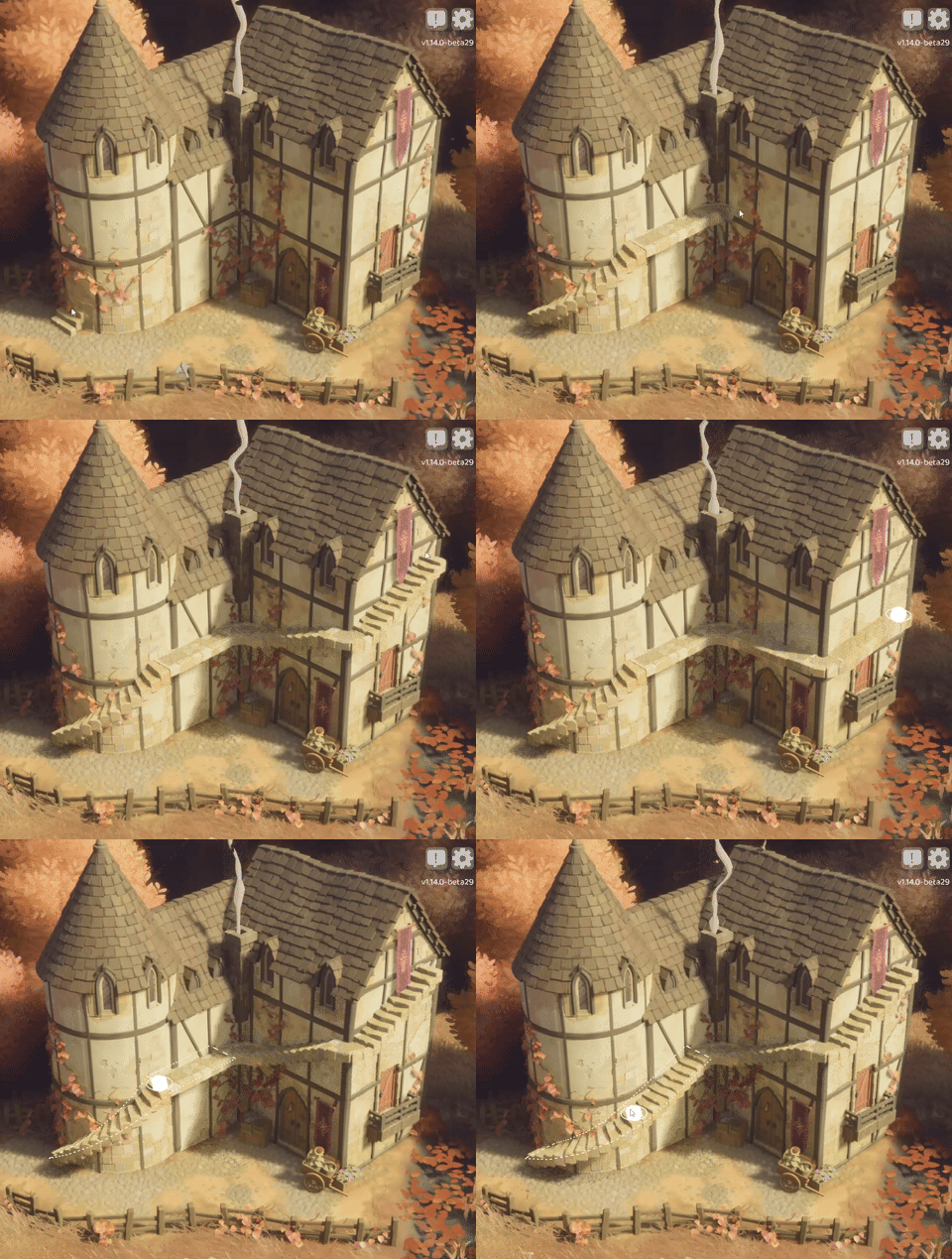 Stairs understand if you place them on buildings - they snake around towers, and automatically create little platforms to go around corners. 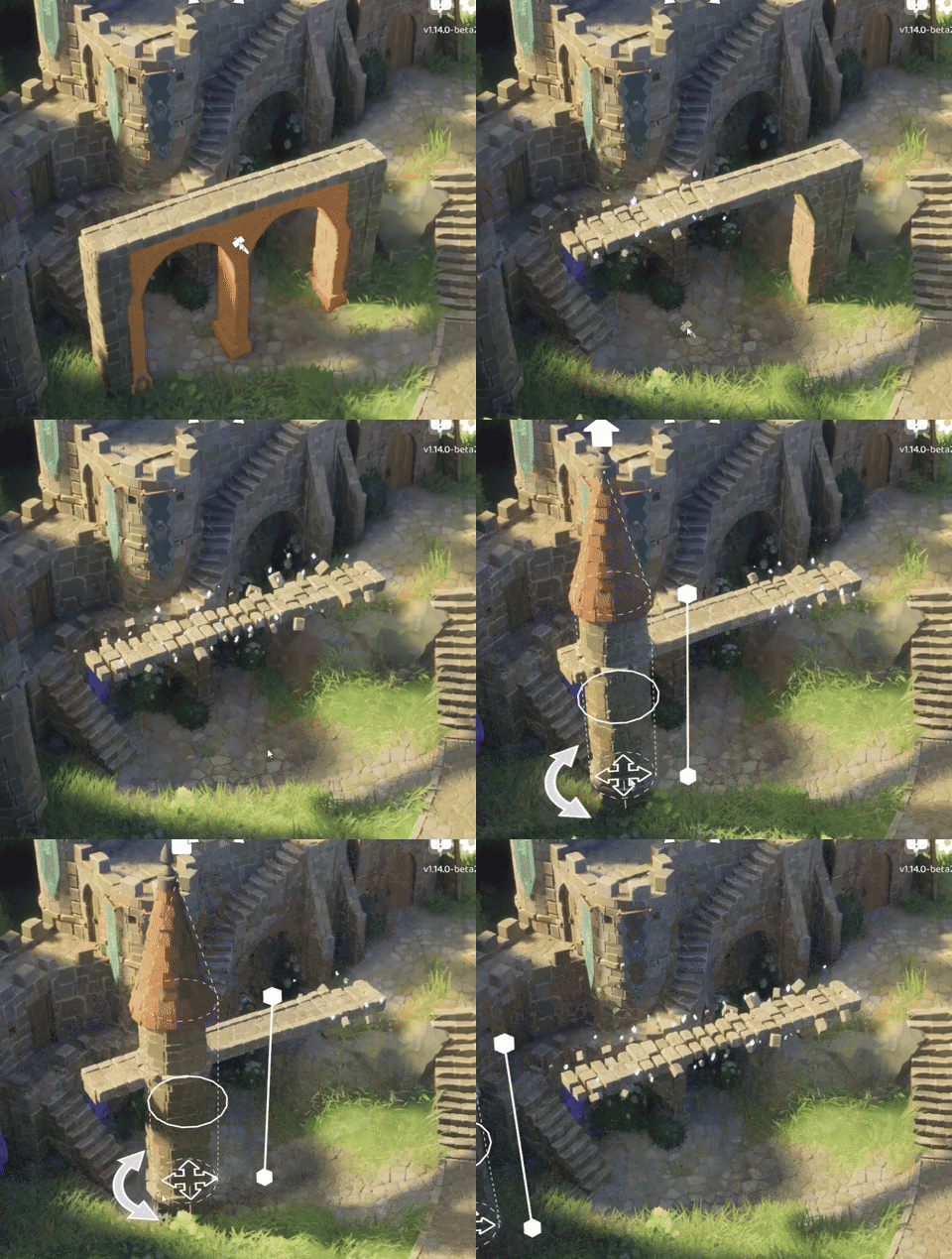 At some point we realized that it would be nice to have the ability to delete supports where you don't want them. But what should happen if all supports are deleted? Should we still try to create a pillar or stilts? Well, luckily we know a few wizards, and they happily lent us some of their spells 🧙 Thus, when stairs are unsupported, a magical effect will appear to help them levitate. Of course we conform to the Mana Conservation Act of 2016, and don't cast those spells for nothing - stairs can be non-magically supported by many things, for example a building, a wall, even other supported stairs. Okay, let's see if there is anything else on my list... ohh! yes! There is also a secret feature 👀 If you want a hint: cart + stairs = ??? . If you want another hint: SHOW ME THE SECRET FEATURE. The secret feature comes with additional controls: You can use WASD to go faster, slower as well as lean left and right. There's also an advanced version: cart + cart + cart + stairs = ???. Full spoilers:  CobblestoneAnother new addition is cobblestone roads. They are located under a path tool, and they come in 3 variants.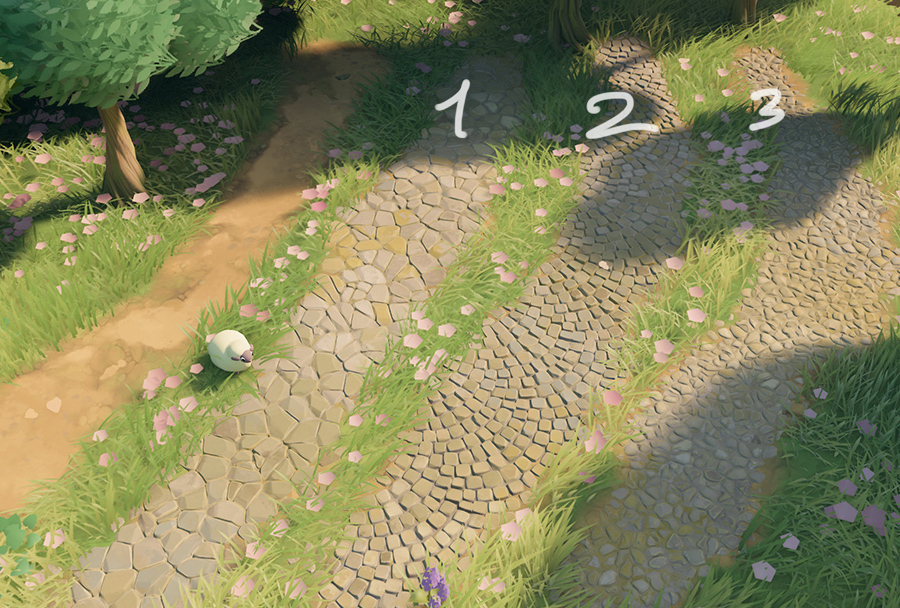 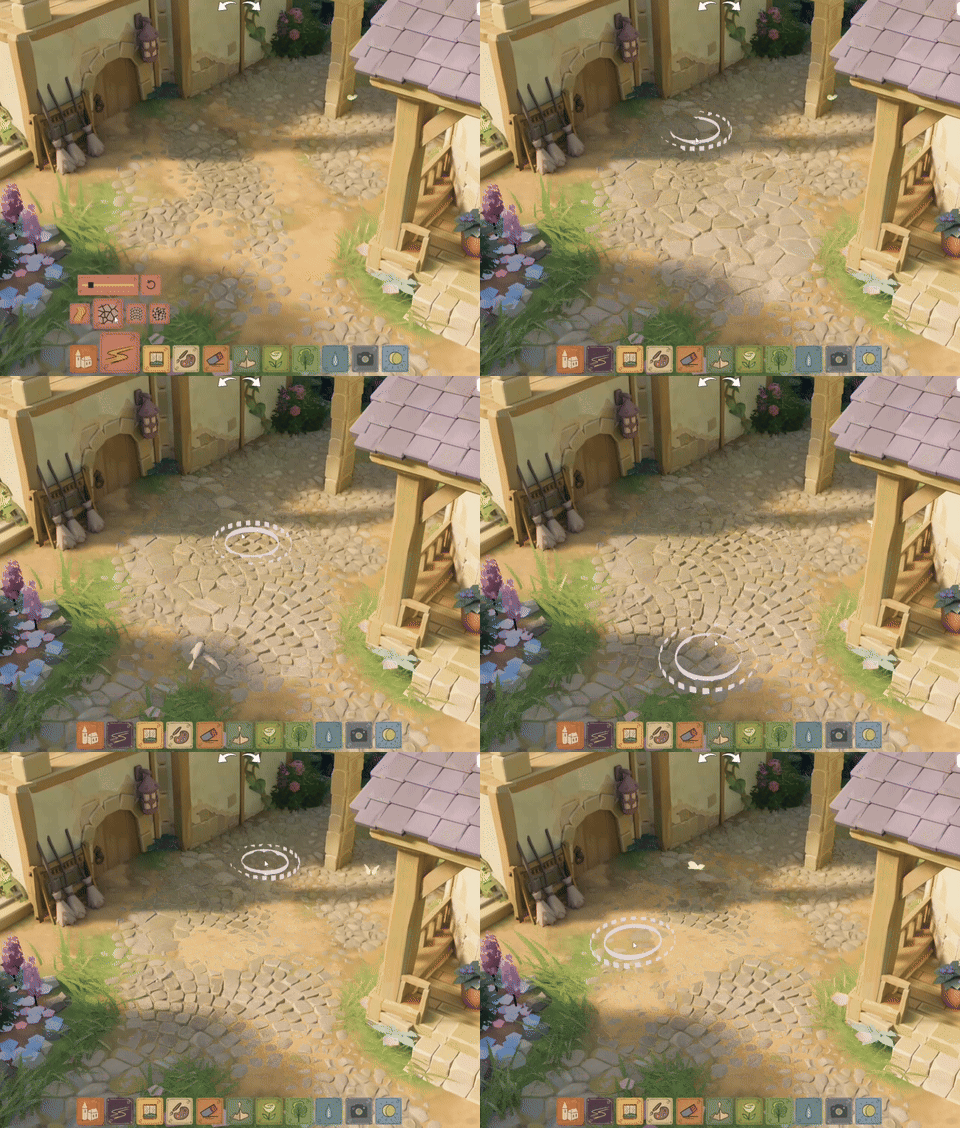 You can combine the variants, and blend them with paths, creating more run-down or chaotic surfaces. Me, I'm more of a lawful-alignment cobblestone person, but I’m very curious how you’re gonna use them! Could this be the sunset of using platforms for cobblestone-clad towns? :o New floor textures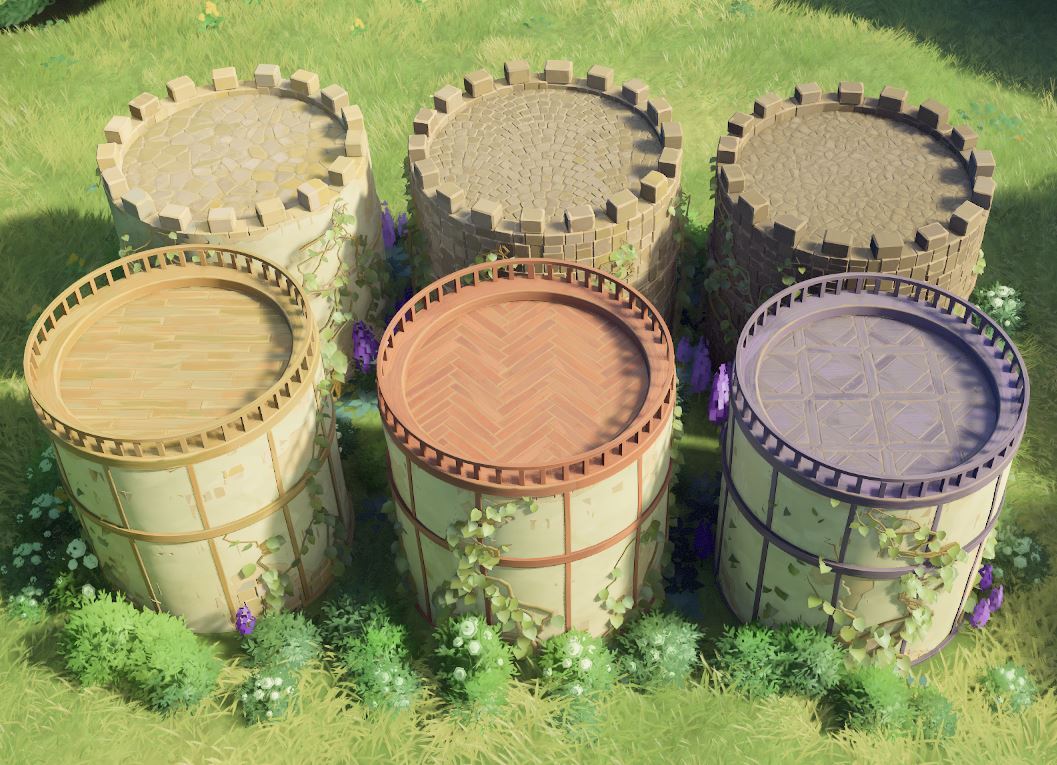 The old floor pattern got a visual uplift, and acquired new friends: 2 stone and 3 wood patterns. They can be accessed via the customization tool. Plaster peel parameter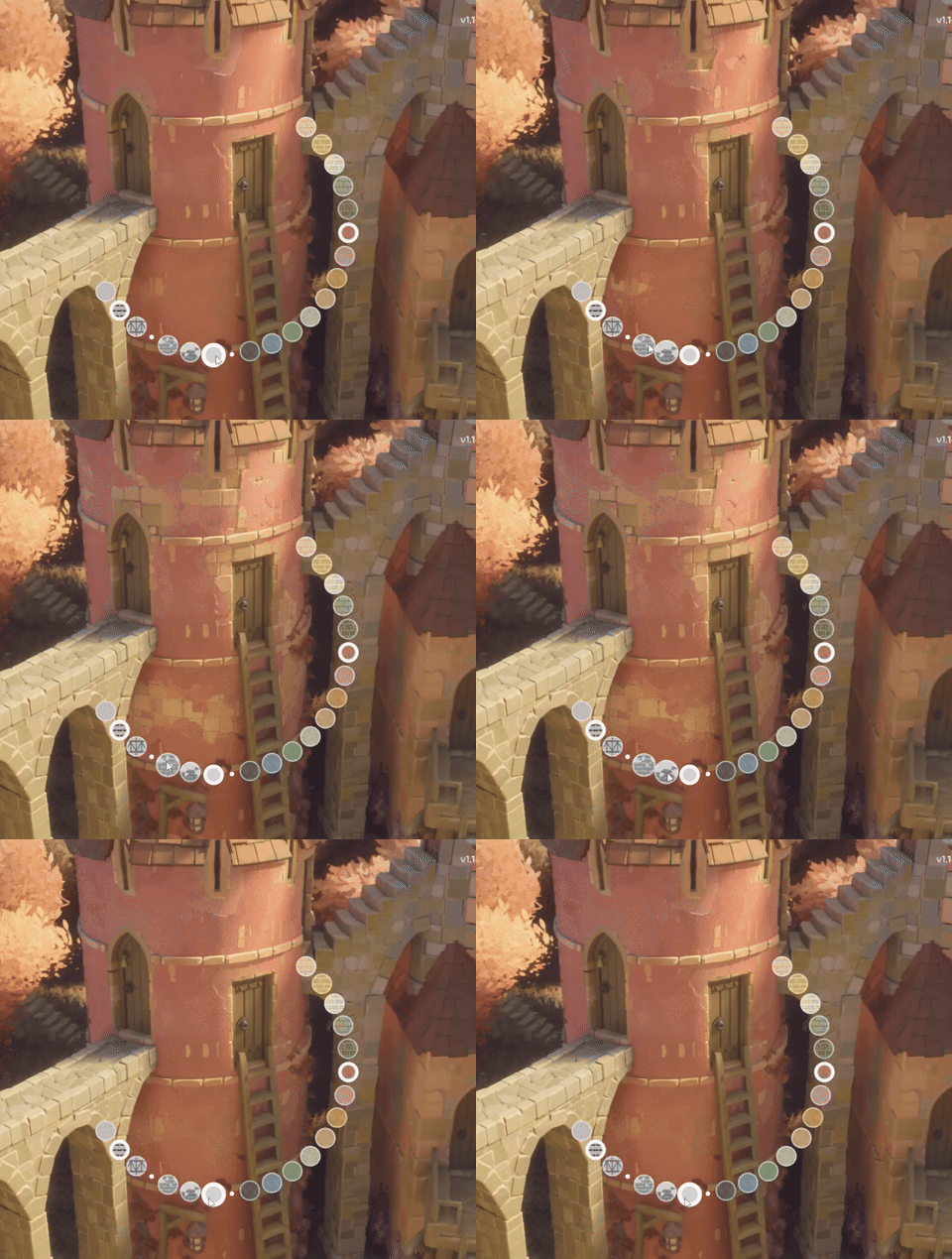 Buildings with plaster got a new customization option: the intensity of plaster peeling off. Ability to cycle through clutter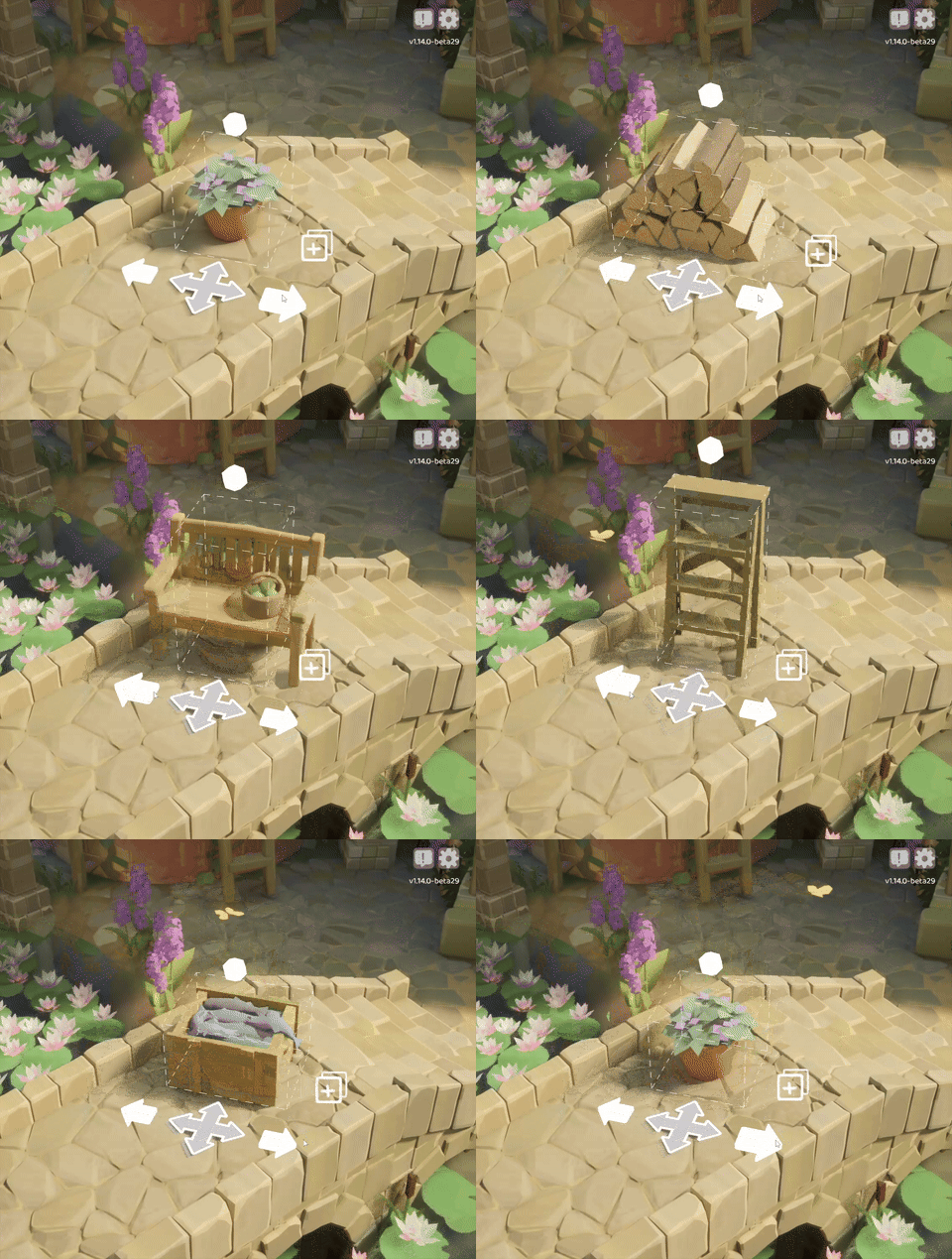 You can now select which clutter you want by entering its focus mode (by default, right-click). This also includes additional clutter with carved pumpkins with glowing eyes from the Halloween update, so you don't need to have a special glade anymore to get them. Photo mode filters in build mode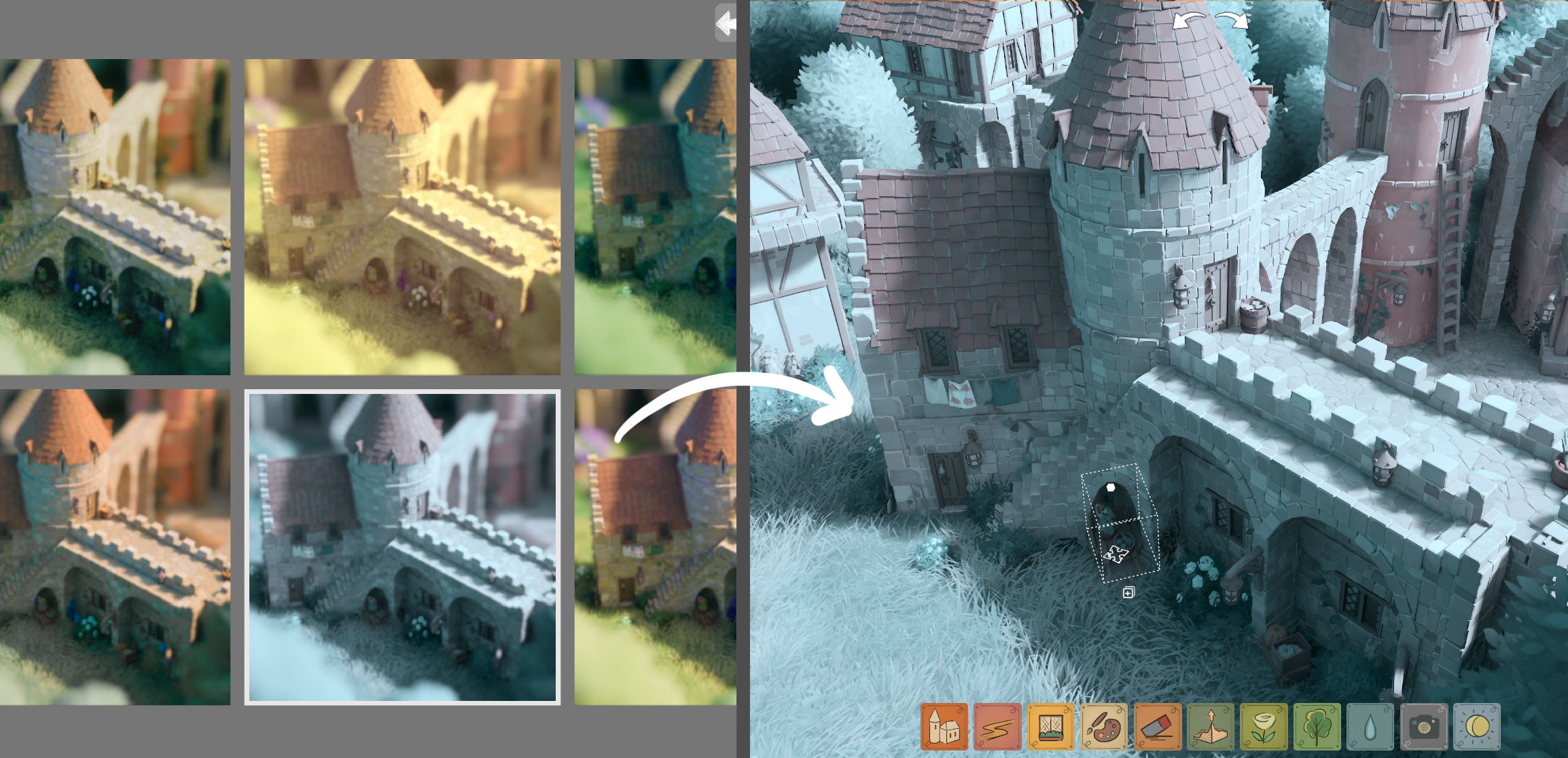 The filters, brightness, contrast and saturation adjustments will now also be applied in build mode. So if you want to make it more spoopy, or turn summer into a chilly day, now you can do that even while building. To reset it all back to default, select the first filter in the gallery (the one with a bookmark icon), and click the reset buttons next to sliders. Auto-save & backup menu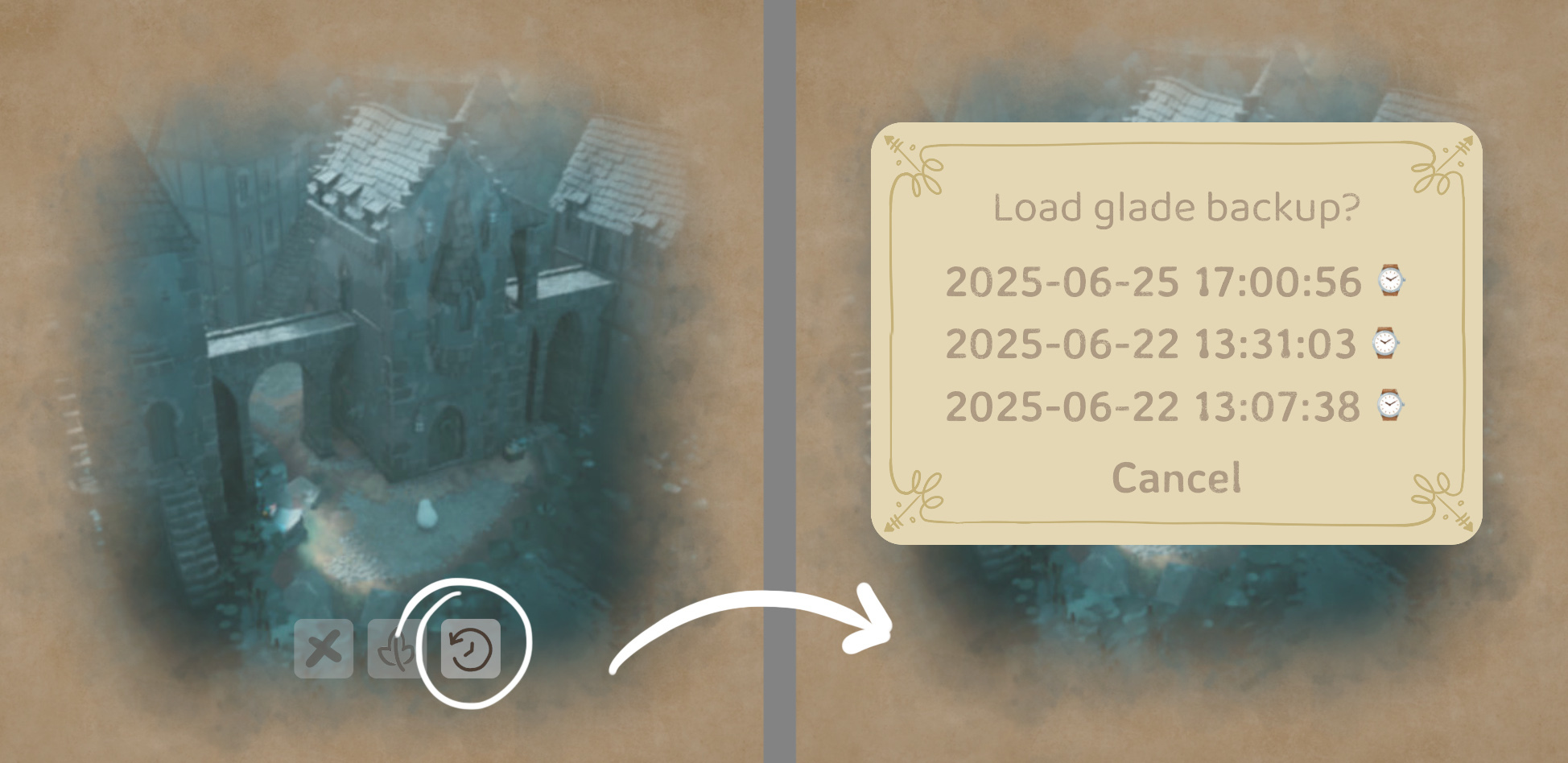 We've rewritten our save system, and added autosave in the background. Previously saving the game was an expensive operation, and happened only if you pressed the ESC key, entered photo mode, quit the game, or if the game panicked (crashed in a controlled manner). While this worked fairly well, if your computer lost power or hard-crashed, you could lose progress. Now the game saves automatically and transparently in the background after *every* operation you perform (don't worry about your hard drive's longevity - only the relevant updates are sent to disk). In addition to that, Tiny Glade will automatically backup your save every 5 minutes, keeping four of those backups around, approximately 5, 10, 60 and 120 minutes old (additional backups are also created upon panics too). This means that if something catastrophic happens to your system, or Steam Cloud goes haywire, you should still be able to load a relevant backup. There's also UI for loading those now. Notable visual changesCircular half-timber rework + roof tiles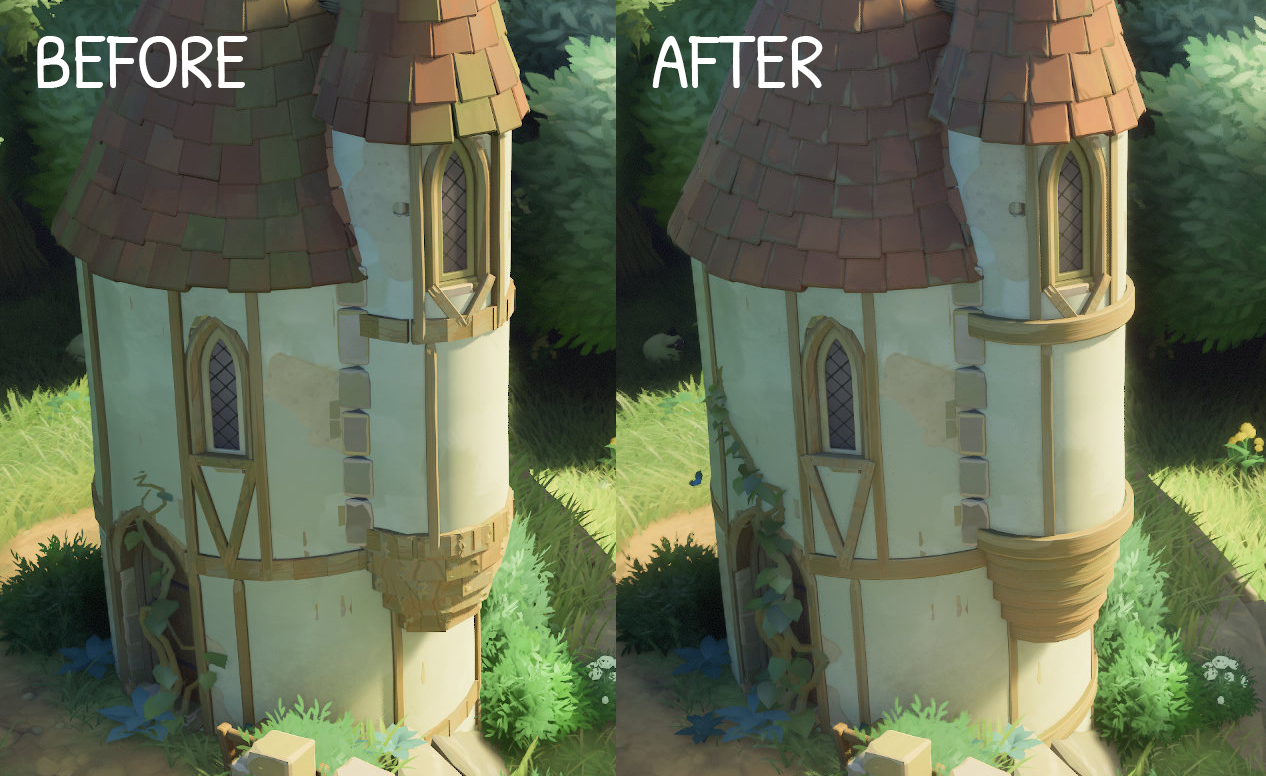 Timbering on towers has received a visual uplift too! They're no longer made out of small wooden pieces (which could look broken in certain configurations), but instead are one continuous curved wooden beam. The roof tiles have also been upgraded to have more detail. Fix snow on platform borders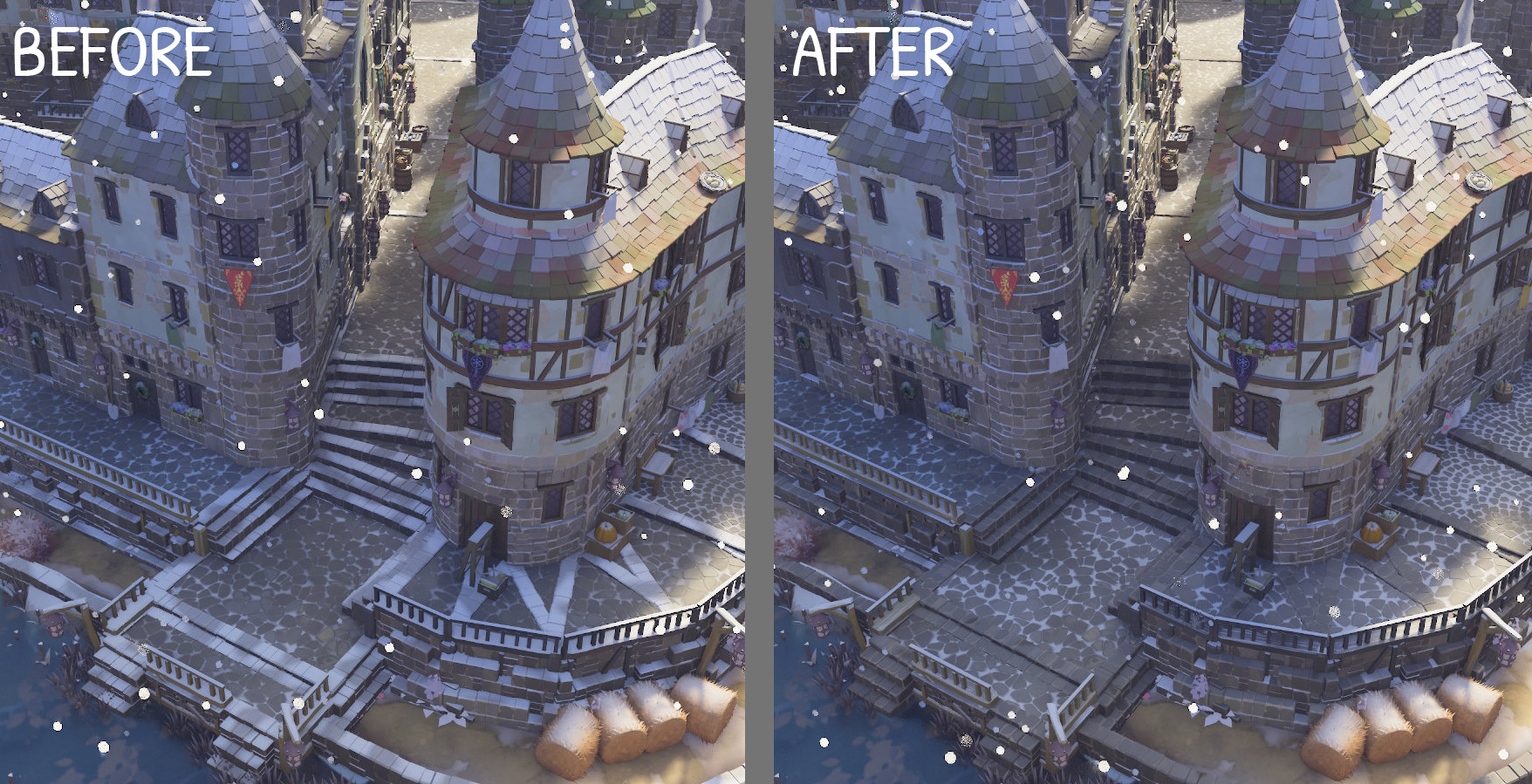 (thank you, anonymous player, for sending us a bug report with this beautiful scene attached) The snow on auto-generated stairs and platform borders has been cleaned up, so the snowy towns should look more consistent now! New musicOda Tilset has composed 5 new music tracks 💞 one for each glade type.OptimizationsThis patch also includes a number of optimizations, primarily on the CPU side. If the performance on your system was limited by the graphics card, they won't do much, but otherwise you might notice your frame rate doubling in more complex builds.Experimental Mac compatibilityWhile we don't yet have a Mac build that we can share, we've been working on it in the background, and made some progress. The fixes and workarounds for Mac's quirks are in our codebase now, and it's now possible to run the Windows version inside a patched CrossOver 25 on macOS on Apple Silicon.Please note that this is still experimental, and we can't offer assistance with running the game on Mac - we're still unfamiliar with the platform, and the Windows→macOS translation layers are outside of our control. Please read our guide for more details. More disclaimers and stuffs: This is a temporary workaround until we've resolved all remaining issues with native macOS support. Also note that we don't plan to support Intel Macs via macOS - most couldn't run the game due to hardware & driver limitations, and the ones with Radeon cards that could, have been able to run it all along on Linux/Windows via Boot Camp Copying your beta saves into the main gameIf you helped us testing the beta, first of all, a huge thank you!! If you'd like to transfer your beta saves into the main game, you need to manually copy them from the beta saves folder:* Each save folder is named with a bunch of numbers. You can see which save it is by looking at "screenshot.jpg" inside the folder. * Copy the desired saves from the "beta-saves" folder into "saves" in "C:/Users/YOUR_USER_NAME/Saved Games/Tiny Glade/Steam/YOUR_STEAM_ID" ("~/.local/share/Tiny Glade/Steam/YOUR_STEAM_ID" on Linux) Staying on the old versionIf you wish to stay on the old version for any reason, it's still available. To switch to the old build, right-click Tiny Glade in your Steam Library, then go to Properties → Betas → Beta Participation, and select "old-1_13_2". Please note that we won't support the old version with any new features or fixes.Please note that an older version of the game won't be able to load saves made by a newer version. Tiny Glade automatically upgrades saves upon loading, so if you downgrade Tiny Glade, it won't be able to load saves that you'd previously saved or loaded in the new version. When in doubt, manually back up your "saves" folder. If your save file has already been upgraded, and you can't load it in the old game, you can restore the save from a special backup automatically created when upgrading (more info here). ---------------------------------------------------------------------- Patch notes:Major:
 (or, should I say, the remainder of summer 😄) Love, Ana & Tom P.P.S. build 1.14.0a contains a quick crash fix: sometimes when switching to Halloween glades, the music system was trying to incorrectly reference one of the new tracks (thank you for the swift crash report!) |
| 16/07/2025 | Hi, folks! Usually our betas last only a week or two. and so we keep the patch notes in Discord. This update is way bigger and thus is taking longer to test, so we figured it would be nice to keep you all updated on how it's going. We will be adding the notes into this event as new patches come 📝🙇♀️July 281.14.0-beta34 is up!💅 When stairs have both magic supports & railings, first offer customization for magic, and then for railings 🧊 Don't render the world while in the main menu 🧊 Limit menu frame rate to <= 60 (to save power) July 271.14.0-beta33c is up!🏃 Optimize stair floor (walkway) rendering by moving it to our GPU-driven pipeline 🐛 Fix stairs glitching upon cursor hovering control hints 📐 Tweak interaction geo of stairs attached at 90 degrees to walls (it was hard to grab them) July 251.14.0-beta32 is up!🧲 Fix stair snapping behavior 🧹 Removed the toggle to switch to pre-1.14.0 tower timberframing. This old version of timberframe doesn't work with stairs, since it's, well, old ^^ and we're getting bug reports on that. We've concluded that it's confusing to have this option offered, since the expectation is that it would work with the rest of the features of the game. 🔬 Tweak sensitivity of stair recalculation (should reduce reshuffling on glade reload) 🐛 Fix the cursor staying visible and moving while rotating the camera July 241.14.0-beta31 is up!🐛 Fix magic effect not disappearing for grounded ladders with removed supports 1.14.0-beta30 is up! 🏇 Optimization for the stairs magic effect - recalculate the effect only when needed (if you used the magic stairs, we'd greatly appreciate if you check that it still works in your build correctly) 🎨 Offer magic effect coloring on ladders too 🎨 Don't offer magic effect coloring when no magic effect is present 🐛 Reset camera lens & artistic effect settings when creating new glades 🐛 Don't add magic effect if stairs are grounded Status update: we're getting to the finish line! The biggest remaining piece, the optimization for magic effect, has landed, and now we will be monitoring whether it's stable and works as expected. Assuming no major fixes are required, we're estimating we can ship the update early next week July 231.14.0-beta29 is up!🎨 Add color customization to the stairs magic effect 🎨 Magic effect will no longer be reshuffled when moving/changing stair segment, but stay consistent 🧑🏫 Update starting builds with new features from the update + add 3 new ones 🐛 Fix stairs UI gizmos sometimes treated as obscured when they shouldn't 🐛 Fix another crash related to hovering over an add supports button on stairs July 221.14.0-beta28b is very unexciting, and just reduces some internal log spam1.14.0-beta28 is up! Just fixing an oopsie: 🐛 Fix a crash when hovering over an add supports button on stairs for a longer section (tysm for the crash reports!) 1.14.0-beta27 is up! 🐛 Fix stair floors missing a bottom ✍️ Show approximate preview of arches when hovering over the re-add supports button in stairs focus mode ⚠️ We've run into too many issues with building support removal. We thought we could quickly sneak this into this update as a cool bonus, but it turned out more complicated than we'd anticipated, and we don't want to ship something half-broken 😅 We've decided to look into it again later to avoid delaying the stairs update any further. Thus, this feature is removed for now. (if you used it in your saves, the effect will remain). Thank you for all the feedback & bug reports 🧡 P.S: the stairs no-supports work as before, this only affects buildings. July 211.14.0-beta26 is up!🐛 Deduplicate pillars between stair segments 🐛 Random crash fixes 1.14.0-beta25 is up! 🐛 Fix inability to delete stone supports in stairs that were attached between two different walls/buildings 🐛 Fix stair stone railing being distorted even when no magic effect was present July 201.14.0-beta24 is up!✨ Add ability to remove stair supports by using hammer tool (you can re-add them back in focus mode) ✨ Add ability to remove building supports by using hammer tool (you can re-add them back in focus mode) 🧹 Toggle for no-supports for stairs has been removed in favor of the new UX ✨ Add Qualcomm Snapdragon X as a supported platform 🍏 Add experimental compatibility with patched CrossOver 25 on MacOS (Needs MoltenVK 1.3. You can use CXPatcher for this; before patching, go to"Advanced Options", and from the "Patch MoltenVK" drop-down at the top, pick "Latest MVK (...)") You can now remove supports per stair segment. When no supports are present, the stairs will become suspended mid-air with the force of magic 🧙However, if a stair section overlaps with any other structure, it will be considered supported, and the magic effect will not appear. Some of the new code is a bit slow. Please mind the performance gap while we carry out the optimizations 👨🔧👩🔧 July 171.14.0-beta23 is up!🐛 Fix crash on RMB of newly dragged clutter 🛠️ Fix clutter being nuked from stairs on insert or delete point 1.14.0-beta22 is up! 🐛 Fix crash when moving clutter to an invalid location 1.14.0-beta21 is up! ✍️ Add a "will be changed" warning to the no-support toggle 🐛 Don't offer to insert a new stair point when dragging any other gizmo 🐛 Fix light leaking through terrain in GI 💥 Fix misc stair-related crashes 💥 Fix crash with near-zero-sized gates July 16A quick status update: we're getting closer to wrapping up the bug fixing, however, we've realized that the current option for "no supports" on stairs we added in `beta19` doesn't feel like Tiny Glade. We don't want to remove it though, as we see its potential and the fun you can have with it. Therefore, we're going to spend additional time finding a UX that feels at home with Tiny Glade. We're guessing we need an extra week, and the beta will hopefully be finished at the end of next week.July 151.14.0-beta20 is up!🈂️ Translations ✍️ Auto-attach newly inserted stair points to an appropriate wall or flat roof, if they're inserted into an edge that's attached to same wall/roof ✍️ Split the building category of the toolbar into two rows 🐛 Fix leftover plaster on fences for reallzz (it will also be automatically removed if your build has any) 🐛 Fix continue stairs not always retaining stair style 🐛 Fix stairs reacting to phantom terrain July 141.14.0-beta19 is up!✨ No supports option for stairs (available in the customization menu) ✍️ Remember last used stair color, railing type and ladder color 🐛 Don't create half arches if the attachment wall doesn't have enough space for it 🐛 Sanitize rogue plaster on fences (thank you for the reports! unfortunately, we still can't find a repro for it, but this fix should at least prevent this from happening; if it happens again, please shout!) 🐛 Fix single node stairs rotation gizmo being misaligned when on flat roofs 🐛 Don't offer rotating single node stairs if they're wall-attached 🐛 Don't offer inserting a new point if it's a single node stair Status update: we're currently wrapping up the remaining issues and bugs. We're hoping to be done by the end of this week / beginning of next week! July 131.14.0-beta18 is up!✍️ Allow rotating single node stairs 🐛 Fix roof-attached single node stairs having pillars going all the way down to terrain 🐛 Fix pillar bottoms stealing "insert point" focus 🐛 Fix ladders slightly floating above terrain/roofs 🐛 Fix ladders creating floor supports when elevation wasn't high enough July 121.14.0-beta17 is up!⚙ Add a toggle in game settings for the old-style timberframe 🐛 Fix phantom lantern & crash when switching from lantern mode to wall eraser 🐛 Fix crashes in assembly of near-zero-length railings 🐛 Fix flicker of clutter move UI, and related random crashes July 111.14.0-beta16 is up (just a few smol things cause we're taking a mini break)🔨 Extra check for railing generation on two separate buildings :blame_AMD: Add an extra AMD driver DLL check to the crash reporter 🐛 Fix instance index overflow crashing long sessions 🐧 Maybe fix Linux crash reporter copy to clipboard 🎢 Fix coaster flicker & excessive stair-attached deco recalc 🔨 Harden save file writing some more against disk errors July 09✨ Wooden railings for stairs🕰️ Fix stairs undo/redo weirdness when splitting walls 🎢 Input prompt for rollercoaster now correctly displays with controller 🐛 Fix UI gizmos sometimes splitting into two (thank you for the F6 reports!!); turns out the camera distortion from photomode was applied to one rendering pass, but not the other 🐛 Disallow diagonal supports for wooden pillars on towers if the pillar is too short 🐛 Tweak sensitivity of discarding railing ends 🐛 Fix bald grass after last stair segment is removed (fr fr no cap this time) 🐛 Fix color flashes in bloom when resizing the window sometimes 🐛 Make bloom scale resolution-independent 🐛 Fix black halos around bright objects 🔬 Improve image upsampling quality with "resolution scale" < 1.0 (use edge-adaptive spatial upsampling) 🐛 Fix walls blinking out of existence during replay 🧯 Gracefully handle file "access denied" operating system errors in the save system :blame_AMD: Handle more silly behavior of graphics drivers (swapchain image acquisition hanging) 🧊 Add game hang/freeze detector (--detect-hang launch parameter) July 071.14.0-beta14 is up!🔊 Stairs have proper SFX now~ 👨🏫 Control hints/tutorial for stairs 🎨 Add railing to the ends of wall-attached stairs 🐛 Fix gaps in curved timberframing 🐛 Fix decorator & wall sfx not playing when moving the camera with wasd, but keeping the cursor still 🧯 Gracefully handle disk write errors in the save system July 061.14.0-beta13 is up, with some rollercoaster silliness from last night's hacking, and one fix from Ana who's doing real work🎢 Fix the disappearing cart problem 🎢 Don't forget the last segment for closed tracks 🎢 Add WASD controls 🎢 Don't play footstep sounds in coaster 🎢 Make the simulation framerate-independent 👮♀️🌳 Tighten tree border control July 051.14.0-beta12 is up!🐛 Fix duck trajectory planner wasting CPU cycles 🐛 Fix fences contracting plasteritis 👮♀️🌳 Implement tree border control 🐛 Fix window-related crashes when merging walls 🪟🚪 Eat the balcony cake and have it too July 041.14.0-beta11 is up!✨ Added ability to cycle through the available clutter in the clutter focus mode (ideally, we'd have a proper menu, but this should help meanwhile!) 🎨 Make stair bricks look more random ✋ Prevent sheep pet hand from taking over the screen ✍ Revert LCtrl preventing windows from turning into doors, but make smallest width stairs not create doors ✍ Keep stair stubs when you click and don't move ✍ When placing stairs, they no longer disappear when you hover over other decorators 🐛 Fix decorators not recomputing on changing terrain 🐛 Fix ladder floors not having edges (oopise from adding railings) 🐛 Fix newly-connected stairs not inheriting the parameters such as ladder color, railings and color (otherwise, things get mismatch in history when coloring) 🐛 Prevent stair steps sinking too low 🐛 Undo accidental rotation change of clutter on round towers (affects clutter on round roofs, but matches non-beta) 🔉 Fix photomode icon playing brick sound 🎢 ???????? July 031.14.0-beta10 is up!✨ Added stair railings ✍ Prevent stairs trying to snap to angled roofs ✍ Don't offer attachment to existing stairs if snapping is disabled ✍ Don't snap stairs to walls if snapping is disabled ✍ Reverse color of plaster icons 🐛 Fix pillar collision geometry preventing interaction with stairs gizmos when in water 🐛 Fix ghost mode toggle not working in FPS camera with controller input July 021.14.0-beta is up!👂 Make path draw sounds quicker to stop 🐛 Prevent stairs from splitting into ladders & walkways in edge cases where you don't expect it 🐛 Arrest illegal ladders & arches that would fix themselves upon reloading the game 🐛 Fix color banding on sky 🐛 Fix DoF artifacts in close-up tree branches 🐛 Fix tree branches abruptly disappearing close to the camera 🎢 ???????? July 011.14.0-beta8 is up!✍ Holding "disable snapping" key (default: LCtrl) now prevents windows from turning into doors ✍ Rectangle editing now behaves itself when in low camera angles ✍ Rectangle rotation is now snappier & no longer does a small jump at the start of an edit 🐛 Fix cases when stair gizmos become unresponsive in focus mode when there are lots of stairs around 🔊 Fix volume difference between placing decorators and moving them June 301.14.0-beta7 is up! It's a very 🐛🔫 patch🐛 Fix building pillars ignoring stairs 🐛 Fix stair placement disappearing when hovering over existing stair nodes 🐛 Fix single node stairs not offering to be connected to existing stairs 🐛 Fix stairs UI being shown in main menu 💥 Misc crash fixes :blameintel: Fix stutterfest on Intel UHD June 291.14.0-beta6 is up!📐 Railings/merlons are now removed around stairs, walkways & ladders 🤏 Slightly increased the slope at which walkways turn into stairs, to make ramps more useful 🐛 Fixed visual glitches on sloped walkways This will likely affect some features of your builds, especially if you overlapped buildings & stairs a bunch, e.g. for making bridges with railings. Those are still possible using similar approaches, just might need a slight nudge to the stairs and/or platforms. 1.14.0-beta5 is up! 🐛 fix missing stair pillars when underwater 🐛 fix single node stair supports being too skinny after the previous patch (oops) ✍ better stairs UI responsiveness when hovering over gizmos 🌥️ derive edit highlight from sky brightness (to avoid overly bright highlight at night) 🎨 ladder bottom point no longer offsets forward if it's connected to another ladder (for more continuous ladder sculptures and masts ;D) June 28A new build is up! (1.14.0-beta4)🐛 When in focus mode, you can interact with move, height & insert point gizmos even when obstructed by a wall 🎨 Single-node stairs now have arches 🌀 Stair-attached decorators can be rotated 🤏 Stairs can have a slightly smaller min width 👉 Your stair-attached clutter will likely change its rotation due to this update. Pardon the inconvenience, but 'twas necessary to allow rotation editing. 1.14.0(beta3) is up Fix doors not spawning 🚪 :sheephammer: June 271.14.0(beta2) is up!✨ Ladders can now be colored 🐛 Fixed the ghost stairs that rotated with the camera 🐛 Fixed plaster peel leaking wall preview color when hovered 🐛 Offer plaster peel option for freehand walls as well 🛠️ Made gizmos smaller in focus mode when stair nodes are close to each other 🛠️ Modified min width for stairs to be no slimmer than brick depth (otherwise it exposed gaps) |
| 27/06/2025 |
Stairs
The biggest addition is of course stairs! They turn into platforms & ladders depending on steepness, and can be attached to walls and flattened roofs. You can access a detailed editing mode by right-clicking them, and you can even place clutter on top of them. Please note that the SFX is a work-in-progress. We didn't want to stall the playtesting, and we still need to add the final sounds (the ones in the game are placeholders, and will change). Cobblestone
New floor patterns
New musicOda Tilset composed 5 new tracks for us 💞 one for each glade season. Circular timbering rework
Photomode filters in game mode
Auto-save & backup menu
Testing this beta patchIf you'd like to help out and opt into the beta, go to Tiny Glade in your Steam Library, then Properties → Betas → Beta participation → Select "beta-1_14_0". The save files of this beta are separate from the main version of the game, and this is a beta rather than a regular patch. What does that all mean?
How to report a bugIf you encounter something broken, or would like to send any feedback about this beta, we'd appreciate an in-game report using the F6 key 📝 If the matter would benefit from a discussion, you're also welcome to write a comment to this post or on Discord. Thank you for reading and playing! We hope you have fun 💚 Love, Ana & Tom |
| 19/05/2025 | Cozy sandbox castle builder Tiny Glade has announced that its next update is currently in the works, and a number of new features are being added. As detailed in a post shared to the Steam page , the update has "accumulated quite a few goodies". But, we don't know when exactly this update will be coming. So for now, we just have to stare lovingly at what we've got... Read more. |
| 18/05/2025 | Hi, everyone! Hope you’re well and starting to feel all summery 🌞 We’ve been working on the next update, which has now accumulated quite a few goodies. Lemme give you a tiny sneak peek :3 We’re adding cobblestone! At some point I started toying with parallax mapping, and after a few promising experiments, Tom & I had a Bilbo Baggins moment of “why shouldn’t we make cobblestone with it”. We both got super geeky tweaking the art & shaders, and it was some of the most fun I had in recent memory of Tiny Glade development. After multiple very obsessive days, we've arrived at three cobblestone variants. I’m chuffed that we got it to perform well too (thanks, Tom!). You can combine the variants and blend them with paths, creating more run-down or chaotic surfaces. Me, I'm more of a lawful-alignment cobblestone person, but I’m very curious how you’re gonna use it! Could this be the sunset of using platforms for cobblestone-clad towns? :o Still, the most exciting feature we’re working on is stairs. Up till now, you’d make those by manually aligning tiny wall pieces, which gets, ummm, rather laborious… I did that for two daily themes, and it will forever be etched in my memory T_T Welp, perhaps soon we can say goodbye to that! Here is a GIF of what we have now (but please bear in mind this is very work-in-progress stuff, and will change). 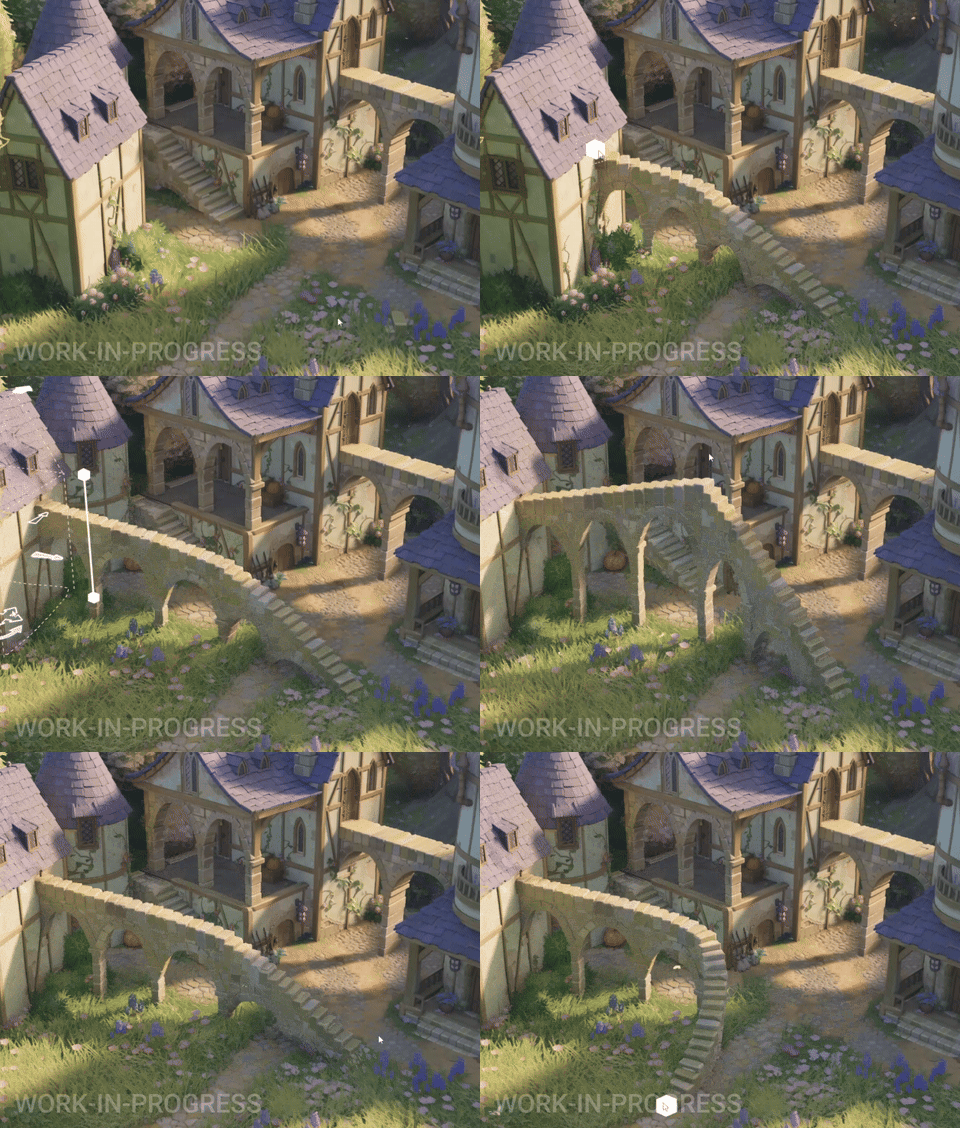 We’re now ironing out various edge cases, of which there are many... Stairs are the biggest and most complicated change we’ve done since Tiny Glade’s launch. For them to feel the way we want, we’ve reworked several systems around object generation, attachment, and various bookkeeping. It’s our 5th prototype now; this one is finally starting to feel good, and, dare I say, fun to play with (Tom screaming in the background: “nooo, don’t say the f-word, you’ll jinx it!”). Anyway, that’s very motivating, compared to when, you know, you just conclude it’s a dead end, and throw everything away >_<. So we’re quite excited! Hope you’re excited too :D There’re more (smaller) things coming too, but I’m gonna keep them a surprise 🎁 Anyhoo, that’s all~ Thank you for reading, and we wish you a lovely day! Love, Ana & Tom |
| 14/03/2025 |  This feels kinda crazy but Tiny Glade has been nominated for Technical Achievement at BAFTA 2025 alongside Astro Bot, Black Myth: Wukong, Call of Duty, Senua's Saga, and Warhammer 😳  It's a huge honor for Tom & me and our little home-baked loaf of tech 🍞 We’re grateful for having had the chance to channel our nerdiness into a game that makes people smile. Thank you all for playing and being in this small corner of the internet with us 💚 Love, Ana & Tom |
| 13/03/2025 | 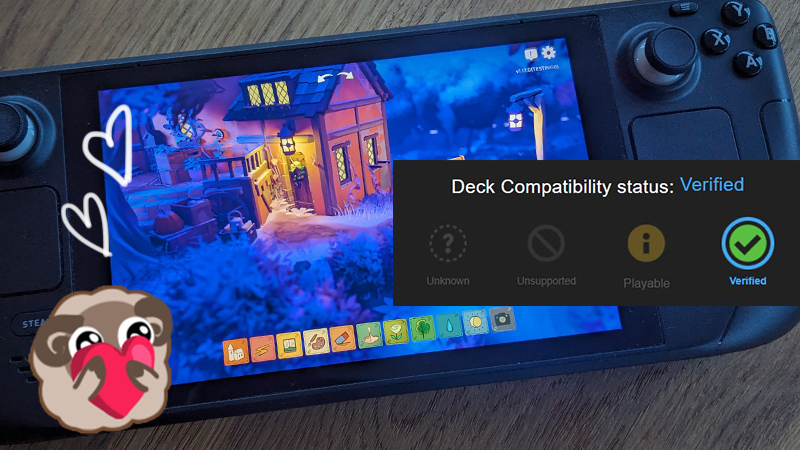 Wooo! We just got an email from Valve that Tiny Glade is now officially Steam Deck Verified. 🎉 🎉 That's all I wanted to share 😄 Hope you have a good rest of the week! Love, Ana & Tom P.S.: if you were waiting for Steam Deck verification to get Tiny Glade, you may want to wait just a bit longer - the Spring Sale should start any moment now, and we'll have a discount! |
| 10/03/2025 | Howdy! Just a quick fix here. In the process of allowing buildings to go lower in 1.13.0, we accidentally broke timber framing under roofs. Sorry for the breakage - it's managed to sneak past our automated tests. Here's the broken version: 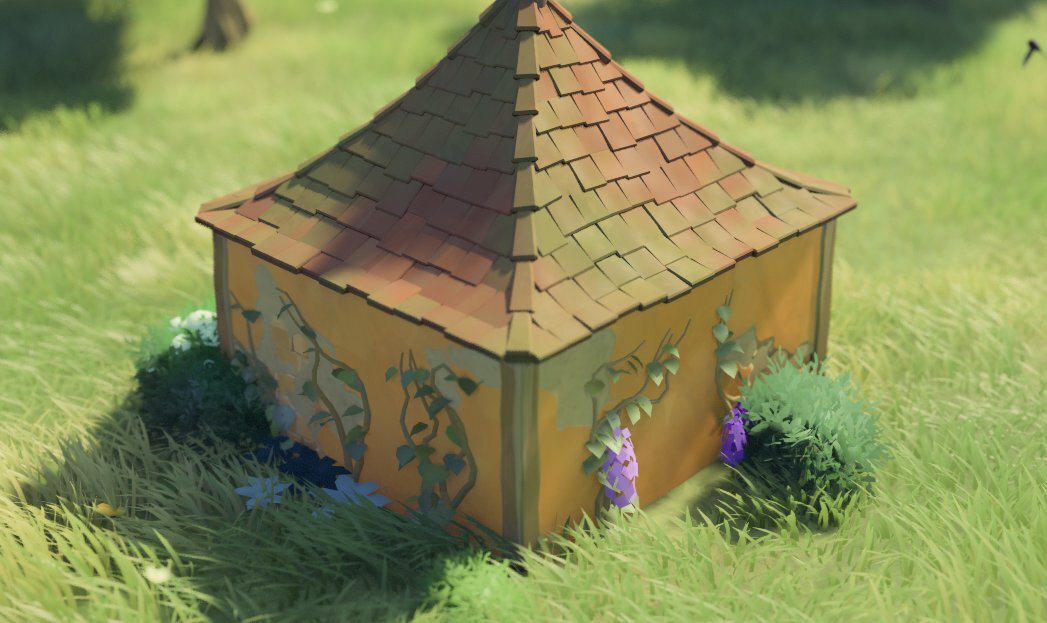 And here's how it should look like: 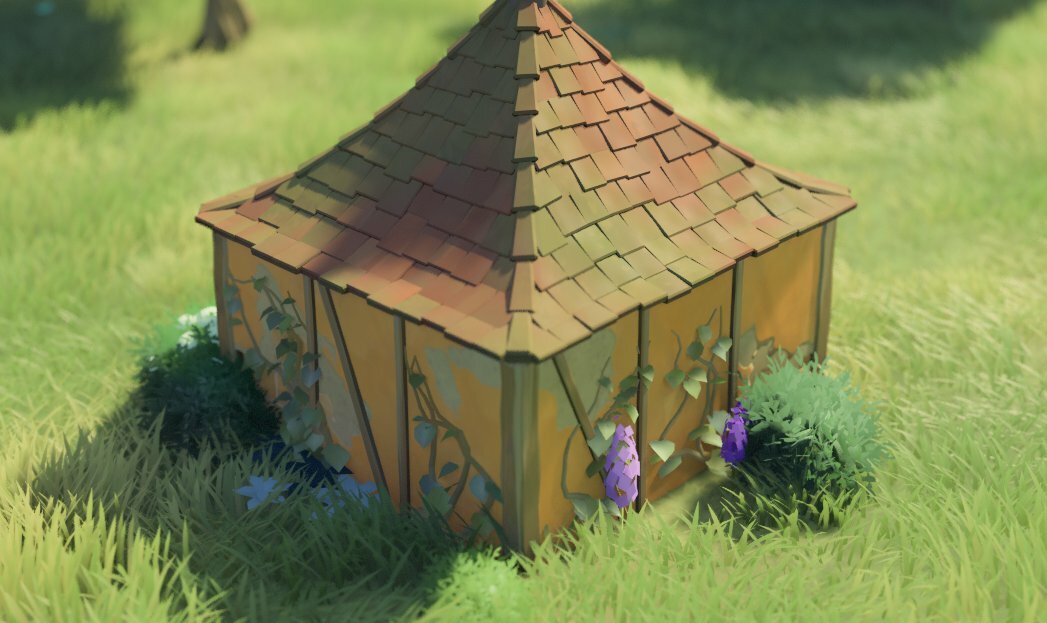 Thus, the change list:
Love, Tom & Ana |
| 09/03/2025 | Hullo! This was going to be a smol sneaky patch, but the powers that be decided that the 20 line code change would be a 200MB update. Compilers, how do they work? Nobody knows... *cough*, anyway xD
Love, Tom & Ana |
| 08/03/2025 | Welp that's embarrassing, looks like we broke the loading of your Halloween builds due to an invalid asset reference... Sorry about that 😢🧡 It was a silly thing, so I'll make sure to harden our build process against this kinda mistake in the future. It also took us way too long to spot the crash, as our file integrity checker was incorrectly claiming that it was due to messed up files in your game installation. The incorrect diagnosis was due local changes I had in our build tool that prepares file manifests for those integrity checks. My bad. Without further ado:
Love, Tom (& Ana is asleep, but she'd certainly send love too) |
| 08/03/2025 | Hello~! The new update is finally properly cooked 👨🍳👩🍳 Many thanks to everyone who helped us test it 💚 If you've seen the beta preview post from the last week, we've accumulated a few new fixes - you can see the new additions at the bottom. Hope you enjoy this update!2x terrain heightYou can simply extend terrain higher now, making builds more epic, and ensuring that every day is leg day for the imaginary inhabitants.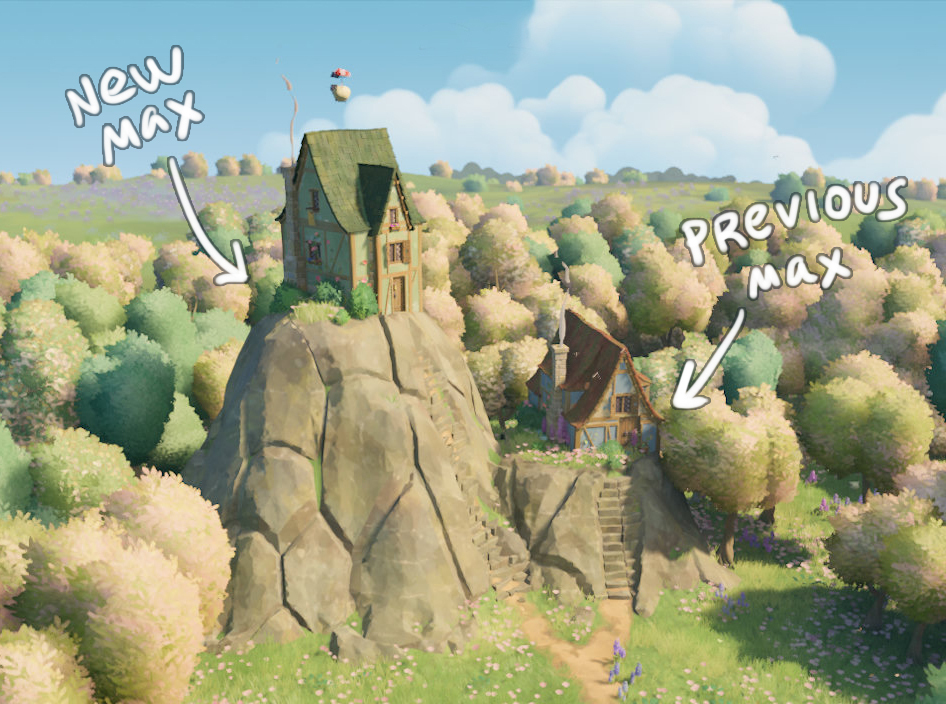 Movable terrain chunksYou can now right-click on terrain chunks, revealing the ability to move them. This mode also shows all the other available controls, like changing height and falloff.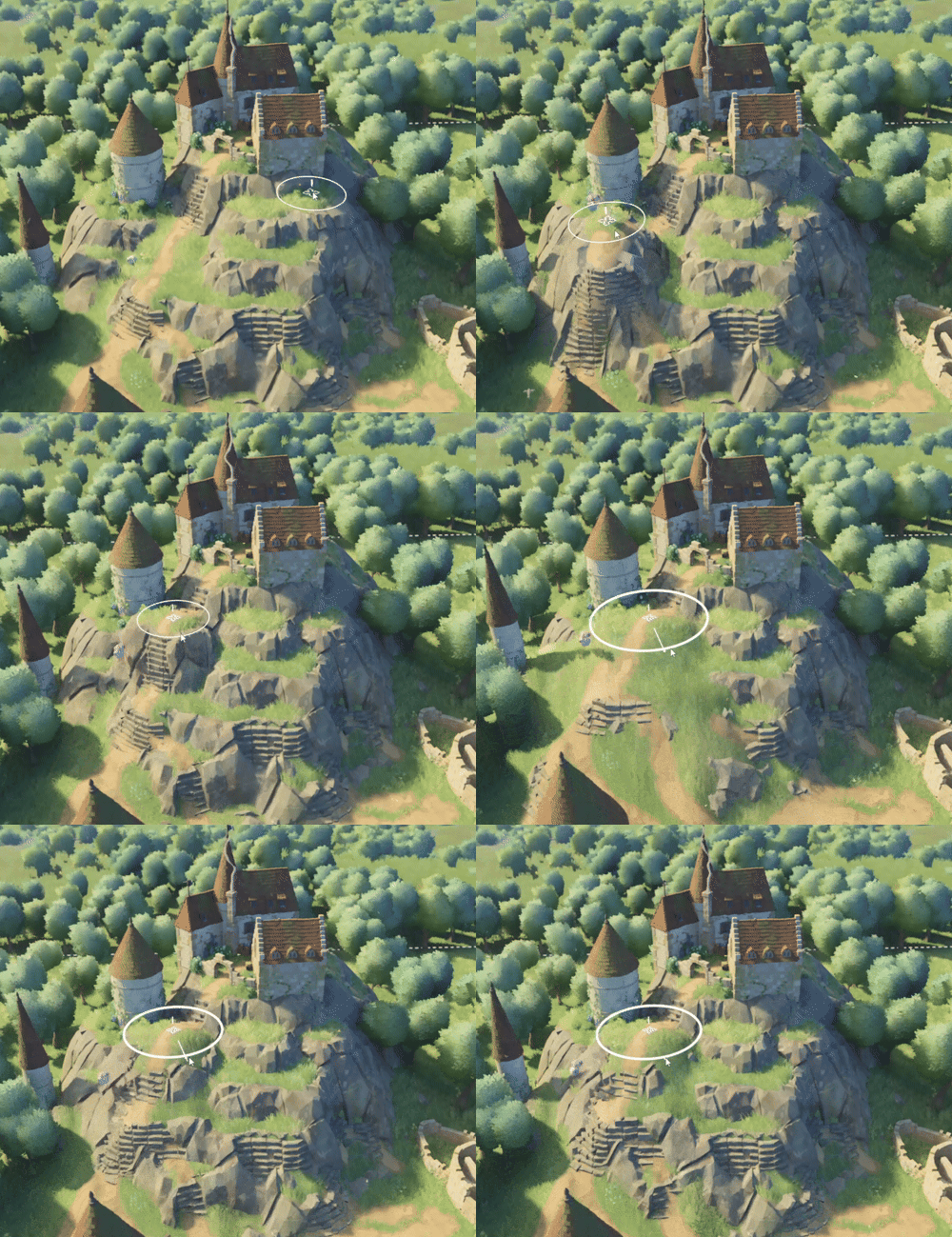 Rotatable towersCircular buildings shall no longer look upon rectangular ones with jealousy. If you right-click a round building, you'll now see a curved arrow that lets you adjust rotation. Now you can get those support pillars juuust right.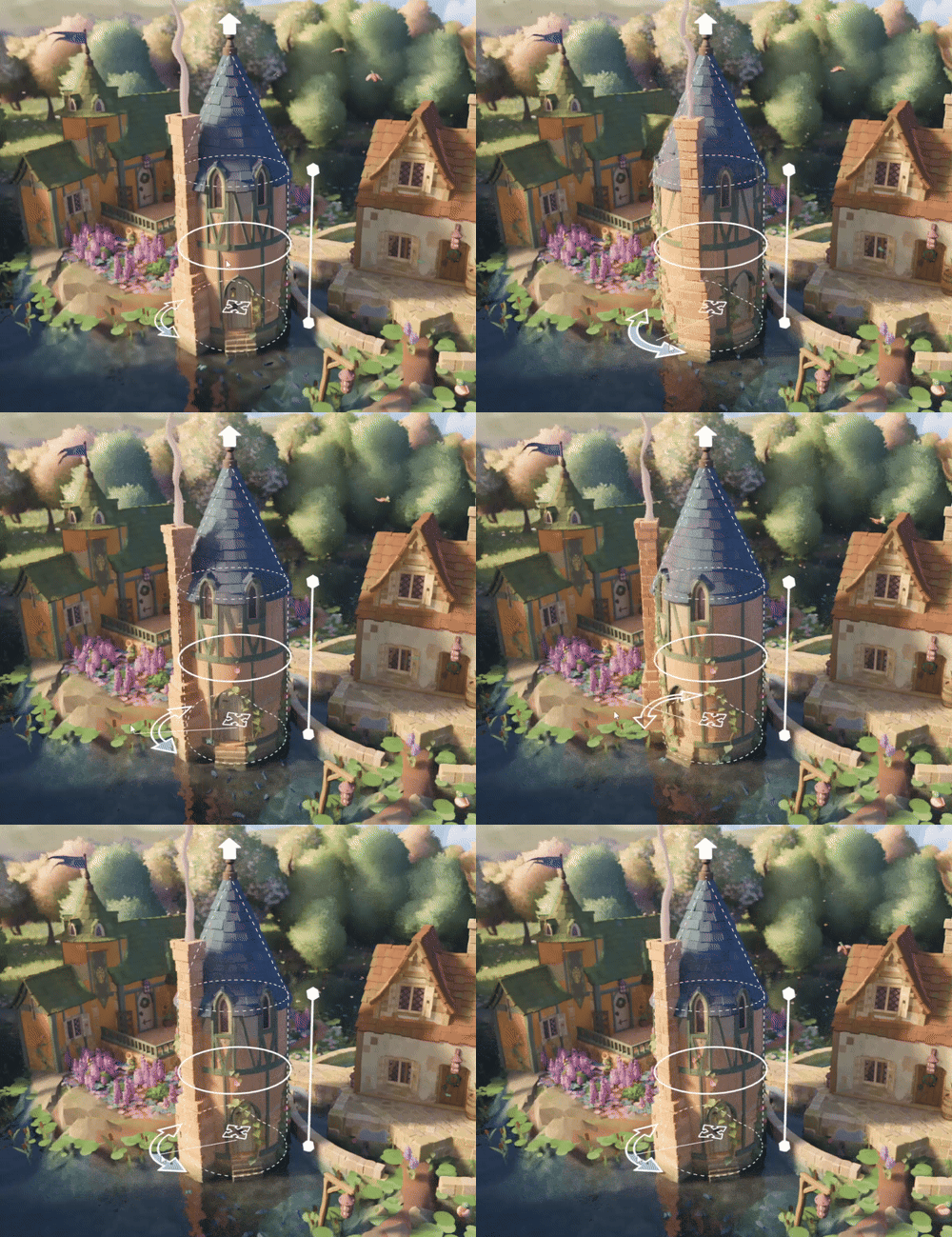 Lower minimum height for buildings with roofsWe wouldn't want to break any laws of physics, so now that we've allowed higher elevation of terrain, we figured that to compensate, we could also allow buildings to go lower.For buildings with roofs, we'd previously restricted their minimum height such that you could still have wooden gates in them, but we figured that's not a necessary restriction. You can now make them very short, almost tent-like. 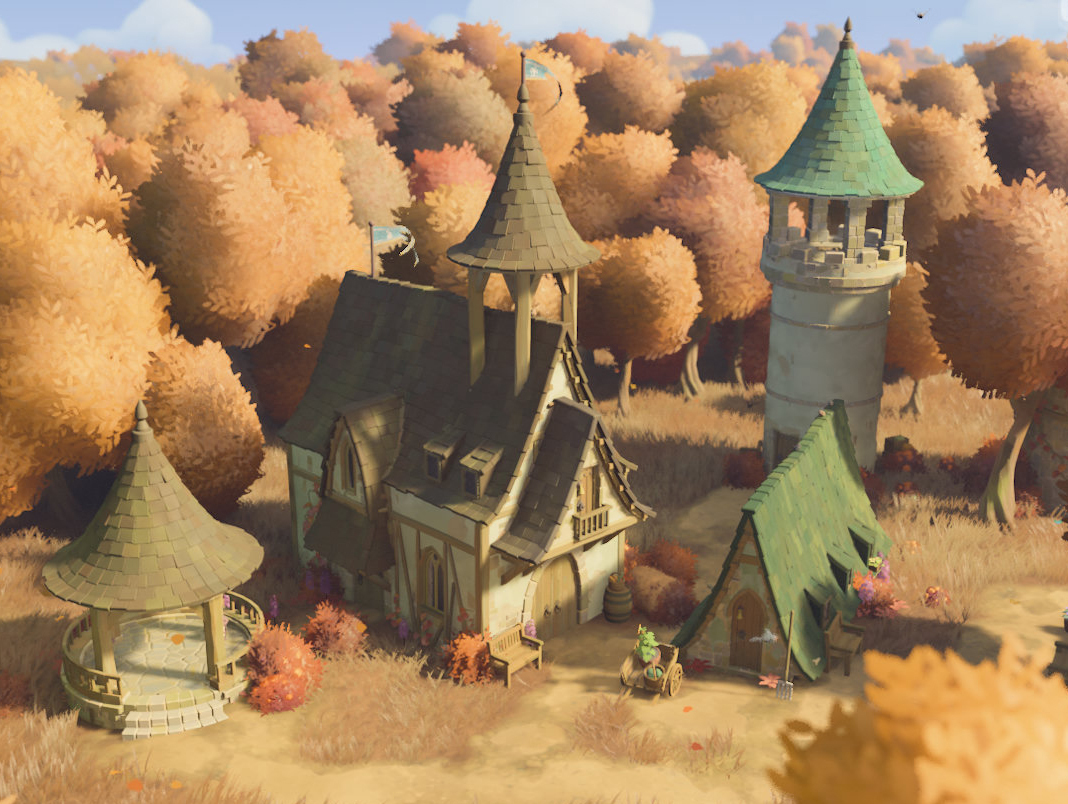 Tiny Glade Super Resolution (TGSR)We've been hearing here and there that Tiny Glade can turn graphics cards into leaf blowers 🍃 The main reason is that we render the image at full resolution, whereas most graphically-intensive games these days support upscaling via DLSS, FSR or XeSS. With those, games render at a reduced resolution (which is cheaper), and then synthesize full-res images by correlating information across frames.We've now added TGSR - our own technique sporting competitive image quality and performance. Compared to TAA with 100% resolution scale, "TGSR Quality" can result in ~50% less GPU power use while maintaining good image quality (note that this is not 2x frame rate, as performance and power have a non-linear relationship). You can enable TGSR in Settings → Video → Image.  (Illustration only; TGSR Ultra Performance is only recommended for very weak graphics cards) (Why not integrate DLSS, FSR or XeSS? We still might, and we've internally tested the former two. DLSS has funny licensing requirements though, the public XeSS 1.x doesn't support Vulkan yet, and we'd have to ensure our integration of all of those matches the expectations of their vendors) Steam Deck video settings changeIf you play on the Steam Deck, you may notice a change in visuals. We've optimized the default settings to strike a better balance between performance, image clarity, and power use. The Deck now uses "TGSR Quality" by default, and an FPS limit of 30. In our tests, this allows the device to stay cool and quiet, and last around 3h on a full battery, whereas with the previous settings, it was rather loud and power-hungry.Other* 🚭 Toggleable chimney smoke* ⚙ Settings: add an option to hide the glade border (it will still appear when you're trying to build outside of it) * ✏️ Glade border is now a dashed line instead of a solid one * 🎶 Music system has been completely reworked, which should fix stuttering on game startup, rare hiccups and properly randomize the tracks when starting a new glade. * 🐛 Fix trees placed on water sinking underwater when grabbed * 🐛 Fix path-x-water erase SFX being too loud when undoing * 🐛 Remove obvious repetition and sharp cutoff from water erase SFX * 📎 Save backups: renamed history.json.datetime.bak into history-backup-datetime.json, to make renaming easier, since the file extension is not shown by default in Windows * 📎 Save backups: add a 30 sec cooldown before a new backup is made * 🐛 Reduce temporal smearing and edge artifacts on water. * 🐛 Fix clutter refusing to sit on elevated terrain if there's a wall behind it. * ⚙ Add graphics quality presets * 📺️ Add brightness and gamma settings * 🔊 Iterate on path-x-water SFX * 🗃 Bump solid vertex color object limit to 32k (things like cloth hangers, some clutter objects) * 🐛 Fix a bug where dawn jingle volume didn't correspond to music volume (and it would play even when the music was muted) * 🐛 Fix a gap between terrain and water on the glade border * 🈂 Add misc missing localizations (the display settings descriptions are coming soon!) * 🈂 Add localization of Steam Actions (the controller layout menu) Oh, and last but not least, we fixed large wooden brackets, so now they are properly removed to make space for windows, doors, etc. They will also disappear for buildings with lowest height (for nicer overhangs). 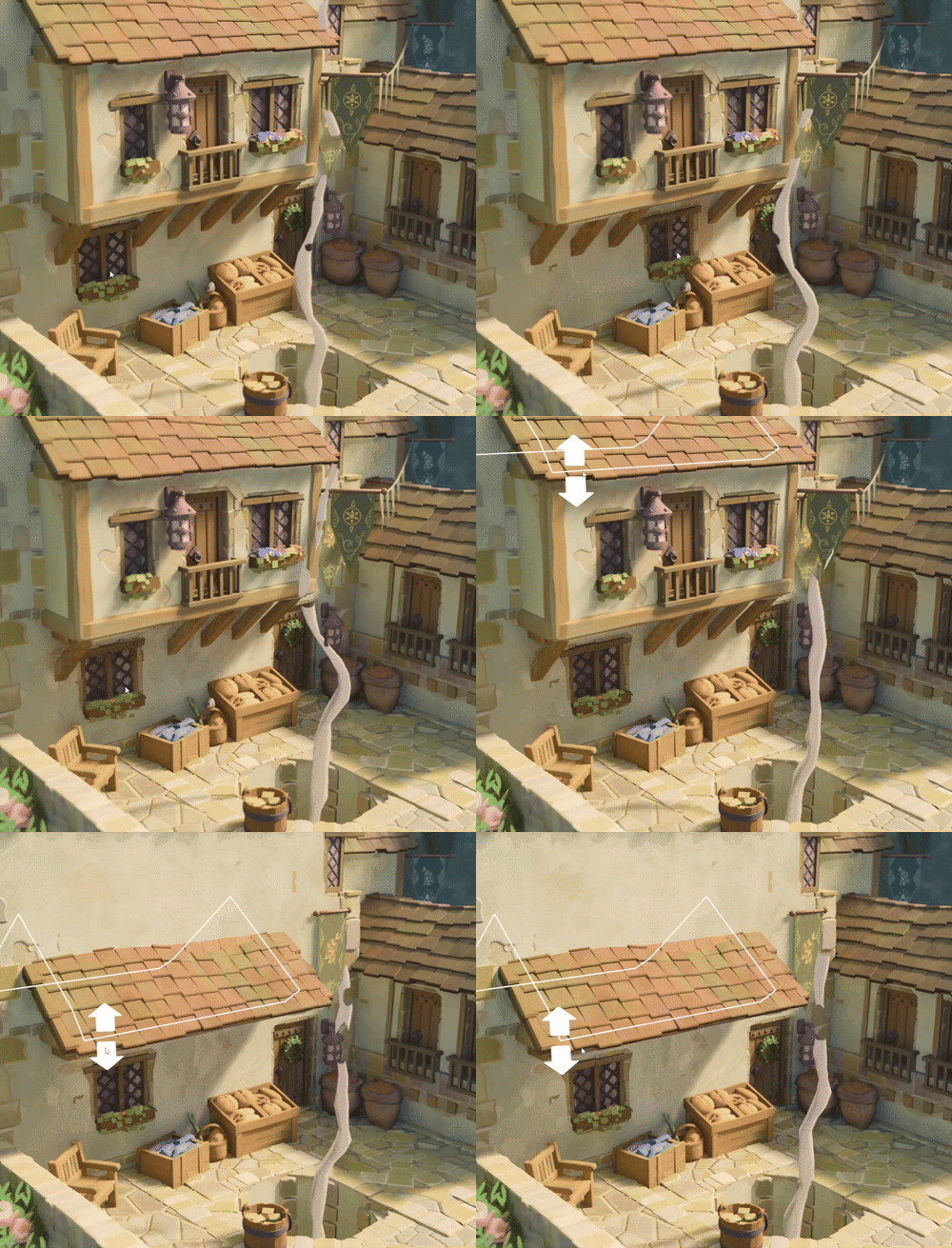 Aaaand, that's all :3 Have a lovely weekend 💗 Love Ana & Tom PS: if you helped us test the beta and would like to transfer your beta saves into the main game, see "testing this beta patch" notes in the beta preview post. |
| 26/02/2025 | Hullo-hullo! We have a bag of goodies for you today! 🥕🍬 As we hide away in our coding cave, a sound of intense keyboard tapping echoes in the background, whispering faint secrets of our stair tool prototypes. And while that will take some time to emerge, we've also accumulated a variety of smaller improvements, and figured we could package them up into their own update :3 👉️ Please see the bottom of this post for info about testing this patch preview. 2x terrain heightYou can simply extend terrain higher now, making builds more epic, and ensuring that every day is leg day for the imaginary inhabitants.Movable terrain chunksYou can now right-click on terrain chunks, revealing the ability to move them. This mode also shows all the other available controls, like changing height and falloff.Rotatable towersCircular buildings shall no longer look upon rectangular ones with jealousy. If you right-click a round building, you'll now see a curved arrow that lets you adjust rotation. Now you can get those support pillars juuust right.Lower minimum height for buildings with roofsWe wouldn't want to break any laws of physics, so now that we've allowed higher elevation of terrain, we figured that to compensate, we could also allow buildings to go lower.For buildings with roofs, we'd previously restricted their minimum height such that you could still have wooden gates in them, but we figured that's not a necessary restriction. You can now make them very short, almost tent-like. Tiny Glade Super Resolution (TGSR)We've been hearing here and there that Tiny Glade can turn graphics cards into leaf blowers 🍃 The main reason is that we'd render the image at full resolution, whereas most graphically-intensive games these days use upscaling via DLSS, FSR or XeSS. Those let games render at a reduced resolution (which is cheaper), and then synthesize full-res images by correlating information across frames.We've now added TGSR - our own technique sporting competitive image quality and performance. It is now enabled by default, replacing our temporal anti-aliasing (TAA, which is still available). Compared to TAA, "TGSR Quality" can result in ~50% less GPU power use overall, while maintaining good image quality. You'll find options in a new menu under Settings → Video → Image. (Why not integrate DLSS, FSR or XeSS? We still might, and we've internally tested the former two. DLSS has funny licensing requirements though, the public XeSS 1.x doesn't support Vulkan yet, and we'd have to ensure our integration of all of those matches the expectations of their vendors) Other* 🚭 Toggleable chimney smoke* ⚙✍ Settings: add an option to hide the glade border (it will still appear when you're trying to build outside of it) * ✏️ Glade border is now a dashed line instead of a solid one * 🎶 Music system has been completely reworked, which should fix stuttering on game startup, rare hiccups and properly randomize the tracks when starting a new glade. * 🐛 Fix trees placed on water sinking underwater when grabbed * 🐛 Fix path-x-water erase SFX being too loud when undoing * 🐛 Remove obvious repetition and sharp cutoff from water erase SFX * 📎 Save backups: renamed history.json.datetime.bak into history-backup-datetime.json, to make renaming easier, since the file extension is not shown by default in Windows * 📎 Save backups: add a 30 sec cooldown before a new backup is made * 🐛 Reduce temporal smearing and edge artifacts on water. * 🐛 Fix clutter refusing to sit on elevated terrain if there's a wall behind it. Testing this beta patchIf you'd like to help out and opt into the beta, go to Tiny Glade in your Steam Library, then Properties → Betas → Beta participation → Select "beta-1_13_0".The save files of this beta are separate from the main version of the game, and this is a beta rather than a regular patch. What does that all mean?
How to report a bugIf you encounter something broken, or would like to send any feedback about this preview, we'd appreciate an in-game report using the F6 key 📝 If the matter would benefit from a discussion, you're also welcome to write a comment to this post (but we might take a few days to respond cause we're a bit busy with dev and life things right now).Thank you! 💗 Love Tom & Ana |
| 26/02/2025 | Hulloooo, just a couple of small fixes here:
Tom & Ana |
| 17/02/2025 | After previously making some improvements for Steam Deck, developer Pounce Light have now implemented more proper controller support for Tiny Glade. Read the full article here: https://www.gamingonlinux.com/2025/02/the-beautiful-diorama-builder-tiny-glade-adds-controller-support/ |
| 15/02/2025 | Hellowdy there, how are thee? I hope the frosty season is treating you well 💙 Here in the land of fika, the sun is slowly awakening from its nap, and the cold will only last three more months 🤭 While not great for vitamin D, the darkness does align with productive game development. We've finished conjuring the ancient incantations of Steam Input, infused the magicks of VDFs and action glyphs into Tiny Glade, and the tickbox of "Controller Support" is now officially ticked! Thanks to everyone who helped us test the beta :3 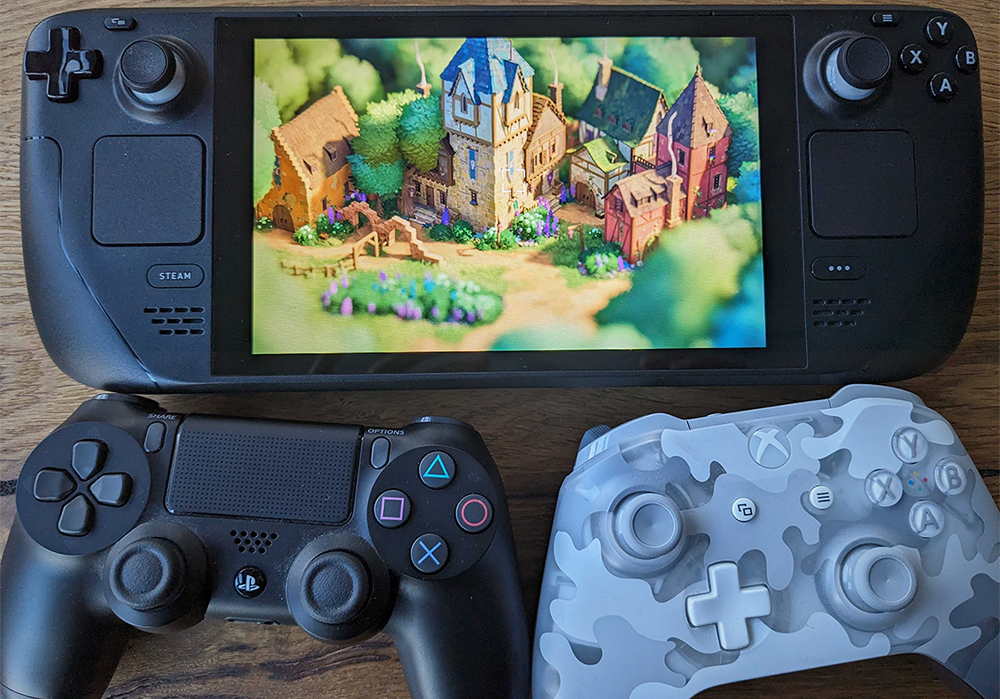 Your Steam may need boopingSteam sometimes caches old controller layouts, and you may need to restart it and/or reapply the official layout. Otherwise it might end up being an odd crossbreed of our new one and something from the before times.Control hintsIf you'd like to see the control hints/tutorial again, make sure to click Settings -> Game -> Control Hints -> Reset.What's there
What's not there yetThere's a few things that we'll address in future patches:
What's nextOur next step in controller land is to fix a few small things, and then ask Valve to have another look at our Steam Deck support. Then we can hopefully get "Deck Verified" soon :3Beyond that, we have a few updates cooking, ranging from optimizations to gameplay features, but more on that soon, so make sure to keep those radio receivers well tuned 📻🧓 Stay awesome! Love, Tom & Ana |
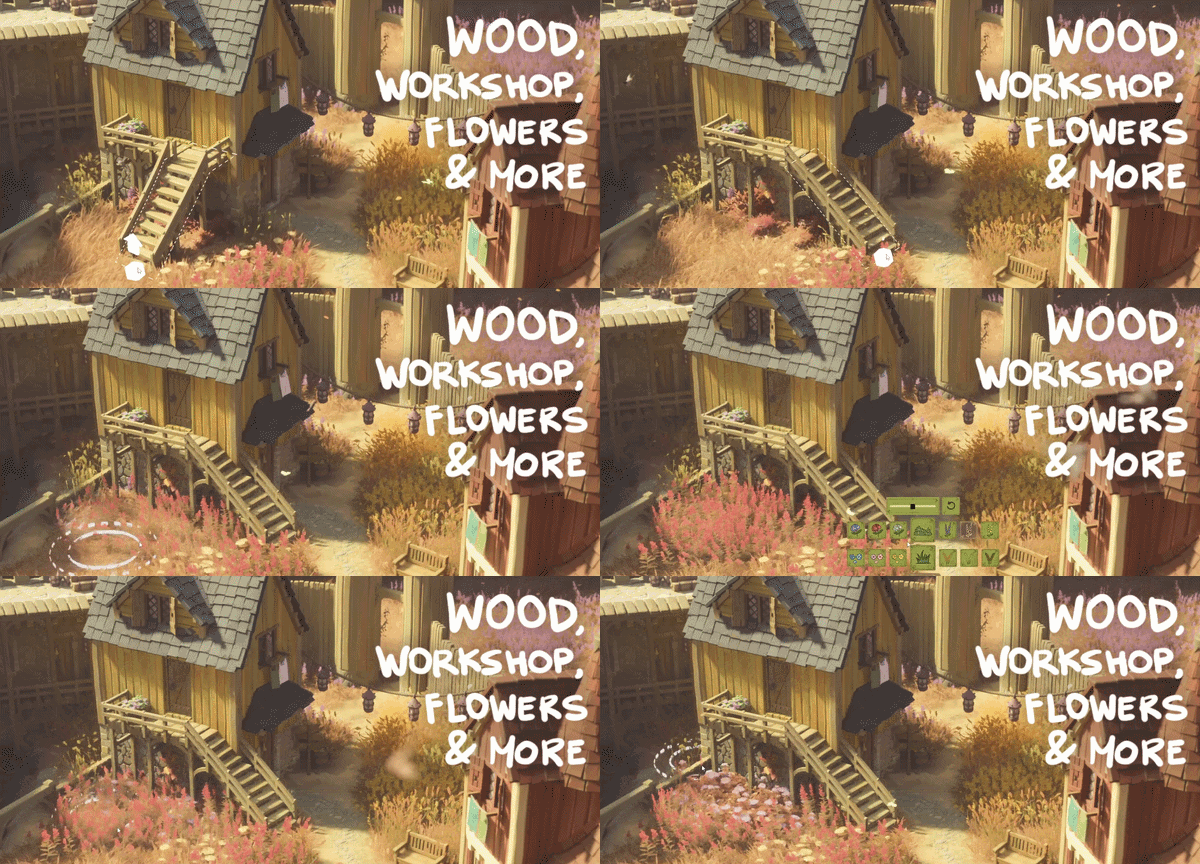
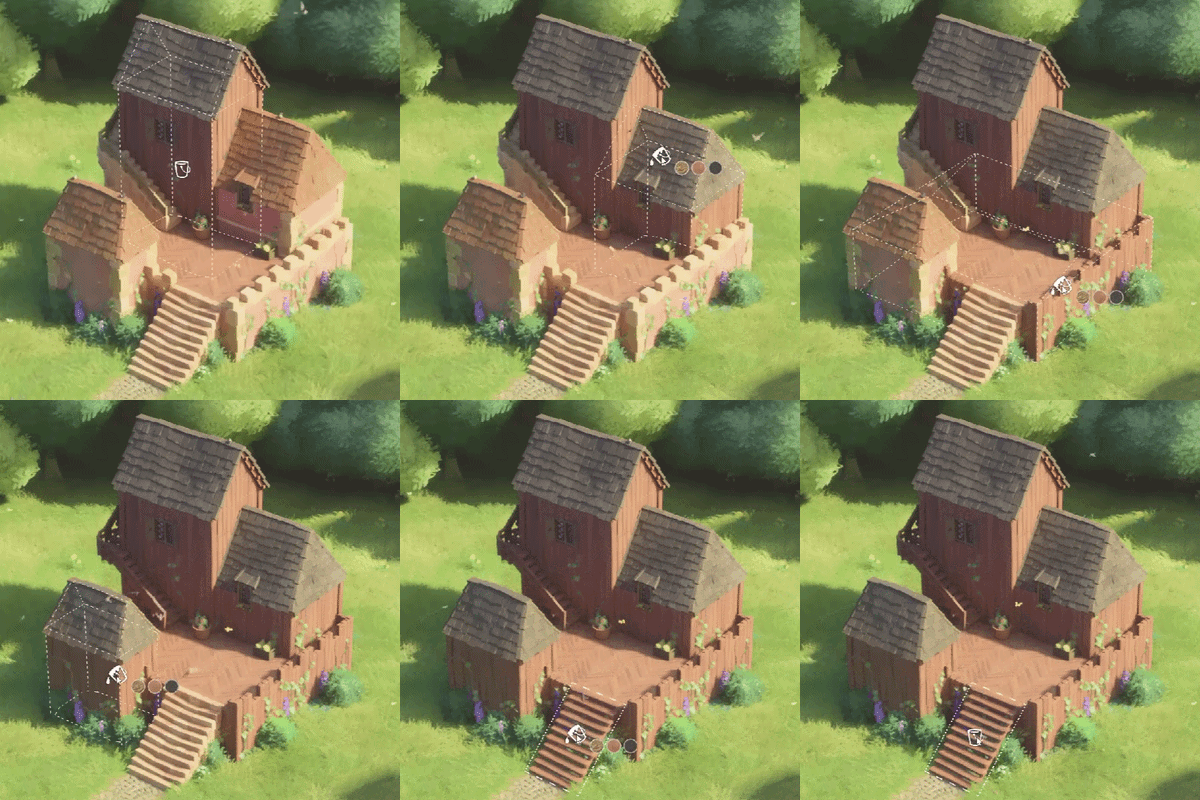
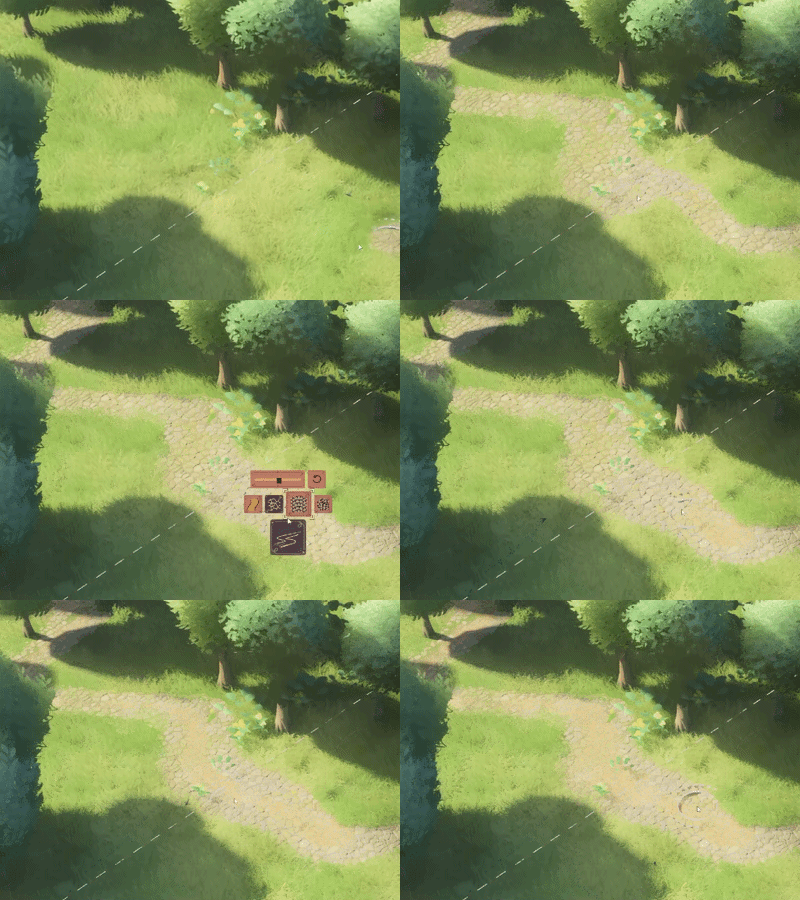
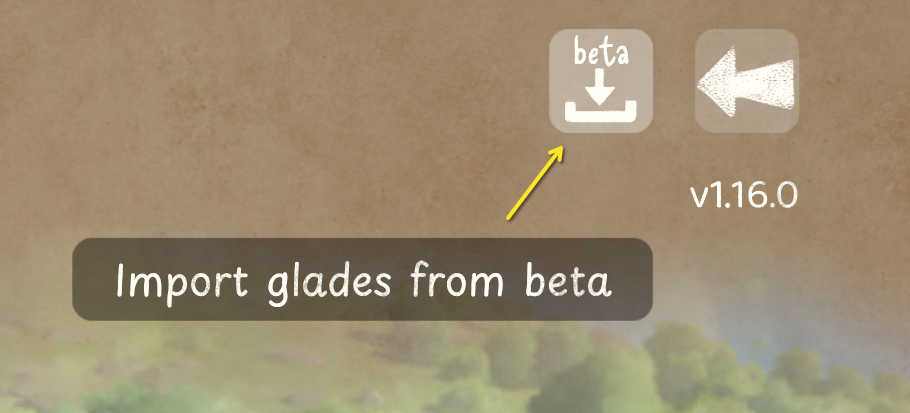
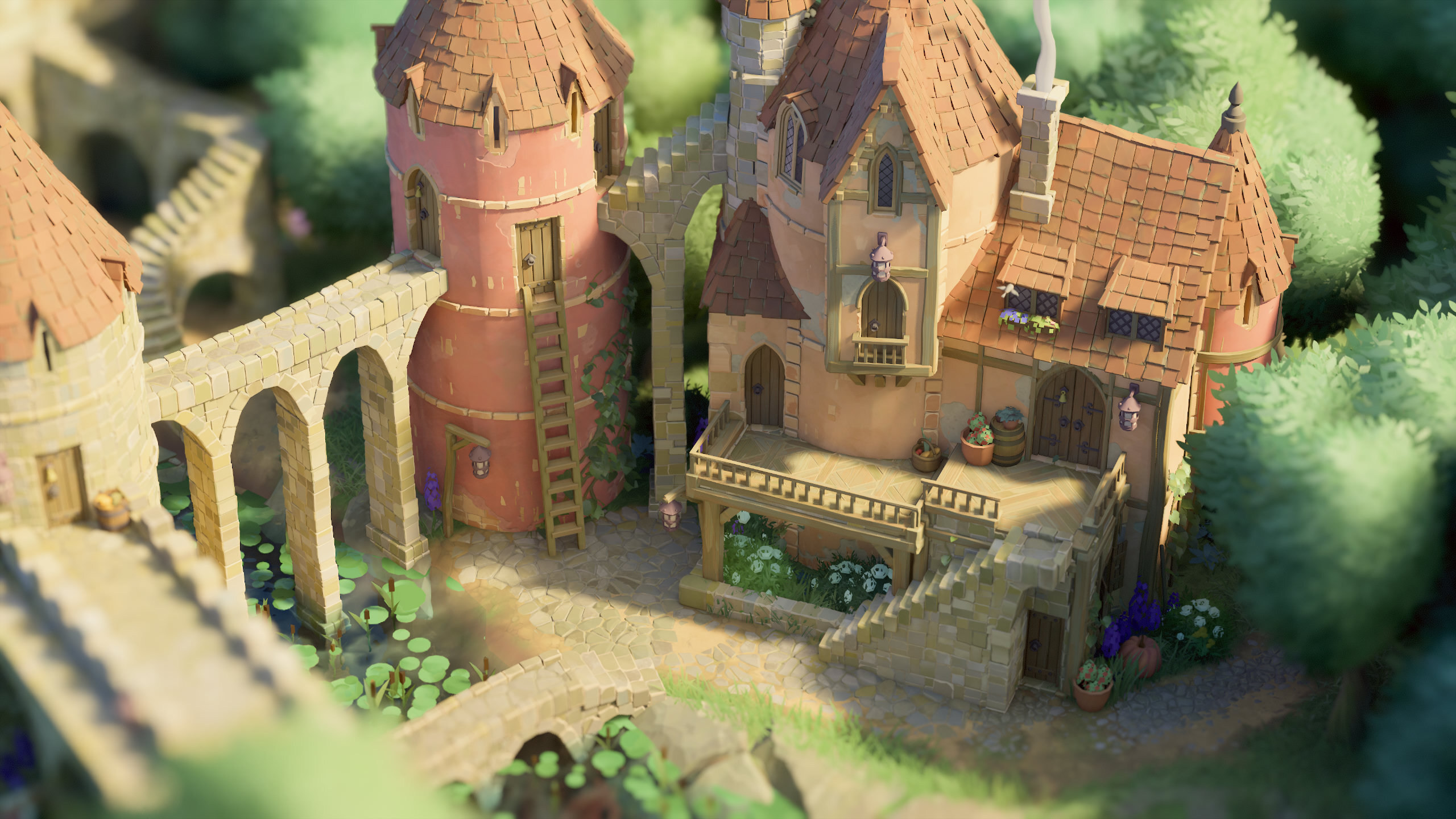 Helloooo, everyone! We're finally ready to start testing our biggest update yet 🙌
There are a looooot of misc fixes and smaller things - we'll do the full notes once the patch is released in the game proper, but for the sake of brevity, for now I'll highlight only the main stuff. That's where we'd appreciate your help testing - we'd be super grateful if you report bugs (via F6) and crashes (via the crash reporter's pop-up window) 🙏 Tom & I will be actively monitoring and fixing things as they pop up. If you need a reminder on how betas work and how to opt-in, please see instructions at the bottom of the post. All righty! Without any further ado:
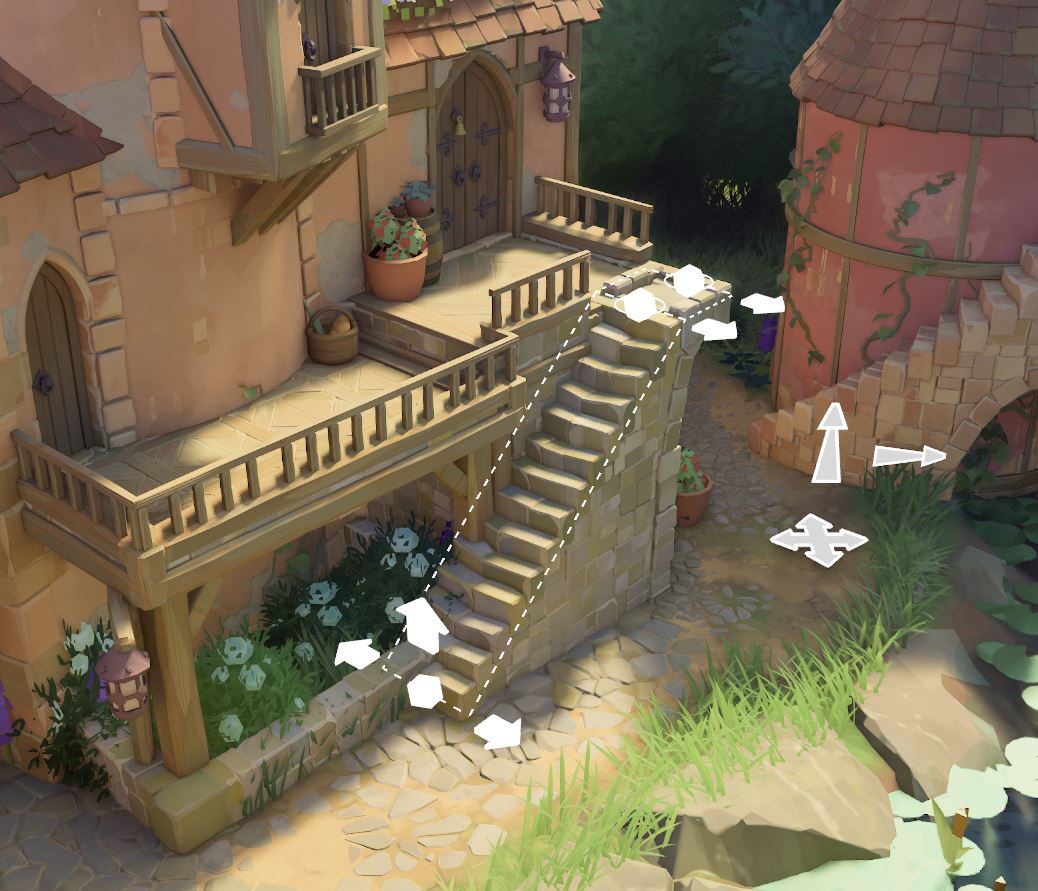
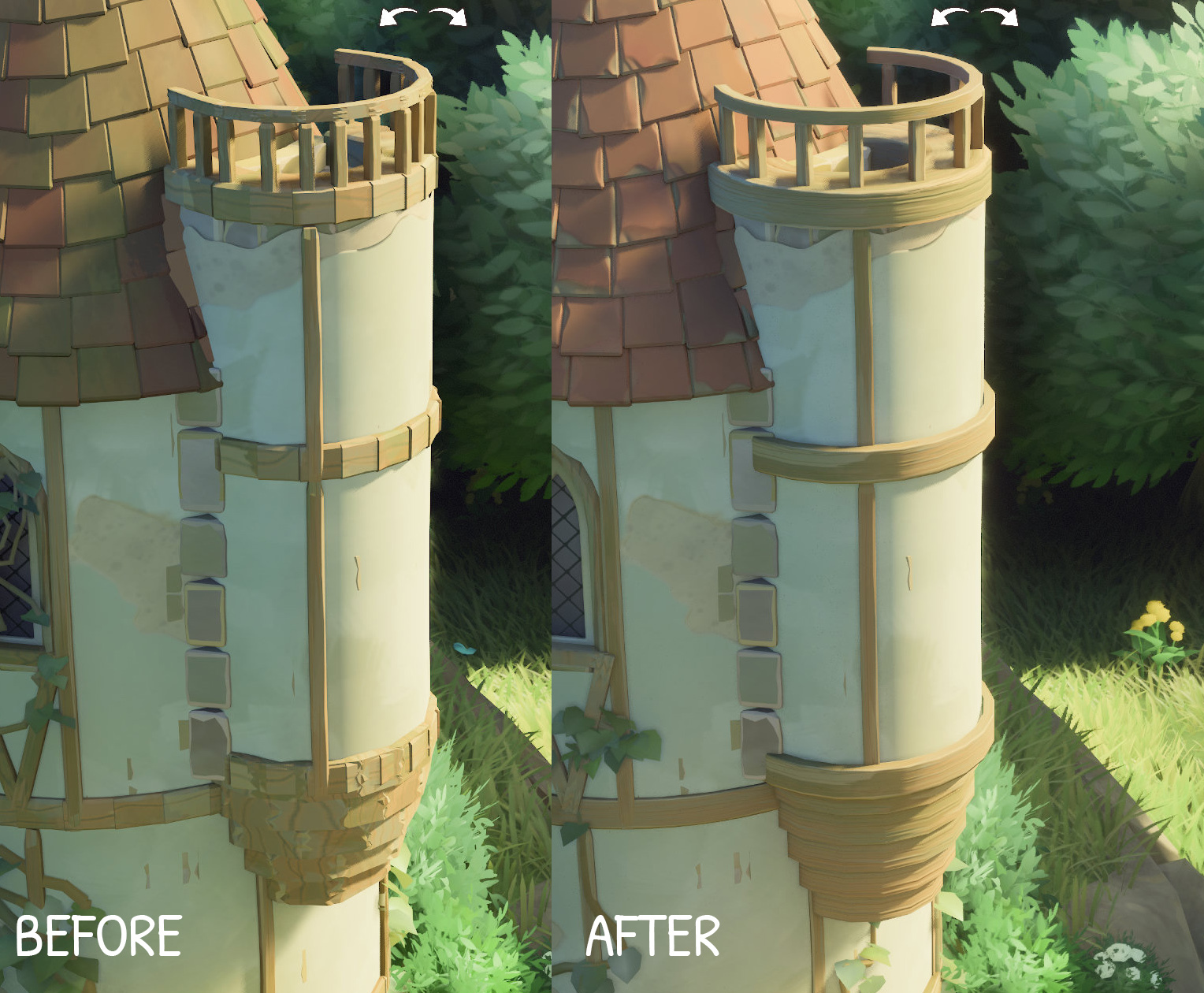 Timbering on towers has received a visual uplift too! They're no longer made out of small wooden pieces, but instead are one continuous curved wooden beam. This should look way neater, especially on narrow towers :3