Dados da Steam coletados em 23/11/2026 10:03 · 1 amostras de jogadores no banco. Projeto independente, sem ligação com a Valve.
Jogadores
Quando o jogo tem mais gente
O mapa de calor aparece quando houver pelo menos 24 horas de dados de jogadores deste jogo.
Atualizações do jogo
- PATCHshapez 2 - Update 1.2, Screenshot Contest & Puzzles Dev Update
Hello everyone! Update 1.2 is now available, bringing a large update to the game engine, Blueprint Migration and several minor changes.
Hello everyone!
Update 1.2 is now available, bringing a large update to the game engine, Blueprint Migration and several minor changes. Do continue reading after the patch notes, as we're also hosting a Screenshot Contest and have another update for you on the Puzzles project.
Update 1.2
Update to Unity 6
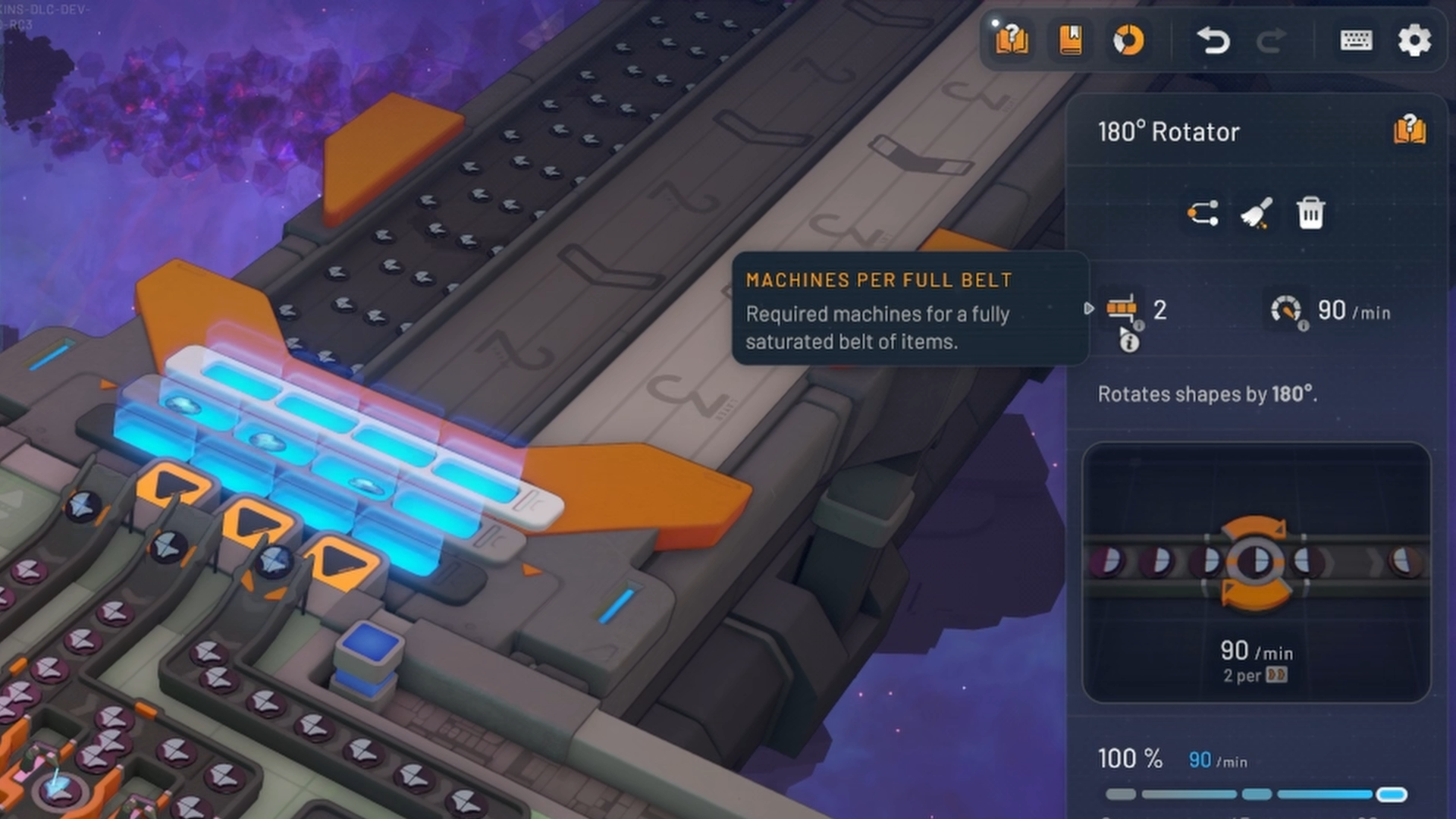
The whole game has now been upgraded to Unity 6. This will give us more features to work with, fix bugs, and give us some nice quality of life improvements in the engine and the editor. Essentially, it makes it easier for us to make future updates.
Testing has shown that this also brought significant upgrades to performance and stability, especially on MAC and Linux.
If you'd like to read more about the upgrade to Unity 6 and what that process was like, be sure to check out this devlog:
Blueprint Migration
Update 1.2 also brings Blueprint Migration, a change we announced just before the launch of 1.0. This changes how blueprint are saved, making the system more robust and permanent.
Warning: This change means that blueprints made prior to Update 1.0 are no longer compatible. In order to transfer them, switch to the 1.1 update branch, place the blueprints you want to save in a savegame, then switch back to the live version (1.2) and save them as blueprint again. Update 1.1 will remain available as a separate branch.
Support for replacing/substituting mods
This one requires a bit of an explanation. After Update 1.1, it's been apparent that our update strategy for ShapezShifter wasn't going to work for the live game. When we push an update to shapez 2, we'd need to have a new version of ShapezShifter alongside the game update to prevent all mods that use ShapezShifter from breaking. But with only one version to work from, we either need to leave ShapezShifter broken for the new release, or immediately break the previous release version.
However, the game branch feature in Steam allows us to set up an experimental branch for ShapezShifter, so modders can test mods in the new game version before the game is actually updated. This way, mods may already be ready for the next game update before that update even goes live, so you can use those mods immediately.
On top of this, we are actively working on making the mod development experience better for everyone. One planned change is an automated canary system in the base game that detects breaking changes to the API as soon as they're found; they can usually be slower to catch.
Other changes
UI
The operator level screen now includes info about the game version and if the game is modded.
Renamed “Katyusha” achievement into “Space Program”.
Content
Added the song “Launched” to the soundtrack
Save/Load
Improved auto-save delay.
Modding
Mods can now reliably target a specific release version of the game to avoid crashing the game after a patch.
Bug Fixes
Fixed shadows for machines not being visible in the whole game
Fixed a fatal error when achievements.bin file is corrupted
Fixed operator shape targets eventually going over 2.14b and becoming negative (players having run into this problem may still have this displayed as negative)
Fixed non-aligned indicators for machine launchers/catchers
Fixed meshes for mirrored global wire transmitters
Fixed the astroid pump description incorrectly showing 4 pumps needed to supply one space pipe at full saturation (now shows correctly as 24)
Fixed belt/pipe catchers appearing linked to the incorrect launcher when a second launcher is within range of the catcher during gameplay
Fixed mouse over wire shape visualization only being correct when facing north
Fixed belt launchers and catchers switching to conveyor belts when pressing R to rotate while placing them in a platform notch
Fixed a possible crash if corrupt data is present in settings files while booting the game
Screenshot Contest
Now that we've had the update to shapez 2, we'd like to see an update on your factories!
Take a screenshot of the part of your factory, or factories, you're the most proud of or just really want to share. Be it insanely optimized, a creative alternative solution, a complex transport transport network, you name it. If you really want to show it, we really want to see it!
Head over to our subreddit.
Post your screenshot with the \ flair applied. Feel free to explain a bit about the things you screenshotted!
The deadline is August 23.
What you can win? We'll be giving away 5 upgrades to the shapez 2 Supporter Edition, giving you 40 extra minutes of Peppsen bangers, the ability to download the soundtrack in lossless quality, loops and twisters for your trains, as well as new skin for your Vortex!
If you already own the Supporter Edition, feel free to give it to a friend.
Dev Update on Puzzles
For this dev update, here's Christian, our Head of Game Design:
One of our main inspirations and guiding stars for the next puzzle project is naturally the Puzzle DLC for shapez 1. It already had all the basic loops that we envision for this project as well. However, there is one defining difference: shapez 1 was 2D and shapez 2 is 3D. That of course gives us a lot more possibilities for interesting puzzles but of course it also poses complex issues.
Part of the shapez 1 puzzle challenge was using inputs/outputs of buildings to route shapez along specific paths, which they otherwise would not be able to take. Combined with the footprint of the building, this often left only very limited viable spots where the building can be placed - similar to a jigsaw puzzle piece.

Translating that challenge to 3D requires us to think differently about the layout of conveyors and buildings in shapez 2. While they are currently optimized for convenience we might need a little more limitations to create interesting puzzles. For example:
Conveyor lifts allow players to overcome any vertical blocker, as long as one tile is free next to it.
Buildings have a smaller footprint and often have their in/outputs on the same level/in the same direction (this makes a blocker on one side usually invalidate the building outright, no matter its height).


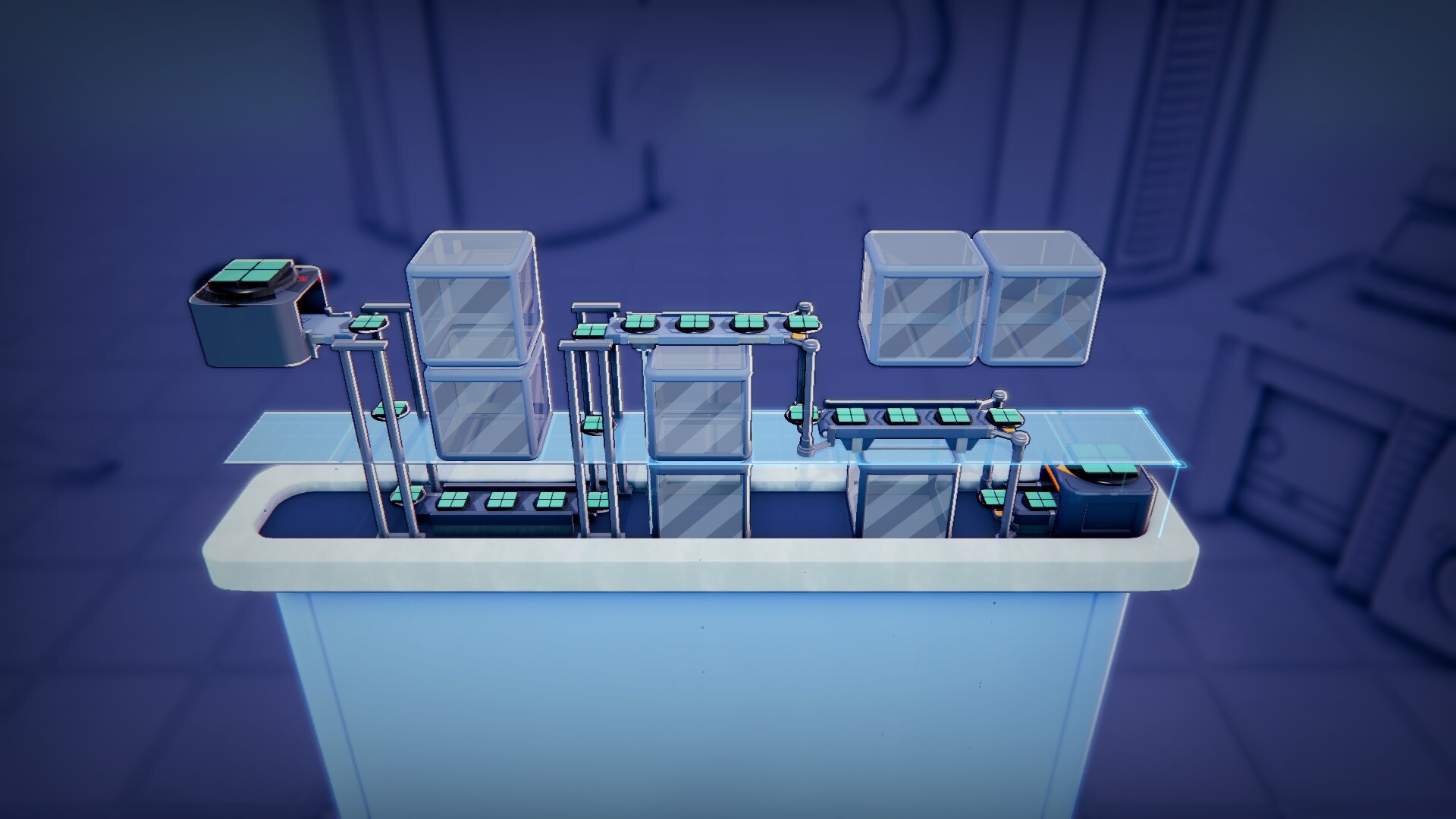
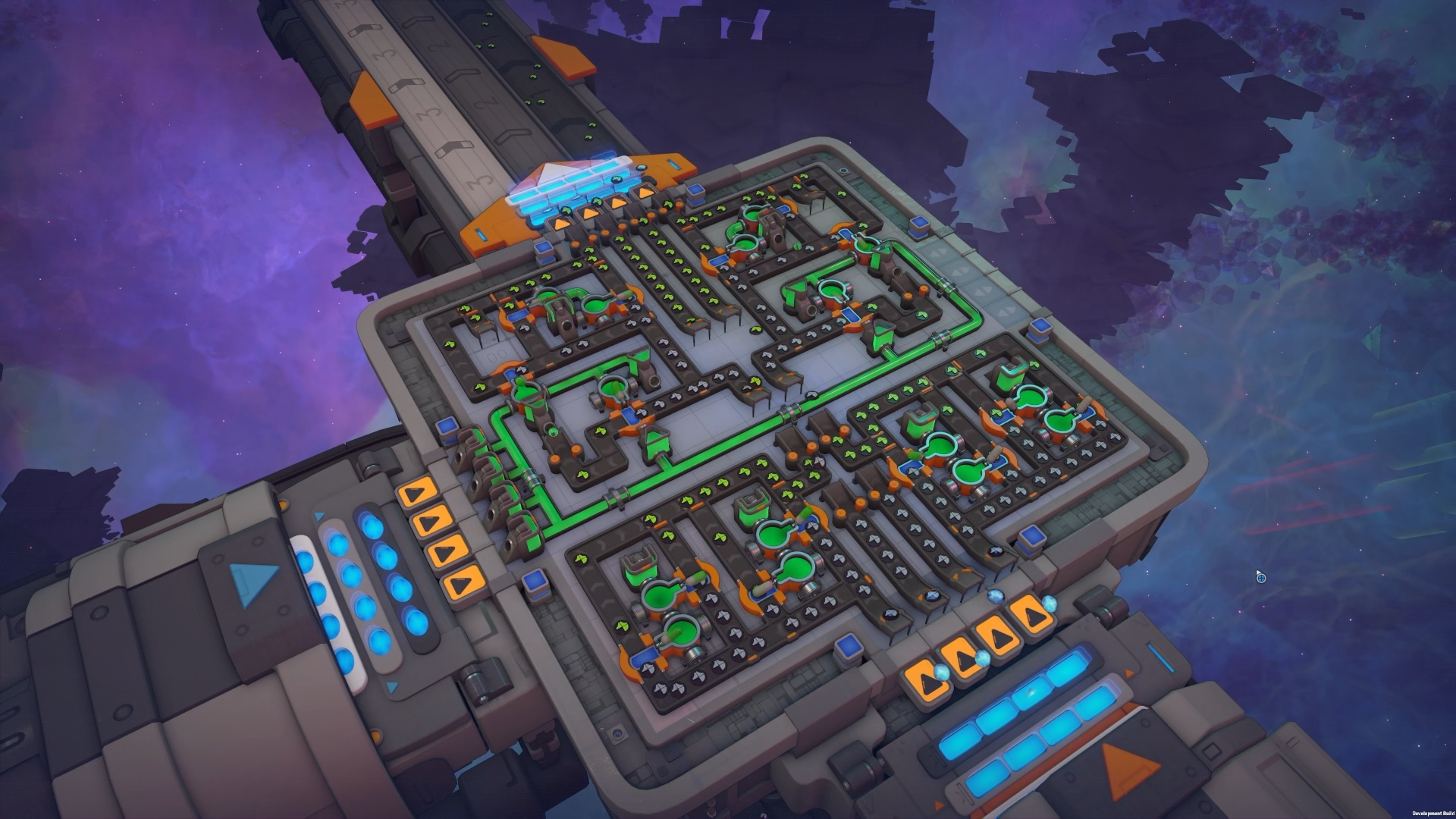
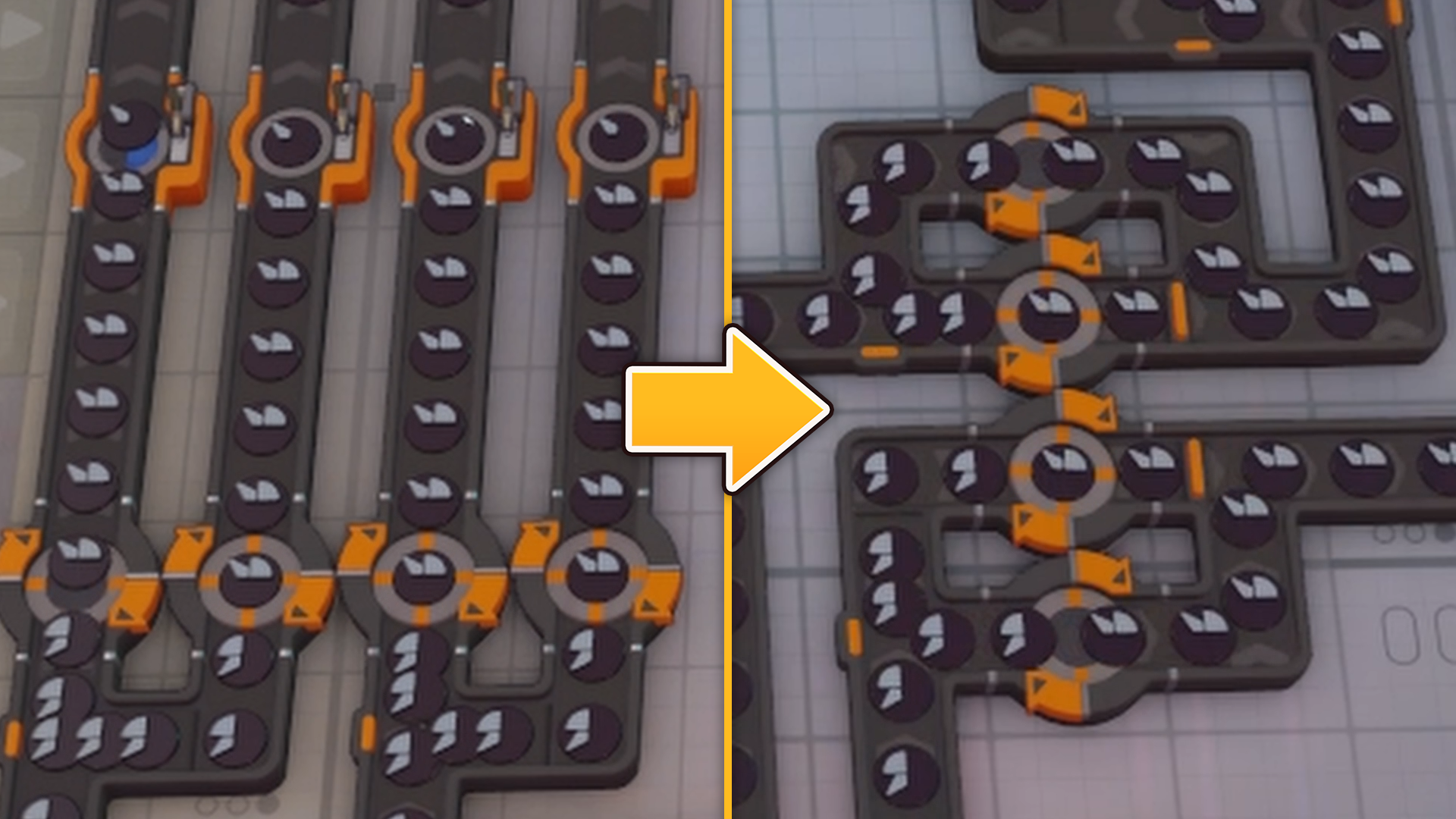
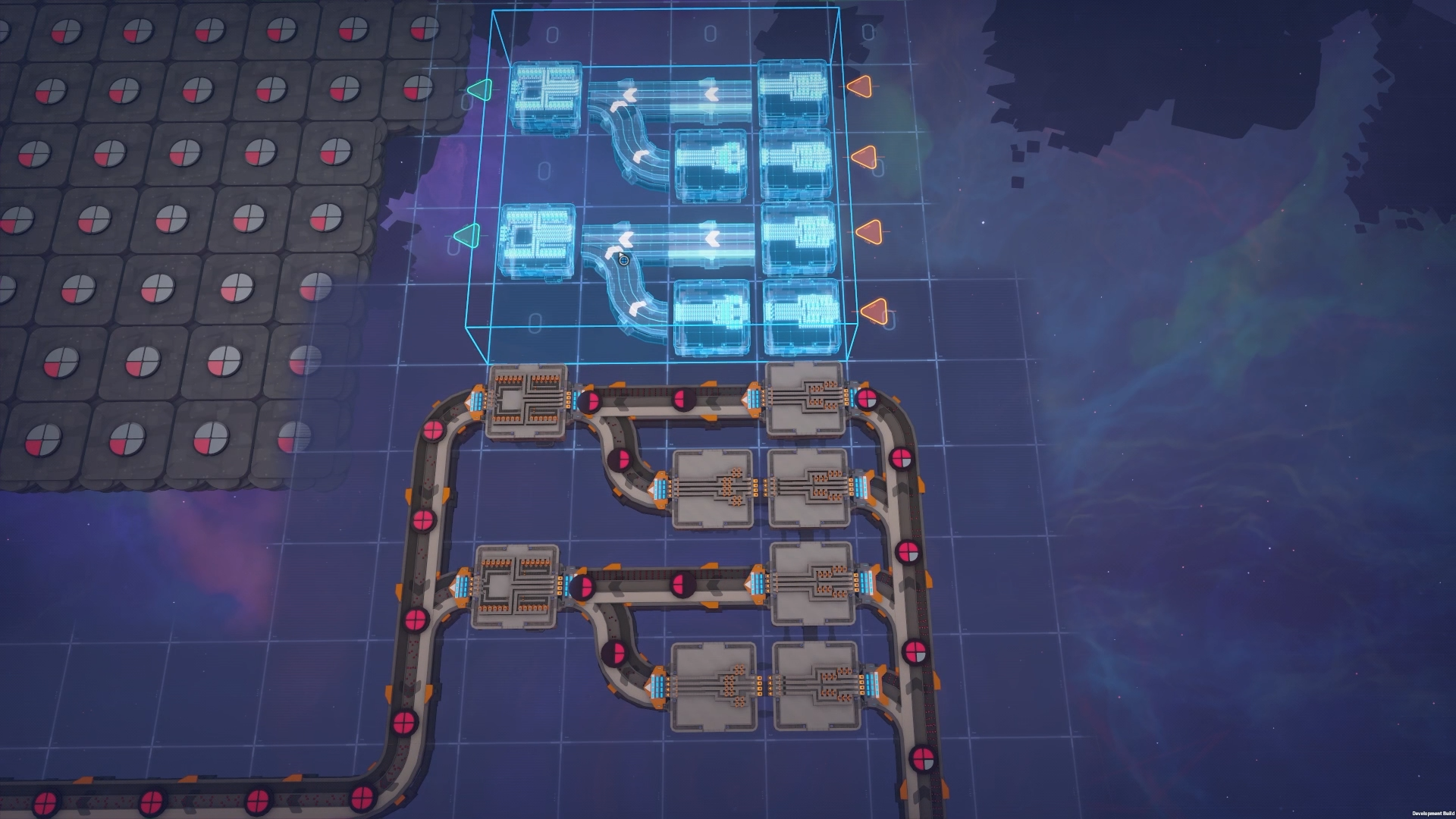
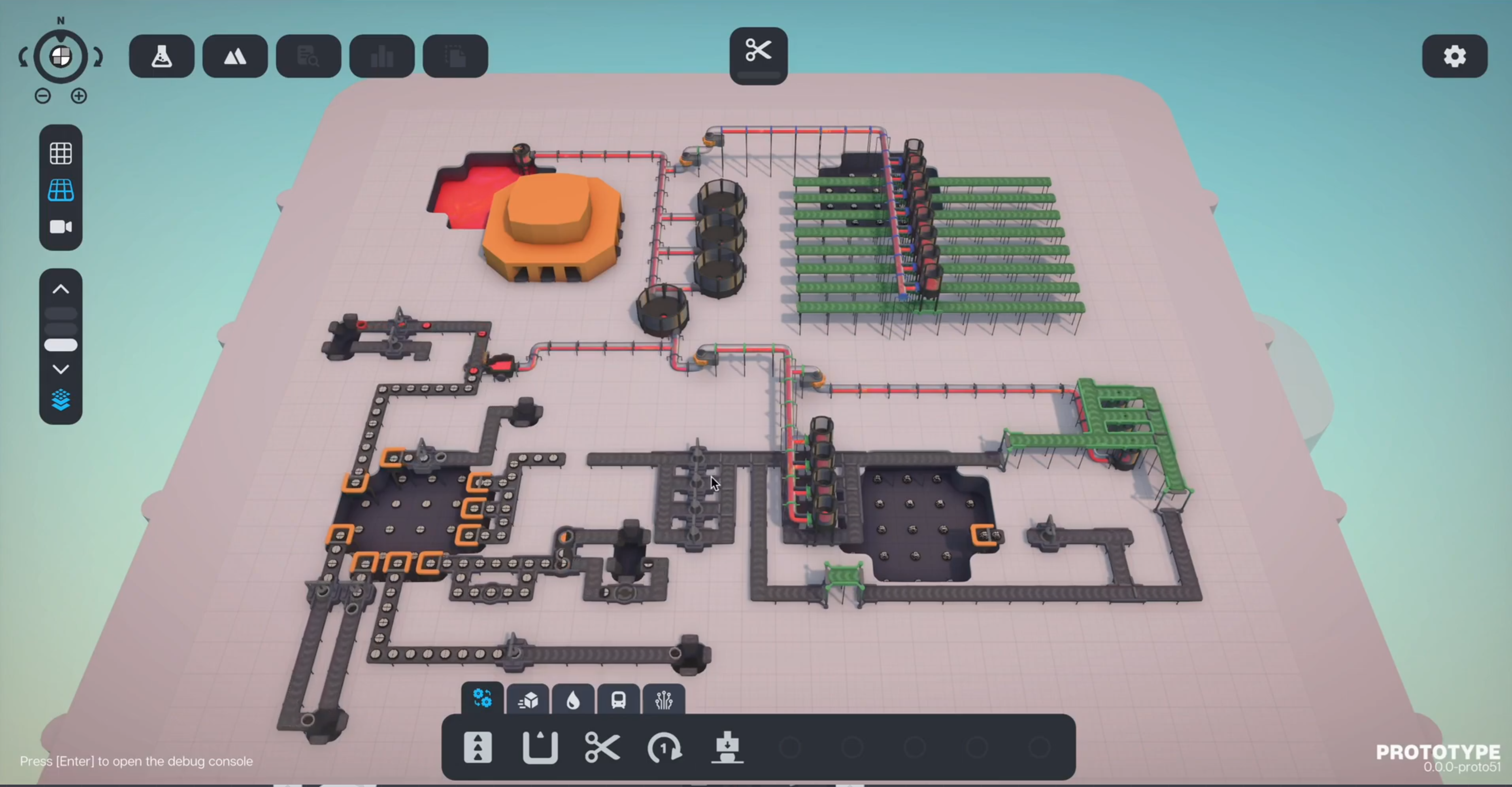
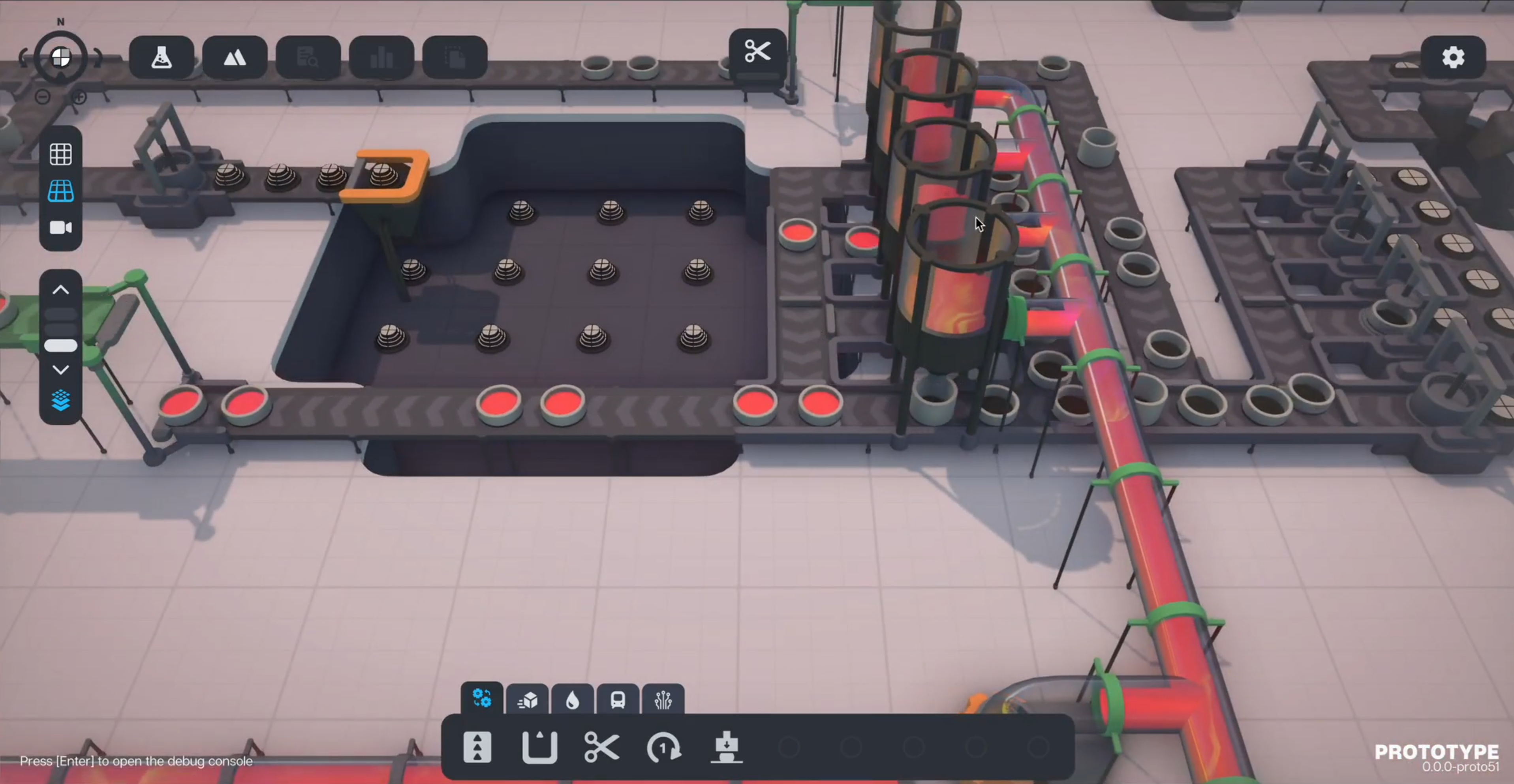
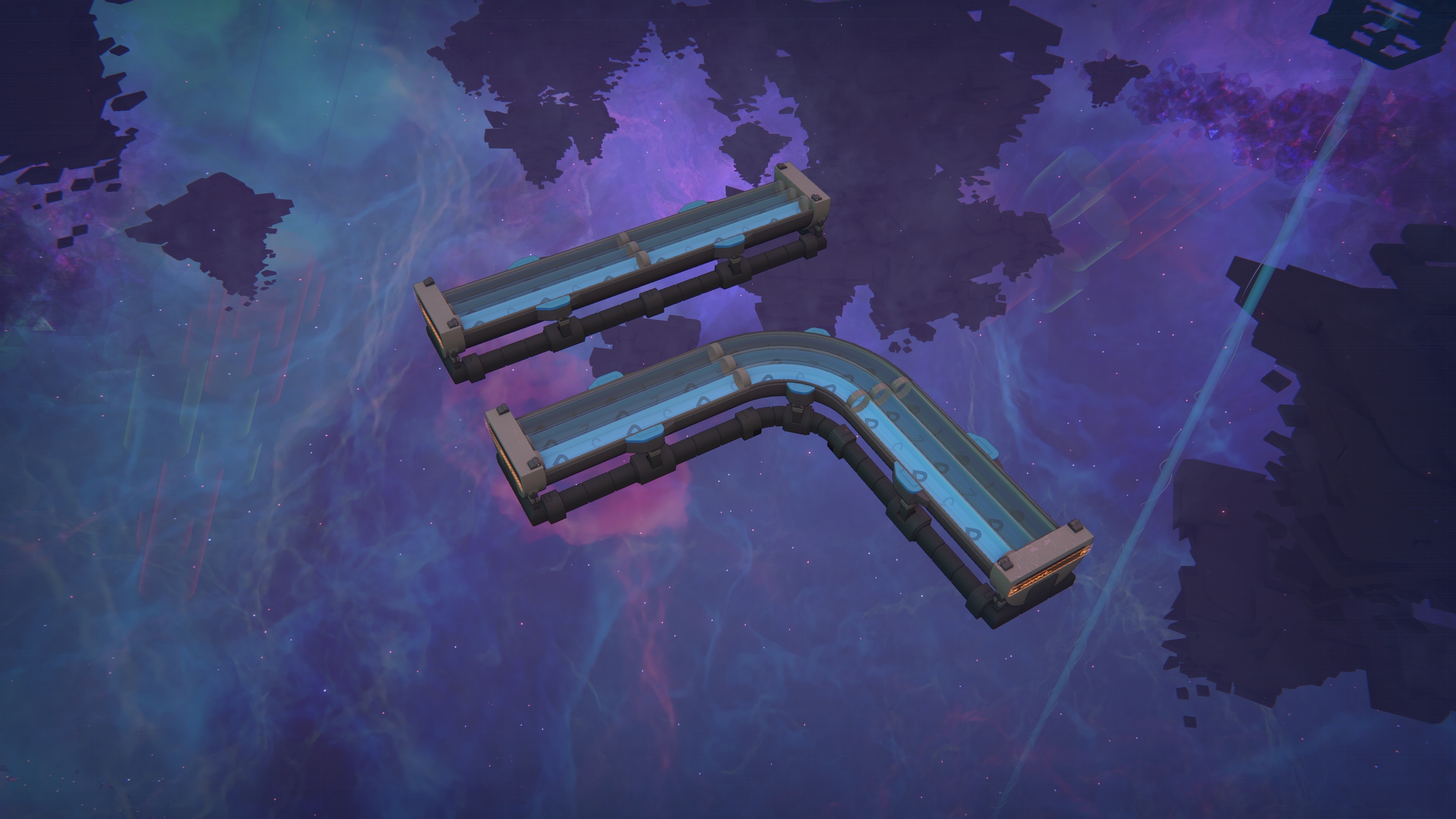
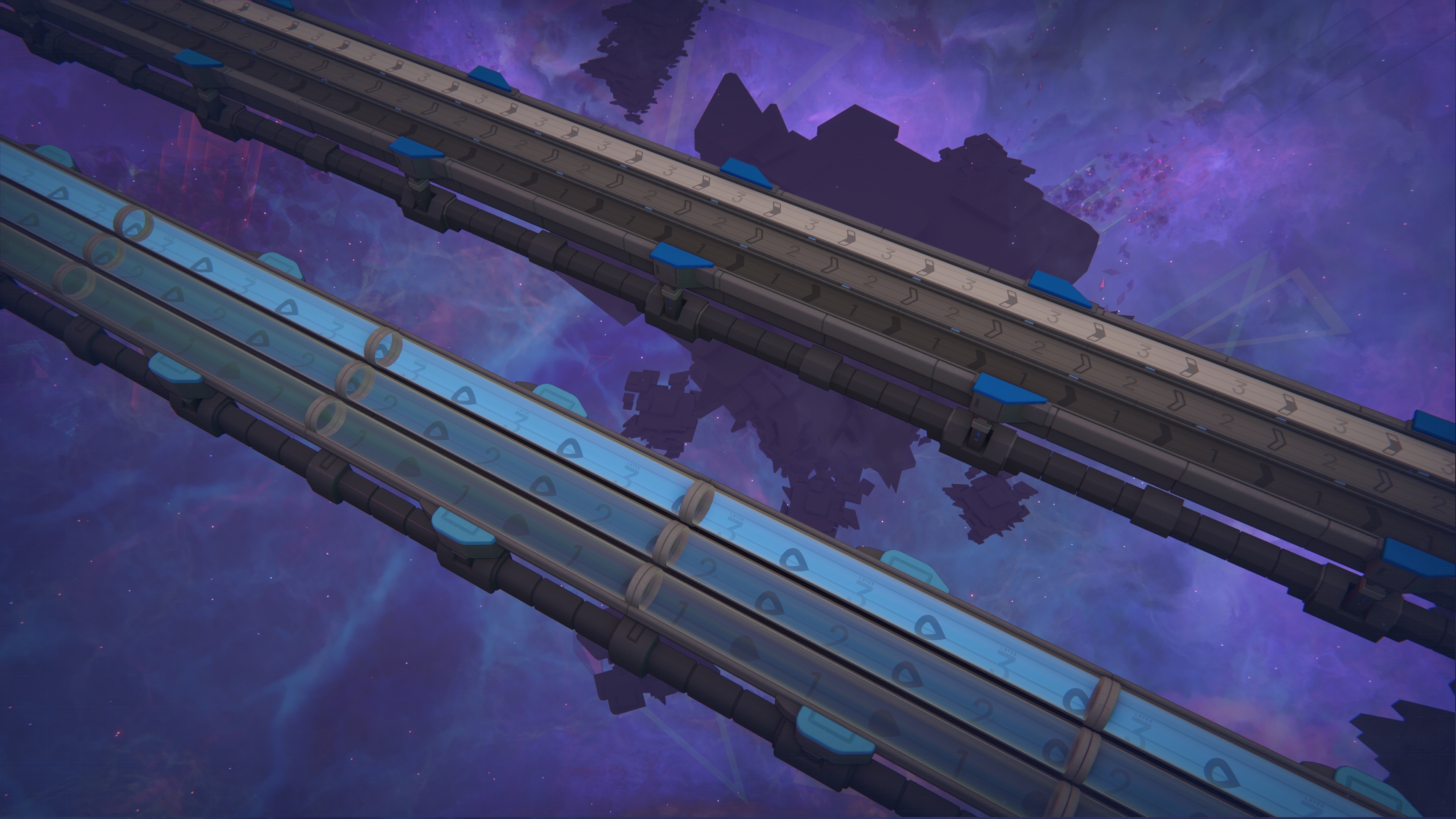
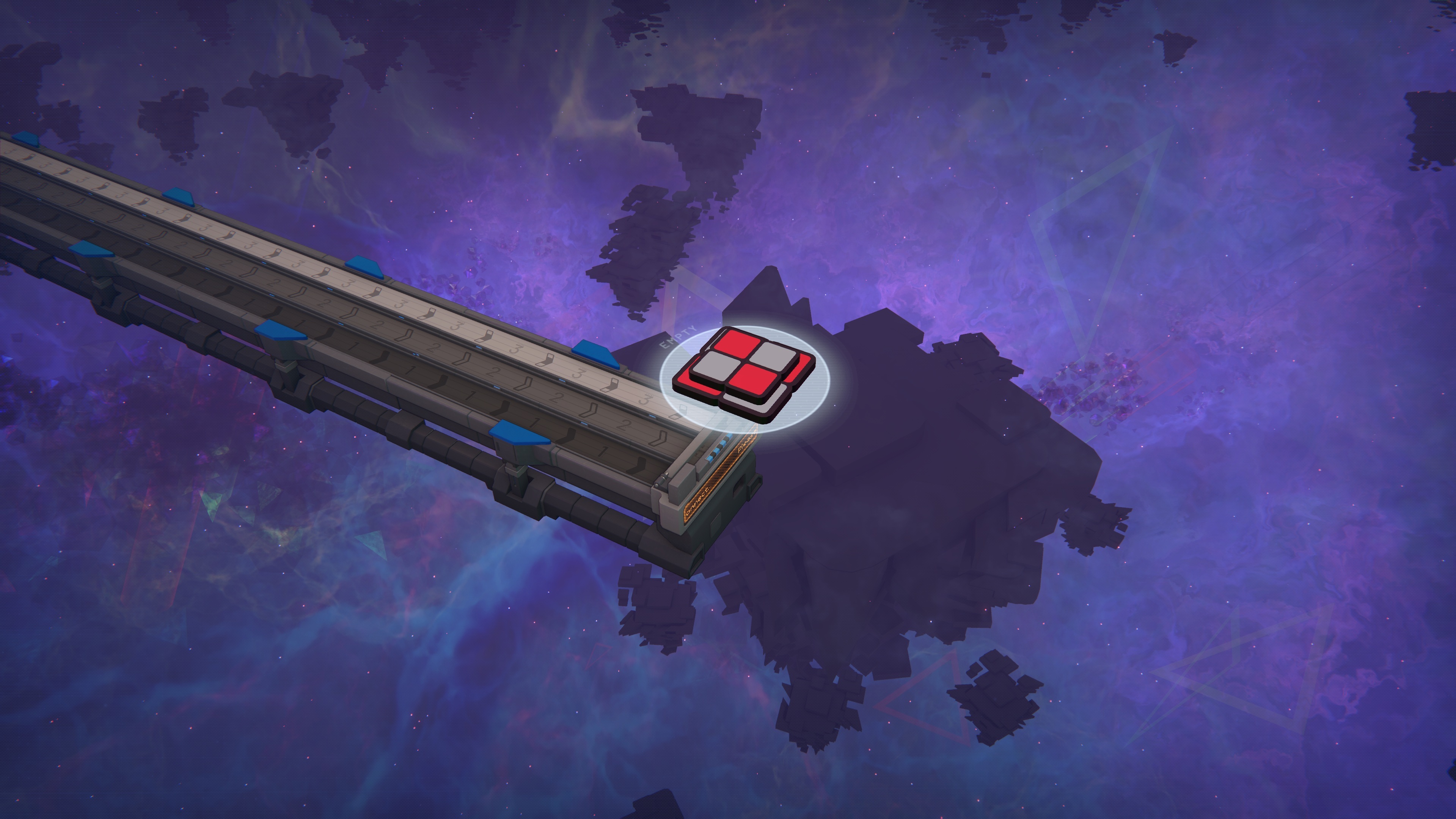
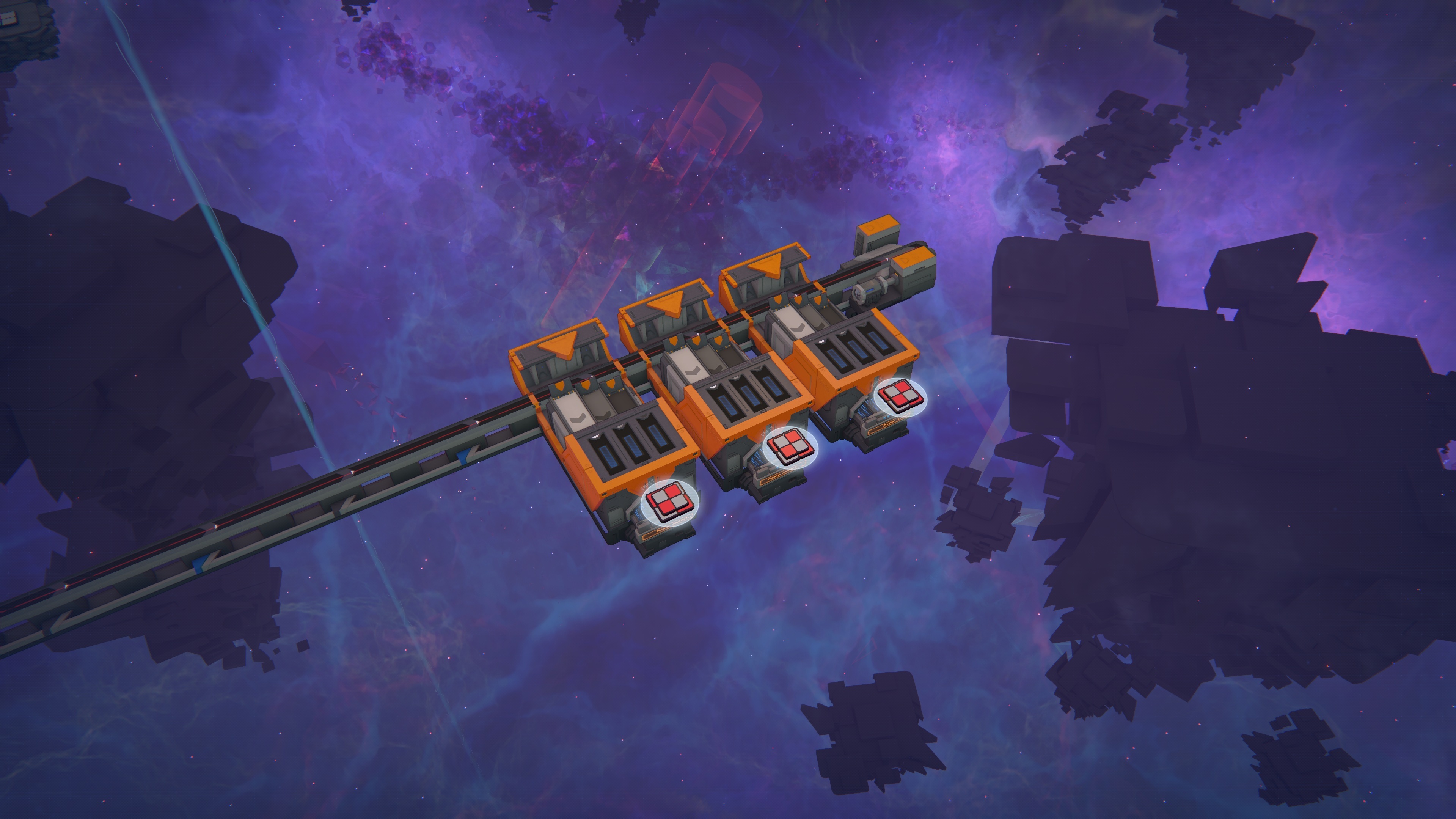
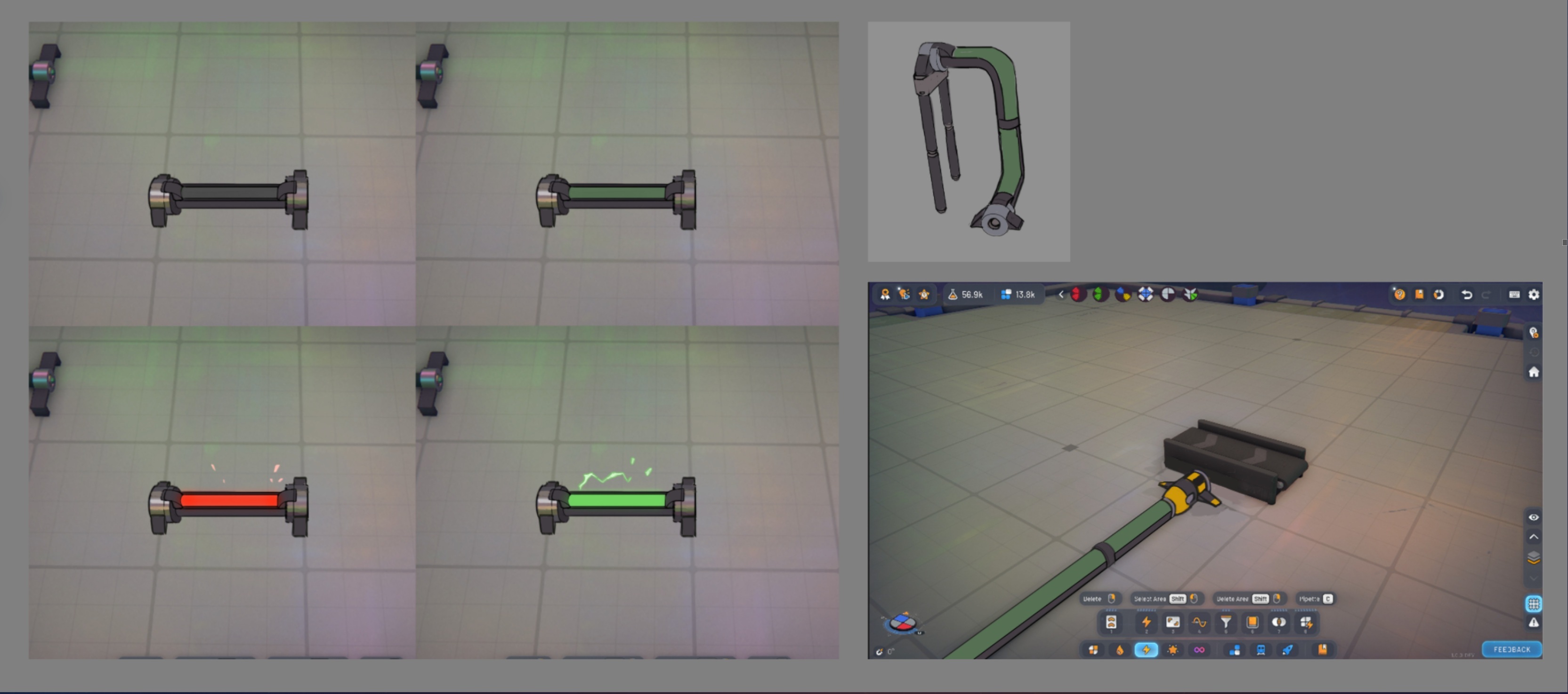
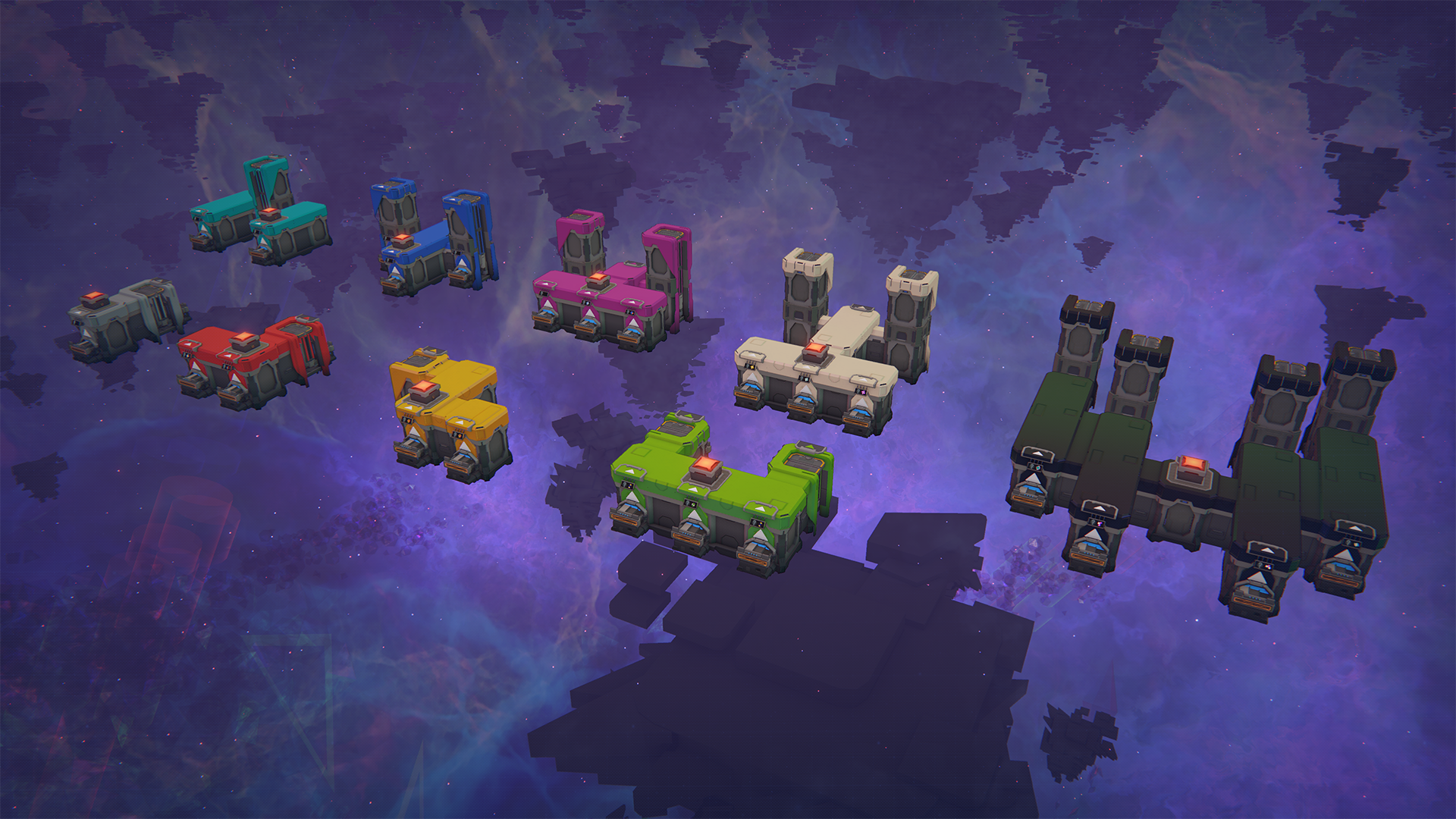
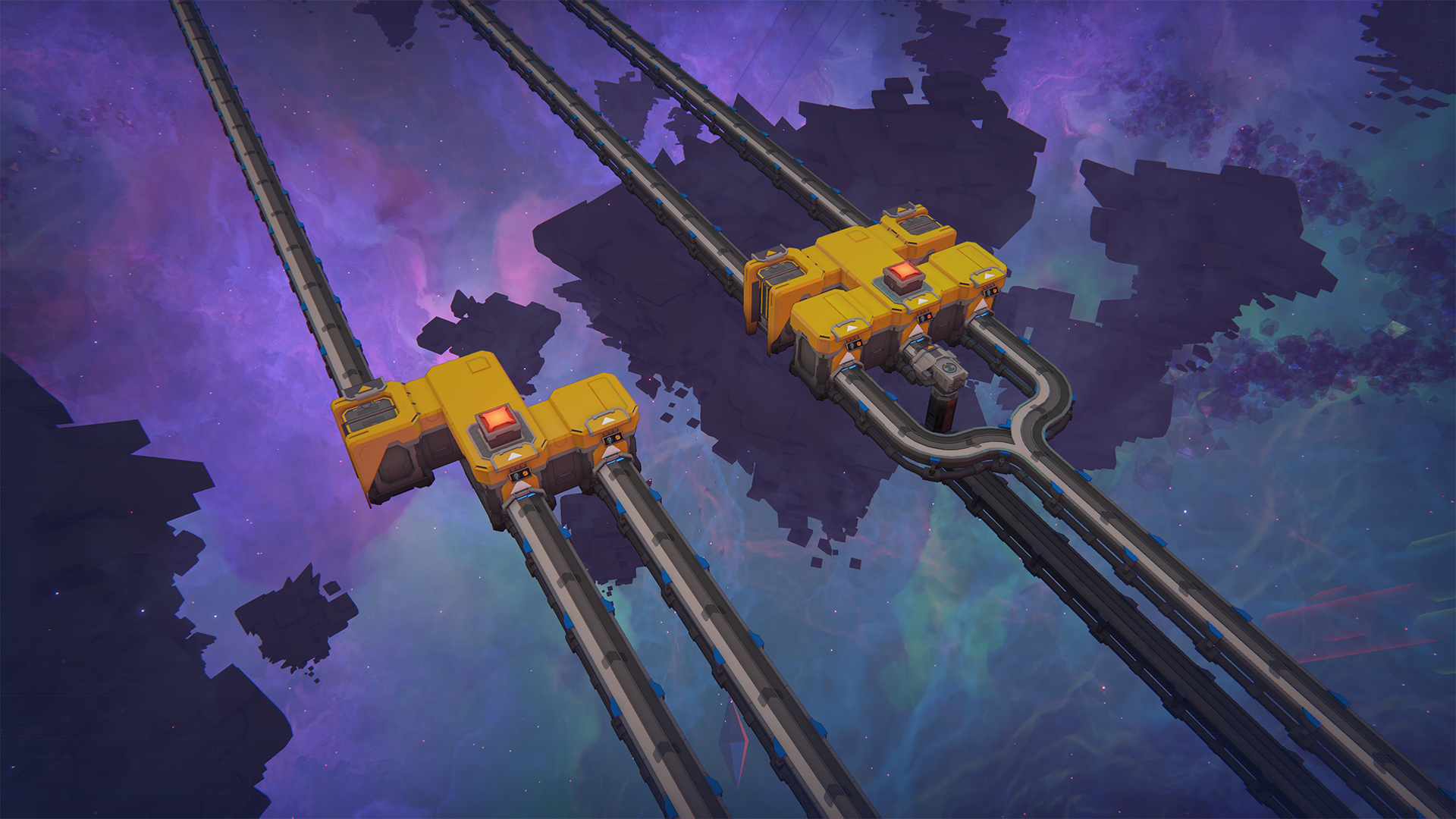
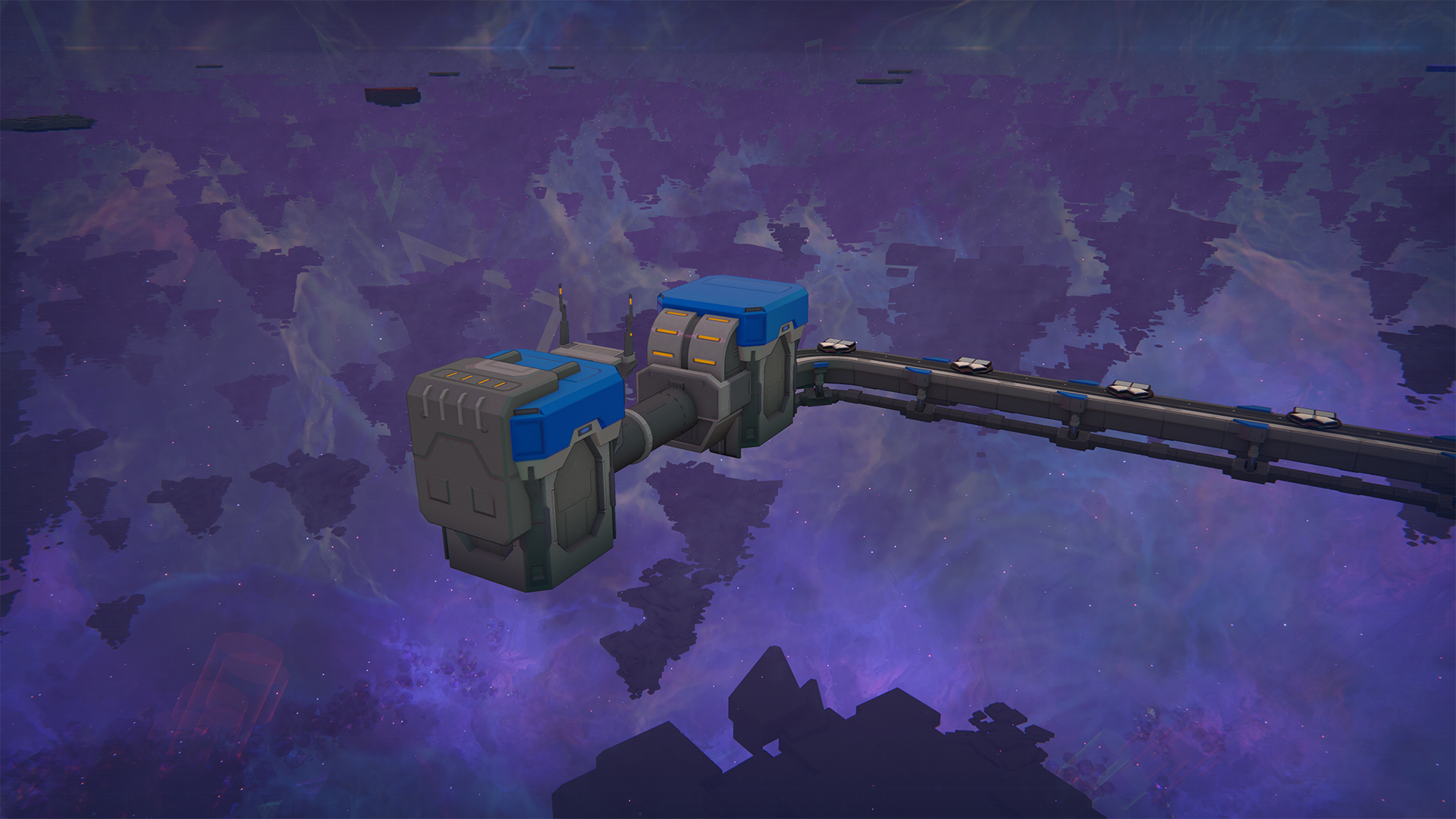
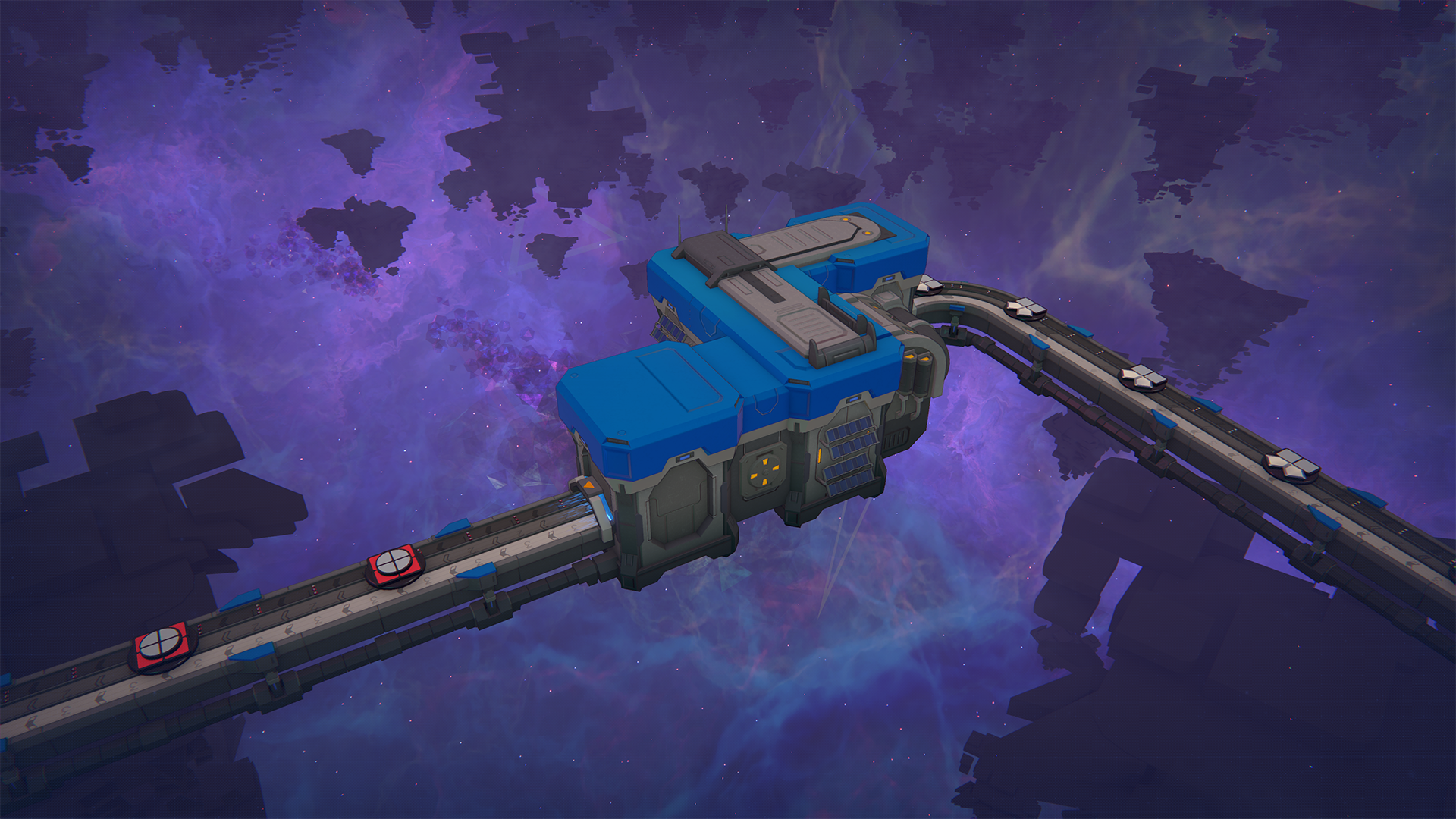
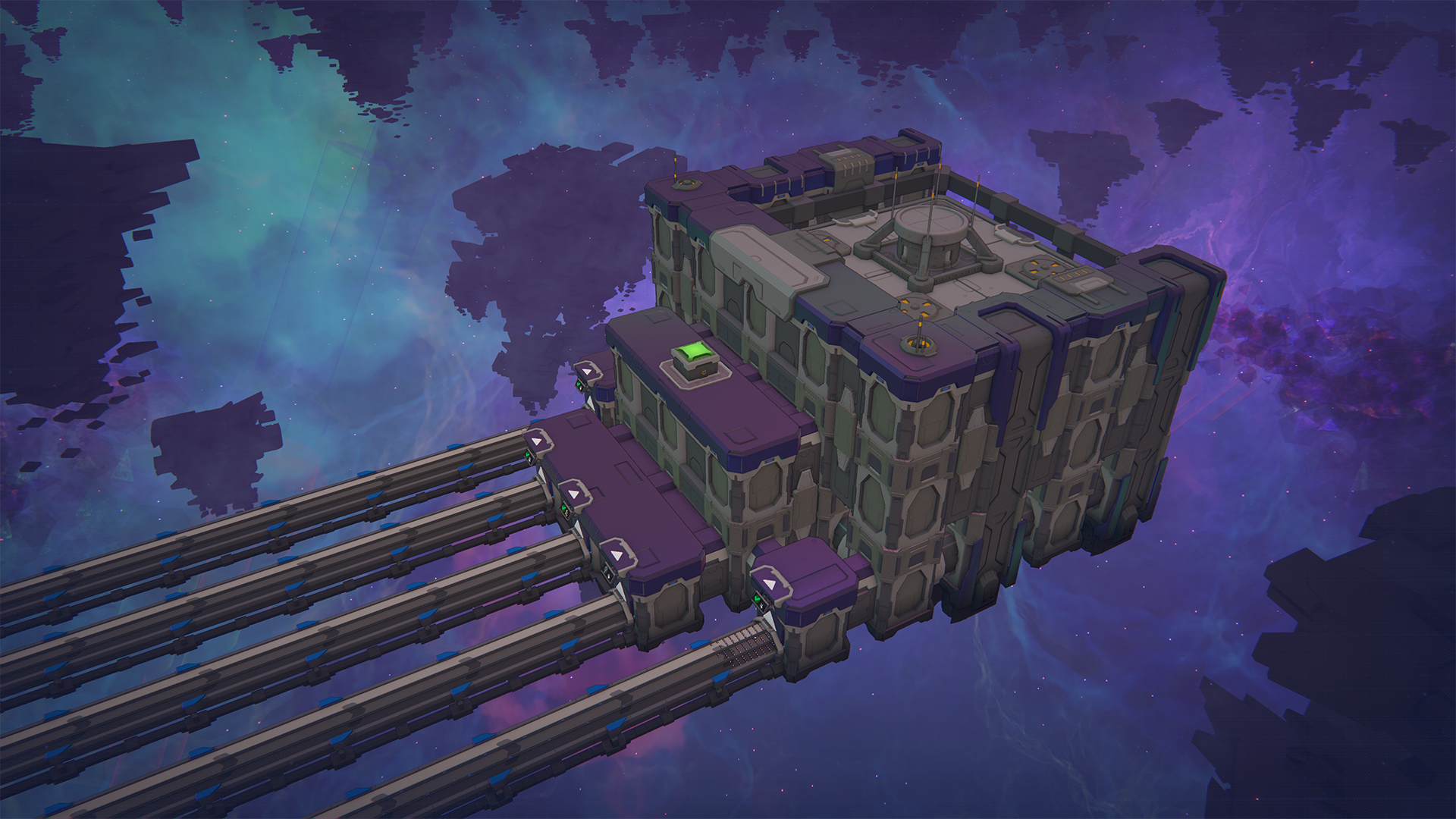
The screenshots you are seeing come directly out of the sandbox version of the puzzles project, we have set up to experiment with these challenges.


These images are from the same puzzle, with the only difference between the top and bottom ones being the used building levels. As you can see, Conveyor Lifts might be too powerful!
This its an exciting time for us as we start designing out the puzzles, and play around with buildings and blockers in 3D.
While we figure out limitations and creative solutions you can also see the set up for the first visuals and the backend framework for this project - everything is of course highly work-in-progress.
Now, go check out Update 1.2! While a lot of this update is behind the scenes, we hope the shift to Unity 6 brought some good improvements for you. Be sure to take a screenshot while you're there and send it over on our subreddit!
- ATUALIZAÇÃOshapez 2 - Mod Contest Winners & Development Update
Hello everyone! Today, we're ready to share the winners of the shapez 2 modding contest! We got a surprising amount of submissions and we were really impressed by the quality!
Hello everyone!
Today, we're ready to share the winners of the shapez 2 modding contest! We got a surprising amount of submissions and we were really impressed by the quality! Aside from the modding contest, we also have some fun things to share about Update 1.2, as well as the Puzzle project!
Modding Contest Winners
First things first, the winners of the modding contest! We received many unique and exciting mods from you, ranging from small quality of life tweaks to complete game overhauls. Thank you all for participating!
To pick the winners of the contest, we considered the following criteria:
Originality: how new and refreshing the idea itself is.
Technical Achievement: the technical execution of the mod, i.e. how well its integrated and to what degree AI was used.
Presentation: how it looks, whether through detailed buildings or clean UI elements.
Gameplay: how it changes the gameplay of the game, either directly (new game mode, buildings) or indirectly (more accessible information, improved tools).
Popularity: how it was picked up by the community already.
You all sure made it difficult to pick the winners, but here we go!
Runner ups
Because we got so many submissions, we added two runner ups to the winners. They'll both get some shapez merch in the mail!
5th Place – Crystal Expansion by 鸽子
This mod adds two new buildings and 5 new crystal variants. The first building is the Dissolver, a building that dissolves a shape, extracts the most dominant part, and turns normal colored fluid into Unstable Fluid holding the data of the dominant part. You can then pump this Unstable Fluid to a Crystallizer, the second new building. If the dominant part in the Unstable Fluid matches the dominant part of the shape you send into the Crystallizer, that part is crystalized!
Essentially, it's a new way to add Crystal parts to a shape that also requires a whole new design. Plus, there are some new Crystal variants to discover.
4th Place – Space Platform Display by Joshrl
If you're looking to add some color to your factories, look no further! Space Platform Display allows you to, as the name implies, turn Space Platforms into massive displays. These can display any fluid color or shape code you input, and are visible while zoomed out, even in Overview Mode.
This can be used to mark points of interest like inputs and outputs of your setup, or color code your blueprints. Of course, if you give someone colors, art will be made! These platforms are great for drawing pixel art while Vortex LTD isn't looking.
The Winners
3rd Place – Mod Manager by LiAuO2
Mod Managers are a cornerstone of any modding community, and we think this is a great contender! This Mod Manager implements some of the core features we were already considering adding to the modding experience. It allows you to enable or disable mods without restarting the game, easily back up your saves, check mod compatibility and even upgrade old incompatible saves to be compatible! If you have some old saves lying around that you cannot use because of mod incompatibility, be sure to check this one out.
Congratulations, you win a 2TB SSD!
2nd Place – Shape Recipe Lab by guardiandown
Shape Recipe Lab is already one of the most popular mods on the Workshop, and we see why! Simply paste a shape code into the lab and the mod will figure out the ideal setup for you, presented in a production tree. If you get overwhelmed by some of the late-game shapes but do really want to keep expanding your factory, this is a great tool for you. However, figuring out how to make a shape is a big part of the game for some, so this mod may not be for everyone.
Congratulations, you win a 32GB of RAM!
1st Place – Arctic Ruins by Papierkorb2292
Wow. Just wow. In first places comes a new game mode that turns the shapez formula on its head, and does so in style: Arctic Ruins.
In the new game mode, the production process is quite literally inversed. Instead of mining shapes from asteroids, assembling them and delivering them to the Vortex, you receive shapes from the Vortex, de-assemble them and insert them into the asteroids. Filling an asteroid up will remove the newly-introduced fog of war (a snow storm in this case), unlocking new parts of the map.
The feature list is quite long, but this mod introduces new mechanics, new buildings, new milestones, new visuals, and randomly generated buildings to find around the map. Oh, and not to forget, there's new lore and even an intro cinematic. What?!
A very deserved congratulations to the talented Papierkorb2292, we're very impressed. You win the RTX 5080!
We'll be in touch with all the winners and runner ups for your address, so keep an eye on your inbox!
Update 1.2
A big part of Update 1.2 will be an update to Unity that Noah, our Unity Developer, has been working on. Currently, shapez 2 uses Unity version 2022.3, which has served the development of the game since before Early Access. However, this version was officially deprecated in June. As such, 1.2 will see shapez 2 updated to the latest Unity Long Term Support version, 6000.3. While this version is 2.5 years newer than 2022.3, it does not mean we just jumped 3978 versions. They're just naming them different now.
So, what does this actually mean? Well, on the development side we'll get a whole bunch of new features, bug fixes and quality of life improvements across both the engine and editor. This will hopefully aid us in future updates, but our main concern for 1.2 is to get the game working on the feature and stability parity level that we currently have. Oddly enough, when it comes to the Unity update, this means we really hope you don't notice any big changes in 1.2. The actual changes will provide the foundation we build future updates on!
However, updating the engine of the game is easier said than done, and we have some "fun" experiences to share. To preface this, we'd like to walk you through the process of updating the engine:
The project is first opened in the new Unity version. Unity itself handles re-import any assets that need to be processed differently between versions.
You'll then be informed of any issue that arose during this process before even launching the game. For example, one of the game assets was broken during the importing process. The game was then compiled without errors.
This means the game was able to be played and tested in the Unity editor, to check for any obvious unintended changes caused by the update. Once such a regression is found, you have to investigate the issue and research what changes led to the issue.
Once all regression were resolved on that specific PC, the resulting version is then handed over to the QA team, who within minutes uncovered numerous other issues that weren't showing before. These then needed to be reproduced in order to be fixed.
While this all only took four steps on paper, the whole process of fixing every issue that reared its (presumably) ugly head took around 2 weeks to reach a state where the game is both fully functional and stable. Some of these bugs were interesting to say the least, so let's looks at a couple.
In this first screenshot that we took right after updating to Unity 6000.3, we got a whole bunch of issues teaming up to create something truly cursed, but also quite cool!
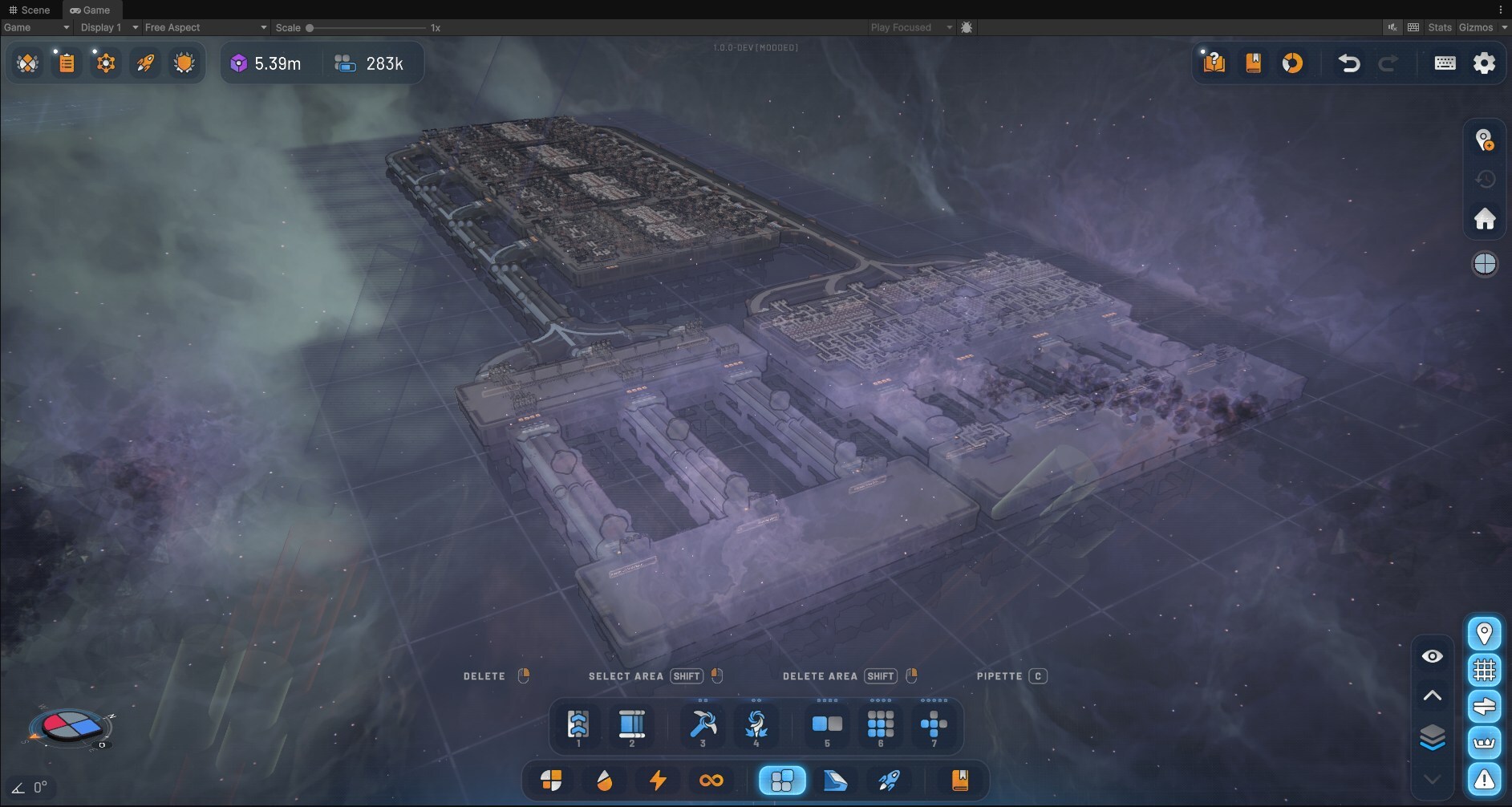
Asteroids are missing as they were causing a GPU driver crash due to uninitialized memory.
Colors appeared washed out due to color grading being done in Low Dynamic Range (LDR) instead of High Dynamic Range (HDR).
All transparency effects were incorrectly blended on top of opaque elements.
Our custom fog and outline post processing was being applied incorrectly.
With all that fixed, it looks like shapez 2 again!
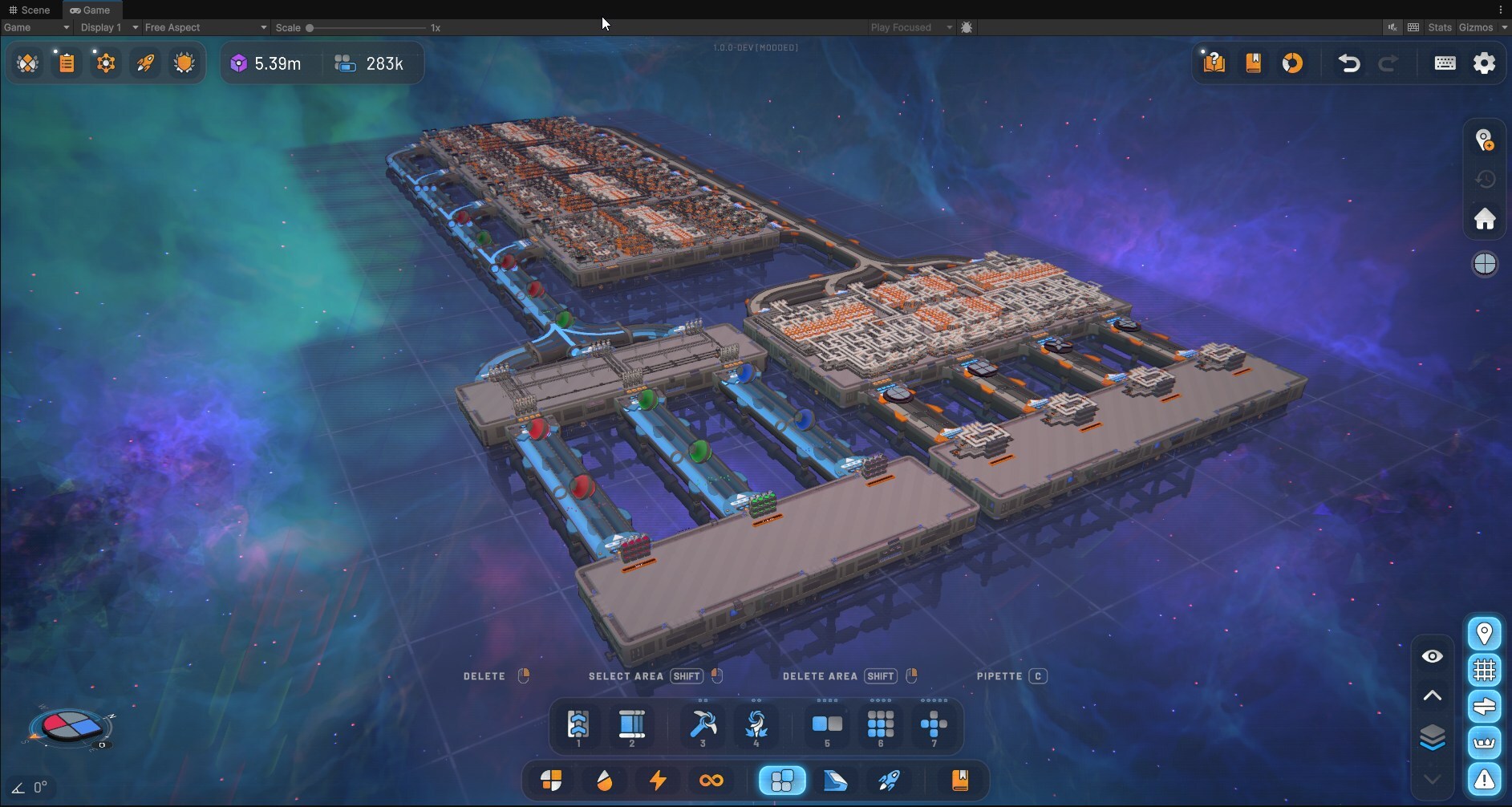
Another highlight, pun intended, is this shader situation. The yellow and magenta you see are backup shaders used to highlight any missing shaders. As you can see, there were a lot of missing shaders.
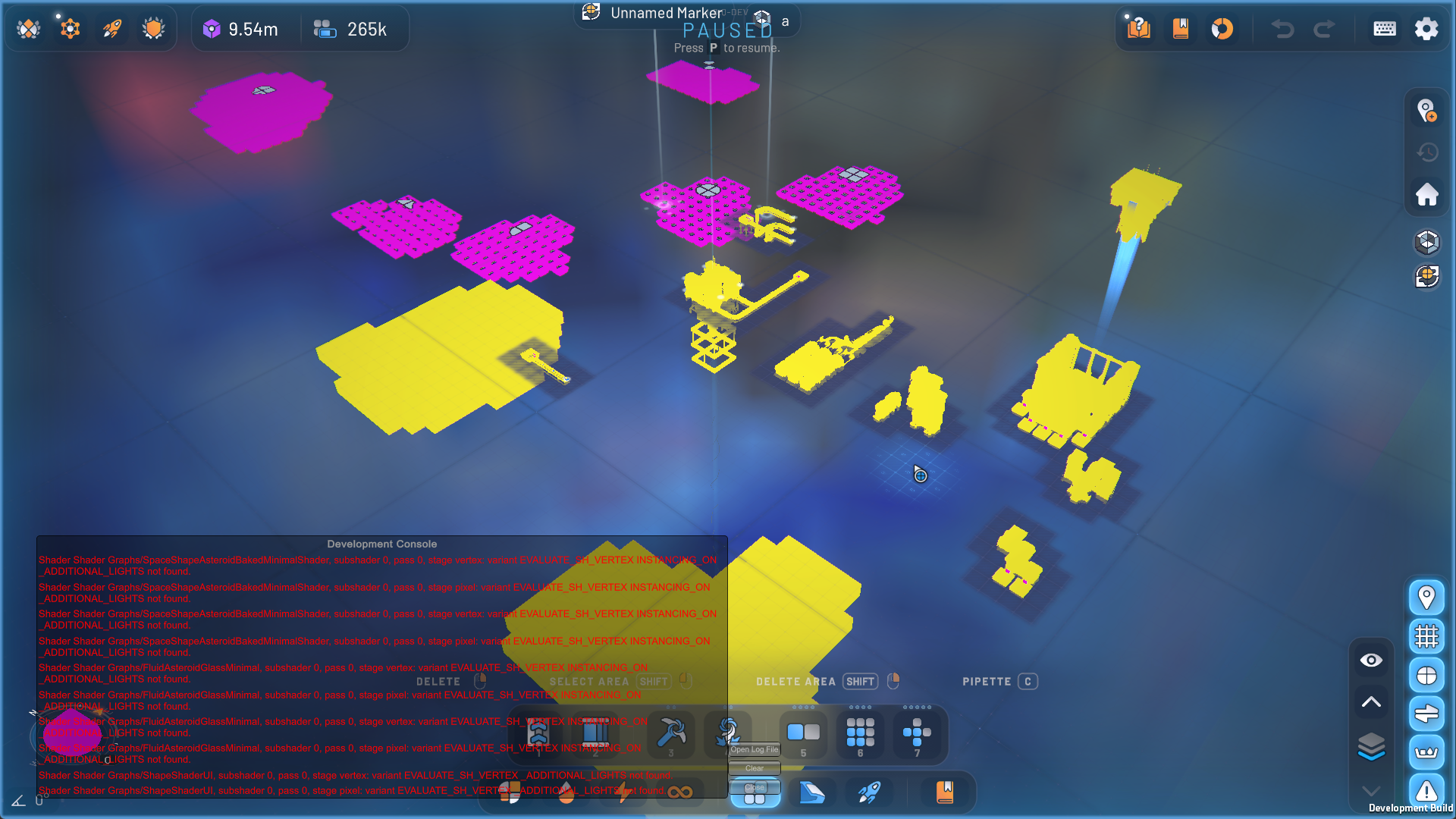
And here's yellow shapez 2, just to ruin your day.
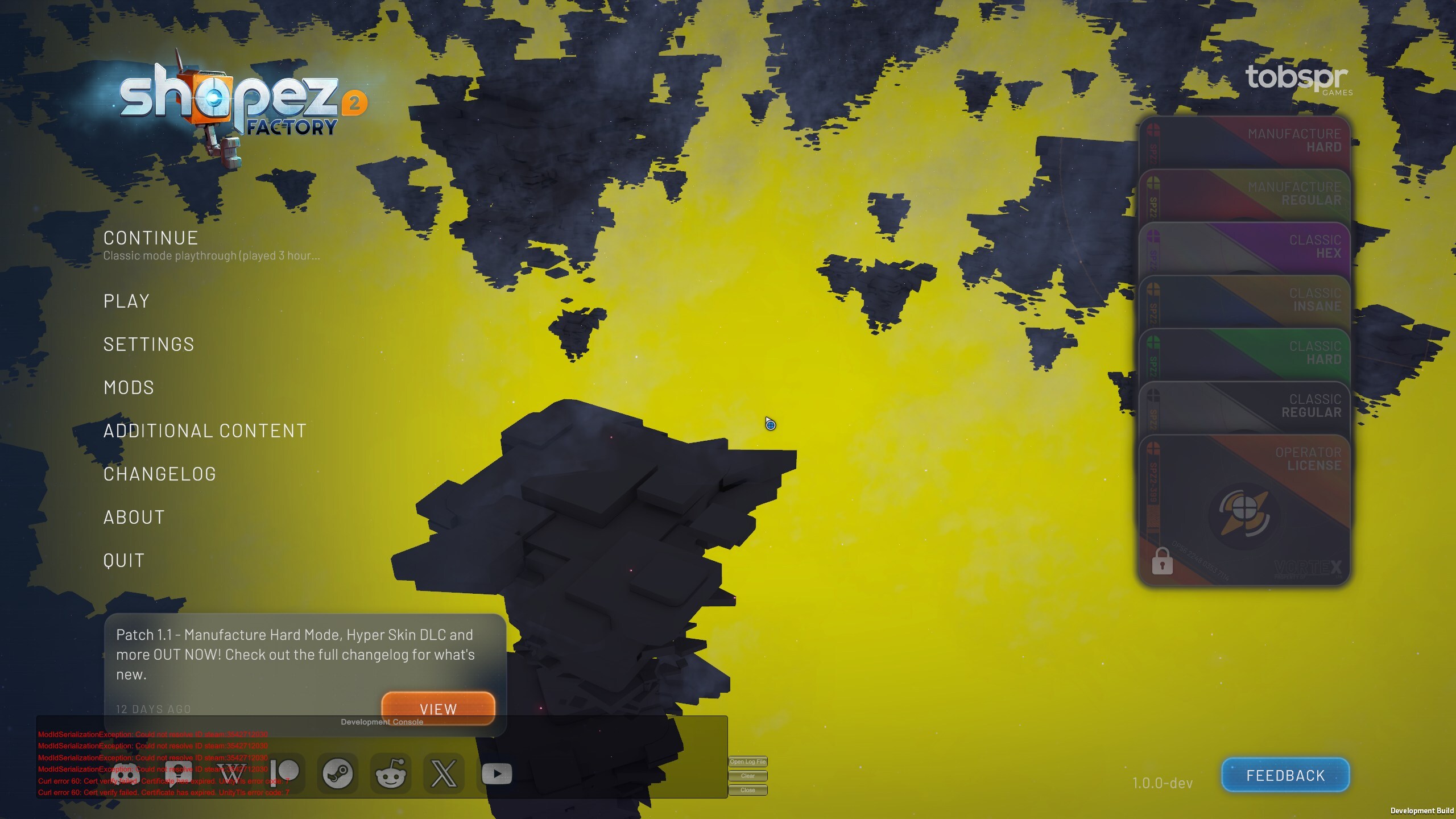
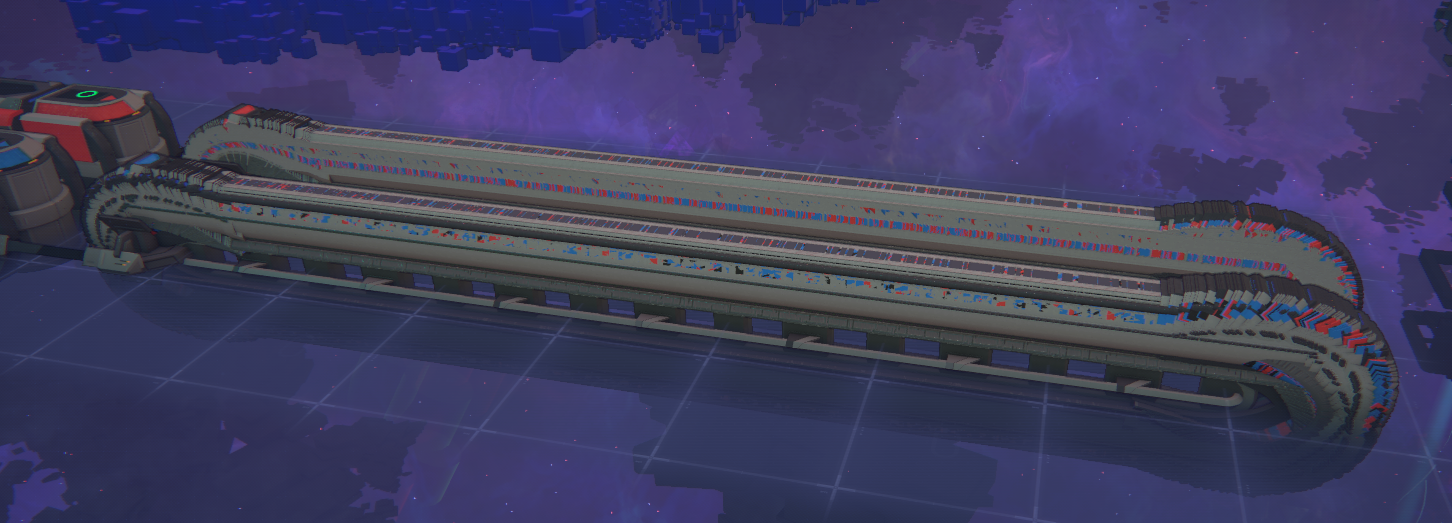
Here, train lines in the new version spawned an infinite amount of trains spawned. This would happen when you return to the game after minimising the game, specifically on DX12 in fullscreen mode. Zooming out would cause another shader bug to occur, causing invalid colors and the bloom effect you see on the trains.
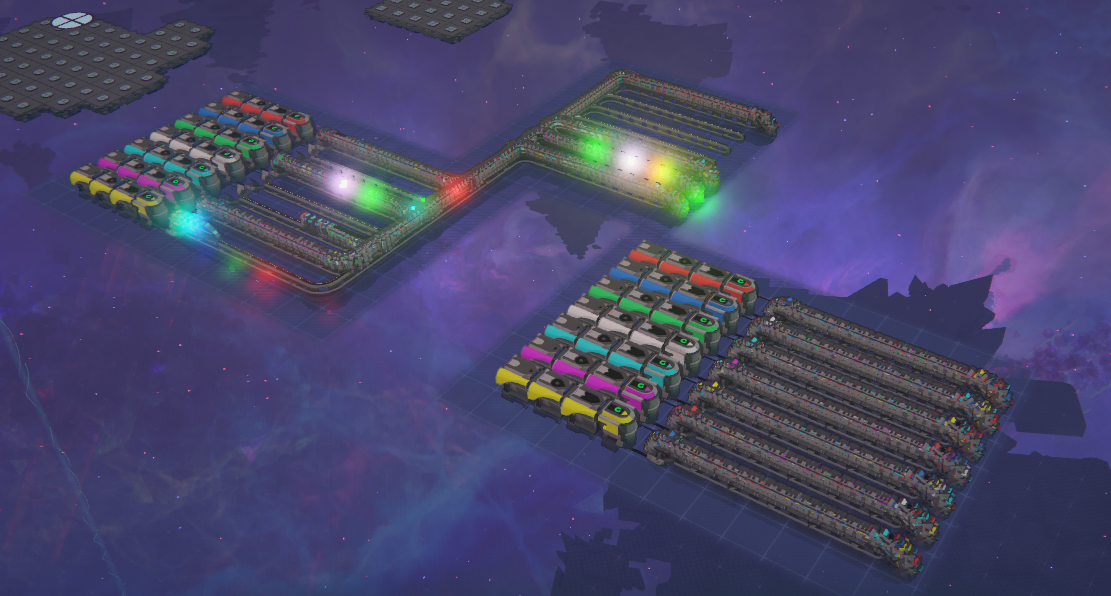
So yeah, these are just a few of the adventures we went on for two weeks. However, we're pleased to say that with this update we've managed to make some progress on some longer standing issues. For example, Vulkan crashing when using AMD graphic cards and DX12 randomly crashing when zooming the camera in and out.
shapez 2 Puzzles
Finally, some progress on the Puzzles project! In case you missed it, we're working on puzzles for shapez 2. These puzzles will be similar to the Puzzle DLC of shapez 1, but with the new mechanics of shapez 2. The platforms and extra dimension will be a fun extra challenge!
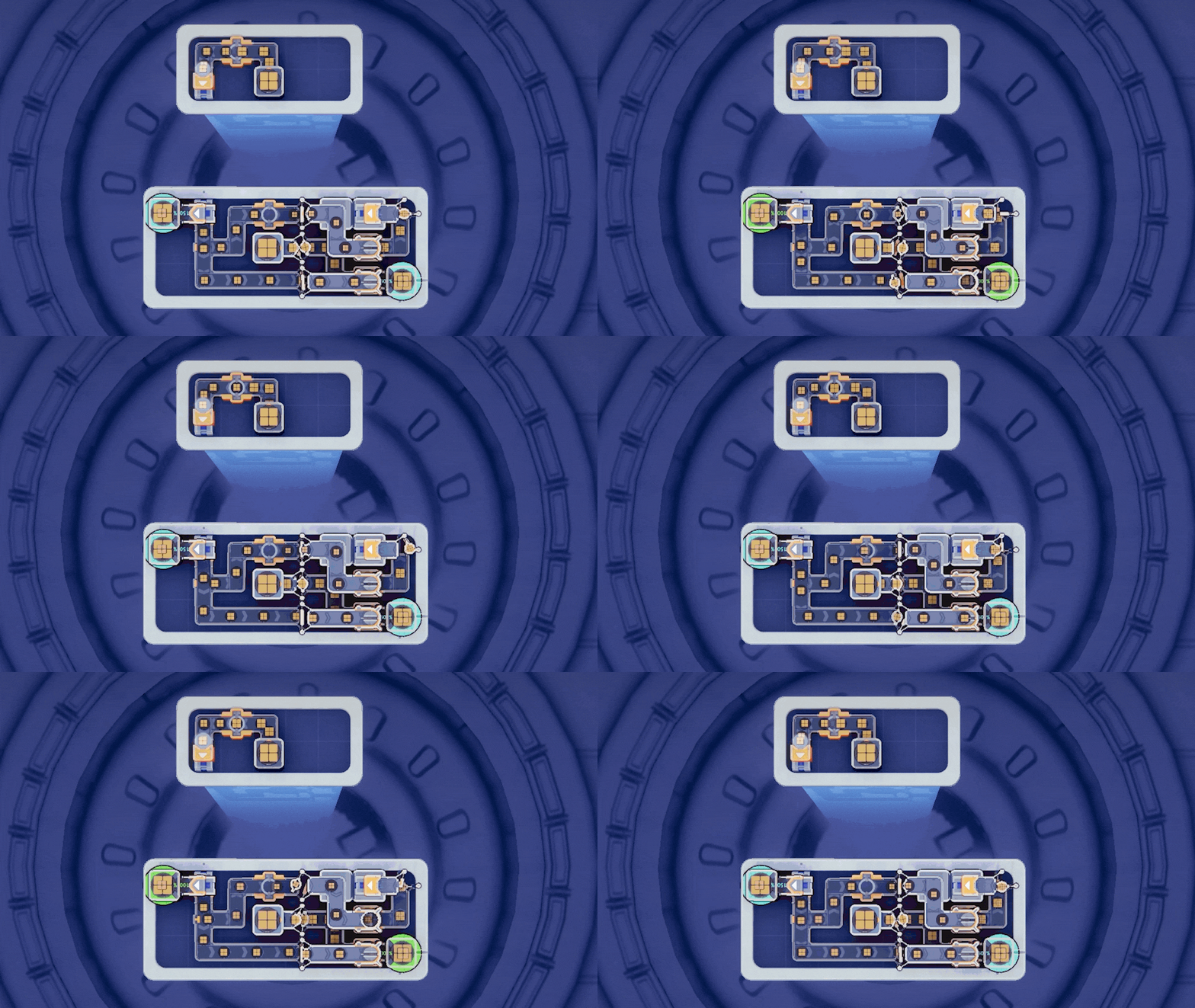
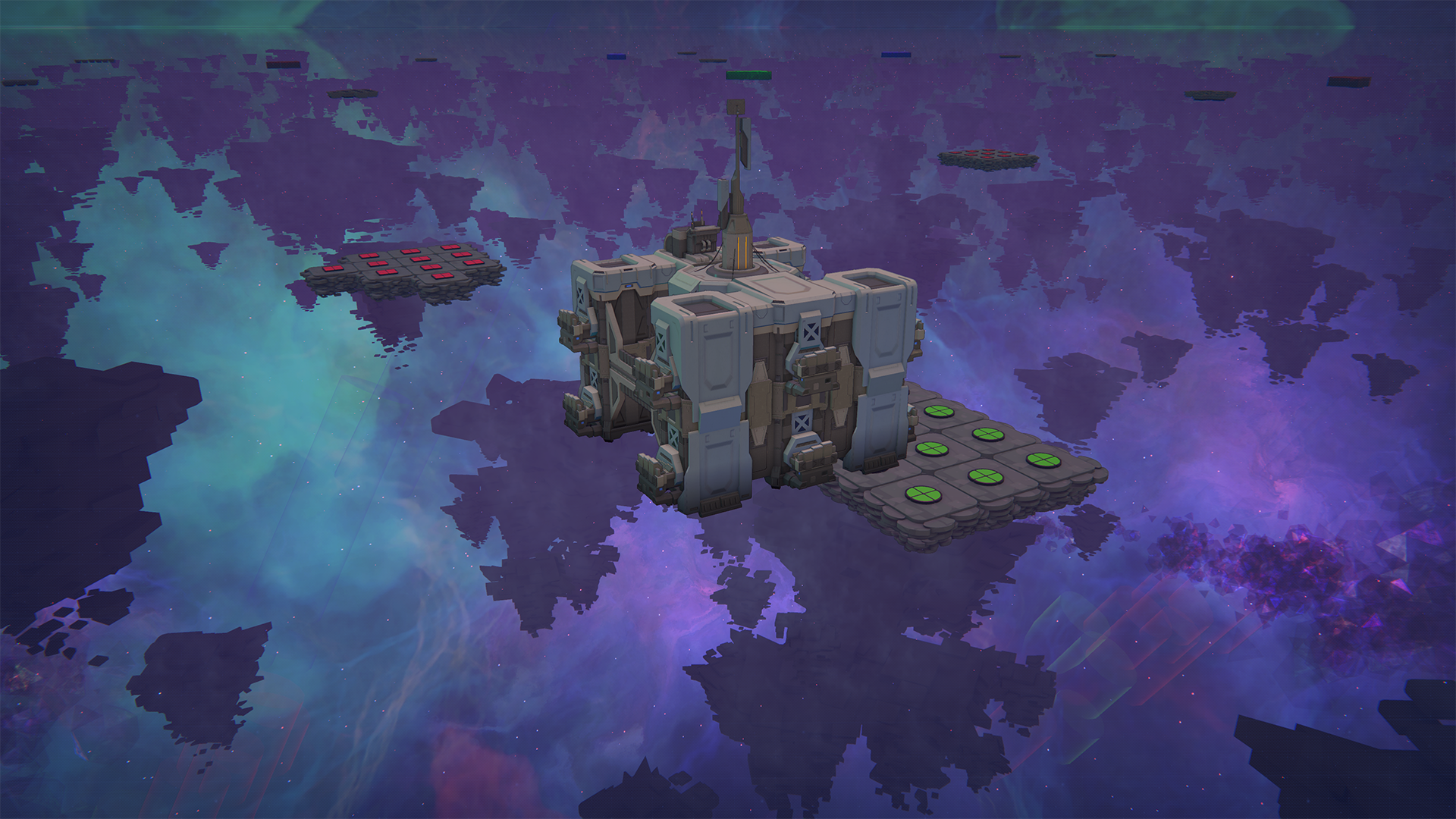
While we're not ready to share the details on the game, we do want to share a first look of what our artist Nigel has been cooking up. Of course, everything here is early work in progress, so very much subject to change.
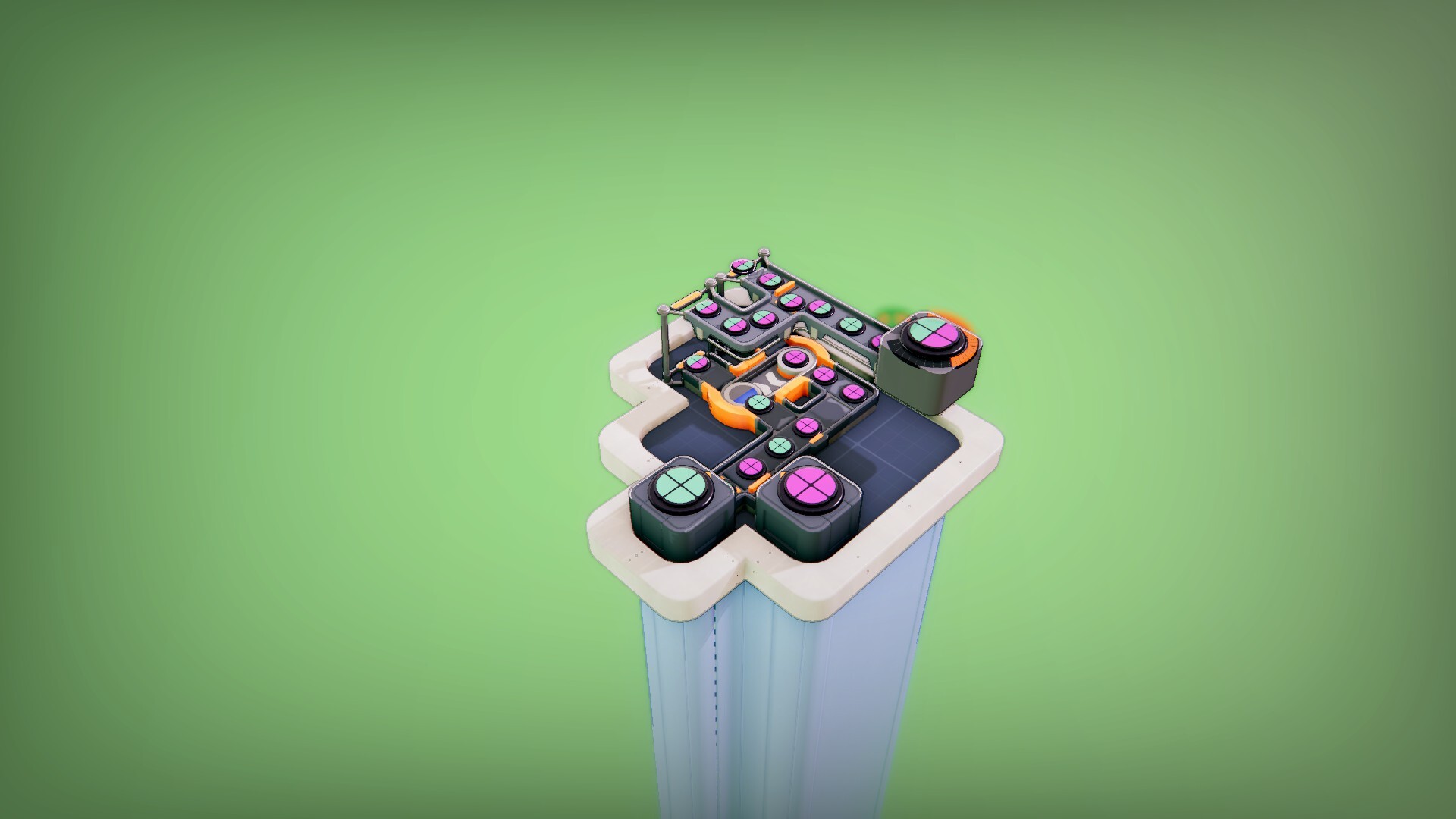
The general idea is that puzzles will have background environments that go beyond the Space setting of shapez 2. We'll have a bunch of different backgrounds, ranging from dreamlike shape-scapes where the shapes take on a life of their own...
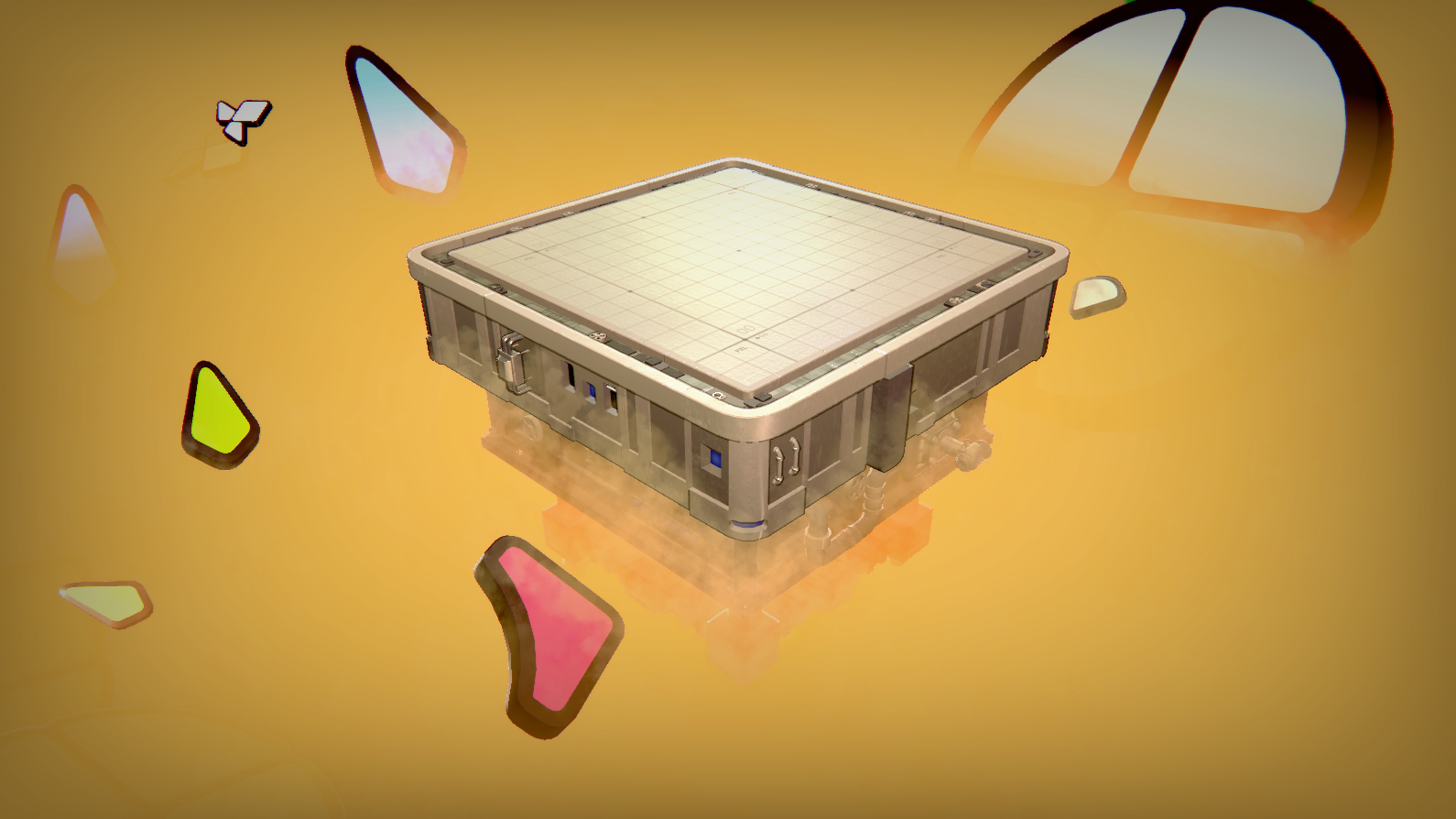
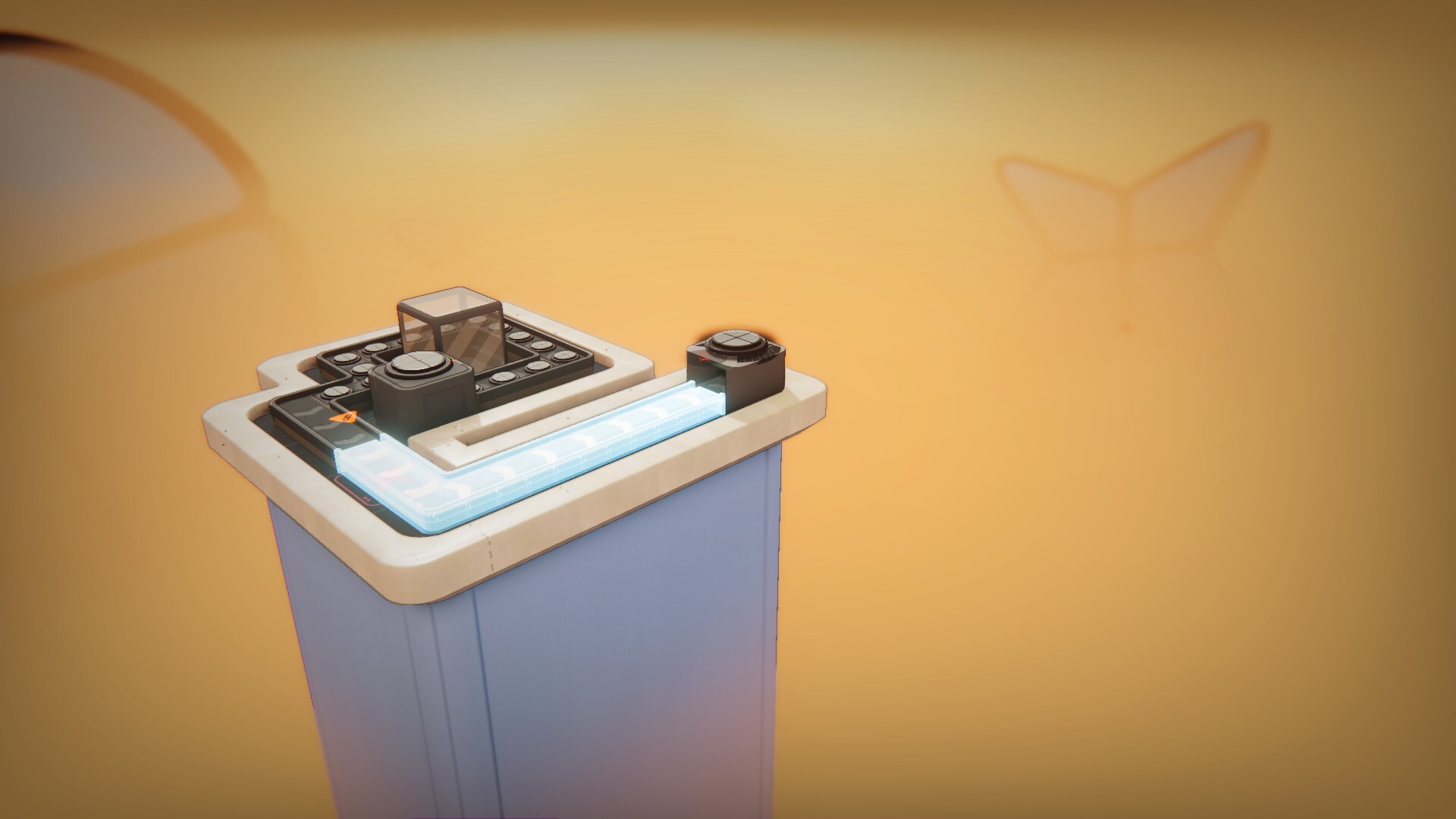
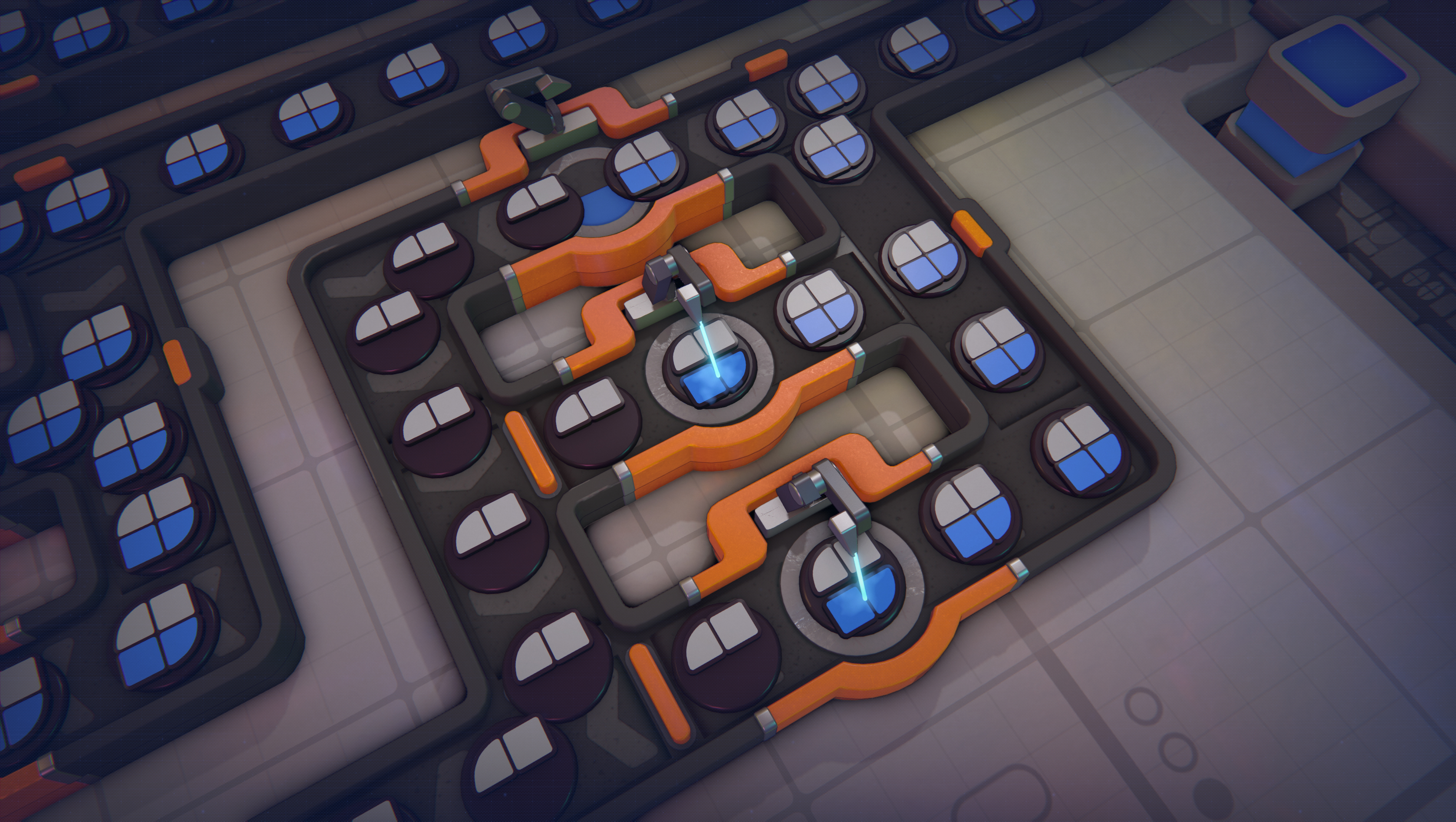
to something like the lab we just started working on.
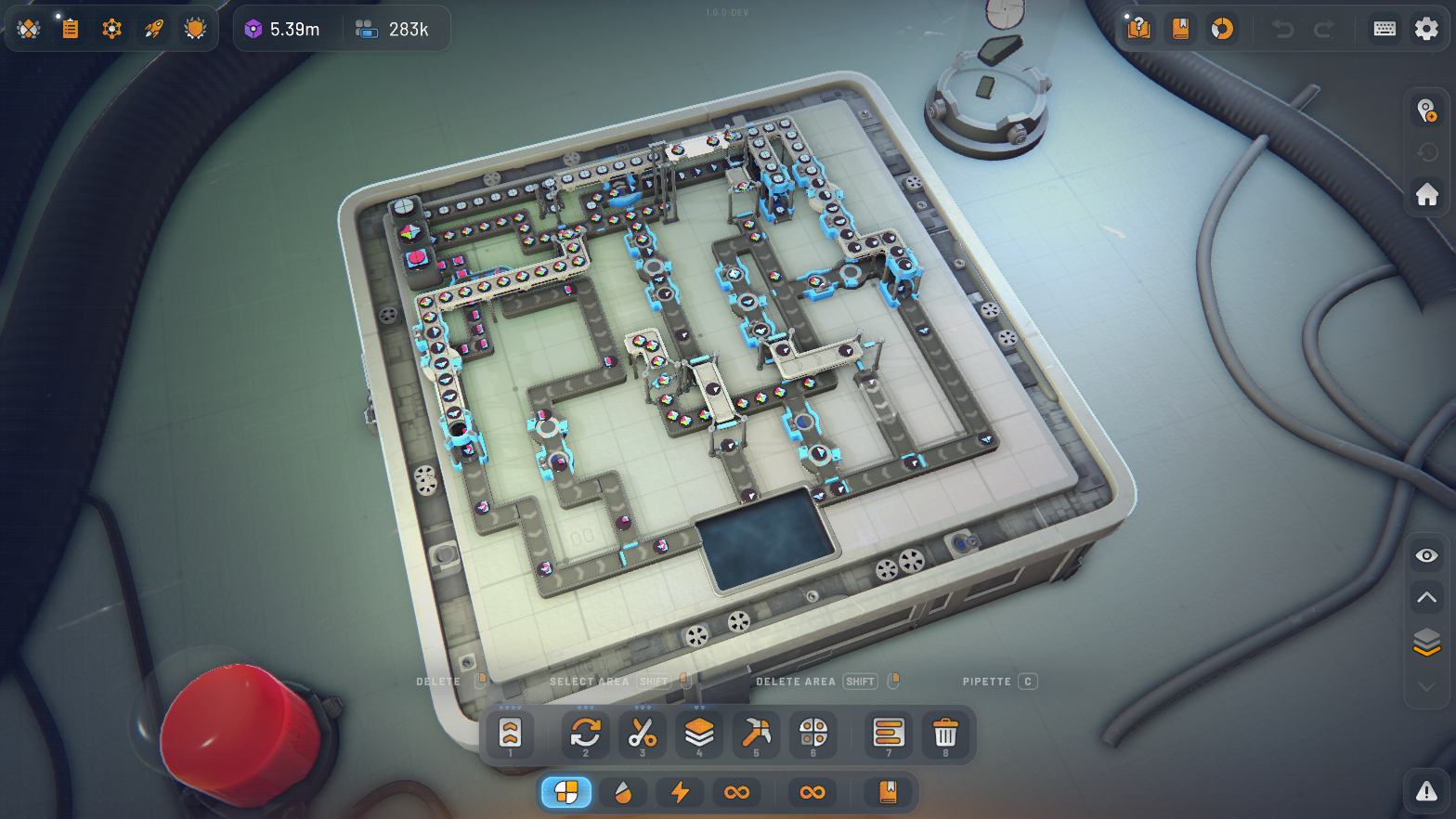
As puzzles are quite individual, the team has a lot of freedom to play around and have some fun with the visuals. Though we won't be able to make a unique background for every single puzzle. Do share your background suggestions with us in the Discord!
We hope you enjoyed that deep dive. Be sure to check out the winning mods, and we'll see you again soon!
- PATCHshapez 2 - Update 1.1 + Hyper Skin DLC are available now!
Hello everyone! Update 1.1 just released, bringing Manufacture Hard Mode and its badge, quality of life improvements and a bunch of smaller bug fixes.
Hello everyone!
Update 1.1 just released, bringing Manufacture Hard Mode and its badge, quality of life improvements and a bunch of smaller bug fixes. Additionally, this update is accompanied by a new cosmetic DLC: the Hyper Skin DLC!
Note on Modding
There is a high chance that this update will break mods and will result in the game crashing if you have mods installed. We are working with the modding community to fix this, but in the meantime, if you encounter any problems:
You can switch back to a stable 1.0 branch: Right click shapez 2 in your library > properties > betas, and choose the branch modding_stable.
Alternatively, you can bypass mod loading by starting the game with the launch option --ignore-mods.
Highlights
Manufacture Hard Mode
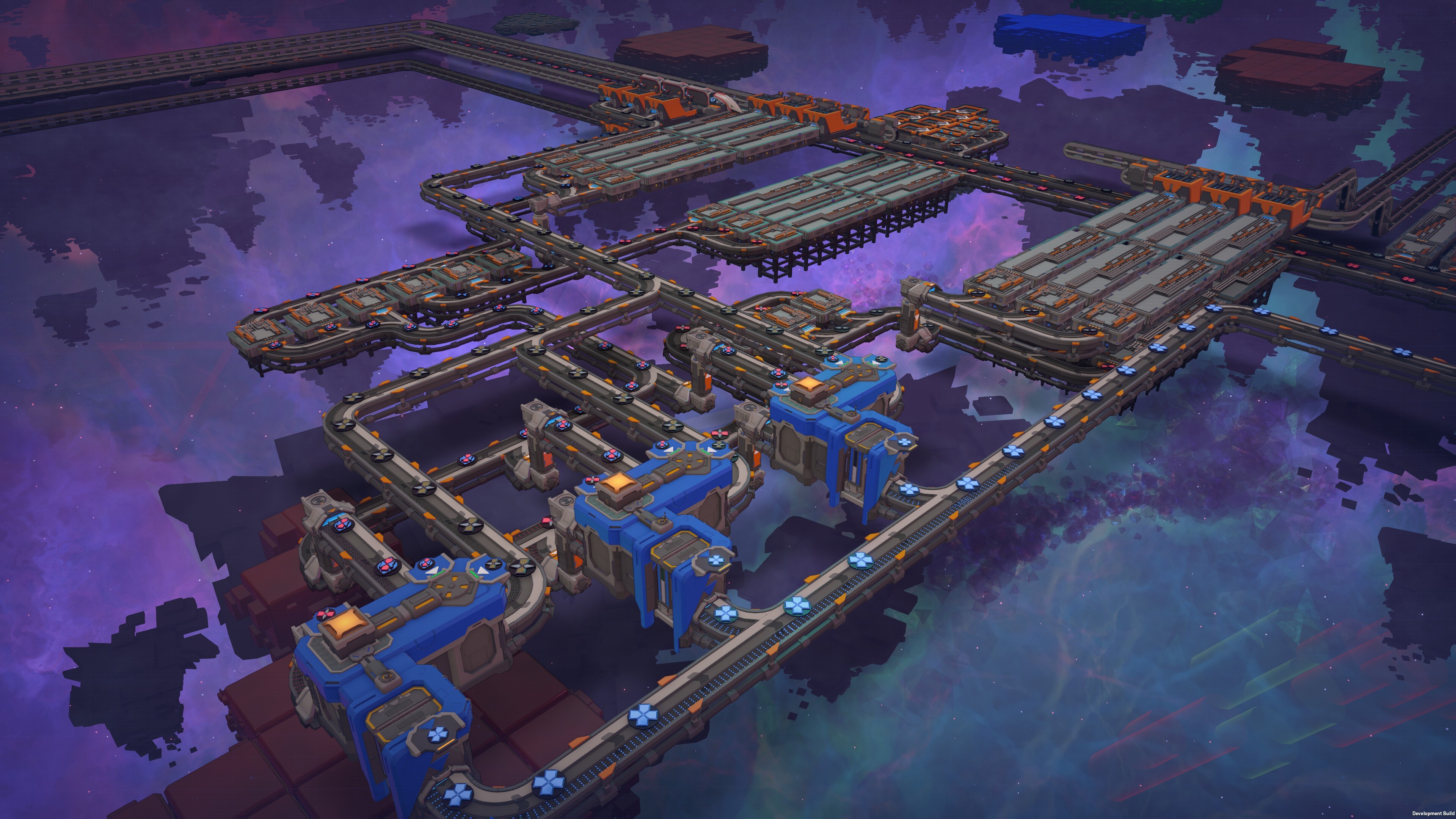
If regular Manufacture Mode didn’t tickle your brain quite enough, Manufacture Hard Mode may do the trick! This new scenario ups the challenge with new Trade Stations layouts and much more complex shape goals. More challenging mechanics are introduced earlier, so you’ll be dealing with Crystal shapes and pins quite a bit sooner.
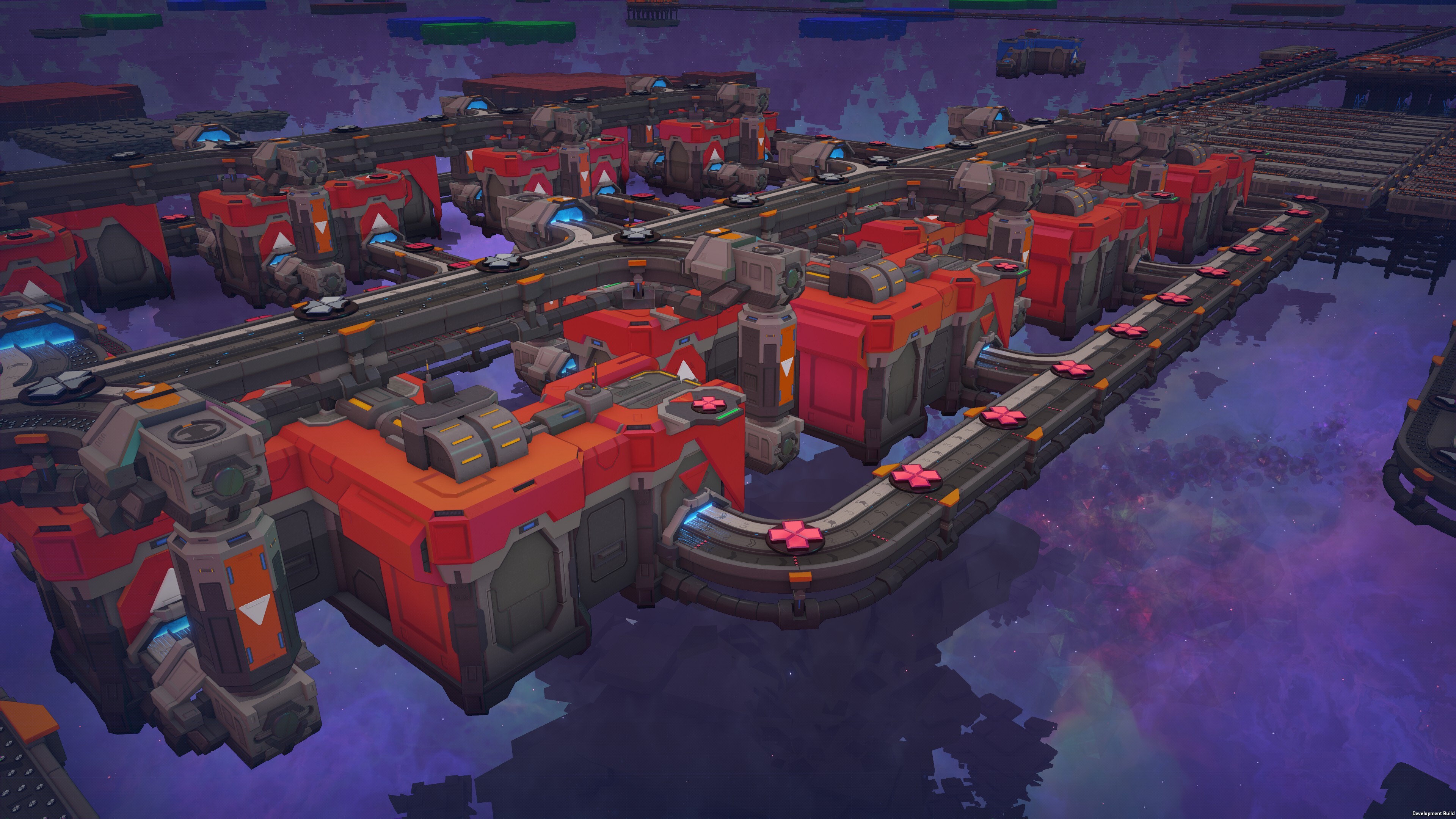
To give you a bit of a hand, the shape goals do feature a few more consistent patterns. This allows you to reuse parts of your factories more than on the regular difficulty, or make more use of blueprints. However, this does require you to think ahead and keep your factory organised from the get-go!
Hyper Skin DLC
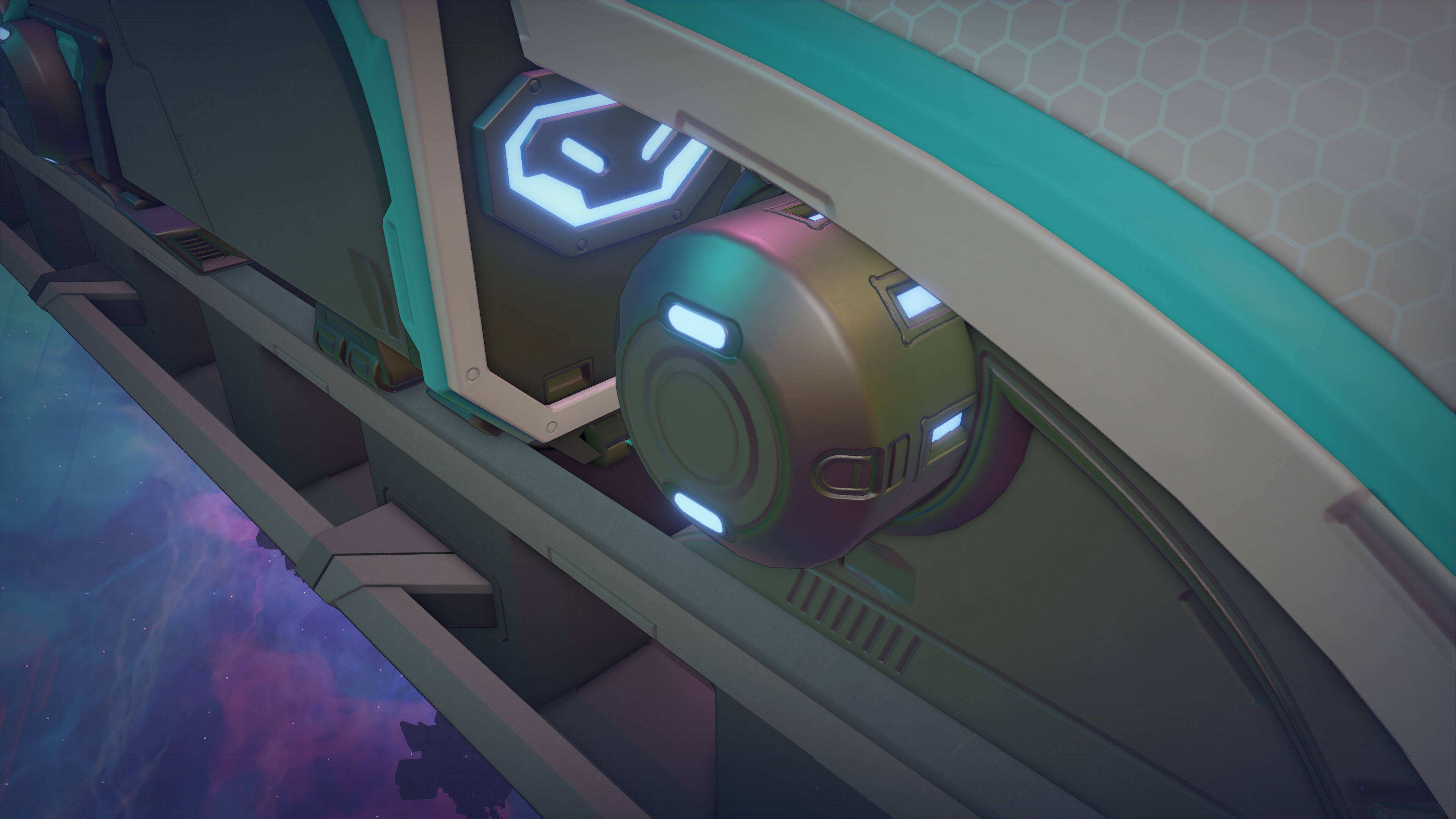
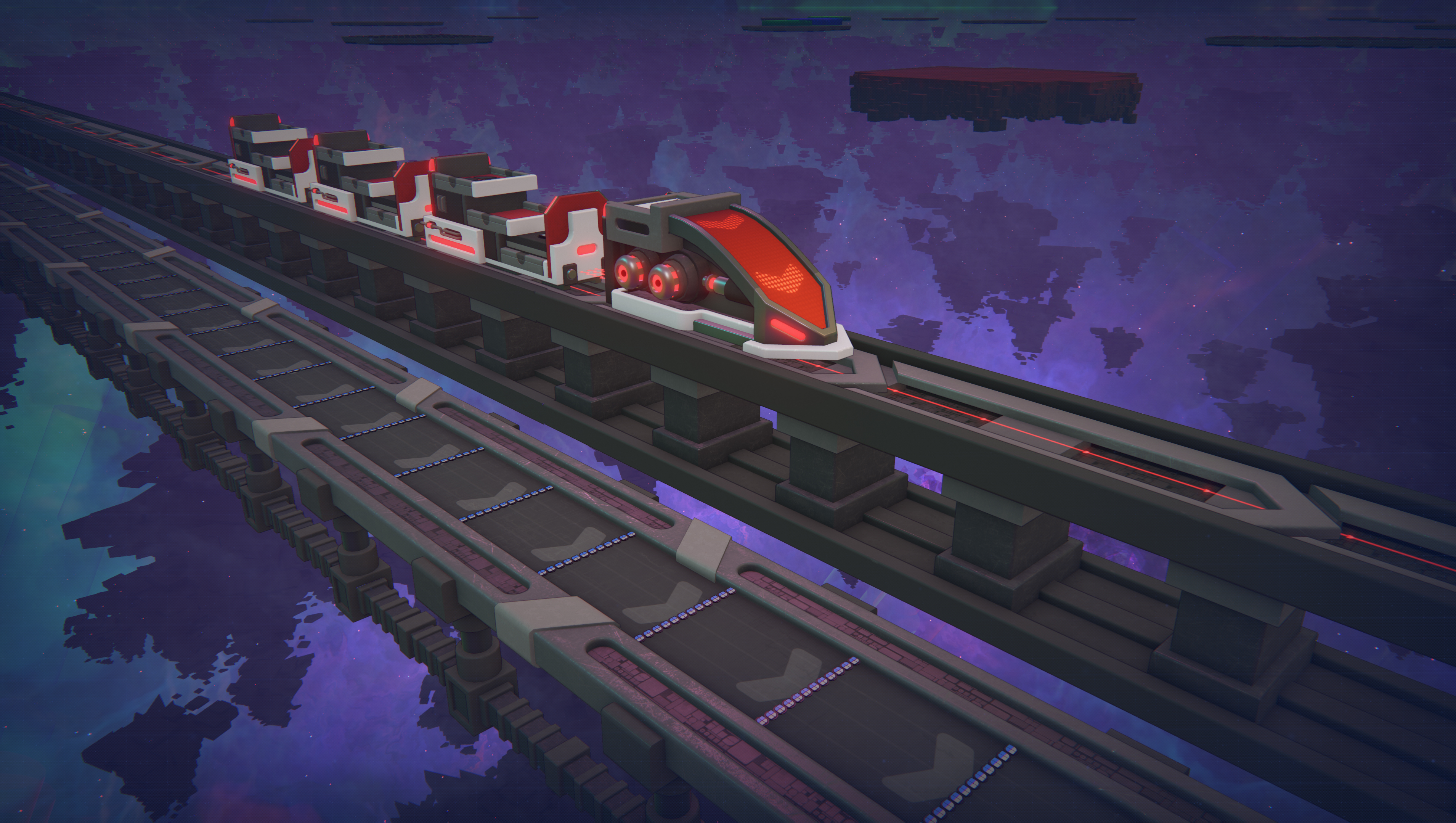
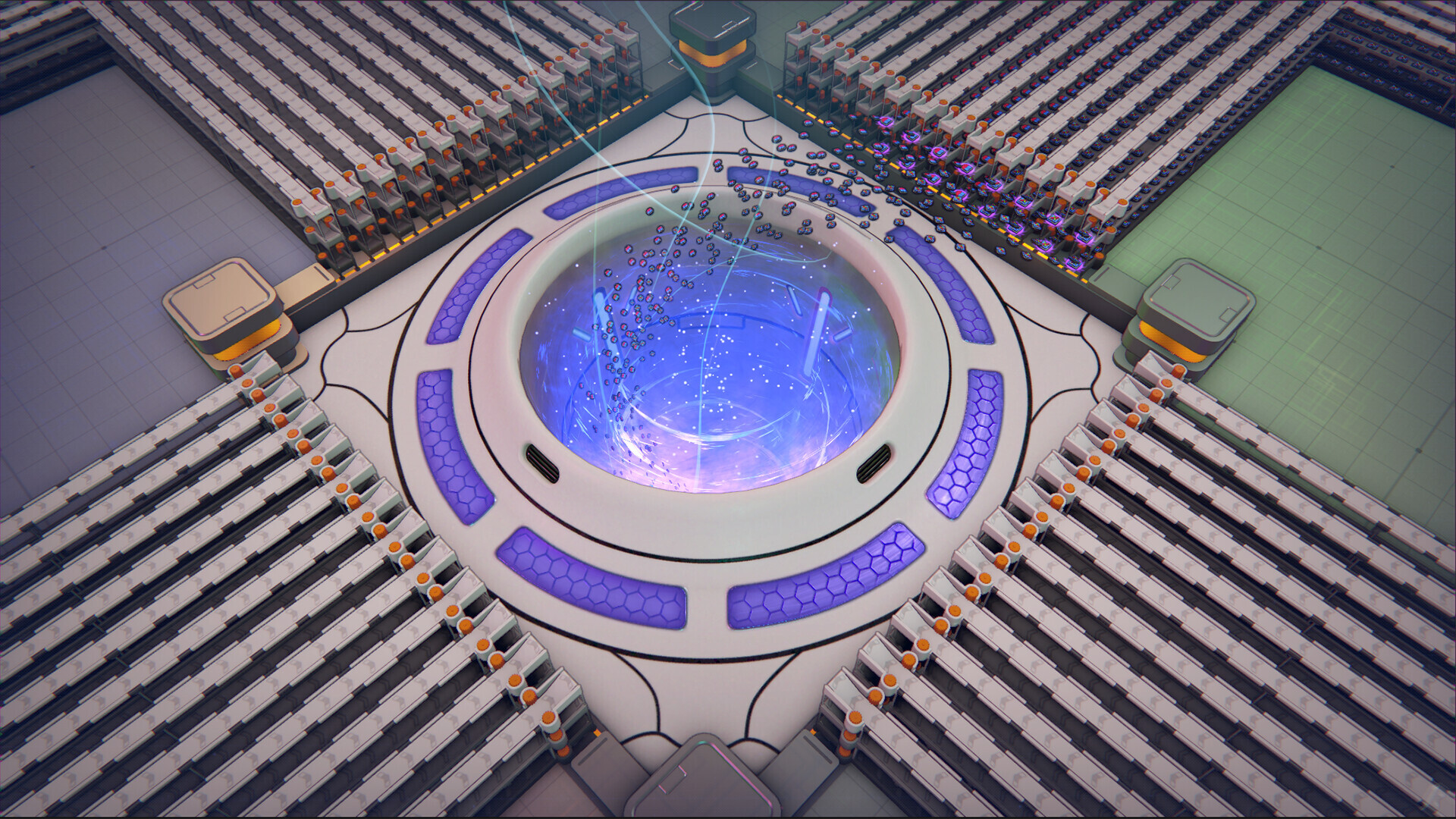
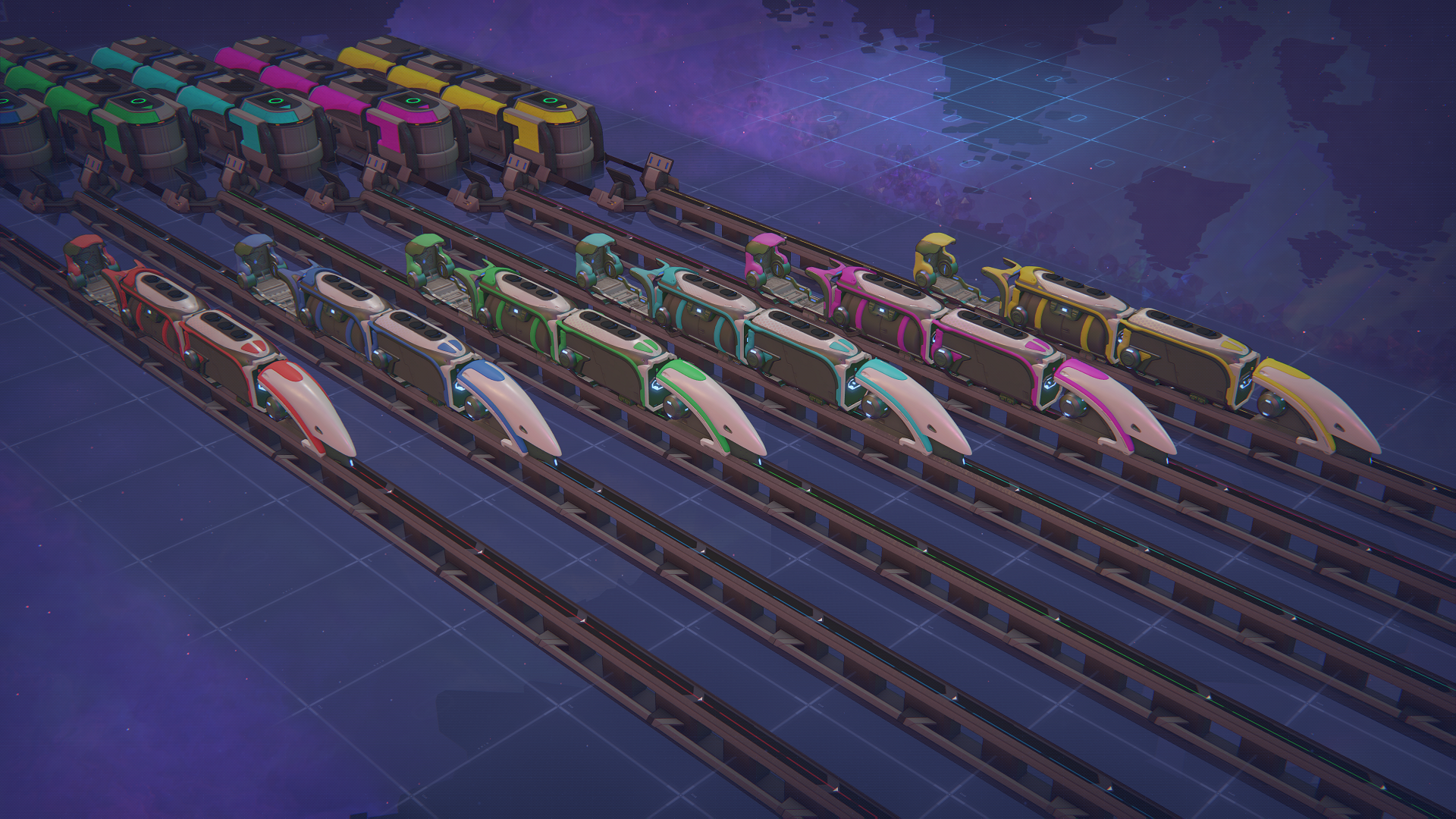
Released alongside this update is the Hyper Skin DLC, a cosmetic override for your Vortex and trains, giving them a sleek hyper-futuristic look with a white finish, hexagonal patterns and an aerodynamic nose (for your trains, the Vortex remains nose-less).
The train override includes the Locomotive, Shape Wagon, Fluid Wagon and Space Wagon, in all available line colors.
These Skin DLCs are completely cosmetic and are there for those of you who want some visual variety and want to support us further. Of course, proceeds from this DLC will go right back to the development of the game!
Supporter Edition Vortex
The Supporter Edition of shapez 2 got a free addition of a cosmetic override for the Vortex! This gives it a more industrial look, complemented by the amber-gold Supporter Edition glow. Thank you for your support!
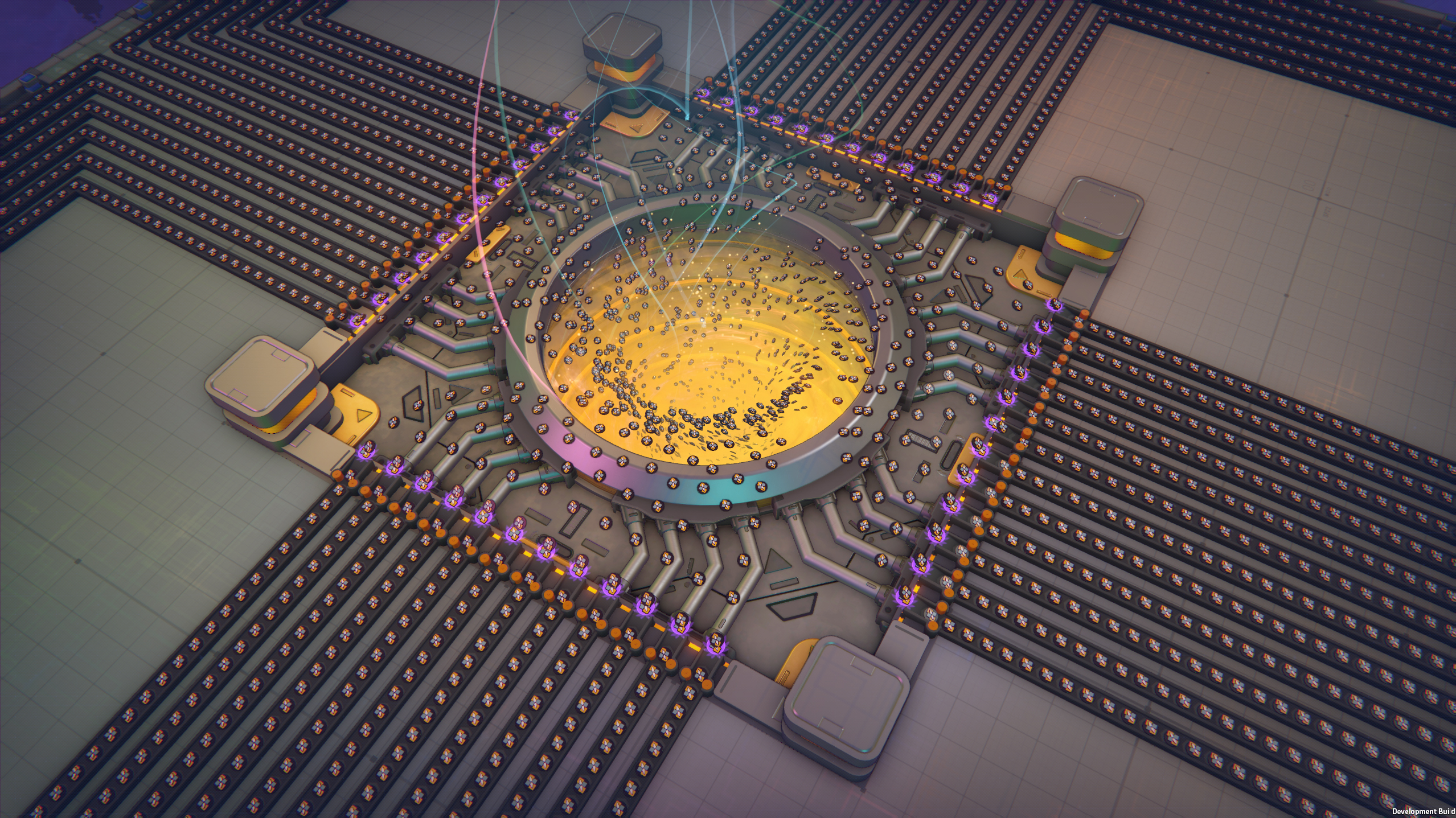
This override will automatically be added to your game if you own the Support Edition and have it enabled in Steam. You can turn the override on or off in the new Addition Content menu – more on that next.
Additional Content Menu
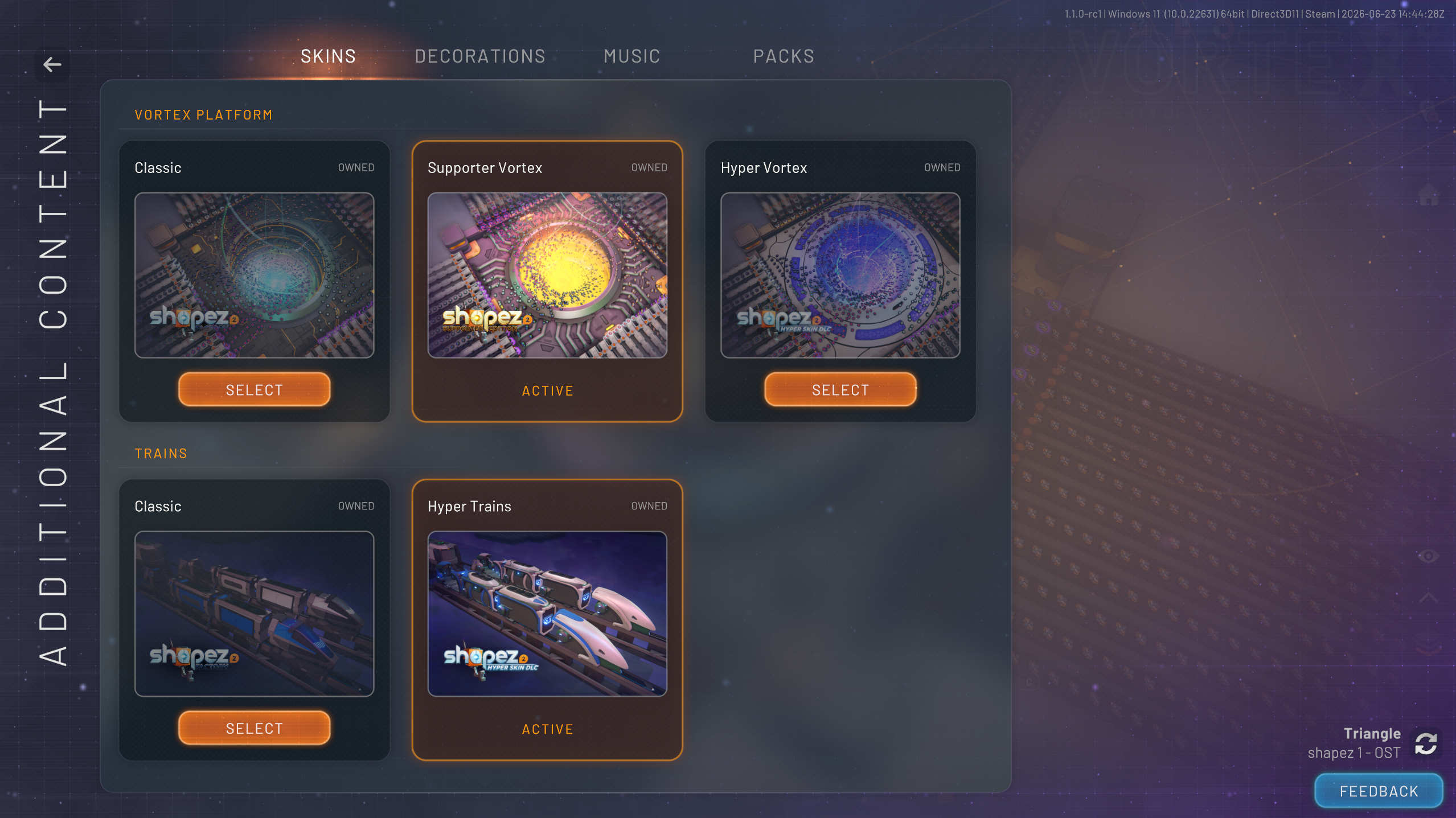
As there are now two cosmetic overrides available for the Vortex, you’ll need a way to pick between the two! This is where the ‘Additional Content’ menu comes in, available in-game through the main and pause menus. Here, you can enable and disable all individual skins from the additional content you own, as well as the different music packs, without having to step away from your factory. If you’d like to use Hyper Trains with the Supporter Vortex instead of the Hyper Vortex, you can set that up here!
Other Changes
Save/Load
Autosave is now delayed while the mouse button is held down, to make sure you’re not interrupted.
Visuals
Improved the visibility of upper space levels while on lower levels, making it easier to see through.
Bug Fixes
Fixed macOS builds not using the native silicon binary of the game, leading to hangs, crashes and slowdowns.
Fixed delays occurring when handling bigger blueprints
Fixed train predictions traveling areas that the train will never go under certain conditions
Fixed arrows on the sides of converters popping slightly at LOD 2
Fixed game hanging when shape asteroid patch likelihood is over 100% and then uncolored half’s weight is reduced
Fixed errors on startup leading to an infinite spinner under certain circumstances
Fixed and improved a couple of localization strings in several languages
… and many more!
- PATCHshapez 2 - Update 1.1 & Hyper Skin DLC coming next week!
Hello everyone! We're really excited to announce that the 1.1 update for shapez 2 is releasing on June 25th, along with the first skin DLC! Update 1.1 This update brings a new scenario: Manufacture Hard Mode !
Hello everyone!
We're really excited to announce that the 1.1 update for shapez 2 is releasing on June 25th, along with the first skin DLC!
Update 1.1
This update brings a new scenario: Manufacture Hard Mode! As you might expect from the name, this scenario is a more challenging take on Manufacture Mode. Converters have new layouts and the goals are more complex. They require more production steps and introduce challenging mechanics like pins and crystals earlier on.
Manufacture Hard Mode does feature a few more consistent patterns for its shapes, potentially allowing you to reuse parts of your factories more than in the regular mode. While the shapes may be more complex, you'll be able to use what you've already built in more places!
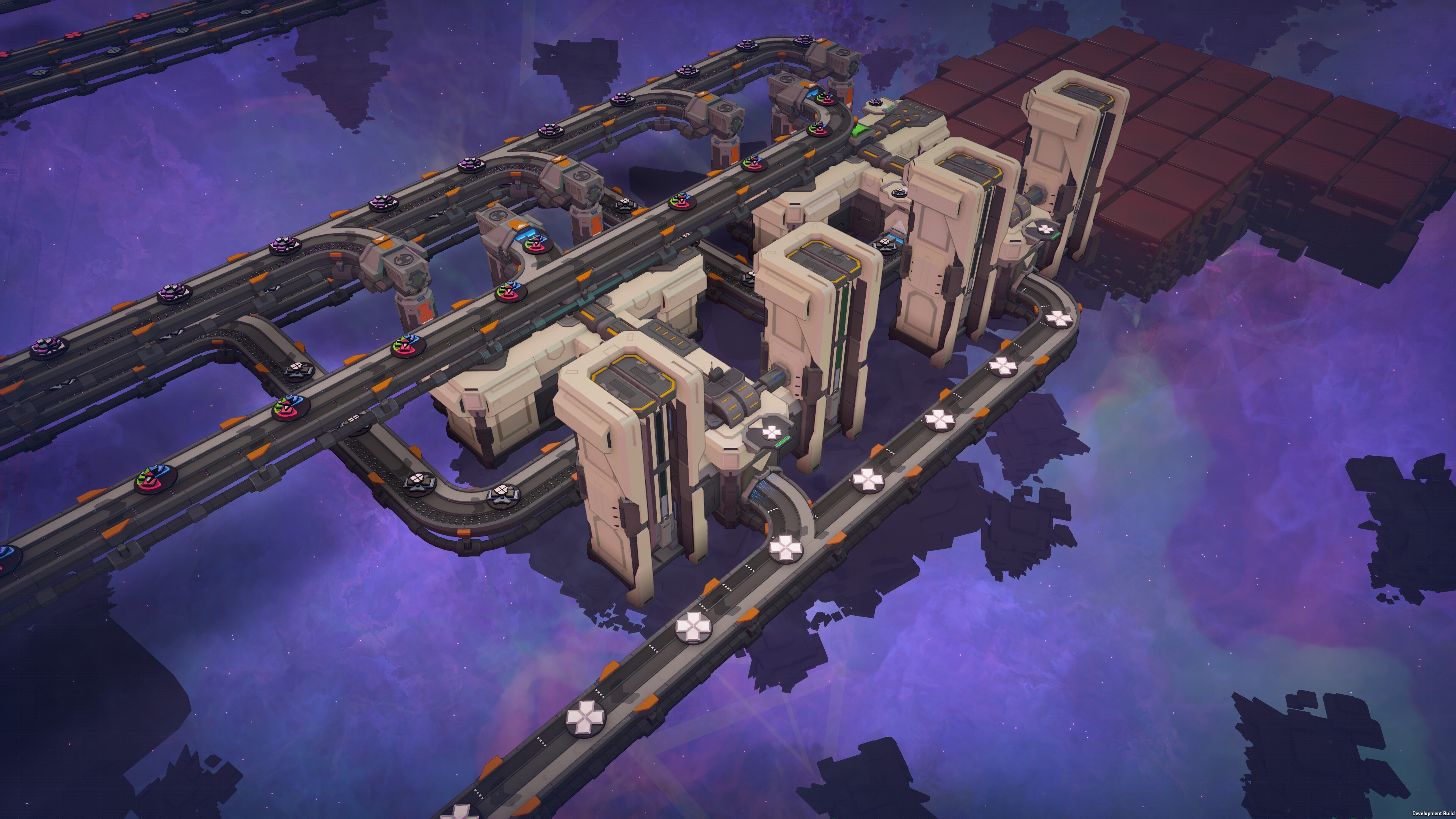
Aside from Manufacture Hard More, update 1.1 includes a bunch of small bug fixes, as well as some some neat quality of life improvements. We'll share the full list on the day of the update!
Hyper Skin DLC
We wanted to spice up your factories with the Hyper Skin DLC releasing next week, giving your Vortex and trains – which includes both locomotives and wagons – a sleek, hyper-futuristic visual overhaul.
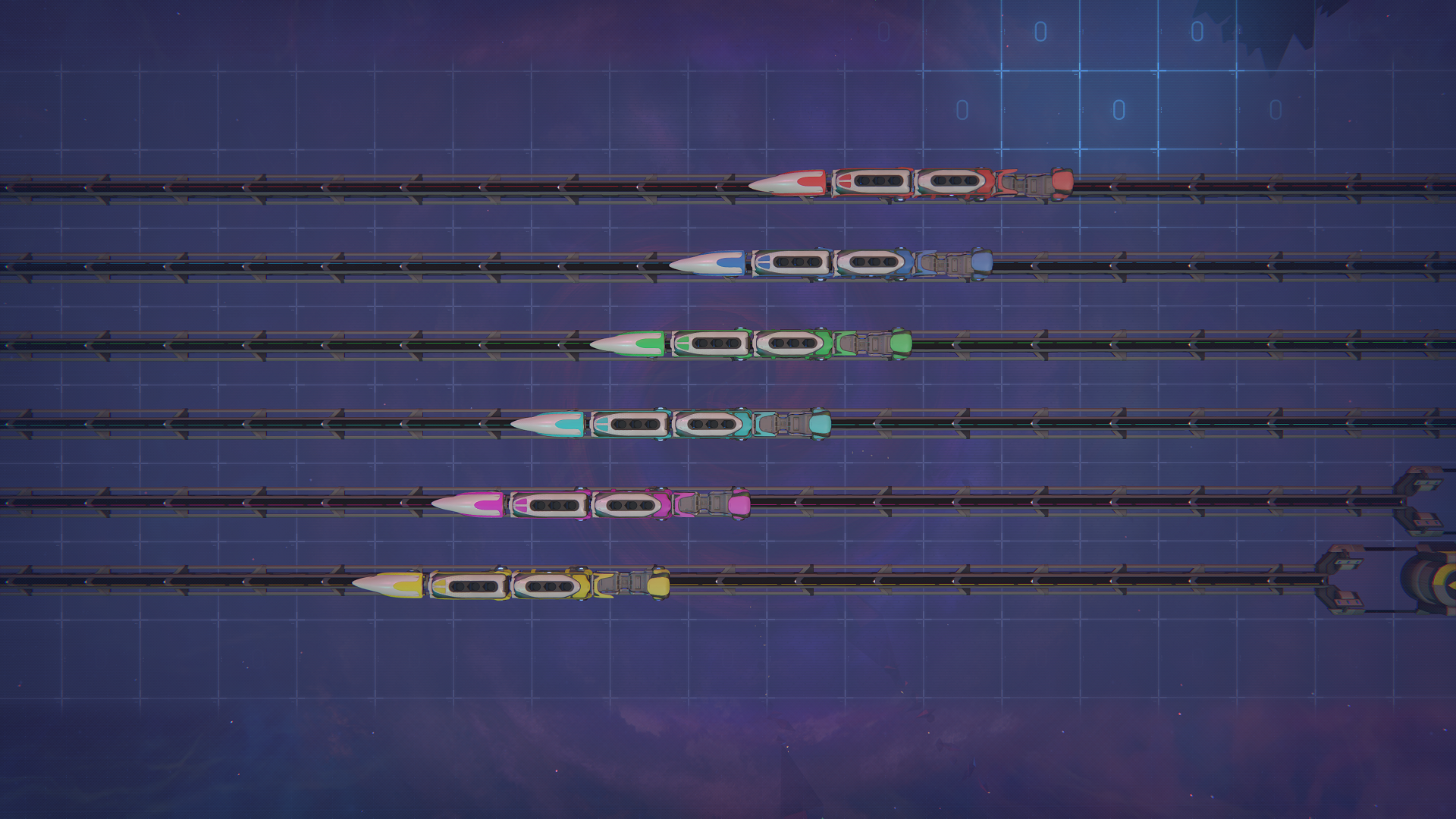
The skin DLC is a small, affordable addition to pick up at only $3.99 / €3.99 / £3.49. Individual skins can be toggled on and off in-game, so you'll be able to mix and match them to your liking.
You can already take a look at the Hyper Skin DLC and wishlist it here:
We hope you're excited for both Update 1.1 and the Hyper Skin DLC. We'll be back next week on June 25th when both of them are live. See you then!
- PATCHPatch 1.0.3-rc3
We hope you're having a great time with the 1.0 release so far! The game seems to be very stable, so there seem to be no major / widespread issues so far.
We hope you're having a great time with the 1.0 release so far!
The game seems to be very stable, so there seem to be no major / widespread issues so far.
However, this is a quick post-launch patch, that addresses a few reported issues:
Fixed "unreleased" shown instead of "April 23" in the changelog for 1.0
Fixed some achievements related to operator levels not properly triggering
Fixed some launch / command line options not working as expected
~Tobias
- PATCHshapez 2 - 1.0 is OUT NOW!
The 1.0 release of shapez 2 is NOW AVAILABLE with a whole new game mode, modding support, achievements, new visuals & much, much more. Vortex LTD is expecting you.
The 1.0 release of shapez 2 is NOW AVAILABLE with a whole new game mode, modding support, achievements, new visuals & much, much more. Vortex LTD is expecting you.
Important
Savegame & Blueprint Compatibility Disclaimer
Unfortunately, pre-1.0 savegames are not compatible. However, there is an 0.1.1-old branch available on Steam that you can switch to, if you for example want to check out some of your old creations, create blueprints, or simply are not ready to do the switch yet.
Blueprints are compatible, but blueprints created pre-1.0 will show a warning in the blueprint library. We encourage you to recreate them (i.e. by placing them down, then saving them again), as we will drop support for pre-1.0 blueprints in future updates.
Which mode to start with?
Before diving into the changes, I wanted to give a quick guidance on which mode to play when you dive into 1.0. The release renames the current experience into Classic Mode and introduces a new Manufacture Mode.
Certification: If you’ve not played shapez 2 before, we recommend playing the Certification scenario first. It is a ~1h long scenario that teaches you all the necessary basics and allows you to then seamlessly transition into the Classic scenario.
Classic Mode: If you’ve already played shapez 2 during early access, but it’s been a while, we recommend you to start with the Classic - Regular scenario first until you feel comfortable with the game again and you’ve built up an initial collection of space platform blueprints. The Classic scenario is the original shapez 2 experience and offers a unique blend of factory building, logistics and shape puzzles.
Manufacture Mode: Once you’ve got the hang of Classic Mode, we recommend trying the new Manufacture Mode. The mode introduces new mechanics and focuses on permanent, large-scale factories, similar to other factory games, with the goal of re-launching your Vortex Platform.
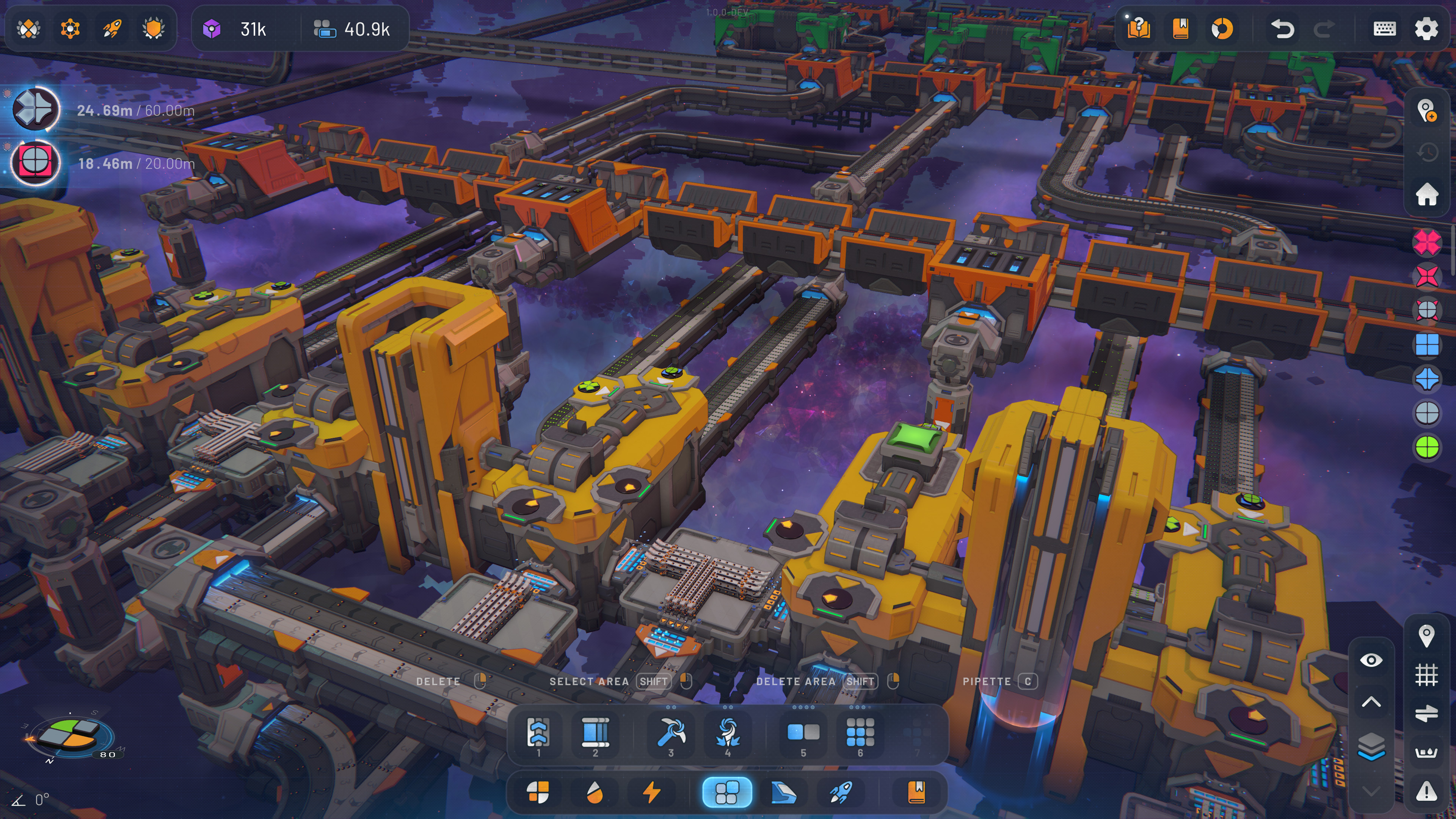
What to expect from the 1.0 release?
The 1.0 release is the biggest update for shapez 2 so far, and we’re super proud of it!
This isn’t just a “game is finished” release. With this update, we’re introducing a huge amount of new content and improvements on top, for new and existing players. Even if you’ve already played shapez 2 during early access, we’re very confident there’s something new for you, making it worth checking out the game again.
As always, we’ve spent a lot of time polishing the game already, and with lots of beta testers having tested the release extensively, we expect basically no bugs and good performance.
We really hope you enjoy it!
~The entire tobspr Games Team
Highlights
With over 3,700 commits since the Dimension Update (0.1.1), summarizing all of the improvements coming with 1.0 is quite a challenge. We tried our best here!
Manufacture Mode
The 1.0 release introduces a new game mode, called Manufacture Mode. This mode addresses one of the biggest feedback points we got during early access: factories you needed to build for a specific shape were no longer being at later stages in the game
In the new Manufacture Mode you’ll focus on re-building your Vortex Platform by trading shapes with Trade Stations and building large-scale, permanent factories.
Check out the devlog below, going into details of the new mode:
Achievements
1.0 introduces 83 achievements that cover various aspects of the game, including a few hidden ones. Go hunt them all!
More information can be found here:
Modding Support
With 1.0 we are also introducing modding support! While we expect it’ll take a bit of time until we see a vast amount of mods, there’s already a few available and we encourage anybody interested in creating mods for the game!
Modding uses the Steam Workshop, making it easy to find, install & manage mods.
To develop mods, check out our Modding Documentation
To install mods, check out the shapez 2 Steam Workshop
Classic Mode Changes
While the Classic Mode remains the more “traditional” shapez 2 experience, we’ve spiced it up with additional goals at the end, introducing 4 new milestones and new shapes that can be acquired with Trade Stations. They may look similar to the Manufacture Mode stations, they don’t require you to scale up as much, unless you want to!
We’ve also added a massive amount of QoL changes, like consolidating the speed upgrades into a Global Speed Upgrade, Shape Previews working more consistently and also for trains, and much more!
Find more about the changes coming to classic mode here:
Visual Improvements
The game has visually improved a lot in all areas, with the biggest changes being Space Pipes now looking like actual pipes, a rework of all Wire related buildings, new Fluid Launcher visuals, generally more details & fidelity, various shader improvements and much more!
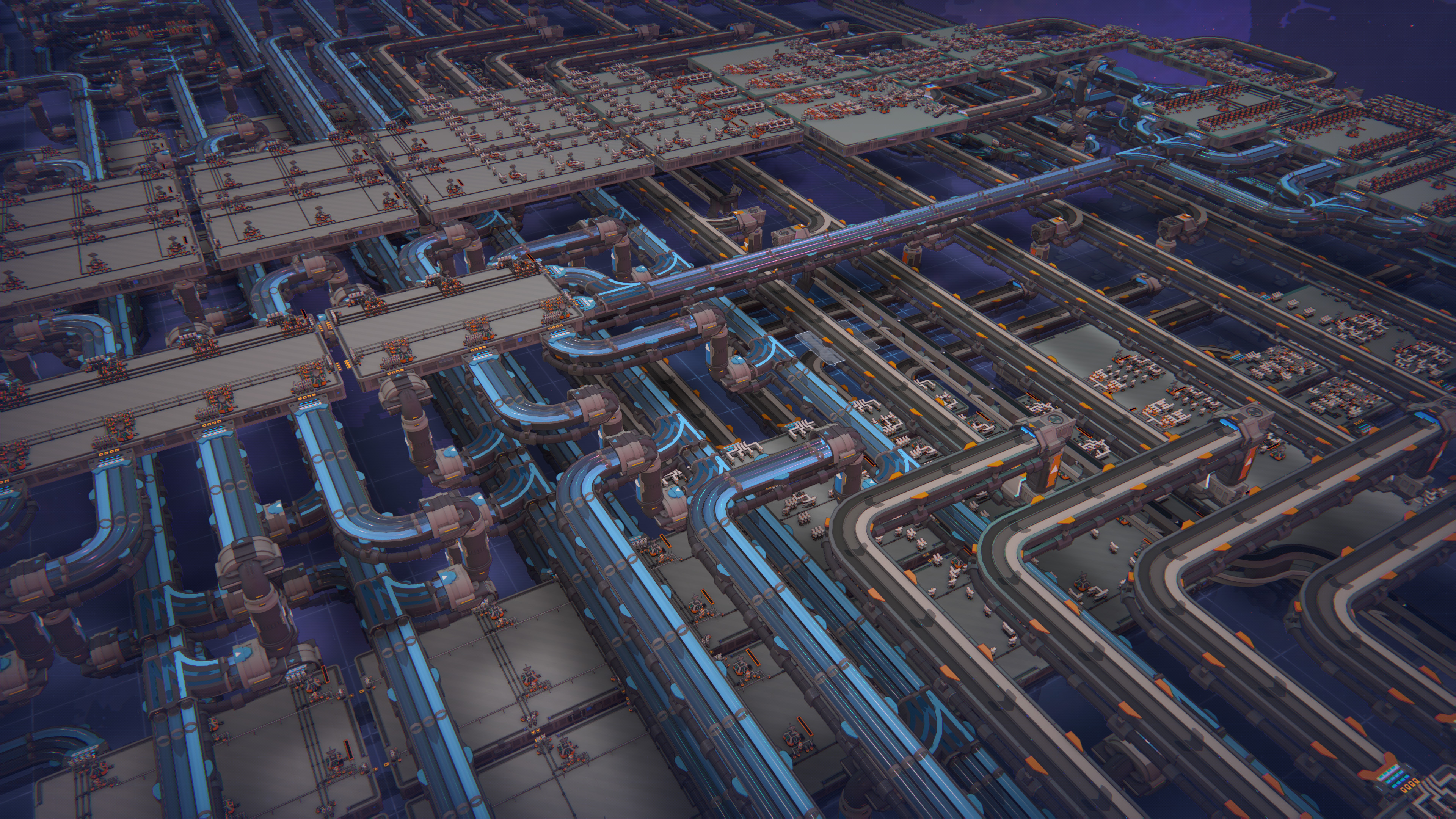
Full Changelog
Gameplay
Major
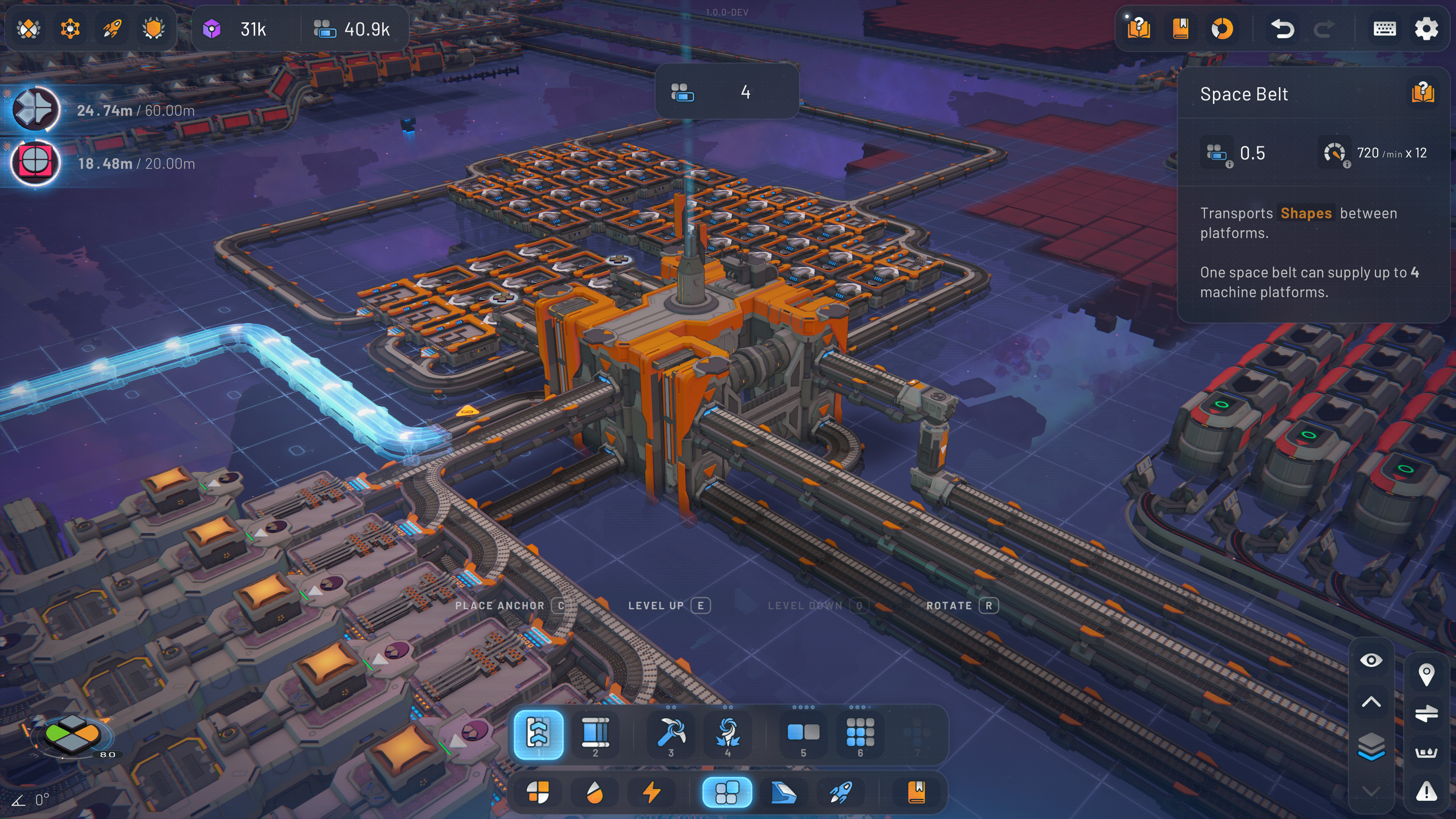
Manufacture Mode: An entirely new game mode and experience, encouraging you to build permanent, large-scale factories and optimizing logistics (Check out the devlog + video above!). The existing game mode has been renamed into “Classic” mode.
New Shapes: Added 2 new shapes (X and Y), used in the Manufacture Mode and Classic Mode Trade Stations.
Classic Mode Extension: Classic Mode (Regular/Hard/Insane) has been extended with additional content and new shapes, introducing 4 new milestones! (Check out the devlog + video above!)
Global Speed Upgrade: Consolidated the individual Stacking, Cutting & Painting speed upgrades into a global speed upgrade, to avoid machine ratios changing during upgrades - they should now stay consistent.
New Tutorial: The tutorial has been fully reworked to contain colored shapes, specific lessons explaining cross-layer conveyor belts better, and many more improvements, to make it more interesting and easy to get into shapez 2.
Spiral Map Generation: Added support for spiral map generation and made it the default (configurable when starting a new game), leading to more interesting map generation,an emphasis on the use of trains and your factories spiraling out of control.
Badges: Completing a scenario now grants a unique badge, visible in the main menu. Collect them all to gain operator bragging rights.
Vortex LTD Lore: Lore elements have been added throughout the game. Find out more about Vortex LTD history by completing milestones!
New Codex: The codex has been vastly extended, now containing over 150 pages explaining all game mechanics This includes tutorials for Wires & Make Anything Machines, pre-built Blueprint Examples and much more!
Train Spacers: Train stations with gaps now require a Train Spacer platform (This was a technical requirement in order to support the train shape previews - see below)
Infinite Pipe Throughput: Pipes now have infinite throughput. However, they are still limited by the fluid launchers/catchers between platforms, which are now the primary limit.
Black & Uncolored Fluids: You can now create black fluid by mixing white with white, and uncolored fluid by mixing black with white, allowing you to for example remove paint from shapes.
New Music: Additional 10 minutes of music from the original composer, the fantastic Petter “Peppsen” Sumelius, and 10 more minutes if you own the Supporter Edition. Bangers included.
200% Train Throughput: Trains got a massive throughput buff, increasing their package size from 180 → 360 shapes and 1,800 → 3,600 Liters.
Minor
Added upgrades to increase platform capacity so you can build more factory per factory.
Custom map generation shape weights logic has been changed to now work with a weight based system, instead of iterating through all the possible shape types.
The base level in space has been shifted one level up, so shape asteroid miners are now on the bottom layer.
The layout of the simulated (un-)stacker has been changed to a more intuitive layout, with the input/output on the side.
Streamlined Hexagonal Scenario: now starts directly in space, similar to the other Classic scenarios.
Added simulated CCW rotator.
Added 2x2 and 3x3 displays.
Global wire transmitters now also support integer and color channels.
Changed train wait stop interval to 60 seconds (from 120).
QoL & UX Improvements
Major
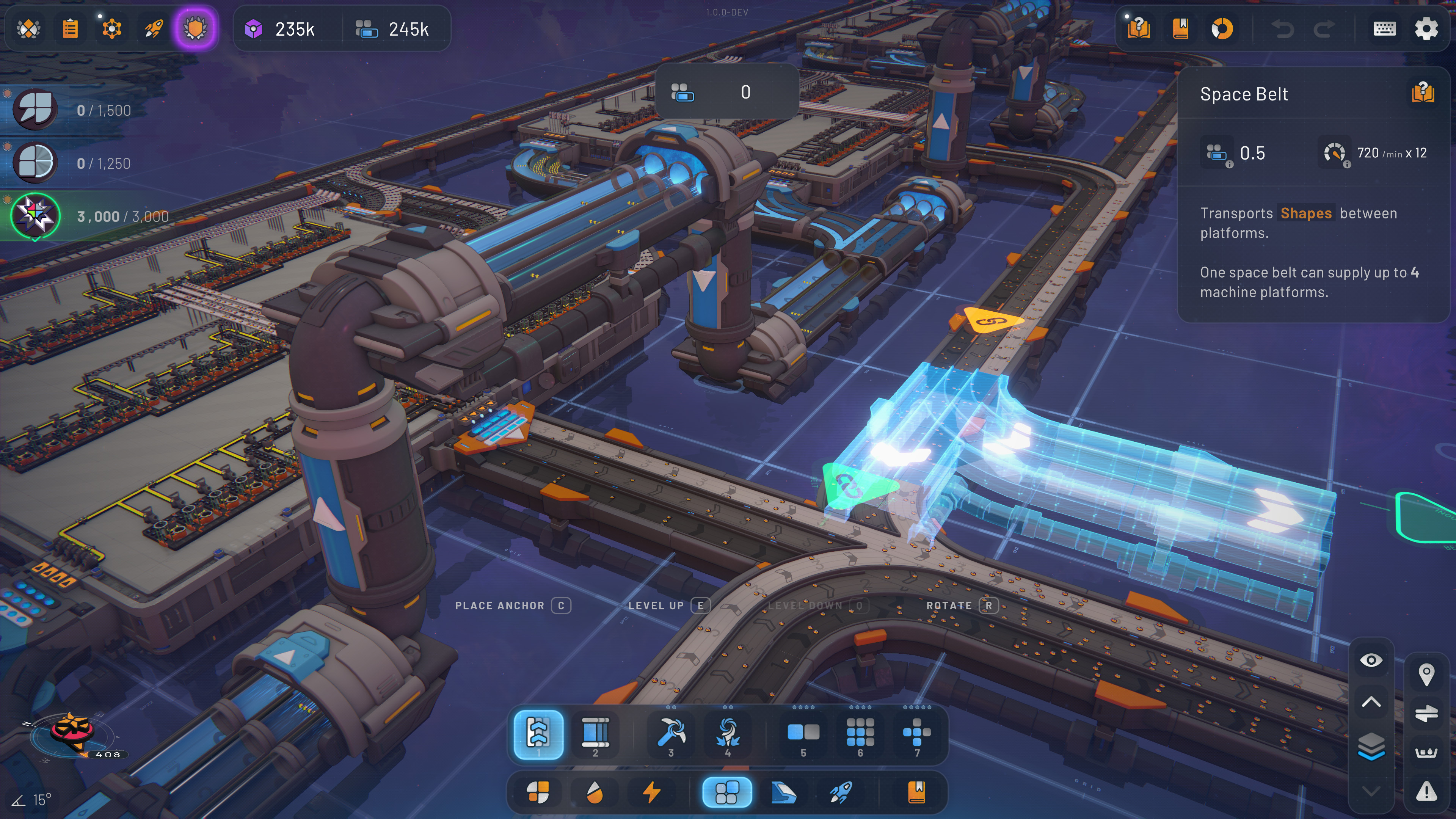
Fixed + Train Shape Previews: Shape previews now work consistently and even support trains, while now also being displayed at the end of space belts/pipes.
Automatic Space Floor Selection: Zooming in towards a space platform will now automatically adjust the selected space level, allowing for a more seamless transition (can be disabled in the settings).
Better Placement: Refactored the (space platform-) placement to work similar to the machine placement, which means “Shift” to override and various other placement features should now work as expected.
Minor
Allow filtering “Empty” shapes in the shape filter.
Added an optional setting (disabled by default) to allow Q/E to also switch space levels while in machine mode, if going below the lowest or highest level in machine view.
Improved platform selection raycast logic, to allow selecting space platforms more accurately
Improved statistics screen so there’s more to stare at.
Organized the toolbar categories & entries to be more intuitive.
Added error indicator when attempting to place shape/fluid asteroid miners on the wrong space level.
Added ability to (un-)pin operator shapes from the Operator Shapes screen.
Disable screen border panning by default, as it could cause more harm than good.
Display mode and scenario in the operator screen, for easier verification of screenshots.
The shape inspector now shows statistics for the currently selected shape, as well as all available shape codes & fluids, and includes a back/forward button for previous shapes.
“Replace” now saves a blueprint immediately.
Rename right shift to “RSHIFT”, so it is easier to distinguish between left / right shift.
Visuals
Major
Dark Mode: You can now enable an experimental dark mode in the settings, which is lighter on the eyes. It will be further refined in future updates. Perfect for those of you building factories at 3 am.
Space Pipe Visuals: Space Pipes now actually look like pipes! (Check out the devlog + video above!)
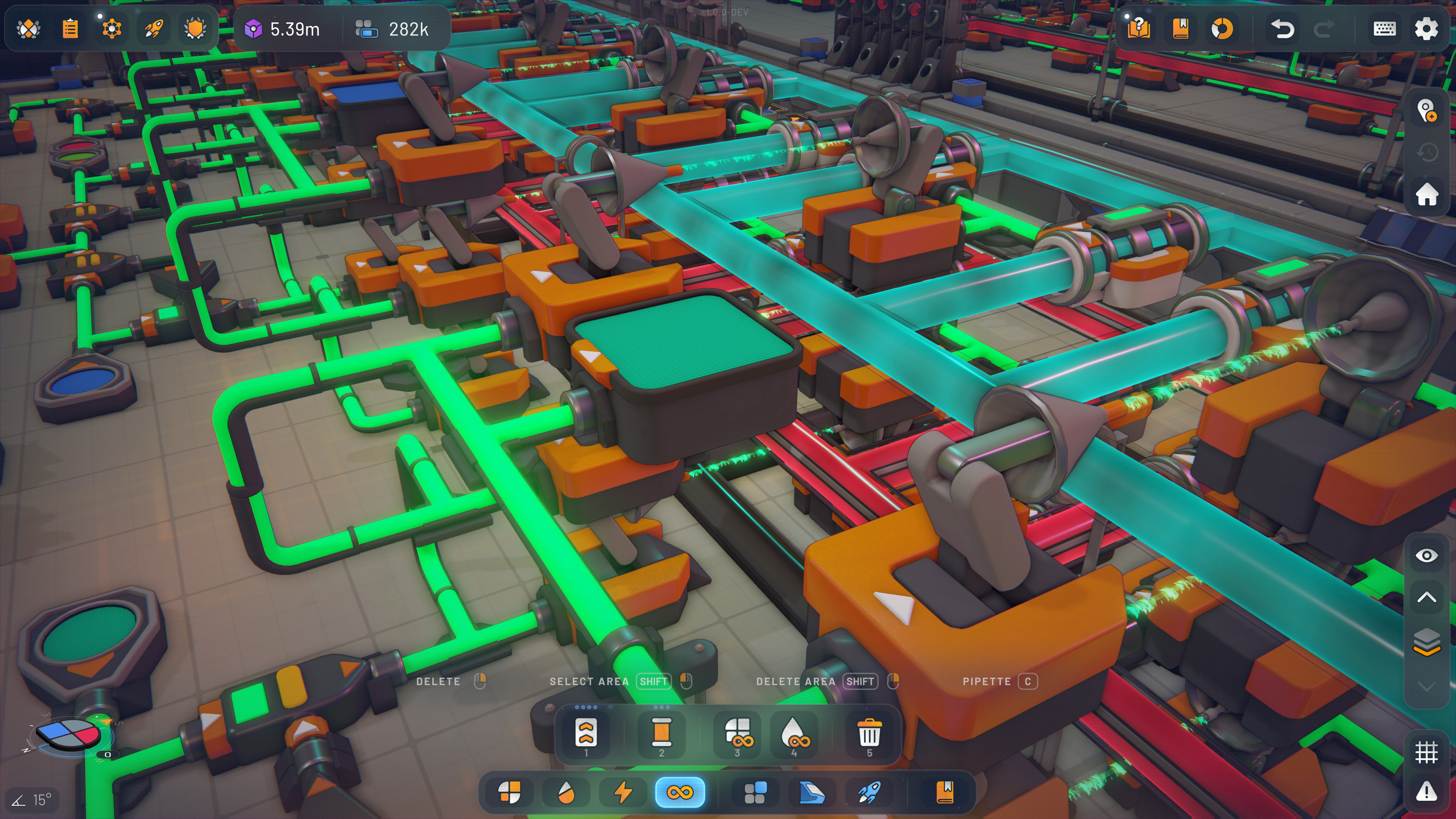
All New Wire Visuals: All wire-based buildings have been fully visually reworked! (Check out the devlog + video above!)
New Icons: Reworked almost all icons in the game.
Minor
Improved visuals of all train-related content: Trains, Loaders, Stops, Packages ,etc.
Improved visuals of the Space Belt and pipe lift.
Improved visuals of the Shape / Fluid Miners.
Improved crystal visuals.
Improved rendering of space platforms while hiding upper levels or in machine view.
Improved wire shaders.
Improved fluid shaders.
Improved glass shaders.
Updated main menu background to reflect 1.0 content.
Added level number to each lane of Space Pipes/Belts, to make it more clear on which machine levels shapes/fluids are travelling on.
Various color blind improvements.
Improved visuals of connectors between Space Belts/Pipes and machine platforms.
Changed the color of fluid related platforms like fluid train (un)loaders.
Added small intro cutscenes when starting a new Certification / Manufacture Mode game.
Improved readability of various platforms in overview mode.
Fixed extractors/pump meshes being too long.
Tons of LOD & UV fixes.
User Interface
Major
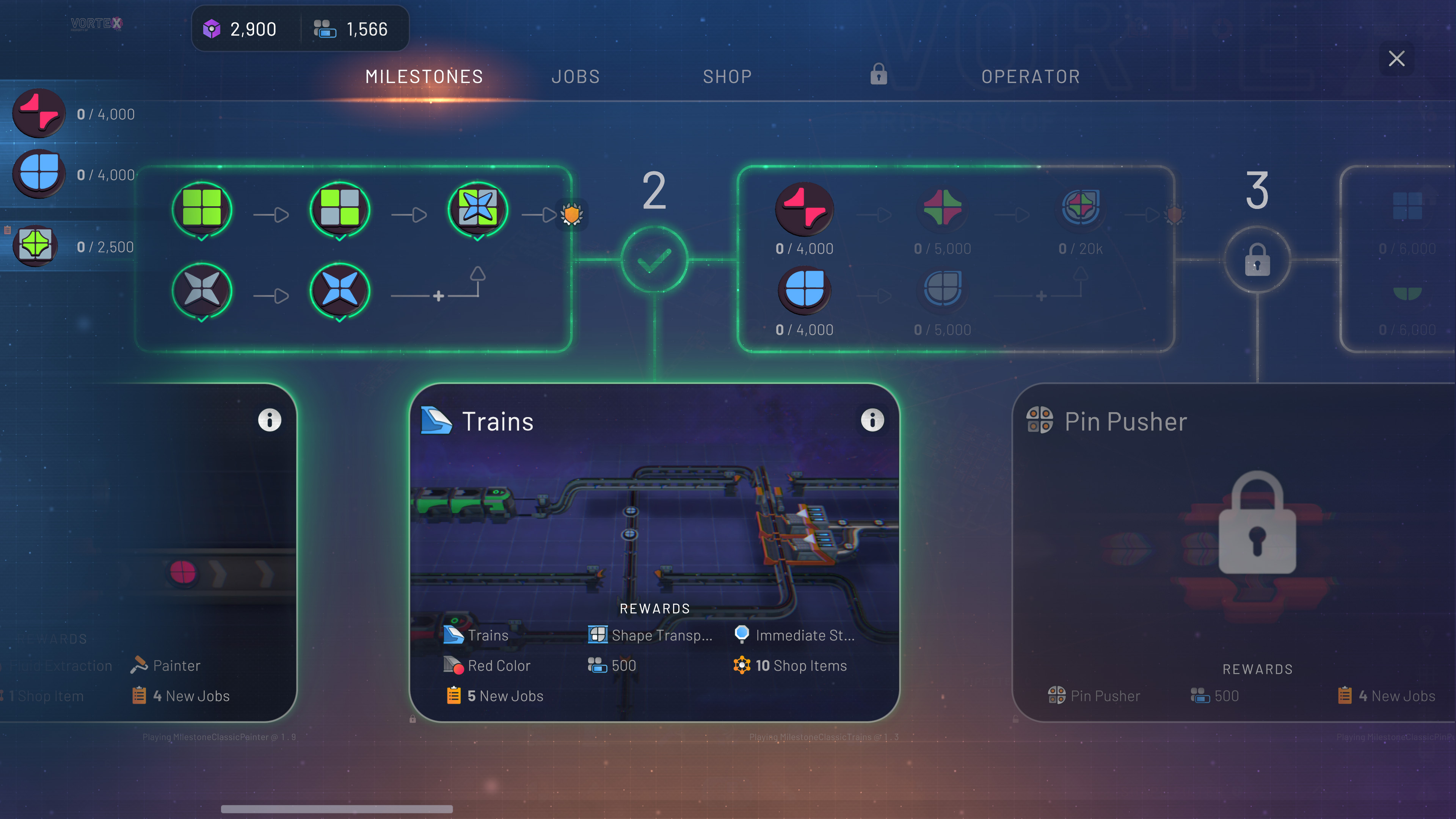
Reworked Milestones screen: Reworked the Milestones screen to be more intuitive, better display which milestones you already unlocked and which shapes you need to deliver next.
Reworked Operator Level screen: Reworked and cleaned up the Operator Level screen, with the ability to now pin/unpin individual operator shapes.
Reworked Shop screen: Reworked the Shop screen to improve the display of upgrades to show which machines & platforms are unlocked from upgrades, as well as a visual rework of the (speed-) upgrades.
New Codex: Reworked the Codex to contain much more information (>150 pages) and features, including breaking down articles into individual pages, throughput information, back/forward button, search feature, ready-to-copy blueprint examples, and much more! Great for some light reading.
New Recipes screen: Added a new recipes screen, showing all available conversions of trade stations / operator levels, both in Manufacture and Classic Mode.
Machine Videos + Throughput: Almost all machines now show a small video during placement, explaining how they work and visualizing their throughput. (Can be disabled in the settings)
Minor
Reworked the summary screen when unlocking a new milestone to be less overwhelming.
Reworked and cleaned up menu screens when creating a new game.
Added more visually pleasing notification when unlocking new technologies, completing shape goals or unlocking achievements. Happy chemicals go brrr.
Allow using hexagonal and quad shape parts interchangeably in Location Markers and Blueprint Icons, ensuring icons work across all modes.
Savegames now display a “Completed” badge in the menu.
Added a warning icon when a blueprint might be incompatible in future versions.
Added more statistics in the side panel during placement of platforms, i.e. display the shape package size while placing train loaders or the platform capacity cost.
Added indicators when switching from machine to space view and vice versa.
Changed “/m” to “/min” (i.e. 60 / min) to make it more clear its “minutes” not “meters”.
Various polishing in all areas. Everything is now spick and span.
Updated all images and videos in the game to reflect the new visuals and mechanics.
Technical
Updated Unity to 2022.3.62f2.
Lots of performance improvements in all areas.
Improved rendering performance.
Improved blueprint placement performance.
Various memory / RAM improvements, fixed multiple memory leaks.
Added debug.performance-chart command with further options, to debug where performance bottlenecks are.
Bugfixes
This release includes over 500 bugfixes. It would be too many to list all of them here. However the game should be very stable, and we are not aware of any critical issues after extensive internal and closed-beta playtesting.
If you still encounter any bug, the easiest way is to report it on our discord, in the #bug-reports channel. Should you not want to use discord, you can also for example post on the Steam Forums or email us at support@tobspr.io!
Thank you for reading until here - we hope you have a lot of fun with 1.0! It was quite a journey and we put a lot of effort into it, so we hope you’ll enjoy the game as much as we do!
- PATCHshapez 2 - 1.0 is coming TOMORROW
1.0 is coming TOMORROW!! Less than 24 hours until the 1.0 release - we're so excited!!
1.0 is coming TOMORROW!!
Less than 24 hours until the 1.0 release - we're so excited!! (one of the rare cases where I think a double exclamation mark is appropriate)
There's been such a huge amount of effort put into the release, we can't wait for you to get your hands on it :)
If you want to celebrate the launch with us and dive into 1.0 the moment it drops, be sure to check out the global launch times map below that Max made!
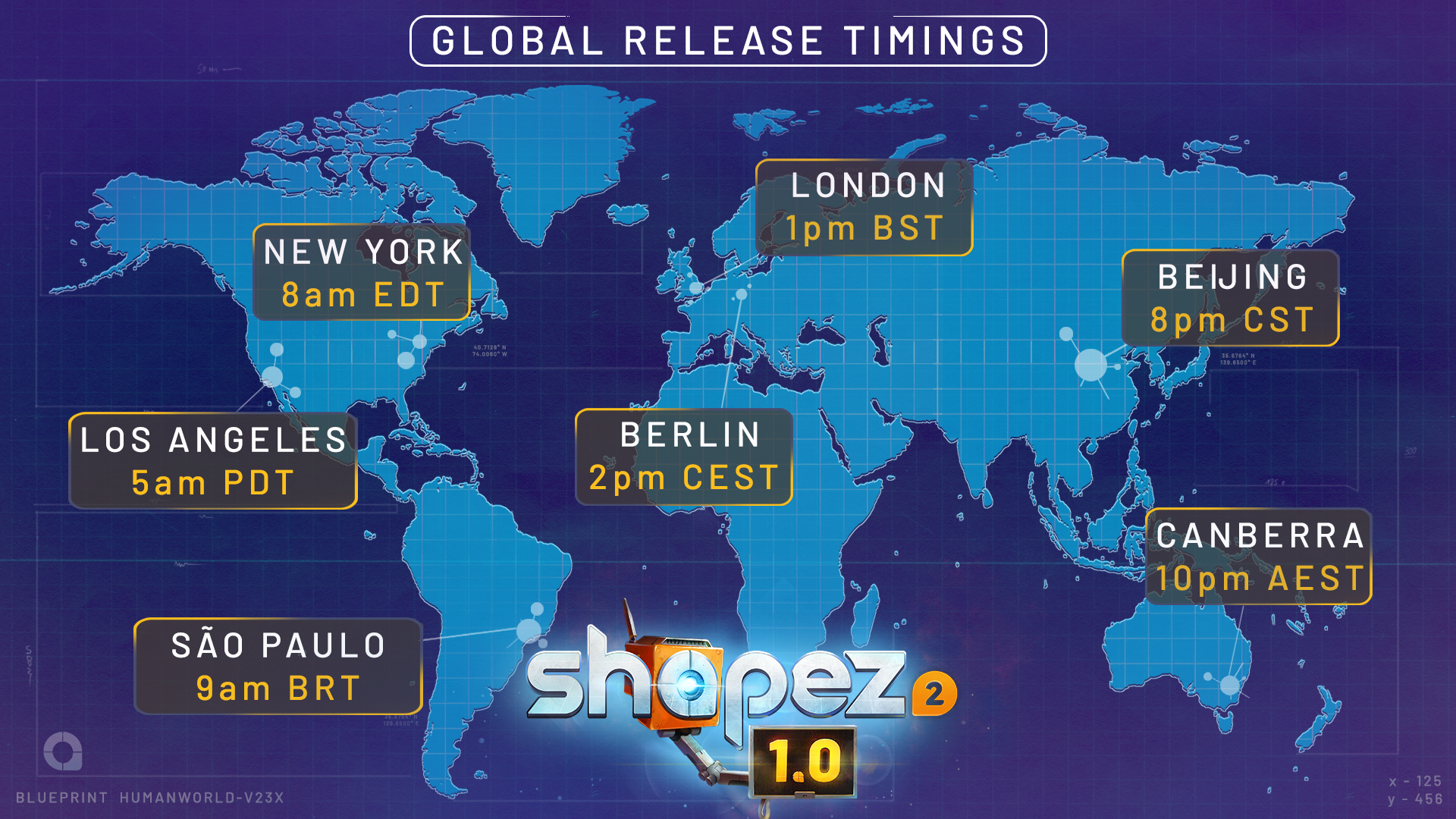
Also, check out the summary here, so you're prepared and ahead of the curve:
Seriously, thank you!
From the whole team at tobspr Games, we want to thank everybody for supporting us so much during the whole Early Access period! It was such a great time, and we were and still are overwhelmed from the positive reception and the collaboration with you, our community!
Be it the early access launch, the constant feedback, collaborating on our discord and surveys or just playing the game - and hopefully enjoying it!
We're dedicated to build the best possible experience for you, and we have still a lot of plans for the shapez 2 future - more on that soon, though.
For the time being though - we're super proud of the 1.0 release. The new manufacture mode is a HUGE step up for shapez 2, and it's super fun! It also addresses the biggest feedback we got during early access - building more permanent/massive factories. Let aside all the other improvements coming like achievements and mods (we have different bets in the team on what the first / most popular mod will be).
The build is also in a really stable state, so we're basically just waiting now to click the 'set live' button and preparing the latest marketing assets.
See you tomorrow!
~Tobias
- PATCHshapez 2 - Everything coming with the release of 1.0
The 1.0 release of shapez 2 is only a week away, coming on April 23rd at 2pm CEST!
The 1.0 release of shapez 2 is only a week away, coming on April 23rd at 2pm CEST! To make sure you didn't miss any important information on what's coming with 1.0, here's a summary of all the bigger changes you can expect.
While this is already somewhat of a soft-changelog, you can expect a detailed changelog with the 1.0 release that also goes over many of the more minor changes with the update, so look forward to that!
Pre-1.0 Branch
As we mentioned before, savegames made during Early Access will not directly carry over to 1.0. So if you're current knee-deep in a factory and would prefer to finish that before making the switch to 1.0, you can move to the 0.1.1-old branch. To do this, go to your Steam library, right-click on shapez 2 and select properties. In the window that just opened, select game versions and then 0.1.1-old. This branch will always remain available, but will not receive any further updates.
Blueprints do carry over to 1.0 though, which does allow you to make a blueprint of your current Early Access factory, then copy it into a 1.0 savegame. You'll likely need to make some fixes though, as in 1.0 the starting layer is the bottom one instead of the middle.
Gameplay
Manufacture Mode
Of course, the biggest change is the addition of a brand new game mode: Manufacture Mode. This mode aims to resolve much of the feedback all of you gave us on the shapez 2 game mode during Early Access, and by extension the original shapez. With the addition of Trade Stations that need to continuously convert a specific shape into a brand new shape type, your factories will no longer lose their purpose. Gone are the days of making brand new factories for every new goal, instead you'll be expanding!
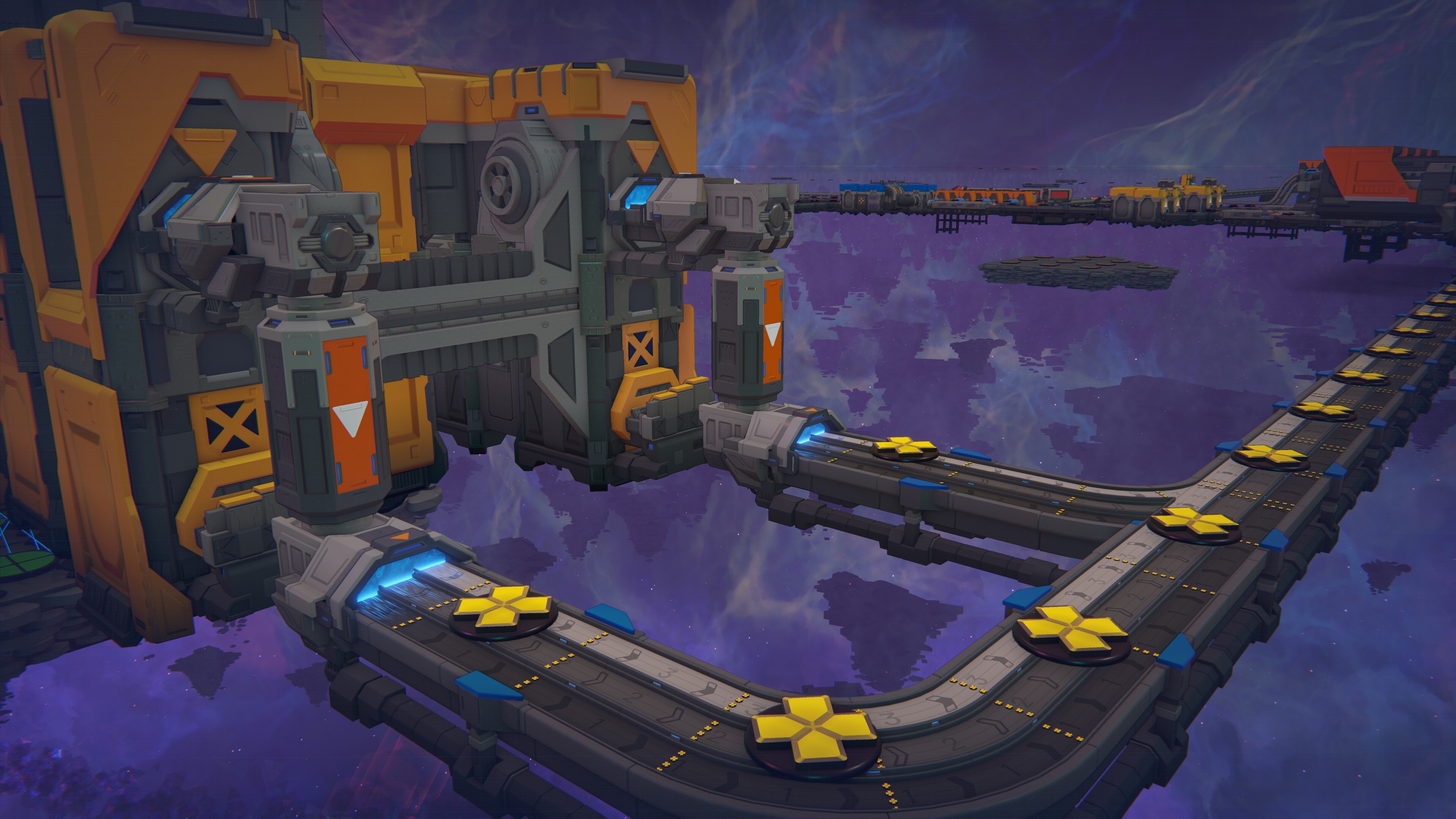
Changes to Classic Mode
Trade Stations also make their way into Classic Mode, which is now the name of the current game mode. They function in a similar way, but have simpler recipes and are an extra end-game challenge to switch things up a little bit!
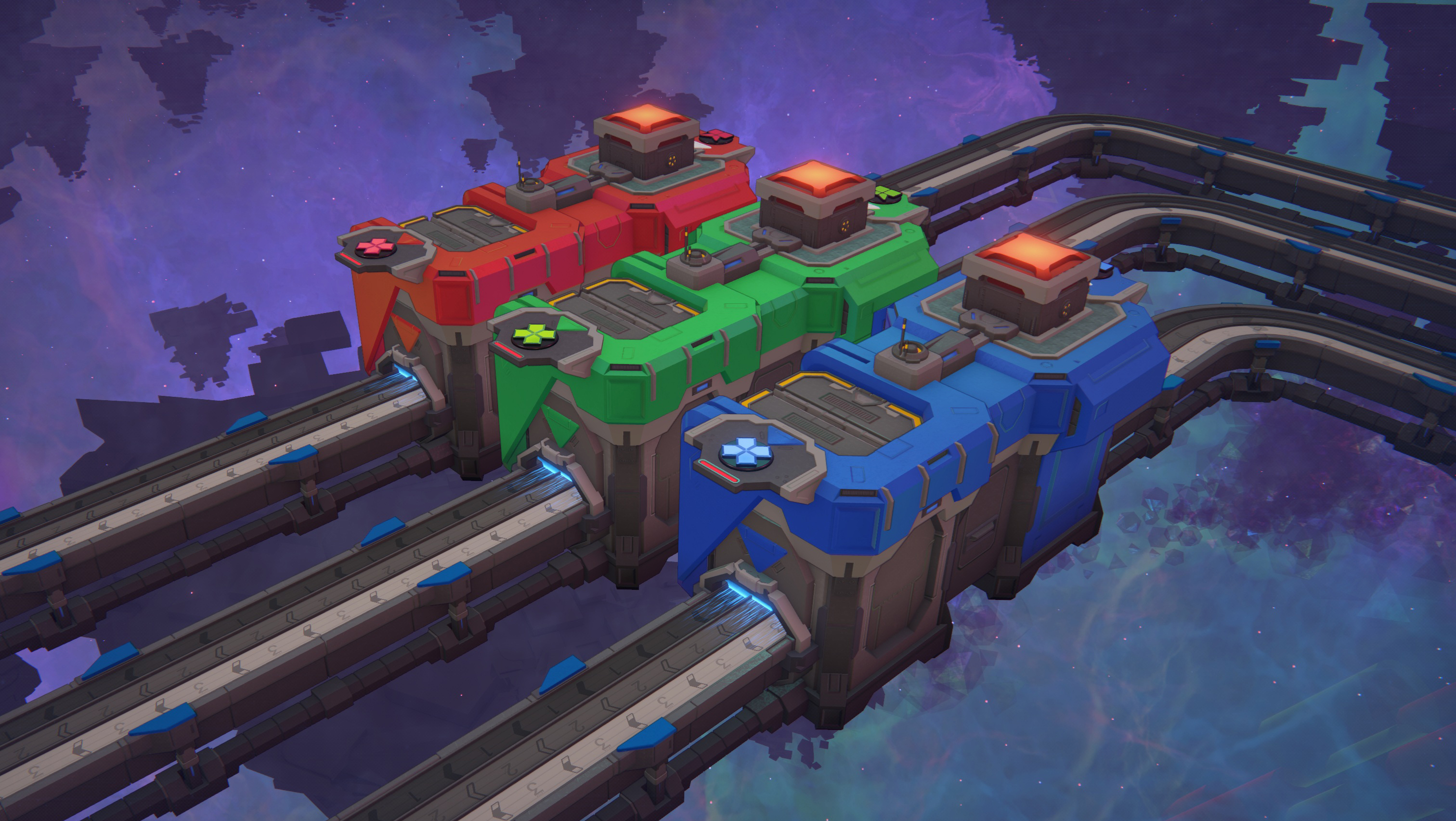
Modding
shapez 2 gets full modding support with the release of 1.0 through the Steam Workshop! The sky is the limit here, as everything from small quality of life tweaks to complete overhauls of the game are possible. This is supported by a handy in-game mod browser to make managing your 300 installed mods a lot more manageable.
We've been planning to dive into the Modding support for a while, but ultimately decided to leave it until after the release of 1.0 so you can first focus on the vanilla shapez 2 experience!
New Tutorial
The tutorial has seen some big changes and streamlining to make it more accessible and interesting for players new to the genre. Got any friends who really need to start playing factory games but don't know how to get them hooked? Tell them about shapez 2!
Map Generation
The default map generation is now changed to a spiral pattern. This makes it easier to return to the center, makes the map less noisy, offers more space without having to build over resources and emphasizes the use of trains.
Of course, the old map generation is still available by going to the generation options, which have also seen an expansion. There's a new weight system and an option for larger resource chunks for you to toy around with.
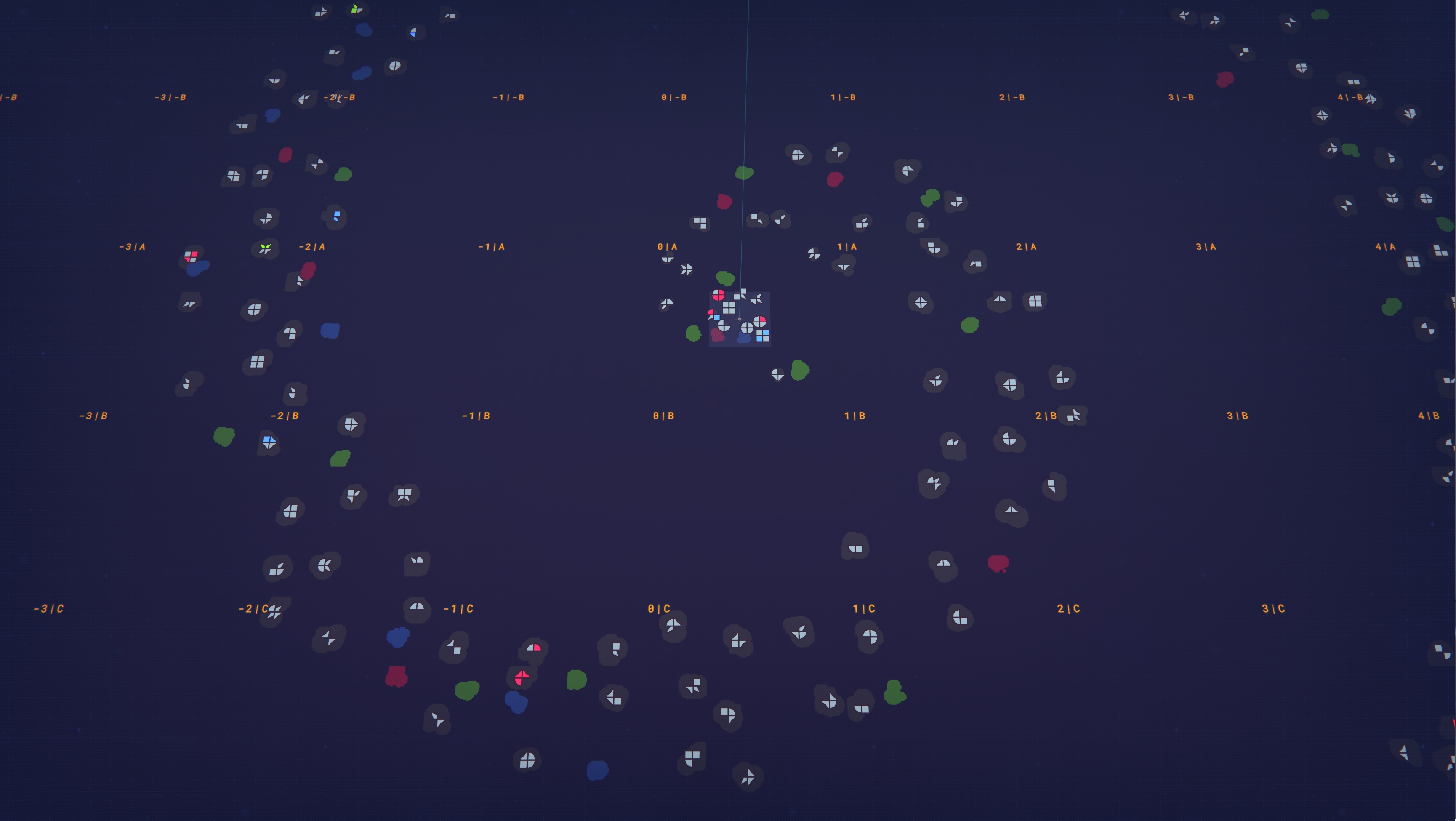
Trains
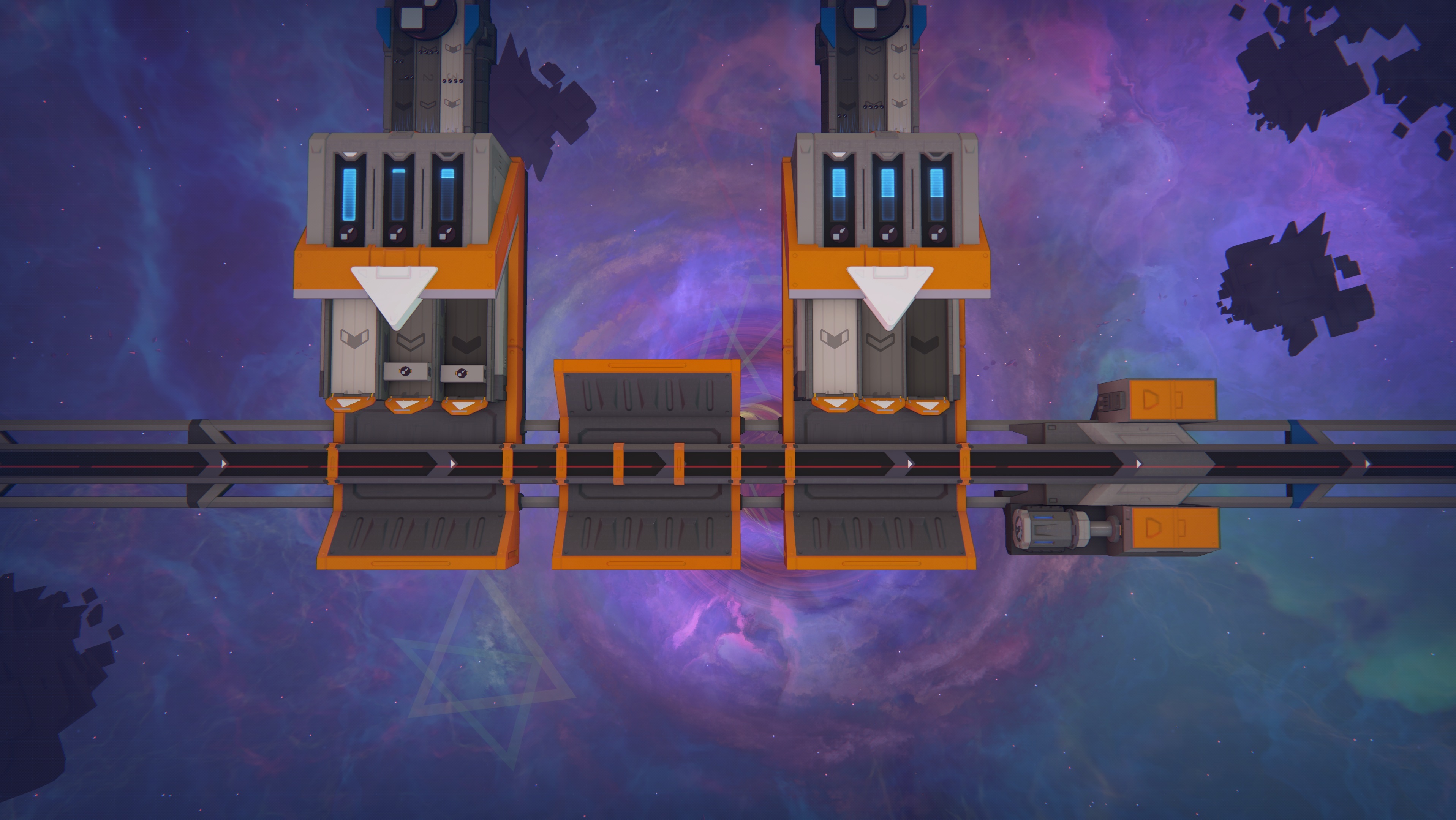
Trains and related buildings got new visual improvements yet again, a throughput increase of 100% and the Station Spacer building, which allows you to create extra space between connected (un-)loaders and stations. Helpful if you don't want to (un)load specific wagons!
Wires
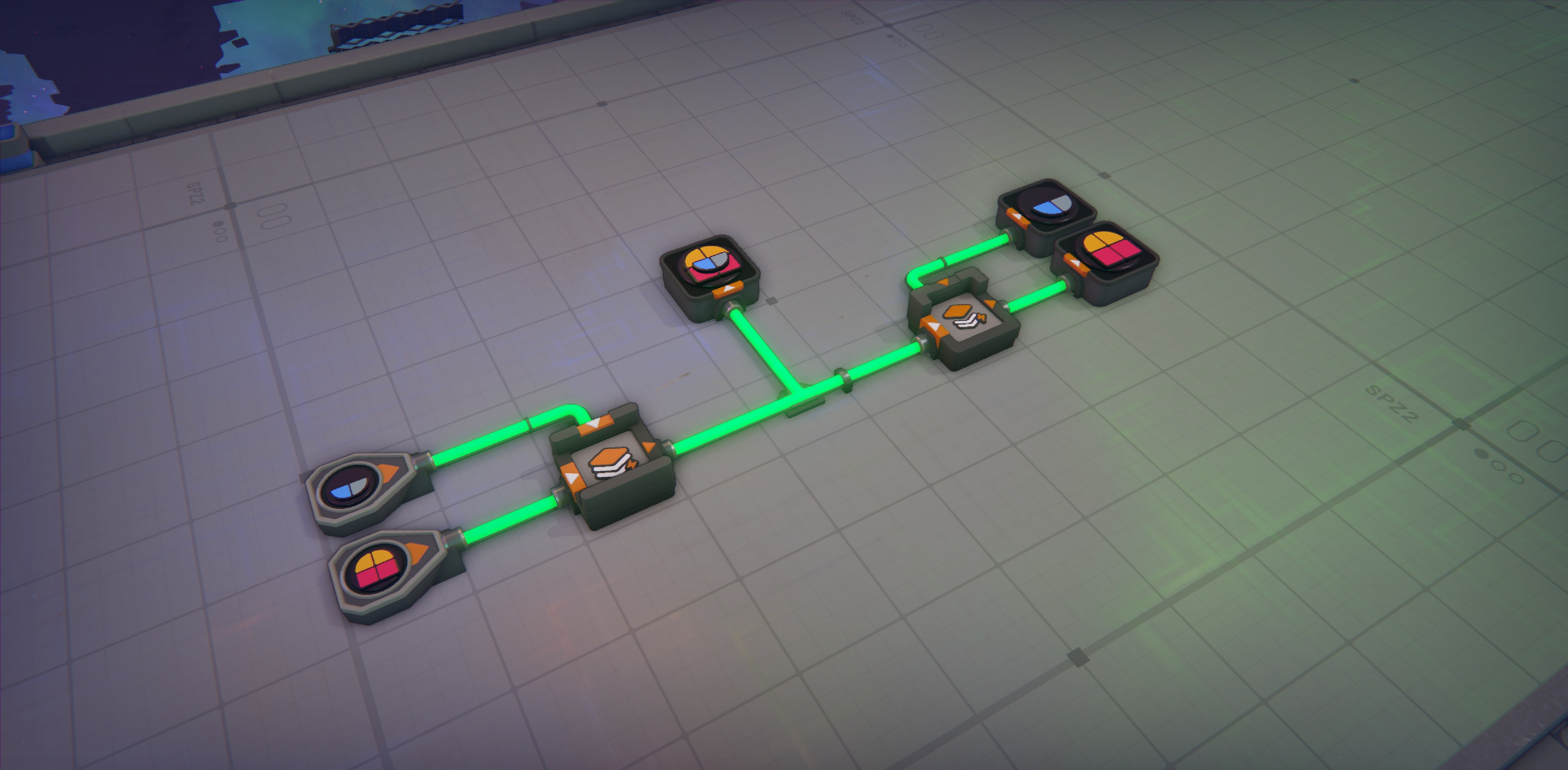
Wires get their visual overhaul and a number of improvements. There's now a Counter Clockwise Rotator and two new display variants, being 2x2 and 3x3. The simulated (Un-)Stacker has a more intuitive layout and Global Wire Transmitters now support integer and colour channels.
Colour Mixing
We've made some changes to colour mixing. You can get black fluid if you mix white with white, and uncoloured fluid by mixing black with white, which removes paint from shapes. Don't question it.
Visual Improvements
Both Crystals, Space Elevators & Shape/Fluid Miners got some visual improvements, and Space Pipes now look like pipes! Additionally, we've improved the shaders for fluids and glass.
Mastery Badges
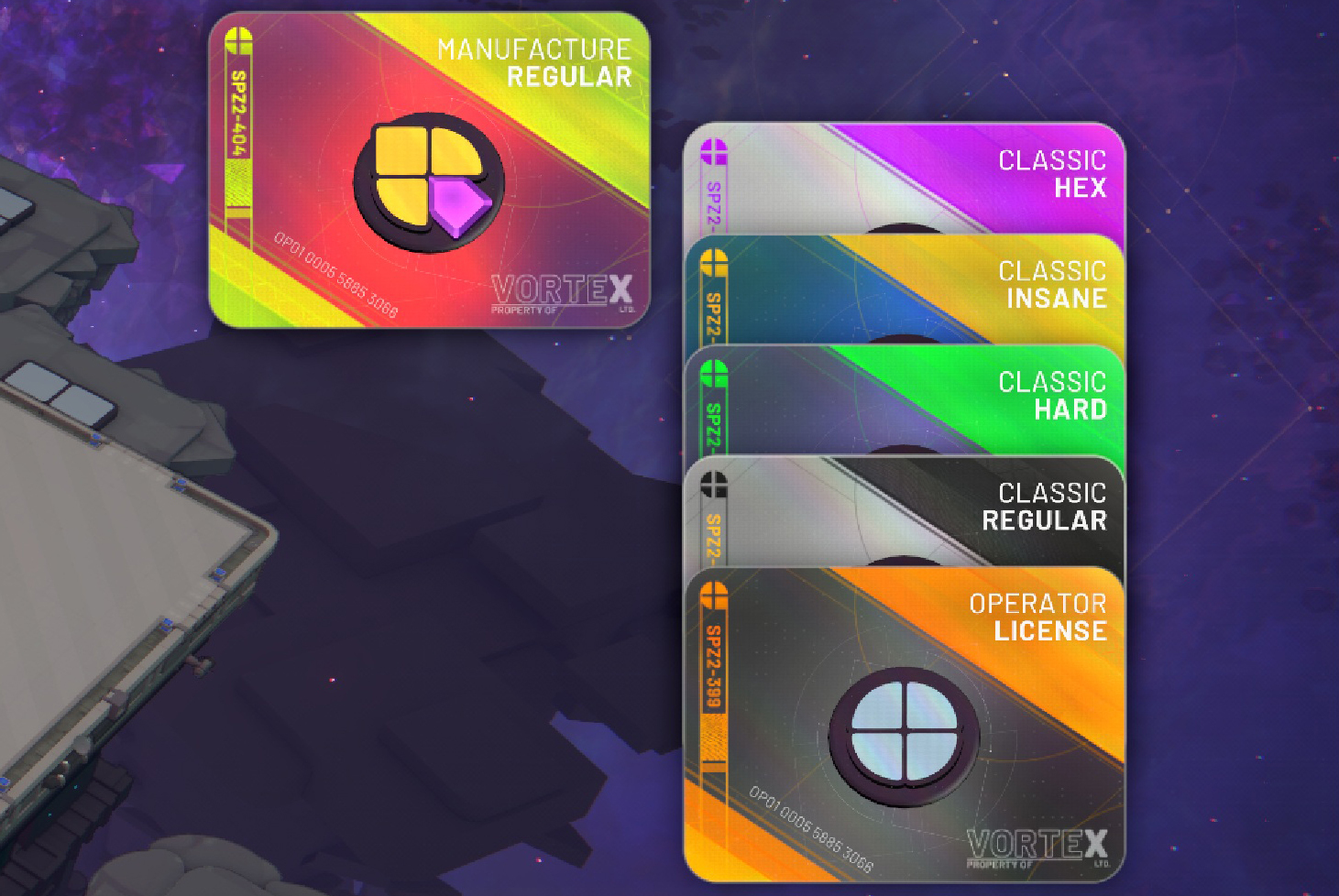
We've added Mastery Badges to collect for every game mode and scenario in shapez 2, including the tutorial. If you need some direction on what to do next, try to collect them all!
Achievements
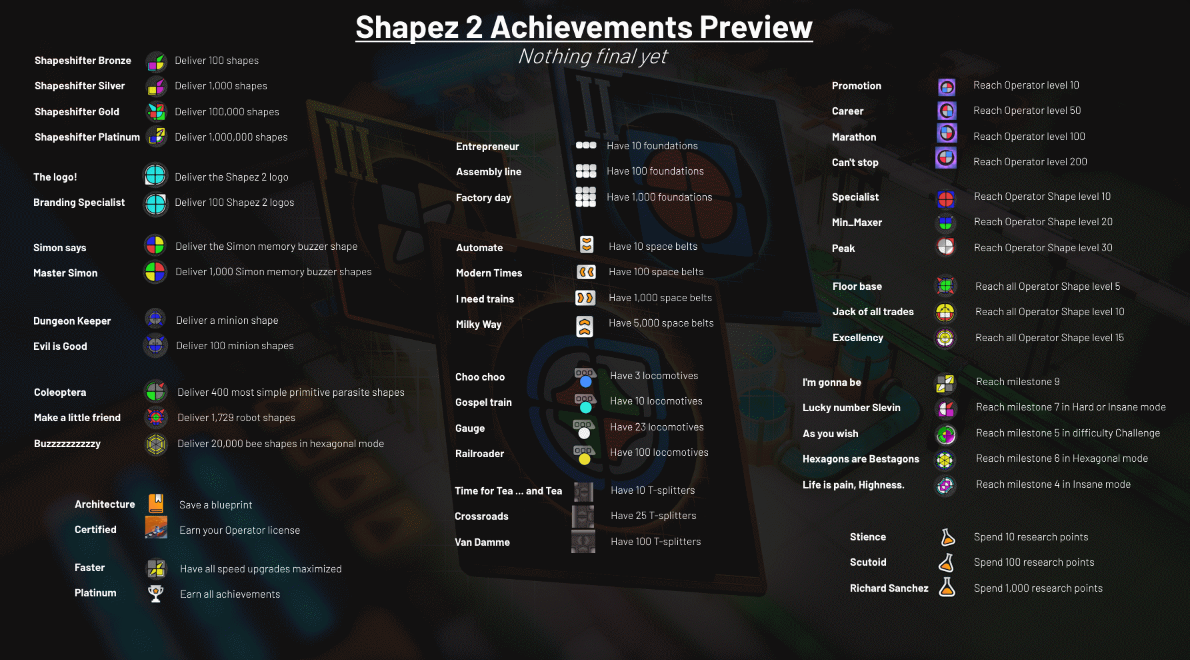
Speaking of achievements, they've been added as well! There are now over 80 achievements to get, requiring you to tackle most of the content shapez 2 has to offer. Some of them you'll get simply by playing, while others may require you to make a specific shape a whole lot. There are a few secret achievements to look for as well, which you'll have to discover for yourself. However, we've made the achievements in such a way that it shouldn't distract you from regular gameplay to get them.
Shop
The upgrade shop now has upgrades for platform capacity and speed upgrades have been globalized so you won't have to worry about messing up your throughput balancing!
Music
An extra 10 minutes of instant classics by Peppsen are coming with 1.0, and an additional 10 minutes if you own the Supporter Edition.
UI
Shape Previews
The preview at the end of a belt of what shape is being produced got refactored and now also work for trains!
Dark Mode
The game can now be set to Dark Mode, which not only darkens the UI of the game, but also the buildable area of platforms! Makes accidentally playing shapez 2 until 3am a bit easier on the eyes.
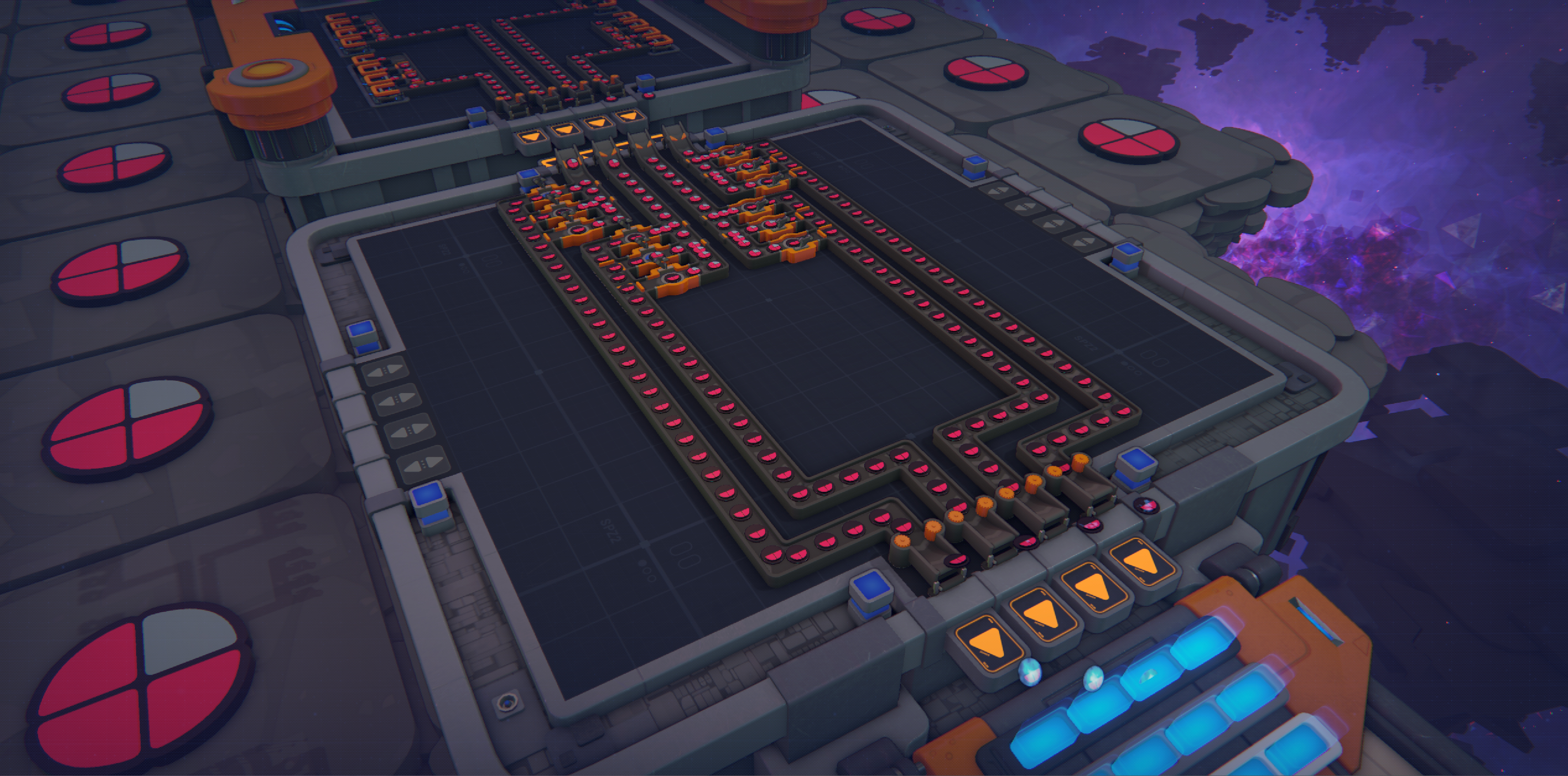
Codex
The Codex (or Knowledge Panel) got some major improvements. Aside from being expanded, it now has a search function and many more video previews.
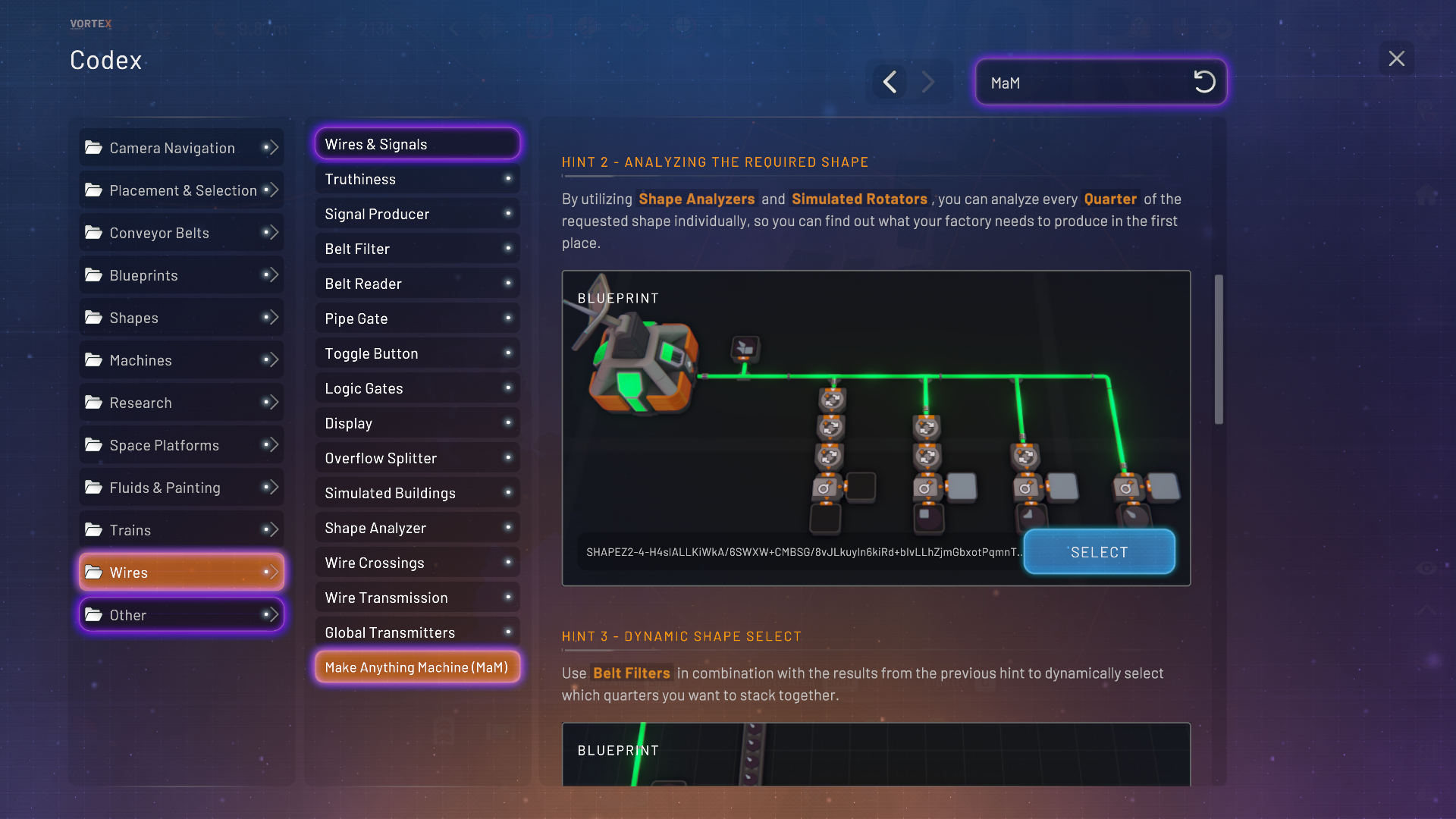
Tool Bar
The tool bar and its entries have been reorganised to be more intuitive, and most icons have new designs to more easily distinguish them at a glance.
...and many, many more minor changes!
We're really excited for the release of 1.0 next week and can't wait to see your new Manufacture Mode factories!
Notas de atualização que o estúdio publicou na Steam, mais as atualizações sem nota que o Radar percebeu nos dados técnicos do jogo (estas só a partir de quando o site começou a acompanhar).
Mídia



Usuários da Steam
Imprensa
- —
“shapez 2 is like if you stripped down the moment-to-moment joys of a game like Satisfactory or Factorio to their most primal elements and left all the rest behind.”
- —
“... shapez 2 has, in my mind at least, turned the holy trinity of factory games (Factorio, Satisfactory, Dyson Sphere Program) into a holy quartet. This is by far the most fun I've had reviewing a game ...”
- —
“If you like building factories, shapez 2 is the best game for pure factory building – I love it.”
- Site oficial
- Tempo para zerar (HowLongToBeat)média de horas até terminar a história e até 100%
- Manual on-line
- Suporte
- Política de privacidade
- E-mail de suportesupport@tobspr.io
- Redes sociaisDiscord · Reddit · X (Twitter) · YouTube · Bluesky · TikTok · Weibo · QQ · Bilibili
Tem português do Brasil: interface.
| Idioma | Interface | Legendas | Áudio |
|---|---|---|---|
| Português (Brasil) | ✓ | — | — |
| Inglês | ✓ | — | — |
| Alemão | ✓ | — | — |
| Chinês simplificado | ✓ | — | — |
| Chinês tradicional | ✓ | — | — |
| Coreano | ✓ | — | — |
| Espanhol (Espanha) | ✓ | — | — |
| Francês | ✓ | — | — |
| Japonês | ✓ | — | — |
| Polonês | ✓ | — | — |
| Russo | ✓ | — | — |
| Tailandês | ✓ | — | — |
| Turco | ✓ | — | — |
Mínimos
- Requer um sistema operativo e processador de 64 bits
- Sistema Operativo
- Windows 10 64bit
- Processador
- Intel(R) Core(TM) i5-10400 CPU
- Memória
- 8 GB de RAM
- Placa gráfica
- NVIDIA GeForce GTX 750 Ti
- DirectX
- Versão 11
- Espaço no disco
- Requer 2000 MB de espaço livre
- Notas adicionais
- For 'minimum' graphics preset on Full HD. Two button mouse with scroll wheel required.
Recomendados
- Requer um sistema operativo e processador de 64 bits
- Sistema Operativo
- Windows 11 64bit
- Processador
- Intel(R) Core(TM) i5-12600 CPU
- Memória
- 16 GB de RAM
- Placa gráfica
- NVIDIA GeForce RTX 2060
- DirectX
- Versão 11
- Espaço no disco
- Requer 2000 MB de espaço livre
- Notas adicionais
- For 'high' graphics preset on Full HD.
Informações técnicas
Depósitos · 3
| ID | Conteúdo | Sistema | Idioma | Download | Instalado |
|---|---|---|---|---|---|
2162803 | Conteúdo do jogo | Linux | Todos | 2,0 GB | 3,2 GB |
2162802 | Conteúdo do jogo | Windows | Todos | 1,9 GB | 3,2 GB |
2162804 | Conteúdo do jogo | macOS | Todos | 1,9 GB | 3,2 GB |
Dados técnicos públicos da Steam, os mesmos que o aplicativo da Steam baixa (lidos em 23/11/2026 10:04). Depósitos são as partes que a Steam baixa separadamente: o jogo, os idiomas e as DLCs. Os tamanhos são aproximados.
Preço em cada país
 Índia · 28% abaixo do Brasil
| País | Preço atual | Preço cheio | Desconto | Em reais | vs Brasil | Menor visto |
|---|---|---|---|---|---|---|
| Índia | ₹ 899 | ₹ 899 | — | -28% | ₹ 899 | |
 Rússia | ₽ 799 | ₽ 799 | — | -28% | ₽ 799 | |
 Paquistão · Sul da Ásia (dólar) | US$ 9,99 | US$ 9,99 | — | -26% | US$ 9,99 | |
 Ucrânia | ₴ 460 | ₴ 460 | — | -24% | ₴ 460 | |
 Indonésia | Rp 199.999 | Rp 199.999 | — | -19% | Rp 199.999 | |
 Filipinas | ₱ 700,00 | ₱ 700,00 | — | -19% | ₱ 700,00 | |
 Turquia · Oriente Médio e N. África (dólar) | US$ 10,99 | US$ 10,99 | — | -18% | US$ 10,99 | |
 Armênia · ex-URSS (dólar) | US$ 10,99 | US$ 10,99 | — | -18% | US$ 10,99 | |
 China | CN¥ 75,00 | CN¥ 75,00 | — | -17% | CN¥ 75,00 | |
 Tailândia | ฿ 400,00 | ฿ 400,00 | — | -12% | ฿ 400,00 | |
 Argentina · América Latina (dólar) | US$ 11,99 | US$ 11,99 | — | -11% | US$ 11,99 | |
 África do Sul | R 210,00 | R 210,00 | — | -11% | R 210,00 | |
 Cazaquistão | ₸ 5.500 | ₸ 5.500 | — | -10% | ₸ 5.500 | |
 Vietnã | ₫ 320.000 | ₫ 320.000 | — | -8% | ₫ 320.000 | |
 Brasil | R$ 79,98 | R$ 79,98 | — | — | R$ 79,98 | |
 Colômbia | COL$ 50.000 | COL$ 50.000 | — | +8% | COL$ 50.000 | |
 Taiwan | NT$ 500 | NT$ 500 | — | +13% | NT$ 500 | |
 Chile | CLP$ 15.500 | CLP$ 15.500 | — | +13% | CLP$ 15.500 | |
 Malásia | RM 66,00 | RM 66,00 | — | +19% | RM 66,00 | |
 Arábia Saudita | SR 61,49 | SR 61,49 | — | +22% | SR 61,49 | |
 México | Mex$ 334,99 | Mex$ 334,99 | — | +30% | Mex$ 334,99 | |
 Japão | ¥ 2.800 | ¥ 2.800 | — | +31% | ¥ 2.800 | |
 Kuwait | KD 5,50 | KD 5,50 | — | +32% | KD 5,50 | |
 Polônia | zł 74,99 | zł 74,99 | — | +37% | zł 74,99 | |
 Hong Kong | HK$ 156,00 | HK$ 156,00 | — | +48% | HK$ 156,00 | |
 Peru | S/ 71,99 | S/ 71,99 | — | +55% | S/ 71,99 | |
 Emirados Árabes | AED 79,00 | AED 79,00 | — | +60% | AED 79,00 | |
 Uruguai | $U 885 | $U 885 | — | +62% | $U 885 | |
 Costa Rica | ₡ 10.000 | ₡ 10.000 | — | +66% | ₡ 10.000 | |
 Singapura | S$ 29,99 | S$ 29,99 | — | +73% | S$ 29,99 | |
 Catar | QR 84,99 | QR 84,99 | — | +74% | QR 84,99 | |
 Coreia do Sul | ₩ 32.000 | ₩ 32.000 | — | +77% | ₩ 32.000 | |
 Canadá | CDN$ 38,99 | CDN$ 38,99 | — | +102% | CDN$ 38,99 | |
 Nova Zelândia | NZ$ 49,90 | NZ$ 49,90 | — | +103% | NZ$ 49,90 | |
 Austrália | A$ 43,95 | A$ 43,95 | — | +117% | A$ 43,95 | |
 Noruega | kr 290,00 | kr 290,00 | — | +121% | kr 290,00 | |
 Estados Unidos | US$ 29,99 | US$ 29,99 | — | +123% | US$ 29,99 | |
 Israel | ₪ 100,95 | ₪ 100,95 | — | +124% | ₪ 100,95 | |
 Zona do euro | € 28,99 | € 28,99 | — | +137% | € 28,99 | |
 Reino Unido | £ 24,99 | £ 24,99 | — | +143% | £ 24,99 | |
 Suíça | CHF 33,50 | CHF 33,50 | — | +196% | CHF 33,50 |
Do mais barato ao mais caro em reais, pela cotação do dia (só para comparar: o preço cobrado é o da moeda local).
Histórico de preço
Ainda não há promoções registradas para este jogo aqui. Nas grandes promoções da Steam (verão, inverno, outono e primavera) a maioria dos jogos entra com desconto. As faixas douradas no gráfico marcam as grandes promoções da Steam.
Todas as mudanças de preço
| Visto em | País | Preço | Preço cheio | Desconto | Em reais |
|---|---|---|---|---|---|
| 23/11/2026 10:03 | Brasil | R$ 79,98 | R$ 79,98 | — | R$ 79,98 |
| 23/11/2026 10:03 | Estados Unidos | US$ 29,99 | US$ 29,99 | — | ≈ R$ 178,30 |
| 23/11/2026 10:03 | Argentina · América Latina (dólar) | US$ 11,99 | US$ 11,99 | — | ≈ R$ 71,28 |
| 23/11/2026 10:03 | México | Mex$ 334,99 | Mex$ 334,99 | — | ≈ R$ 104,20 |
| 23/11/2026 10:03 | Chile | CLP$ 15.500 | CLP$ 15.500 | — | ≈ R$ 90,65 |
| 23/11/2026 10:03 | Reino Unido | £ 24,99 | £ 24,99 | — | ≈ R$ 194,58 |
| 23/11/2026 10:03 | Zona do euro | € 28,99 | € 28,99 | — | ≈ R$ 189,16 |
| 23/11/2026 10:03 | Turquia · Oriente Médio e N. África (dólar) | US$ 10,99 | US$ 10,99 | — | ≈ R$ 65,34 |
| 23/11/2026 10:03 | Japão | ¥ 2.800 | ¥ 2.800 | — | ≈ R$ 104,89 |
| 23/11/2026 10:03 | Índia | ₹ 899Mais barato em reais | ₹ 899 | — | ≈ R$ 57,62 |
| 23/11/2026 10:03 | Canadá | CDN$ 38,99 | CDN$ 38,99 | — | ≈ R$ 161,74 |
| 23/11/2026 10:03 | Austrália | A$ 43,95 | A$ 43,95 | — | ≈ R$ 173,39 |
| 23/11/2026 10:03 | Nova Zelândia | NZ$ 49,90 | NZ$ 49,90 | — | ≈ R$ 162,39 |
| 23/11/2026 10:03 | Suíça | CHF 33,50 | CHF 33,50 | — | ≈ R$ 236,99 |
| 23/11/2026 10:03 | Noruega | kr 290,00 | kr 290,00 | — | ≈ R$ 176,81 |
| 23/11/2026 10:03 | Polônia | zł 74,99 | zł 74,99 | — | ≈ R$ 109,70 |
| 23/11/2026 10:03 | Ucrânia | ₴ 460 | ₴ 460 | — | ≈ R$ 60,84 |
| 23/11/2026 10:03 | Rússia | ₽ 799 | ₽ 799 | — | ≈ R$ 57,94 |
| 23/11/2026 10:03 | Cazaquistão | ₸ 5.500 | ₸ 5.500 | — | ≈ R$ 71,76 |
| 23/11/2026 10:03 | Armênia · ex-URSS (dólar) | US$ 10,99 | US$ 10,99 | — | ≈ R$ 65,34 |
| 23/11/2026 10:03 | Paquistão · Sul da Ásia (dólar) | US$ 9,99 | US$ 9,99 | — | ≈ R$ 59,39 |
| 23/11/2026 10:03 | China | CN¥ 75,00 | CN¥ 75,00 | — | ≈ R$ 66,74 |
| 23/11/2026 10:03 | Hong Kong | HK$ 156,00 | HK$ 156,00 | — | ≈ R$ 118,31 |
| 23/11/2026 10:03 | Taiwan | NT$ 500 | NT$ 500 | — | ≈ R$ 90,17 |
| 23/11/2026 10:03 | Coreia do Sul | ₩ 32.000 | ₩ 32.000 | — | ≈ R$ 141,60 |
| 23/11/2026 10:03 | Indonésia | Rp 199.999 | Rp 199.999 | — | ≈ R$ 65,06 |
| 23/11/2026 10:03 | Malásia | RM 66,00 | RM 66,00 | — | ≈ R$ 95,42 |
| 23/11/2026 10:03 | Filipinas | ₱ 700,00 | ₱ 700,00 | — | ≈ R$ 65,12 |
| 23/11/2026 10:03 | Singapura | S$ 29,99 | S$ 29,99 | — | ≈ R$ 138,32 |
| 23/11/2026 10:03 | Tailândia | ฿ 400,00 | ฿ 400,00 | — | ≈ R$ 70,06 |
| 23/11/2026 10:03 | Vietnã | ₫ 320.000 | ₫ 320.000 | — | ≈ R$ 73,80 |
| 23/11/2026 10:03 | Colômbia | COL$ 50.000 | COL$ 50.000 | — | ≈ R$ 86,48 |
| 23/11/2026 10:03 | Peru | S/ 71,99 | S/ 71,99 | — | ≈ R$ 124,33 |
| 23/11/2026 10:03 | Uruguai | $U 885 | $U 885 | — | ≈ R$ 129,68 |
| 23/11/2026 10:03 | Costa Rica | ₡ 10.000 | ₡ 10.000 | — | ≈ R$ 132,83 |
| 23/11/2026 10:03 | África do Sul | R 210,00 | R 210,00 | — | ≈ R$ 71,29 |
| 23/11/2026 10:03 | Emirados Árabes | AED 79,00 | AED 79,00 | — | ≈ R$ 127,89 |
| 23/11/2026 10:03 | Arábia Saudita | SR 61,49 | SR 61,49 | — | ≈ R$ 97,49 |
| 23/11/2026 10:03 | Catar | QR 84,99 | QR 84,99 | — | ≈ R$ 138,82 |
| 23/11/2026 10:03 | Kuwait | KD 5,50 | KD 5,50 | — | ≈ R$ 105,33 |
| 23/11/2026 10:03 | Israel | ₪ 100,95 | ₪ 100,95 | — | ≈ R$ 179,05 |
Uma linha nova aparece sempre que o preço muda. A linha em destaque é o preço atual de cada país. Valores em reais pela cotação do dia (22/11), só para comparar: o preço cobrado é o da moeda local. Rates By Exchange Rate API
Edições e pacotes
| Opção de compra | Preço no Brasil | Economia do pacote |
|---|---|---|
| Franquia Completa de ShapezPacote | R$ 12,58 | R$ 1,40vs. R$ 13,98 separado |
| Shapez Mogul BundlePacote | R$ 43,70 | R$ 3,29vs. R$ 46,99 separado |
| Main Sequence x shapez 2Pacote | -20% | R$ 18,20vs. R$ 64,99 separado |
| Shapes, Potions & Automation BundlePacote | R$ 52,24 | R$ 2,75vs. R$ 54,99 separado |
| Build Factories and ChillPacote | R$ 53,99 | R$ 6,00vs. R$ 59,99 separado |
| Cut, Paint & AssemblePacote | R$ 66,49 | R$ 3,50vs. R$ 69,99 separado |
| shapez 2Edição | R$ 79,98 | — |
| Edição de Apoiador de Shapez 2Edição | R$ 107,98 | — |
| Automation Pipeline MasterPacote · 2 itens | R$ 116,41 | R$ 12,94vs. R$ 129,35 separado |
Da mais barata para a mais cara. "Economia do pacote" compara com comprar cada item separado, pelo preço de hoje.
DLCs · preços no Brasil
 shapez 2 - Hyper Skin DLCApp ID 4746220 · 25 jun. 2026R$ 13,98
 Promoção a Edição de Apoiador de Shapez 2App ID 3075620 · 15 ago. 2024R$ 29,99
Cartas colecionáveis · cartas, laminadas e insígnias
Este jogo não tem cartas colecionáveis Steam.
Itens de perfil · fundos, emoticons e loja de pontos
Este jogo não tem itens de perfil nem itens na loja de pontos (conferido em 23/11/2026 10:03).
Conquistas · percentual global de jogadores
As 5 mais raras
 A Space Odyssey0,1%Launch 2,001 Vortex platforms in the Manufacture mode
 Break It 'Til You Make It0,1%Conquista oculta
 Good Luck on This One0,1%Conquista oculta
 Platinum0,1%Unlock all achievements
 Alien0,2%Conquista oculta
Todas
 Shapeshifter IDeliver 1,000 shapes to the Vortex36,3%ShapeShifter1
 Shapeshifter IIDeliver 10,000 shapes to the Vortex30,9%ShapeShifter2
 CertifiedEarn your operator license27,6%Certified
 ArchitectureSave a blueprint22,3%Architecture
 Shapeshifter IIIDeliver 100,000 shapes to the Vortex19,0%ShapeShifter3
 StienceSpend 5,000 research credits17,5%Stience
 I need TrainsHave 500 space belts15,5%INeedTrains
 Copy-PastaPlace a blueprint with 1,000 or more structures14,5%CopyPasta
 PlayerUnlock 10 achievements13,1%Player
 Choo ChooHave 3 locomotives12,4%ChooChoo
 PromotionReach Operator Level 1012,1%Promotion
 Assembly LineHave 100 machine platforms10,4%AssemblyLine
 SpecialistReach level 10 on any operator shape10,2%Specialist
 Feed 'em AllUnlock all Vortex inputs9,5%VortexGrowth
 FasterUnlock maximum speed9,1%Faster
 Shapeshifter IVDeliver 1,000,000 shapes to the Vortex9,0%ShapeShifter4
 Master of LogisticsHave more than 2,000 rails8,8%MasterOfLogistics
 HyperdriveUpgrade trains to their maximum speed8,7%Hyperdrive
 ScutoidSpend 50,000 research credits8,6%Scutoid
 Milky WayHave 2,000 space belts8,2%MilkyWay
 RodriguezConquista oculta7,7%Rodriguez
 RanmaHave 100 swappers7,6%Ranma
 CareerReach Operator Level 506,9%Career
 These boots are made for walkingConquista oculta6,6%TheseBootsAreMadeForWalking
 SeriousUnlock 25 achievements6,5%Serious
 Min-MaxerReach level 20 on any operator shape6,3%MinMaxer
 GaugeHave 23 locomotives6,2%Gauge
 Richard SanchezSpend 150,000 research credits6,1%RichardSanchez
 Van DammeHave 100 T-splitters5,5%VanDamme
 Emerging OperatorDeliver more than 300 valid shapes per second to the Vortex5,2%EmergingOperator
 Lift OffLaunch a trading rocket in the Manufacture mode5,0%LiftOff
 MarathonReach Operator Level 1004,7%Marathon
 Simulate the SimulationPlace a simulated machine4,7%SimulateTheSimulation
 Apollo 13Launch 13 trading rockets in the Manufacture mode4,6%Apollo13
 What happens to the Driver?Deliver more than 2,500 valid shapes in under five seconds to the Vortex4,2%TrainDelivery
 PeakReach level 30 on any operator shape3,9%Peak
 Space ProgramLaunch 100 trading rockets in the Manufacture mode3,7%Katyusha
 I'm gonna beReach milestone 9 in any Classic mode scenario3,4%ImGonnaBe
 The Logo!Deliver the shapez 2 logo to the Vortex3,0%TheLogo
 Yellow BugDeliver 5,000 Yellow Bug shapes in Classic - Regular2,8%YellowBug
 CPUHave more than 1,000 wires2,7%CPU
 Can't StopReach Operator Level 2502,7%CantStop
 Factory DayHave 1,000 machine platforms2,7%FactoryDay
 Captain FutureUnlock all milestones and shop items2,5%CaptainFuture
 RailroaderHave 100 locomotives2,4%Railroader
 Space Route 66Launch 1,000 trading rockets in the Manufacture mode2,4%SpaceRoute66
 Third LegacyConquista oculta2,3%ThirdLegacy
 AcceptanceComplete milestone 4 in Manufacture mode2,2%Acceptance
 3.50Own 35,000 blueprint credits1,4%350
 SearchingComplete milestone 6 in Manufacture mode1,3%Searching
 It's Piling UpOwn 200,000 blueprint credits1,2%ItsPilingUp
 Trading EmpireLaunch 100 trading rockets per minute in the Manufacture mode1,2%TradingEmpire
 MAMmonReach level 10 or higher on any random operator shape1,1%MAMmon
 Lucky number SlevinReach milestone 7 in Classic - Hard or Classic - Insane1,0%LuckyNumberSlevin
 Rich Rich RichOwn 1,000,000 blueprint credits1,0%RichRichRich
 Mecha BotConquista oculta0,9%MechaBot
 HopeComplete milestone 9 in Manufacture mode0,8%Hope
 MAMmothReach level 25 or higher on any random operator shape0,8%MAMmoth
 WhaleSpend 1,000,000 blueprint credits in total0,8%Whale
 AchieverUnlock 50 achievements0,7%Achiever
 As you WishReach milestone 5 in 'Challenge' difficulty.0,7%AsYouWish
 Level BaseReach level 5 on all operator shapes0,6%FloorBase
 Let's Game It OutConquista oculta0,6%LetsGameItOut
 MAMmaReach level 50 or higher on any random operator shape0,6%MAMma
 Shelled TrooperConquista oculta0,6%ShelledTrooper
 Captivity DeviceConquista oculta0,5%CaptivityDevice
 DevilsConquista oculta0,5%Devils
 ExcellencyReach level 15 on all operator shapes0,5%Excellency
 Jack of All TradesReach level 10 on all operator shapes0,5%JackOfAllTrades
 We're so BackRebuild and launch your Vortex platform in Manufacture mode0,4%FinalCountdown
 Hexagons are BestagonsReach milestone 6 in Classic - Hexagonal0,3%HexagonsAreBestagons
 Life is pain, Highness.Reach milestone 6 in Classic - Insane0,3%LifeIsPain
 RobotConquista oculta0,3%Robot
 Toxic BloomingConquista oculta0,3%ToxicBlooming
- AlienConquista oculta0,2%Alien
 Frost CompanionConquista oculta0,2%FrostCompanion
 Galactic LotusConquista oculta0,2%GalacticLotus
 HextanglesConquista oculta0,2%Hextangles
 Primitive ParasiteConquista oculta0,2%PrimitiveParasite
- A Space OdysseyLaunch 2,001 Vortex platforms in the Manufacture mode0,1%ASpaceOdyssey
- Break It 'Til You Make ItConquista oculta0,1%BreakItTillYouMakeIt
- Good Luck on This OneConquista oculta0,1%GoodLuckOnThisOne
- PlatinumUnlock all achievements0,1%Platinum
Evolução da nota · análises positivas mês a mês
Linha: % de análises positivas de cada mês (cor pela nota: azul 70%+, amarelo 40–69%, vermelho abaixo). Barras: quantas análises o mês teve. Passe o mouse para ver os números. Fonte: histórico de análises da loja da Steam, atualizado em 23/11/2026 10:03.
Comentários dos jogadores · análises da Steam
- ▲ Recomenda17,6 h jogadas ao escrever22 jun. 2026
Para quem nunca jogou o Shapez 1, eu diria para não se preocupar com otimização, vai fazendo sua fábrica toda bagunçada mesmo. Com o tempo e novas ferramentas desbloqueadas você vai se sentir um engenheiro muito bolado.
Para quem jogou o Shapez 1, foi uma evolução INCRÍVEL, tem tudo do primeiro jogo, além de MUITAS melhorias de qualidade de vida e mecânicas novas. Tenho certeza que a quantidade de conteúdo mais que quadriplicou em relação ao primeiro jogo.
Em relação a performance, estou genuinamente impressionada, pois eu esperava que esse jogo fosse muito mais pesado que o primeiro, mas para mim, não ficou abaixo dos 60 FPS, mesmo com as fábricas gigantes.
Leve spoiler:
O fato dos desenvolvedores terem retirados as formas flutuantes (que mais pareciam um bug do que uma mecânica no primeiro jogo) foi um SONHO REALIZADO!!!!! EU ADOREI ISSO PRA KRAI, OBRIGADA DEVS!!!! DEVS VCS SÃO UNS GOSTOSOS5 acharam útilVer na Steam - ▲ Recomenda62,0 h jogadas ao escrever10 ago. 2026
Pra quem gosta jogo de Automação, shapez 2 esse sem duvida foi um dos melhores que eu já joguei indico muito.
2 acharam útilVer na Steam - ▲ Recomenda29,9 h jogadas ao escrever12 jan. 2026Acesso antecipado
Sem dúvida o melhor jogo de construção de fábrica e automação. Pura lógica, você toma decisões, verifica constantemente onde está o gargalo que tá ferrando sua produção, minera coisas no universo com um trem, cada asteroide possui sua riqueza de tridimensionalidade, é um jogo sensacional. Não parei mais de jogar. Extremamente viciante e sim, quem gosta de factorio vai amar essa parada. São propostas diferentes, claro, mas a questão da automação e da lógica, pra funcionar rápido, desbloquear itens na medida que for avançando nas pesquisas, construir esteiras eficientes e otimizadas, com certeza fazem desse jogo uma excelente opção para os fãs do gênero.
Você precisa minerar formas para jogá-las no vórtice. No início você minera quadrados e círculos, corta eles, empilha, pensa numa lógica pra girar, cortar e formar outras coisas e vai jogando no vórtice. A medida que o jogo avança, você precisa ir buscar no universo, rico em centenas de formas, alguma coisa que funcione. Você coloca um extrator lá no asteroide e puxa um esteirão até a fundação do vórtice.
Mas essas esteiras são limitadas. Se você quer minerar algo longe demais, as esteiras não darão conta.
Uma hora, o jogo também pede formas coloridas que estão disponíveis no universo, mas muitas das que você precisa ficam longe. Então você tem que minerar asteroides coloridos e extrair tinta deles com uma mangueira pra pintar as formas.
O objetivo é desbloquear o trem. Esse sim você vai até os quintos dos infernos e constrói trilhos a vontade. Mas também tem a problemática, pois a carga dos trens é limitada e se você minerar longe demais, ele demora pra chegar na sua fundação.
Rapaz, esse jogo é lógica pura. Quem, como eu, trabalha com programação ou tem interesse nessa área, eu recomendo fortemente esse jogo. Ele não ensina a programar, mas questões como automatizar do melhor jeito, tomar as melhores decisões, refatorar, corrigir onde tem gargalo, certamente são coisas que a gente vê na programação todos os dias.
E recomendo pra todos, claro. Isso te faz pensar, é viciante, a estética desse jogo é maravilhosa, simples, bonita - até recomendo jogar ouvindo um vaporwave, hehe!
Parabéns aos desenvolvedores desse jogo, pelo carinho com que vocês produziram.2 acharam útilVer na Steam - ▲ Recomenda16,2 h jogadas ao escrever20 dez. 2025Acesso antecipado
Um dos melhores jogos no estilo de automação (meu gênero favorito). O preço vale a pena? COM TODA CERTEZA. Não vejo a hora do jogo ter conquistas, e passar mais horas buscando elas.
1 acharam útilVer na Steam - ▲ Recomenda8,0 h jogadas ao escrever10 out. 2026
Eu já gostava muito do primeiro, o segundo conseguiu deixar mais interessante e divertido.
Para quem gosta de organizar puzzles sem pressão de tempo ou vida, esse jogo é muito relaxante e prazeroso de jogar.
- ▼ Não recomenda106,9 h jogadas ao escrever17 jan. 2026Acesso antecipado
depois que atualizou pra versão 1.0 perdi meus saves e minha blueprints, uma merda, sem falar que a progressão ficou 10x mais lenta que antes, talvez no futuro com os mods fique melhor, mas vanilla do jeito que tá eu achei horrível, muito lento o jogo.
- ▼ Não recomenda35,9 h jogadas ao escrever26 abr. 2026Em inglês
Its a fun game, but its not tickling my passion for automation, as there's no resource management. You just keep expanding outwards without any threats. Its also really tedious to start over the game without the level 3 upgrade. You need to play with blueprints up to level 2, then after unlocking level 3, you need to REPLACE all your blueprints to level 3. Then imagine doing the same thing for every difficulty you play. The build up is just not fun.
I rather just play Factorio or Satisfactory. - ▼ Não recomenda57,2 h jogadas ao escrever10 jun. 2026Em inglês
I have chosen to be a bit obtuse with "negative review" here as I'd describe my thoughts as: "I liked my time with this, but there are definitely issues that have now irked me enough that I'll let this one rest for a good while". If I talked about something in that tone to a friend, then I don't think that's a positive review at least. Insert comment about wanting a middling option for a review here.
Shapez 2 is an automation game distilled. You don't have xenos gnawing at your concrete plant, and you don't have to concern yourself with annoying terrain getting in the way of your concrete plant blueprint. Hell that concrete plant doesn't exist, because all you produce is abstract shapes that have no use in building, they are just made to be thrown into the void for rewards. Every building is free, and you build in an endless expanse populated only by scarce resource nodes (that you can pave over in case you don't feel like you need another source of quarter-circles or green)
I don't dismiss this approach on the face of it, as seems to be the main criticism. Again, it's factory-building distilled. If a belt isn't fully saturated in Factorio I can just dismiss that as some butterfly-effect from something not caused by me, Venus is in retrograde and oil pump 5623 has dropped enough in efficiency so that this beselheim-plate line can only sustain at 99%. But in Shapez if a belt has gaps, I know that a design I've made is wonky and needs a seeing-over (Still haven't figured out why my splitter-utilizing designs end up with an ever so occasional stutter, even on the fifth revision). It's interesting to be in a world of theoretical perfection where everything does exactly like I asks. But those people complaining weren't entirely wrong.
When everything does as I ask, I have as many resources as my computer can handle, and nothing is allowed to happen without me saying so, we've just reduced ourselves back to programming (perhaps even better than programming since I'm more sure about my factories doing as I tell them than the compiler, splitter problems notwithstanding). Much like programming, you pretty quickly come up with functions, things that come up over and over again, and just call upon them when needed. In my blueprint library that got every shape up to at least level 50 I have about 40 blueprints/functions. Out of those I'd say that half were actually useful, and the other half could have been recreated when needed, but stuck around for neatness sake. Save for setting up the starting platform, I would not need to go to the factory scale to beat normal-hard again. To put it into programming context, save for setting up the main function, I wouldn't need to write anything other than function calls to complete a project.
I had fun creating some of those blueprints. Figuring out something small that could swap two quadrants of a shape at (almost) 100% throughput was great (Make anything machine wasn't, but I have one), but now I've built it, an - ▼ Não recomenda0,8 h jogadas ao escrever8 set. 2026Em inglês
good game but for not me. maybe its just me but the whole concept of basically a giant sandbox and no currency or martials needed to advance through the game, just doing endless orders makes it feel unrewarding due to lack of joy of making something big and then deleting it so you can make a different shape. as a person you enjoys automation and factory games this one has been my least fav one. i would suggest this for people are new to the whole concept of automation. but besides that not too bad off a game.
- ▼ Não recomenda10,2 h jogadas ao escrever21 ago. 2026Em inglês
It's a puzzle game, those comparing it to factorio or satisfactory shouldn't be, it's not even close to those games. You make shapes, cut them, combine them, move them around. You plug parts of the factory together like building blocks. It's fun for a bit, but not fun enough for the asking price. In the 10 hours I played I've not yet seen all the mechanics of the game, but I really can't bring myself to play it any further. Game runs well, no graphic or audio issues, no issues on linux
- ▲ Recomenda8,0 h jogadas ao escrever10 out. 2026
Eu já gostava muito do primeiro, o segundo conseguiu deixar mais interessante e divertido.
Para quem gosta de organizar puzzles sem pressão de tempo ou vida, esse jogo é muito relaxante e prazeroso de jogar. - ▲ Recomenda21,4 h jogadas ao escrever6 set. 2026
É incrível a capacidade de automatização dos processos e criar fábricas cada vez melhores, jogo satisfatório e bom para passar o tempo.
- ▲ Recomenda62,0 h jogadas ao escrever10 ago. 2026
Pra quem gosta jogo de Automação, shapez 2 esse sem duvida foi um dos melhores que eu já joguei indico muito.
2 acharam útilVer na Steam - ▲ Recomenda100,9 h jogadas ao escrever21 jul. 2026
Ótimo jogo de lógica e estratégia! Um dos melhores gêneros de fabricação! focado em modelagem de peças ! Jogo único!
- ▲ Recomenda75,4 h jogadas ao escrever18 jul. 2026
QUE JOGO BOOOOMMMMMM KKKKKKKKKKKKKKKK É extremamente satisfatório pra quem gosta desse estilo, que coisa boa
Análises mais úteis do último ano (positivas e negativas) e as mais recentes, em português e, quando faltam, em inglês. A Steam não tem nota neutra: cada análise recomenda ou não o jogo. Atualizado em 23/11/2026 10:03.
Jogos parecidos
 Factorio97% · 194.007 análisesR$ 101,99✓Deck: VerificadoProtonDB: Platina
 Transport Fever 370% · 7.722 análisesR$ 164,99×Deck: IncompatívelProtonDB: Platina
 Satisfactory97% · 237.962 análisesR$ 107,99✓Deck: VerificadoProtonDB: Platina
 Cities: Skylines II57% · 65.408 análisesR$ 170,09×Deck: IncompatívelProtonDB: Ouro
 Schedule I97% · 294.977 análisesR$ 59,99!Deck: JogávelProtonDB: Platina
 Lightyear Frontier82% · 4.791 análisesR$ 80,99✓Deck: Verificado
 Find The Needle81% · 845 análisesR$ 48,49ProtonDB: Ouro
 Ore Factory Squad ⛏️87% · 1.984 análisesR$ 43,19!Deck: Jogável
Os jogos que a própria Steam considera parecidos (o "Mais como este" da loja). Preços do Brasil.
Comunidade · estimativas do SteamSpy
Tags mais votadas pelos jogadores
Idiomas
English, French, German, Spanish - Spain, Korean, Turkish, Polish, Russian, Thai, Japanese, Portuguese - Brazil, Simplified Chinese, Traditional Chinese
Estimativas do SteamSpy, atualizadas em 23/11/2026 10:03. Donos é uma faixa aproximada, não um número exato. O tempo de jogo só aparece quando o SteamSpy tem esse dado (hoje ele vem zerado para quase todos os jogos).
Últimas notícias e notas de atualização
| Data | Título | |||||||||||||||||||||||
|---|---|---|---|---|---|---|---|---|---|---|---|---|---|---|---|---|---|---|---|---|---|---|---|---|
| 19/11/2026 | Hello everyone! The shapez community is constantly showing off their talents with their creations. From world-spanning mega factories and self-made challenges, to pixel art and complex networks. Today we wanted to show off some of those creations, and potentially even inspire you to try something yourself in the new Christmas Competition! Note: The GIFs aren't visible to people in the UK. Steam blogs have a very tight upload size limit, and the only image hosting service supported by Steam is Imgur, which is blocked in the UK. To view the GIFs, please check out the Reddit version of the blog, or the video above. Anksiere & z🚂cK's Mega FactoriesMassive sprawling space factories are the shapez 2 end-game for many. Anskiere shared their Hard Manufacture Mode save featuring over 10 million machines, capable of outputting 1/8th of a Space Belt's worth of the final shape!
Meanwhile, z🚂cK shared their first Manufacture Mode save with their own sprawling factory as well. Looking at these screenshots, it's safe to say they went all out from the start!
Marl's All Challenges Make Anything MachineIf massive sprawling space factories aren't quite end-game enough for you, then Make Anything Machines surely are. Not many make one as expansive as Marl though! Their All Challenges MAM is a sight to behold, and is truly capable of making anything. 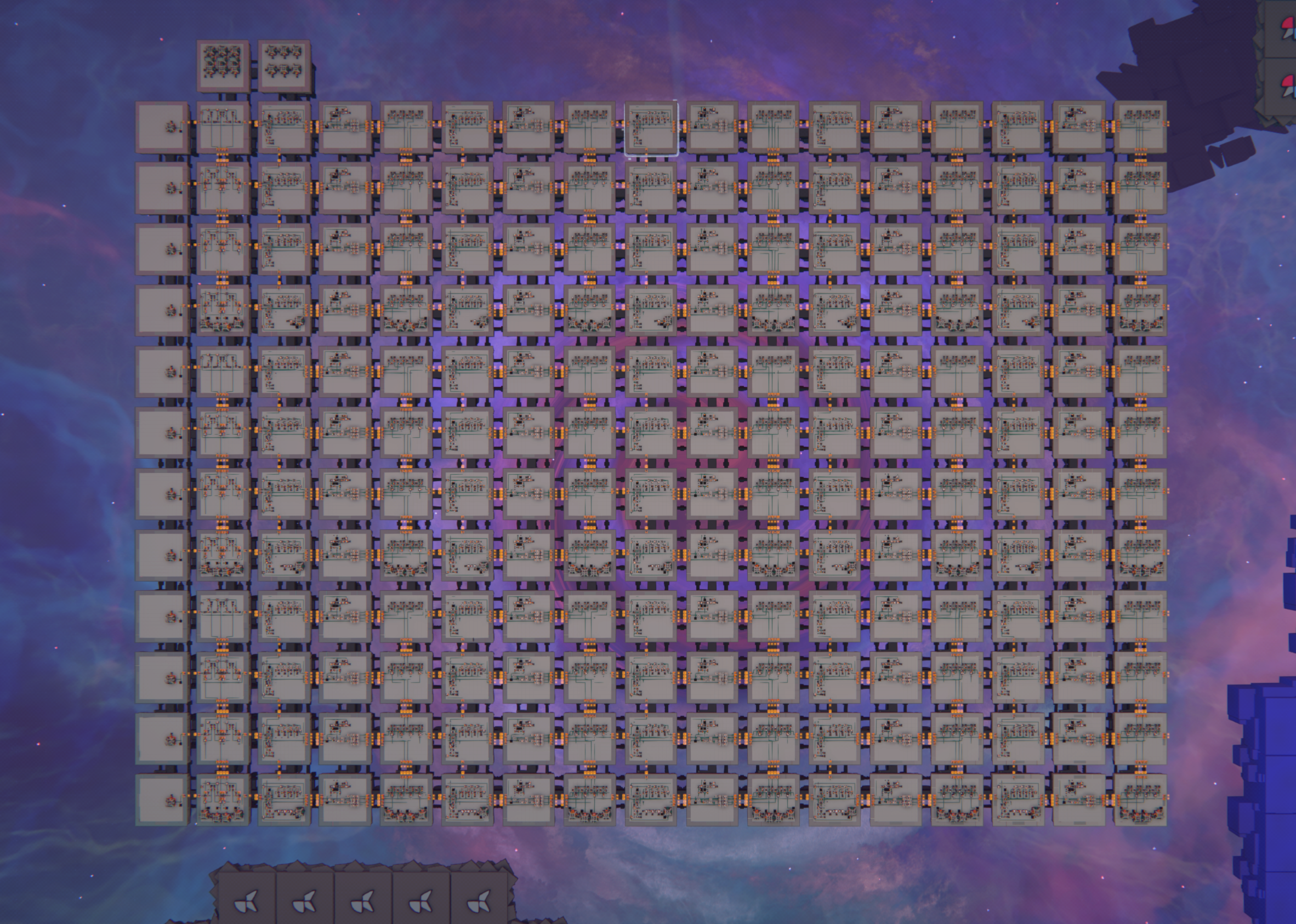 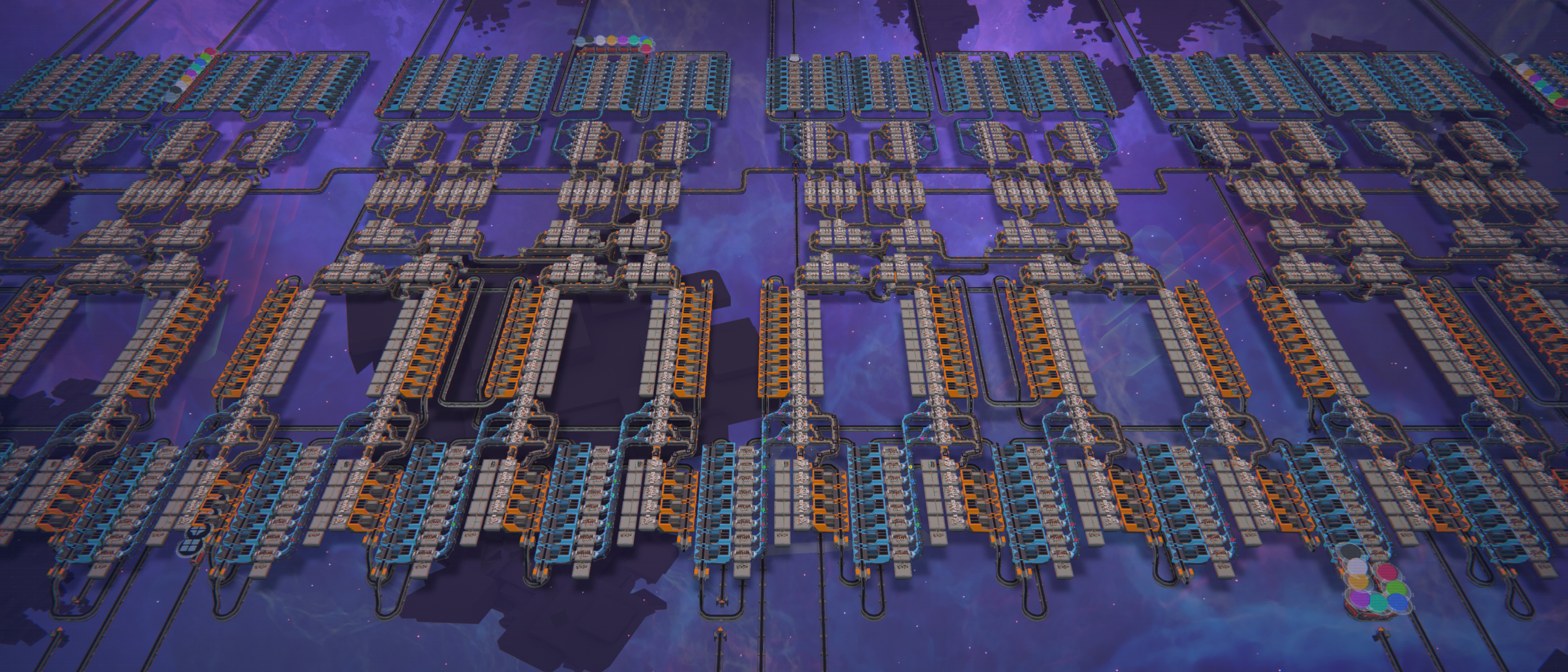 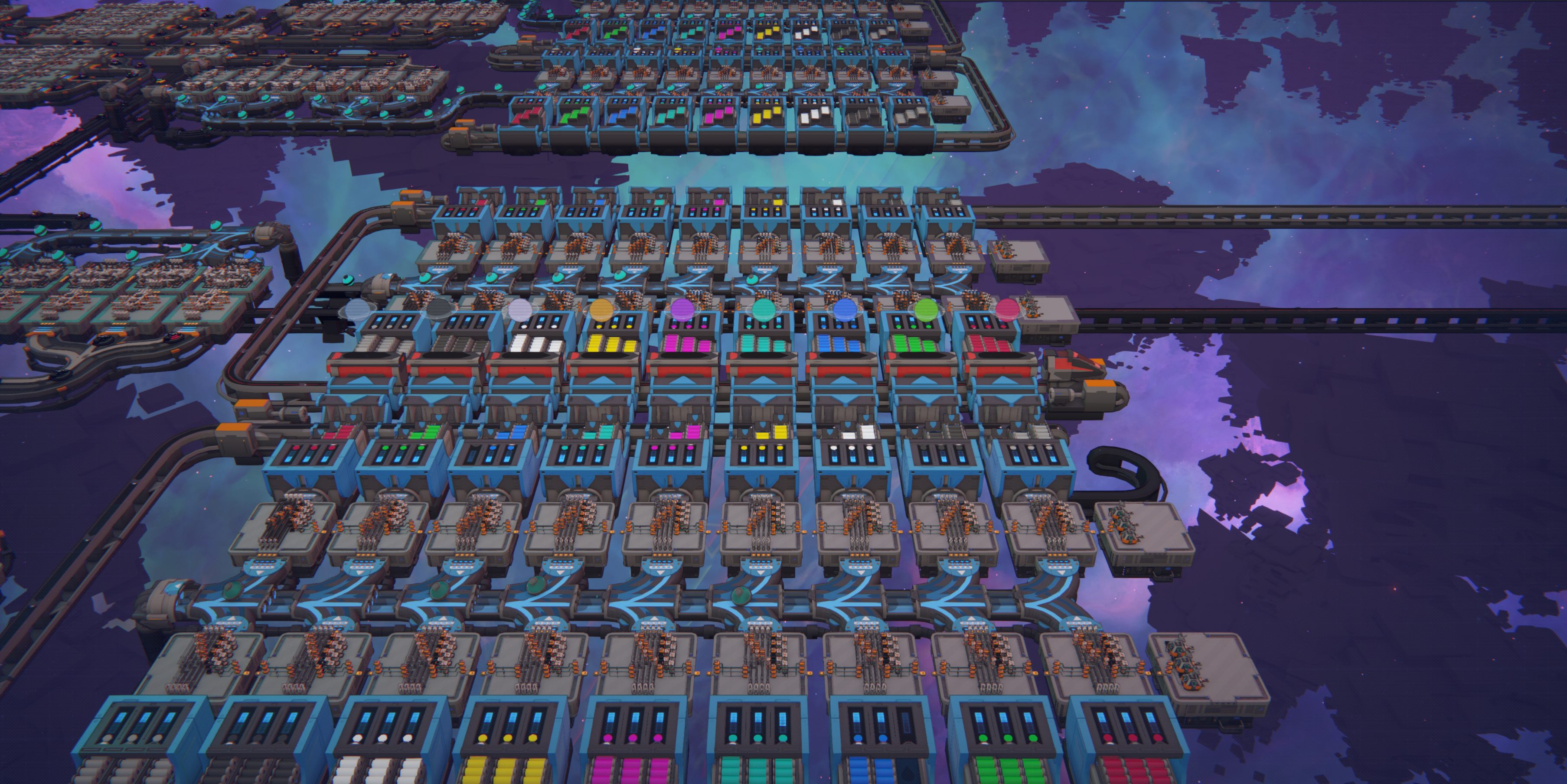 Blazing Twist's No-Train ChallengeYou can of course also impose extra challenges on yourself, for science! Blazing Twist played the game without the use of trains to see if it would improve the game's performance. Performance remained mostly the same, but the factory ended up being magnificent!
Anthor's One-Train ChallengeNow for quite the opposite, Anthor challenged themselves to build a factory that could complete the 7th Milestone with just a single train. A modest 150,000 shapes got dunked into the Vortex all at once!
Vortex Platform DesignsUsing a combination of belts, launchers and trash buildings, you can create some really cool designs for your Vortex Platform! For example, Raasta's mosaic design that goes way beyond just the Vortex, but also these Railway designs by Garr890354839 Belt specialist and LowJohn.
Nitrrose & Negilemon's Bad AppleNow we get into the silly. A couple months ago, Nitrrose remade the Bad Apple video in shapez 2 using wires and displays. Full version here.
A couple months later, Negilemon came with a new version at a higher resolution! Full version here.
Sting McRay & DragonHeart996's SudokuVideos in a game are one thing, but a game within a game? Sting McRay and DragonHeart996 worked together to create a working version of Sudoku in the game, either in color mode or the classic numbers mode. Of course, quite some factory was required to make this work!
FatcatX's Falling TomatoesIf Sudoku isn't your thing, how about FatcatX's Falling Tomatoes game? Tomatoes are falling from the sky and it's your job to catch them with the little white V at the bottom!
If you'd like to check out any of these creations yourself, you can find them all here. Christmas CompetitionDid any of those creations inspire you to make your own? Well, good news! We're hosting a little competition over on our Discord. You can build anything you'd like, as long as it fits the theme: Christmas! Whether it's pixel art of a Christmas Tree or the full-length Home Alone movie remade in shapez 2 (don't), anything is possible! Post your creation in the Festive Competition 2026 Discord channel before December 10th. We'll then select 5 builds and let everyone vote on their favourite. The winner will be announced on December 20th, who will win some tobspr Games merch! That's everything we'll show for today, but we can't wait to see what you'll come up with for the competition! | |||||||||||||||||||||||
| 05/11/2026 | Last month we hosted an Ask Me Anything on our subreddit for puzzlez - a shapez game. Thank you to all of you who took the time to join us! Having now collected all the questions both on there and on the YouTube channel, we thought it appropriate to put all the answers in one place. Let’s get into it! Note: Most of the GIFs aren't visible to people in the UK. Steam blogs have a very tight upload size limit, and the only image hosting service supported by Steam is Imgur, which is blocked in the UK. To view the GIFs, please check out the Reddit version of the devlog, or the video above. How will puzzlez differ from shapez 2?While both games look similar and both involve making factories to make shapes, the two games play quite different from each other! Unlike shapez 2, where the goal is to produce gradually more complicated shapez on mass and send them to the vortex, puzzlez is a more concentrated game featuring multiple handcrafted levels with the goal of solving each of them. The challenge comes from each level having limited space and buildables. It's a very different approach to producing shapes: you focus on making it work with what's available to you, instead of scaling up with almost limitless resources. If you revel in compact spaghetti belt setups, we expect puzzlez to be up your alley!
Will it be a separate game or a DLC?puzzlez - a shapez game will be launching as it's own independent game. Initially we had planned to make it a DLC for shapez 2, but as the project grew in scope we realized it would make a great standalone game. We may also be able to reach the players who love puzzle games but may not be interested in shapez 2 as a whole; buying both shapez 2 and the DLC would be a steep price to just play the puzzles! If you already own shapez 2, this doesn't change that much. puzzlez will be the same price it would've been as a DLC. Will it launch to Early Access?While nothing is settled quite yet, as it depends on how we proceed with development, but for now we aren’t planning to launch to Early Access. When it releases, you’ll have access to the full game at launch. We would like to involve the community though, so we will be inviting some players to playtest the game in advance so that they can produce some puzzles by the community at launch. Are there any new machines to use?We will be adding new buildables in puzzlez, like blocks. However, there are no additional "production" machines like painters or stackers. As we mentioned in the previous devlog, puzzlez features the 3 different build layers that shapez 2 has, and we've found that the current conveyor system can make puzzles less of a challenge than we'd like. So, we're adding ramps and portals in addition to the conveyor elevators that you're already acquainted with. We're considering adding other mechanics in future updates further down the line, but we want to see how you approach the puzzle solving first.
How difficult will the game be?The difficulty of puzzles scale up as you progress through the game. The initial ones will teach you the ropes, and the later ones are sure to test you! Will it also make use of the wires that are already familiar from shapez 2?Adding wires to puzzlez is definitely on our radar, but we're currently not sure if it’s going to be part of the initial release. Will puzzles have only 1 true solution or do you plan on introducing additional goals, to incentivize players to optimize and maximize their layouts for a specific criterion?Most puzzles will have multiple possible solutions. We also plan to add histograms, so you can see how many other players took your same approach to solving the puzzle. There may be a very straightforward solution, but maybe there's a faster one, or one more efficient!
Will the goal output blocks only need 1 shape or will it need a certain throughput (maybe customizable per-output?)A puzzles solution will always need a throughput to fulfill the goal and whilst you wont be able to specify an exact number of shapes to fulfill an acceptor, creators will be able to select a goal acceptors throughput of 25, 50, 75 or 100%.
Will there be a demo?Yes, we are planning to release a demo so you can get a taste of the game prior to purchasing. What kind of controls will be supported?Currently we’re focusing on keyboard & mouse, but that doesn’t mean we’re not open to adding other options in the future. Will the game ever launch on consoles?Following on from the last question, we are open to a console version if the game is successful enough, but this isn’t our focus for the time being. Will it release to Android and macOS?With the nature of puzzlez being individual levels, this is something we feel could work well for mobile, but again, we’re focusing on the steam release for now. Will the graphics be different from shapez 2?We're trying to make the worlds a little more atmospheric, whilst keeping to the familiarity of shapez 2. As such we are working on improving the lighting and shading etc, but the meshes and geometry themselves will mostly have the same amount of detail.
Will the game launch with Achievements?We’re undecided whether we’ll add achievements - we certainly think a few would be nice. So this is the time to speak up in the community if you’d like to see them added to the game. Can people create their own puzzles and upload to Steam Workshop?Whilst there will be a way to share puzzles with the community, it will be through an in-game editor and browser rather than the Steam Workshop. We feel this is much more convenient as you won’t need to leave the game to browse other puzzles. It’ll be similar to how it was done in the shapez 1 DLC if you’re familiar with that. How many puzzles will be available at launch?Officially we will be releasing 75 puzzles to start off with. For comparison the shapez 1 puzzle DLC only had 22 puzzles. On top of this, we’re planning on involving the community before the launch so there’ll be more community puzzles available on day 1. Are there any plans of adding more official puzzles, some time after the main release?We'd love to keep updating the game, new puzzles are just one way we’re considering of bringing more content to you in the future.
Would you be open to feature community suggested puzzles as well and add them as main ones?Creating and sharing puzzles is a core aspect of the game and we want to encourage that, so we’re definitely considering ways to feature community puzzles in-game. Has there been any discussion about allowing mods in the game?We've discussed mods internally, the issue is that it would make it tricky sharing puzzles with others, and we want to make the game easily accessible to everyone. So to answer the question for the time being it's not something we're actively exploring. Will there be any contests for best user-made puzzles like the recent shapez 2 mod contest?We definitely have that in mind! But we can't share more about it yet, perhaps we’ll let you know a little closer to launch! Will Peppsen be making the music for puzzlez?We’ll answer this by returning a question, could it be classed as a shapez game without music from Peppsen? When do you hope to release puzzlez?Currently we are aiming for early to mid next year providing development continues to proceed as planned. And that’s all the questions for now! If you’re interested in puzzlez - a shapez game and haven’t added it to your wishlist already, please do so below! | |||||||||||||||||||||||
| 22/10/2026 | Hello everyone! While we continue to work on Patch 1.3 we'd like to tell you a little bit about scourge of all game development: bugs! As well as the unsung heroes that combat them: Anthony, Bruno, and Joshua, our internal QA specialists. Let's talk weird shapez 2 bugs, how we handle your feedback, and how we choose which bugs to work and why some of them take longer than others! Note: The gifs aren't visible to people in the UK. Steam blogs have a very tight upload size limit, and the only image hosting service supported by Steam is Imgur, which is blocked in the UK. To view the gifs, please check out the Reddit version of the devlog, or the video above. Dealing with bugsThe QA team’s daily work includes compiling feedback and information from various sources This includes internal bug reports, the standalone feedback form linked in game, Steam Forums, and Discord, with the latter being our most active community feedback source. That's also due to the amazing community assistance we have from our moderators (seriously, you all are great!). Over all these sources, we try to keep the times to respond down to less than 24 hours on weekdays for bug reports. Sometimes, these bugs can become seriously weird. We have dug deep into our archives to bring you a best of the weirdest bugs that we have encountered throughout the development of shapez 2. Like when Lorenzo found a new dimension while prototyping islands.
Or when we accidentally created a Disco version of the game multiple times.    Unforgotten is also the insatiable Vortex of shape-death.
Then of course there are lots of instances of buildings overlapping or taking on a life of their own.
   And finally, when we were working on the Unity upgrade, all of a sudden a bunch of icons were upside down. Not all, just some, including the Reddit logo. Why? Who knows. Bugs don't always have to make sense.
PrioritizationHow though, do we decide what to fix next? Well, we take every bug report seriously and track them but there are many things to consider. One is release cadence: Do we want several smaller patches or bigger ones that take a bit more time? So far, we have opted to take our time with patches and make sure they don't break the game. Timing towards other events is also important, because as much as we test, we don't want to bring out a patch before a big sale where new players could potentially run into issues. And then of course there is the issue of fix complexity versus impact. For every bug, we need to evaluate how many people are impacted by it versus how much effort it would take to fix and test it for our team and what other systems might be impacted. We have a couple of systems in place that help us get information of impacted. For example: While we are also adding player impact and affected player count ourselves, we have a system that counts up how often similar issues have been reported on Discord. We also build some automation informing us of the most active conversations on Discord. 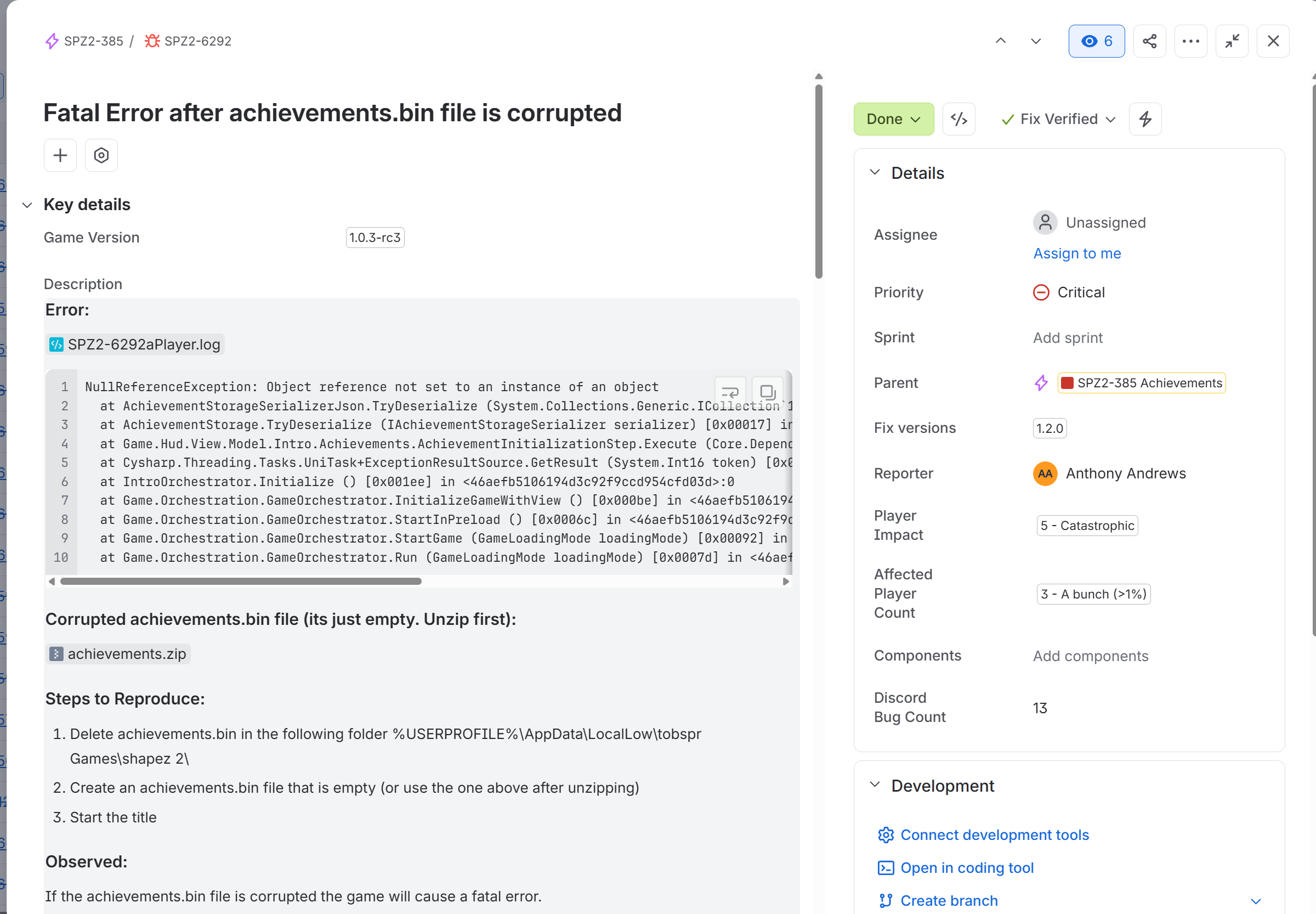  The more stable and further in development a game is the harder this gets, as “easy wins” become few and far between. And the more advanced and complex systems become, the more interconnected they are, the harder it becomes to do even little fixes in them. That why we are still very careful when approaching certain issues like the numerous bugs around predictions or trains. We have to make sure we don't break more than we would fix and to also not over-stretch our resources. Now, currently we are working on the next patch for shapez 2 and we can't yet tell when it will drop. But one little thing we are already confident we are fixing is this: In the future, you will actually be able to press the 'O' key to select all connected rails. More contents of patch 1.3 coming in the future.
We hope you've enjoyed our little insight into what goes on behind the scenes when looking at resolving bugs, the importance of continued feedback on issues, and how much it helps us improve the game. Until next time! | |||||||||||||||||||||||
| 02/10/2026 | Hello everyone! Earlier this month we revealed puzzlez - a shapez game as our next project, and today we're excited to talk about some of the new features coming to the game that are different from shapez 2! Keep in mind that everything shared in the devlog is very much work in progress and subject to change. Can't see the gifs? Check out the version on Reddit. Layer LimitsDespite puzzlez being a shapez game and featuring buildings from shapez 2 specifically, the gameplay experience will be quite different. Instead of building sprawling mega factories to produce every shape known to man, puzzlez gives you a single challenge to overcome on a smaller but unique playing field for each of its 75+ levels. One challenge we've encountered is the 3 building layers from shapez 2. We want to bring that over to puzzlez, but having the freedom of 3 building layers either makes the puzzle way too easy or makes it very difficult to create a challenging puzzle. To solve this, we needed to give puzzle designers more control over layers. When creating your own puzzle, you can disable up to two build layers. This of course allows you to disable the top two layers to make a single-layer puzzle, but you can also get more creative with this by disabling the middle layer! This could limit players to the buildings pre-placed on a disabled layer, or transport shapes from layer 1 to layer 3 with the new ramps or lifts, which we'll touch on in a bit. Welding blocksWhen creating a puzzle, you now also have to option to weld buildings and blocks to the level. These can no longer be moved or removed by the player of the level, but do otherwise remain functional. This allows a puzzle to force its players to solve the puzzle using a specific building in a specific position, or restrict their playing field.
Building restrictionsTo make welded blocks work however, we had to do something with lifts; simply being able to place lifts everywhere would make welded blocks a bit pointless. We needed a way to restrict the usage of specific buildings. So, when you create a puzzle, you can do exactly that: forbid certain buildings from being used in a level! In tandem with the welding systems, the puzzle designer has absolute control over the puzzle's intended solution, whether it has a single possible solution or multiple. New BuildingsOf course, puzzlez gets a couple of new buildings! RampsFirst up are the aforementioned Ramps. They provide the same utility as a Lift, moving a shape up or down a layer, but with a larger footprint. When you have to optimize your factory for space, these require a bit more planning to move between layers! There are two kinds of Ramp:
These are still very much work in progress though and we're currently reworking our initial concept. We're having a few issues with the model's footprint when rotating shapes on a 45 degree belt. It's still nice to show now and compare it with the final result later!
Belt PortalsWe're finally thinking with portals! They're similar to the tunnels of shapez 1 and the Launchers & Catchers of shapez 2, but unlike the latter, these go through buildings. Both Belt Portals and Launchers now have unlimited placement range, with the Portals acting as a superior version of the Launchers thanks to their flexibility. It's up to the puzzle designers to choose which you can use in a level!
Playing FieldLast but definitely not least, the playing field! We want to give puzzle designers the freedom to design the playing field itself, instead of making do with a fixed square. Make it small, make it big, create gaps, and place random islands. The sky is the limit! (with 'sky' being the 3rd building layer in this case)
You probably noticed the running theme throughout this devlog: giving puzzle designers as many tools as possible to make the best puzzles. On the topic of puzzle quality with that not-at-all-forced segue, puzzle designers are required to solve their own puzzle before it can be shared with others. This makes sure we don't end up with a bunch of puzzles that are simply impossible. Anyways, be sure to wishlist puzzlez - a shapez game below, it would really help us out! | |||||||||||||||||||||||
| 07/09/2026 | We're super excited to announce puzzlez - a shapez game! This is a standalone game that focuses more on the puzzle aspect of the shapez franchise, and is an evolution of the puzzle DLC for shapez 1! We originally planned this as a DLC for shapez 2, but had so many ideas that we figured it would make a lot more sense as it's own product. We also listened to you and learned from the past, so we will launch with 75+ official puzzles. As always, you will also be able to create & share your own puzzles! Before we dive into more details, here's the trailer: We’re excited to share more about puzzlez soon. In the meantime, you can add it to your wishlist and follow the game for future updates! shapez 2 - update 1.2We released Update 1.2 for shapez 2, bringing the game over to Unity 6, with some nice performance and stability improvements, better mod support, blueprint migration, and many other fixes and improvements. shapez 2 certainly isn't slowing down, and we're already hard at work on the 1.3 update. But we'll share more about that at a later date. | |||||||||||||||||||||||
| 13/08/2026 | Hello everyone! Update 1.2 is now available, bringing a large update to the game engine, Blueprint Migration and several minor changes. Do continue reading after the patch notes, as we're also hosting a Screenshot Contest and have another update for you on the Puzzles project. Update 1.2Update to Unity 6The whole game has now been upgraded to Unity 6. This will give us more features to work with, fix bugs, and give us some nice quality of life improvements in the engine and the editor. Essentially, it makes it easier for us to make future updates. Testing has shown that this also brought significant upgrades to performance and stability, especially on MAC and Linux. If you'd like to read more about the upgrade to Unity 6 and what that process was like, be sure to check out this devlog: Blueprint MigrationUpdate 1.2 also brings Blueprint Migration, a change we announced just before the launch of 1.0. This changes how blueprint are saved, making the system more robust and permanent. Warning: This change means that blueprints made prior to Update 1.0 are no longer compatible. In order to transfer them, switch to the 1.1 update branch, place the blueprints you want to save in a savegame, then switch back to the live version (1.2) and save them as blueprint again. Update 1.1 will remain available as a separate branch. Support for replacing/substituting modsThis one requires a bit of an explanation. After Update 1.1, it's been apparent that our update strategy for ShapezShifter wasn't going to work for the live game. When we push an update to shapez 2, we'd need to have a new version of ShapezShifter alongside the game update to prevent all mods that use ShapezShifter from breaking. But with only one version to work from, we either need to leave ShapezShifter broken for the new release, or immediately break the previous release version. However, the game branch feature in Steam allows us to set up an experimental branch for ShapezShifter, so modders can test mods in the new game version before the game is actually updated. This way, mods may already be ready for the next game update before that update even goes live, so you can use those mods immediately. On top of this, we are actively working on making the mod development experience better for everyone. One planned change is an automated canary system in the base game that detects breaking changes to the API as soon as they're found; they can usually be slower to catch. Other changesUI
Content
Save/Load
Modding
Bug Fixes
Screenshot ContestNow that we've had the update to shapez 2, we'd like to see an update on your factories!
The deadline is August 23. What you can win? We'll be giving away 5 upgrades to the shapez 2 Supporter Edition, giving you 40 extra minutes of Peppsen bangers, the ability to download the soundtrack in lossless quality, loops and twisters for your trains, as well as new skin for your Vortex! If you already own the Supporter Edition, feel free to give it to a friend. Dev Update on PuzzlesFor this dev update, here's Christian, our Head of Game Design: One of our main inspirations and guiding stars for the next puzzle project is naturally the Puzzle DLC for shapez 1. It already had all the basic loops that we envision for this project as well. However, there is one defining difference: shapez 1 was 2D and shapez 2 is 3D. That of course gives us a lot more possibilities for interesting puzzles but of course it also poses complex issues. Part of the shapez 1 puzzle challenge was using inputs/outputs of buildings to route shapez along specific paths, which they otherwise would not be able to take. Combined with the footprint of the building, this often left only very limited viable spots where the building can be placed - similar to a jigsaw puzzle piece.
Translating that challenge to 3D requires us to think differently about the layout of conveyors and buildings in shapez 2. While they are currently optimized for convenience we might need a little more limitations to create interesting puzzles. For example:
The screenshots you are seeing come directly out of the sandbox version of the puzzles project, we have set up to experiment with these challenges.
This its an exciting time for us as we start designing out the puzzles, and play around with buildings and blockers in 3D. While we figure out limitations and creative solutions you can also see the set up for the first visuals and the backend framework for this project - everything is of course highly work-in-progress. Now, go check out Update 1.2! While a lot of this update is behind the scenes, we hope the shift to Unity 6 brought some good improvements for you. Be sure to take a screenshot while you're there and send it over on our subreddit! | |||||||||||||||||||||||
| 23/07/2026 | Hello everyone! Today, we're ready to share the winners of the shapez 2 modding contest! We got a surprising amount of submissions and we were really impressed by the quality! Aside from the modding contest, we also have some fun things to share about Update 1.2, as well as the Puzzle project! Modding Contest WinnersFirst things first, the winners of the modding contest! We received many unique and exciting mods from you, ranging from small quality of life tweaks to complete game overhauls. Thank you all for participating! To pick the winners of the contest, we considered the following criteria:
You all sure made it difficult to pick the winners, but here we go! Runner upsBecause we got so many submissions, we added two runner ups to the winners. They'll both get some shapez merch in the mail! 5th Place – Crystal Expansion by 鸽子This mod adds two new buildings and 5 new crystal variants. The first building is the Dissolver, a building that dissolves a shape, extracts the most dominant part, and turns normal colored fluid into Unstable Fluid holding the data of the dominant part. You can then pump this Unstable Fluid to a Crystallizer, the second new building. If the dominant part in the Unstable Fluid matches the dominant part of the shape you send into the Crystallizer, that part is crystalized! Essentially, it's a new way to add Crystal parts to a shape that also requires a whole new design. Plus, there are some new Crystal variants to discover. 4th Place – Space Platform Display by JoshrlIf you're looking to add some color to your factories, look no further! Space Platform Display allows you to, as the name implies, turn Space Platforms into massive displays. These can display any fluid color or shape code you input, and are visible while zoomed out, even in Overview Mode. This can be used to mark points of interest like inputs and outputs of your setup, or color code your blueprints. Of course, if you give someone colors, art will be made! These platforms are great for drawing pixel art while Vortex LTD isn't looking. The Winners3rd Place – Mod Manager by LiAuO2Mod Managers are a cornerstone of any modding community, and we think this is a great contender! This Mod Manager implements some of the core features we were already considering adding to the modding experience. It allows you to enable or disable mods without restarting the game, easily back up your saves, check mod compatibility and even upgrade old incompatible saves to be compatible! If you have some old saves lying around that you cannot use because of mod incompatibility, be sure to check this one out. Congratulations, you win a 2TB SSD! 2nd Place – Shape Recipe Lab by guardiandownShape Recipe Lab is already one of the most popular mods on the Workshop, and we see why! Simply paste a shape code into the lab and the mod will figure out the ideal setup for you, presented in a production tree. If you get overwhelmed by some of the late-game shapes but do really want to keep expanding your factory, this is a great tool for you. However, figuring out how to make a shape is a big part of the game for some, so this mod may not be for everyone. Congratulations, you win a 32GB of RAM! 1st Place – Arctic Ruins by Papierkorb2292Wow. Just wow. In first places comes a new game mode that turns the shapez formula on its head, and does so in style: Arctic Ruins. In the new game mode, the production process is quite literally inversed. Instead of mining shapes from asteroids, assembling them and delivering them to the Vortex, you receive shapes from the Vortex, de-assemble them and insert them into the asteroids. Filling an asteroid up will remove the newly-introduced fog of war (a snow storm in this case), unlocking new parts of the map. The feature list is quite long, but this mod introduces new mechanics, new buildings, new milestones, new visuals, and randomly generated buildings to find around the map. Oh, and not to forget, there's new lore and even an intro cinematic. What?! A very deserved congratulations to the talented Papierkorb2292, we're very impressed. You win the RTX 5080! We'll be in touch with all the winners and runner ups for your address, so keep an eye on your inbox! Update 1.2A big part of Update 1.2 will be an update to Unity that Noah, our Unity Developer, has been working on. Currently, shapez 2 uses Unity version 2022.3, which has served the development of the game since before Early Access. However, this version was officially deprecated in June. As such, 1.2 will see shapez 2 updated to the latest Unity Long Term Support version, 6000.3. While this version is 2.5 years newer than 2022.3, it does not mean we just jumped 3978 versions. They're just naming them different now. So, what does this actually mean? Well, on the development side we'll get a whole bunch of new features, bug fixes and quality of life improvements across both the engine and editor. This will hopefully aid us in future updates, but our main concern for 1.2 is to get the game working on the feature and stability parity level that we currently have. Oddly enough, when it comes to the Unity update, this means we really hope you don't notice any big changes in 1.2. The actual changes will provide the foundation we build future updates on! However, updating the engine of the game is easier said than done, and we have some "fun" experiences to share. To preface this, we'd like to walk you through the process of updating the engine:
While this all only took four steps on paper, the whole process of fixing every issue that reared its (presumably) ugly head took around 2 weeks to reach a state where the game is both fully functional and stable. Some of these bugs were interesting to say the least, so let's looks at a couple. In this first screenshot that we took right after updating to Unity 6000.3, we got a whole bunch of issues teaming up to create something truly cursed, but also quite cool!
With all that fixed, it looks like shapez 2 again!
Another highlight, pun intended, is this shader situation. The yellow and magenta you see are backup shaders used to highlight any missing shaders. As you can see, there were a lot of missing shaders.
And here's yellow shapez 2, just to ruin your day.
Here, train lines in the new version spawned an infinite amount of trains spawned. This would happen when you return to the game after minimising the game, specifically on DX12 in fullscreen mode. Zooming out would cause another shader bug to occur, causing invalid colors and the bloom effect you see on the trains.
So yeah, these are just a few of the adventures we went on for two weeks. However, we're pleased to say that with this update we've managed to make some progress on some longer standing issues. For example, Vulkan crashing when using AMD graphic cards and DX12 randomly crashing when zooming the camera in and out. shapez 2 PuzzlesFinally, some progress on the Puzzles project! In case you missed it, we're working on puzzles for shapez 2. These puzzles will be similar to the Puzzle DLC of shapez 1, but with the new mechanics of shapez 2. The platforms and extra dimension will be a fun extra challenge! While we're not ready to share the details on the game, we do want to share a first look of what our artist Nigel has been cooking up. Of course, everything here is early work in progress, so very much subject to change. The general idea is that puzzles will have background environments that go beyond the Space setting of shapez 2. We'll have a bunch of different backgrounds, ranging from dreamlike shape-scapes where the shapes take on a life of their own...
to something like the lab we just started working on.
As puzzles are quite individual, the team has a lot of freedom to play around and have some fun with the visuals. Though we won't be able to make a unique background for every single puzzle. Do share your background suggestions with us in the Discord! We hope you enjoyed that deep dive. Be sure to check out the winning mods, and we'll see you again soon! | |||||||||||||||||||||||
| 09/07/2026 | We all know the feeling – you're working on your factory and everything is going smoothly, then suddenly a shortcut you took or temporary setup you made hours ago comes back to haunt you. Maybe your ratios are off, a belt goes the wrong way early on in production, or your spaghetti designs are catching up to you. Well, shapez 2 has a bunch of features to help you building polished setups with ease, or troubleshoot any potential issues. Effective BlueprintsWhen you're just starting off with shapez 2, it's easy to see a task and start making a bespoke setup to complete it. However, after completing a handful of tasks, your factory may end up disorganised as you snake your production lines over, under and through each other. There's nothing wrong with this; everyone builds differently. But effective use of blueprints can save you a lot of work and troubleshooting in the future. What you could try instead is make platform blueprints that handle one specific action. Make a platform that rotates shapes, make a platform that cuts quadrants, make a platform that moves shapes up a level, make one that paints them, etc. Instead of figuring every step out again and again and trying to fit everything on a single platform, you can connect a bunch of platform blueprints that each handle an action in the desired order. You don't have to reinvent the wheel for every task!
Understanding ThroughputBuildingsWhenever you've selected a building, an info box pops up on the right side of your screen. This contains some really useful information, including how many of that building you need to process a full belt. Measuring in full belts is a good standard to hold to, as it will save you a lot of calculations down the line. So instead of guesstimating how many you need and adding or removing buildings as necessary, you can simply see what the right amount is in the info box.
However, this can get confusing if you connect more buildings with different processing speeds directly to each other. If you need 3 of one building and 4 of the other, how are you going to connect them? Well, just merge the output into one belt before you try to split them again! You've already established that your buildings support exactly one full belt, so you can always return to that one full belt when you need to split its contents differently.
Space BeltsThe same principle works for Space Belts. If you stick to a full Space Belt by default, you'll always know exactly how many platforms you need to connect it it. One Space Belt supplies up to 4 platforms when using all the layers of both the platform and the Space Belt, and you'll need 3 asteroid miners per Space Belt layer for a total of 12.
Space Belts are also a good way to figure out if there are any issues in the production line. Simply look at the flow; if it's not flowing smoothly, something somewhere ahead is backing up. Look further down the line, and if after a platform the Space Belt is no longer backing up or doesn't look completely full, you've narrowed down the issue to that specific platform. Troubleshooting tipsIncorrect shapeIs the end product shape wrong? Maybe it's just one in four shapes that comes out different? If you don't immediately know where the issue could be, it's better to work backwards. Start at the end product and slowly work your way towards the start until you stop seeing that mistake, then look around on the platform you ended up at. You don't want to fix the end if the line first, as you may end up reworking something that would work perfectly if the supply was correct. Fix the issue, select your factory, then press \ to clear the belts for a clean slate. Building MistakesIt's easy to make small mistakes when placing building individually, so make sure of the copy and pasting tools available. It may not be worth making a blueprint for something small, but simply selecting something that already works and pressing Ctrl+C to copy and Ctrl+V to paste it somewhere else is almost always worth it. If you do make a mistake, you can always undo it with Ctrl+Z!
Mixing items on beltsUnless you're thinking with wires, it's generally not smart to mix shapes on a single belt. Sorting options are generally unlocked later in the game, and many setups are prone to mistakes when small changes are made earlier in the line. If a rogue shape ends up in the wrong place, things can get stuck. Instead, stick to the full belt rule of thumb for the production line of any shape. With Space Belts however, you can use the different layers to transport different kinds of shapes without mixing them together!
We hope that was helpful in fixing an oopsie and or prevent future ones. Of course, it's not up to us to tell you how to make your factory, we really enjoy your spaghetti and sushi creations, but a systematic approach can prevent headaches. There are some interesting things coming soon, including a first glimpse at the shapez 2 Puzzles project, so stay tuned for that! | |||||||||||||||||||||||
| 25/06/2026 | Hello everyone! Update 1.1 just released, bringing Manufacture Hard Mode and its badge, quality of life improvements and a bunch of smaller bug fixes. Additionally, this update is accompanied by a new cosmetic DLC: the Hyper Skin DLC! Note on ModdingThere is a high chance that this update will break mods and will result in the game crashing if you have mods installed. We are working with the modding community to fix this, but in the meantime, if you encounter any problems:
HighlightsManufacture Hard ModeIf regular Manufacture Mode didn’t tickle your brain quite enough, Manufacture Hard Mode may do the trick! This new scenario ups the challenge with new Trade Stations layouts and much more complex shape goals. More challenging mechanics are introduced earlier, so you’ll be dealing with Crystal shapes and pins quite a bit sooner.
To give you a bit of a hand, the shape goals do feature a few more consistent patterns. This allows you to reuse parts of your factories more than on the regular difficulty, or make more use of blueprints. However, this does require you to think ahead and keep your factory organised from the get-go!
Hyper Skin DLCReleased alongside this update is the Hyper Skin DLC, a cosmetic override for your Vortex and trains, giving them a sleek hyper-futuristic look with a white finish, hexagonal patterns and an aerodynamic nose (for your trains, the Vortex remains nose-less).
The train override includes the Locomotive, Shape Wagon, Fluid Wagon and Space Wagon, in all available line colors.
These Skin DLCs are completely cosmetic and are there for those of you who want some visual variety and want to support us further. Of course, proceeds from this DLC will go right back to the development of the game! Supporter Edition VortexThe Supporter Edition of shapez 2 got a free addition of a cosmetic override for the Vortex! This gives it a more industrial look, complemented by the amber-gold Supporter Edition glow. Thank you for your support!
This override will automatically be added to your game if you own the Support Edition and have it enabled in Steam. You can turn the override on or off in the new Addition Content menu – more on that next. Additional Content MenuAs there are now two cosmetic overrides available for the Vortex, you’ll need a way to pick between the two! This is where the ‘Additional Content’ menu comes in, available in-game through the main and pause menus. Here, you can enable and disable all individual skins from the additional content you own, as well as the different music packs, without having to step away from your factory. If you’d like to use Hyper Trains with the Supporter Vortex instead of the Hyper Vortex, you can set that up here!
Other ChangesSave/Load
Visuals
Bug Fixes
… and many more! | |||||||||||||||||||||||
| 19/06/2026 | Hello everyone! We're really excited to announce that the 1.1 update for shapez 2 is releasing on June 25th, along with the first skin DLC! Update 1.1This update brings a new scenario: Manufacture Hard Mode! As you might expect from the name, this scenario is a more challenging take on Manufacture Mode. Converters have new layouts and the goals are more complex. They require more production steps and introduce challenging mechanics like pins and crystals earlier on.
Manufacture Hard Mode does feature a few more consistent patterns for its shapes, potentially allowing you to reuse parts of your factories more than in the regular mode. While the shapes may be more complex, you'll be able to use what you've already built in more places!
Aside from Manufacture Hard More, update 1.1 includes a bunch of small bug fixes, as well as some some neat quality of life improvements. We'll share the full list on the day of the update! Hyper Skin DLCWe wanted to spice up your factories with the Hyper Skin DLC releasing next week, giving your Vortex and trains – which includes both locomotives and wagons – a sleek, hyper-futuristic visual overhaul. The skin DLC is a small, affordable addition to pick up at only $3.99 / €3.99 / £3.49. Individual skins can be toggled on and off in-game, so you'll be able to mix and match them to your liking. You can already take a look at the Hyper Skin DLC and wishlist it here: We hope you're excited for both Update 1.1 and the Hyper Skin DLC. We'll be back next week on June 25th when both of them are live. See you then! | |||||||||||||||||||||||
| 11/06/2026 | Hello everyone! Today we'd like to briefly go over some of the things we're working on and what you can still expect for shapez 2 this year. Update 1.1The next update for shapez 2 is coming very soon! We'll properly announce the release date of 1.1 next week, along with the changes, fixes and new content you can expect. The new content includes a new scenario that those of you who like a challenge are sure to enjoy. Additionally, we will also share something that stands out.
shapez 2 PuzzlesIf you've played shapez 1, you may be familiar with the Puzzle DLC we released for it. It took the core mechanics of the game and turned it into a new, smaller experience by limiting your playing field. You had to use every trick you learned in the main game to produce a specific shape with just a handful of tiles available to you. Additionally, you could make your own puzzles and share it with the community. We've also been working on puzzles for shapez 2, but it has evolved into something even cooler. We can't wait to share more about it - just not yet. You can expect the announcement in the latter half of this year. Project 3We're already working on our next big game that we can only refer to as ‘Project 3’ for now. Our team has grown quite a bit during the development of shapez 2, so we have big plans for this project. We haven't shared much of Project 3 yet, though when we’re ready we will make sure to share this with you. While it's all a bit vague still, we wanted to share a little sneak peek of what's happening behind the scenes, as you've been asking about it! But for now, we'll see you next week with news about Update 1.1.
| |||||||||||||||||||||||
| 04/06/2026 | Hello everyone! We've been loving seeing you discuss and share your experiences playing shapez 2. It's interesting to see what features people pick up on and which are more easily overlooked. We've previously made a blog with some beginner tips & tricks to get you started with your factory, but now that some time has passed and your factories have grown (hopefully), we thought we'd give you some more tips that get a little more advanced! Select ConnectedWhile selecting everything in an area with \ is useful, there's a more intuitive option if you want to select a single belt and everything connected to it. Select a Belt, Pipe or the space equivalent of either, then press \. Now, everything connected will be selected! For normal belts or pipes, this will generally select everything connected from the last Space Belt to the next. For Space Belts, this will generally select everything between the last platform and the next. Once selected, you get an overview of everything in the window on the right. This includes the amount of buildings, the types of buildings, the dimensions and of course all the things you can do with this selection. This includes \ to clear the shapes current being produced, useful for if you accidentally made some incorrect shapes!
Deselection\'s evil and forgotten brother, \, allows you to deselect in the same way as \ allows you to select. If you've got something selected, you can \+\ on a building or belt to deselect it, or \ and drag to make a deselection box. Getting AroundIf you're feeling lost in space, there are a couple hotkeys to help you get around. You can press \ to orientate the camera to the north. If you've lost your Vortex, you can press \ to instantly move back to it. You can thank Vortex LTD for that, they wouldn't appreciate you losing your Vortex. Additionally, you can set up a new hotkey that allows you to jump back to your previous location if you just jumped to your Vortex. Just look for 'Jump Back' in the keybindings menu! Location MarkersOnce your factory reaches a considerable size, simply panning around the place looking for a specific production chain may take a while. To make your factory easier to track, use location markers! Press the location symbol in the top right of the screen, or hotkey \, to create a marker at the center of your screen. You can now give the marker a name and assign a shape code to it, which you can copy by clicking the desired shape in any UI before making the marker. Once made, your marker will be pinned to the right edge of your screen. Click the marker to instantly jump to its location! Not happy with a marker? You can right click it to edit, allowing you to change its name, shape or update its location to where you're currently looking. If you don't need it anymore, you can delete it here as well.
Shape Previews PerformanceWith larger factories and/or lower-end hardware, you may notice your PC struggle a bit with performance. One unassuming setting can affect performance quite a bit: Shape Previews. While it's useful to get a preview of what shape will be produced by your most recent creation, it takes quite a bit of power to compute this. In the General Settings menu, all the way at the bottom, you can find Simulation Settings. Here, you can set Shape Preview Speed, with lower values being easier on your PC at the trade-off that Shape Previews take longer to appear. If you don't find the Shape Previews that useful and want to turn them off altogether, you can do that right next to it.
Orientation doesn't matterMany may already know this, but orientation doesn't matter when delivering shapes to the Vortex! Additionally, any Pins not at the top layer of a shape is ignored as well. As long as all parts of the shape are in the correct position relative to each other, the Vortex will take them. The only exception here are the shapes for a randomized goal in the Operator screen. Those do need the correct orientation. Page HotkeysBy default, the hotkey for the Milestones, Shop, Jobs/Trades and Operator Level screens available in the top left of your screen are all bound to \ as part of the 'Research Screen' keybind. When pressed, it will default to the last opened screen. However, you can set hotkeys for each individual screen if you'd like quicker access to each. The hotkey for the Technologies/Shop Screen will already be bound to \, and Operator Level to \. The hotkey for the Milestones, Jobs (in Classic Mode) and Trades (in Manufacture Mode) screens are empty by default! Blueprint OrganisationTo help organise your Blueprints, you can categorize them by putting them in nested folders, up to three deep! For example, you can make a folder for 'Basic Functions', then create a folder inside that folder for 'Rotators' and 'Cutters', then put the respective blueprints in there. This can be done in-game, but also directly on your PC's disk without launching the game. Folders can also be assigned to your hotbar for quick access by simply dragging the folder into it!
Blueprint HistoryOn the topic of Blueprints, you can set a keybind to cycle through the blueprints you've previously selected in your current session. Saves you some time going back and forth between screens! Blueprint DeselectionWhen trying to place a Blueprint, you can click on the various building types shown in the selection panel on the right to deselect that building. These will not be placed when you place the blueprint. Useful for when a blueprint covers most of what you want to place, but needs one specific building type replaced.
That's it for today! We hope we made getting around your factories and making changes to it a little bit easier with these tips. We'll be back soon with an exciting update on what's still in store for shapez 2 this year, so see you then! If you haven't read the previous tips & tricks, be sure to check it out here: | |||||||||||||||||||||||
| 19/05/2026 | Hello everyone! Today, we'd like to showcase more of the modding features introduced to shapez 2 with the launch of 1.0. As we eluded to before, the game now fully supports mods through the Steam Workshop, but there's more to it! And to get the Workshop going, we're hosting a Modding Contest with an Nvidia RTX 5080 as its grand prize. shapez 1 released as a browser game initially, so was originally never planned to support mods. However, after the release on Steam it still got a great amount of fantastic mods, adding a huge amount of replayability after launch. Mods for shapez 1 were a little cumbersome to install, as it required navigating to an external website, downloading them and then manually putting them in the right folder. Not an issue for most, but less than ideal nonetheless. So for shapez 2, mods are considered a cornerstone of the game and we've put a lot of effort into making mods easier to make and seamless to install. Steam Workshop
Mods for shapez 2 are managed right here through the Steam Workshop. Navigate there, use the filters to find mods you're interested in, go to the mod's page and hit 'Subscribe'. If a mod has other mods it needs in order to work, you'll get a pop up window that lists the required mods. You can check them out individually, or simply click 'Subscribe to all'. That's all you need to do to download mods to the right folder on your PC!
You can find all your mods in the Mods menu in-game. Do note that mods are installed when the game is launched, so if you've made changes to your mods or subscribed to new mods while the game is running, you'll need to restart shapez 2 to install and start using them. Mods you're subscribed to but need a restart before becoming active will be greyed out here. Furthermore, the Mods menu will showcase the name and description of each mod, the icon, the dependencies, and whether or not it affects savegames or achievements. There are also buttons that will take you right to the mod's Workshop page in Steam or the mod's folder on your PC.
AchievementsWe don't want mods to simply disable achievements. For some mods, like mods that make the game significantly easier, it'd make sense to disable achievements. However, many mods only provide some utility of quality of life. Here, disabling achievements makes less sense, we think. So we're leaving it up to mod creators to decide whether or not their mod disables achievements! You can see which mods disable achievements on the Mods menu. There's also an achievements filter in the Steam Workshop, to make browsing mods that keep achievements enabled a whole lot easier.
Uninstalling a modIf you'd like to remove a mod, you can do so by unsubscribing in Steam Workshop. This will also require you to restart the game if it's running. It is important to know that if you unsubscribe from a mod that 'affects savegames', you will no longer be able to load any savegames where that mod was used. You'll need to reinstall that mod in order to access that savegame again. You can see which mods were used in a specific savegame under the little processor icon in the savegames menu. Making modsOn the other side of modding, the actual making of the mods, we've developed a separate open source API for modding, called shapez Shifter. Simply put, shapez Shifter is a layer on top of the base game that allows modders' code written in C# to communicate with the game. By making this a separate layer, mods are less dependent on the code in shapez 2 itself, so will likely stay compatible whenever we update the game. It should also just make it easier to create mods for shapez 2! For more info about what exactly this does, how to work with it and how to make mods for shapez 2 in general: Check out the shapez 2 Modding Documentation.If you're interested in making mods for the game, be sure to read on; there's an RTX 5080 up for grabs! Modding CompetitionThere already are some mods on the workshop, but we'd like to kickstart this a bit! The idea is simple: create a mod for shapez 2 within a set timeframe! It can be anything: brand new buildings, an overhaul of a system, or some quality of life features we never thought of. It doesn't matter what it is, as long as it's innovative, original, and implemented well.
Why participate? Well, there are some truly great prizes to snatch up:
The exact models of each depend on local availability. All prizes also include some shapez magnets that stick together, so you can play shapez IRL! If we get more than 10 entries, we'll also be giving away some shapez 2 merch for 4th and 5th places. Due to shipping limitations, we can only ship physical prizes to Europe, the USA, Brazil, Australia, New Zealand, China, and Japan. You can participate from other regions, but we'll only be able to award you a key for shapez 2 or the Support Edition Upgrade. However, with such prizes on the line, we need to make sure everything goes fair. We have a set of rules in place, and you need to sign up in order to participate. Rules
Signing upIn order to participate, you need to sign up! We'll need an email address, the URL to your Steam Profile, and a general description on the mod you're planning to make for this contest. Keep in mind that if you'd like to change the mod you're making for the contest after signing up, you'll need to contact us to change your registration. Sign up for the modding contest here!Sign ups stay open for the rest of the month, until June 1 at 12am CEST, but you can get started immediately after signing up. We’ll send the mod submission form after the sign ups are closed. The deadline for your final mod submission is July 6th, 12am CEST. We look forward to seeing all your creations, best of luck! | |||||||||||||||||||||||
| 05/05/2026 | If you love the idea of building up a massive sprawling factory and taking your time doing so to chill out - shapez 2 is a safe bet. Read the full article here: https://www.gamingonlinux.com/2026/05/shapez-2-is-a-thoroughly-chilled-time-building-up-a-shape-cutting-factory/ | |||||||||||||||||||||||
| 30/04/2026 | Hello everyone! Enjoying shapez 2 so far? We've seen a great amount of you who picked up the game during Early Access take it for another spin with the 1.0 release, and we're really excited to have you back. If you're new here, welcome! This devlog will be interesting to you especially. While the tutorial took you through all the basics to get started on your factory, here are some additional tips & tricks for if you've already progressed a bit! Keep the Vortex clearYou'll build the very first bits of your factory along the Vortex. However, this space is the most valuable real estate in the game. You're limited in how many belts you can connect to the Vortex, so you'll need to be smart about how you manage this space. So instead of building your factory on the Vortex Platform, move your initial factories to other platforms. This makes sure you don't get tangled up getting things to the Vortex. You could also consider deleting parts of your factories to make an improved version!
Don't be afraid to delete and improveYou'll learn the ins and outs of factory building as you go, so naturally, you'll end up with bits of factory you're not particularly proud of. You could make some tweaks to improve the worst of it, but this often just moves the issue. Often, it's simpler and better in the long run to just... delete it, and start over. Use what you've learned so far and come up with a new design! Think in layersWhile you may initially only use the different building layers to cross two belts or feed both inputs of a Stacker, there's so much more to layers than just placing belts: you can also place buildings on every layer! If you've unlocked all layers upgrades and the building you're placing is only one layer tall, you can stack three of them on top of each other. Is your production line not producing enough? Just copy it and stack another two on top for triple the production! The same works on Platform scale as well. Any platforms can be placed on every building layer, so if you're running out of space or need to scale up production quickly, don't be afraid to move up a layer or two. Tip: you can simply select buildings and platforms and use \ and \ to copy and paste!
Check the resources around youThe elites don't want you to know this but the shapes floating around in space are free and you can just take them! You may be able to save some time if you have a look around for what shapes are readily available, even if it requires a bit of cutting beforehand. You can use the shape filters in Overview Mode (the view if you scroll all the way out) to easily locate the parts you need. Even if it's quite some distance away, you can use trains to bring it to your factory.
Research CreditsIt's a good idea to take a bit of time to tackle some shape jobs in Classic Mode, or a passive Research Credit provider in Manufacture Mode. Research holds some very important upgrades: global speed multipliers, Vortex inputs, train speed and capacity to name a couple. You can unlock new buildings that work similar but different, often even better, like the Cutter and Swapper that don't delete shapes. There are more tools to optimize belts and trains, and of course the aforementioned 3rd building layer! Aim for full beltsWhen you click on a belt, you'll see the maximum throughput of it in the little window that pops up. By the same logic, if you click on a building, you'll see its maximum production speed. You can use these two values to determine how many buildings you need to fill up a belt.
If all your belts are at capacity, it'll be easier later down the line to balance them. You won't need to go back to calculate how many shapes are being produced somewhere if you know it's at a belt's maximum capacity. If you need something at a 3:2 ratio, you'll know you need 3 belts of one and 2 belts of the other. This leads into our next point!
Function BlueprintsOnce you're thinking with full belts, you can standardize parts of your factory. Or specifically, standardize specific steps! This becomes important once your factory really starts scaling up rapidly. If you find yourself using a specific step of a process a lot, make a blueprint out of it. For example, you'll likely end up in a situation where you need to stack the output of two Space Belts. Build a platform, place enough Stackers on it to service a Space Belt, connect everything with normal belts and save it as a Blueprint! Whenever you end up in the same situation again, you won't have to reinvent the wheel. Blueprints you tend to use a lot can be added to your hotbar for quick access, by dragging its icon from the Blueprint Library to your preferred hotbar slot! Tip: if you've copied something with \, you can press \ to turn it into a blueprint!
Pipette toolGoing back to micro level, don't sleep on the Pipette Tool! While you can get to all your buildings with the hotkeys quite quickly once you get the hang of them, there may be an easier way. If you've already placed the building you're looking for nearby, simply hover over it and press \! Need more info? Check the Codex!When all else fails and you're at your wits' end, the Codex has got your back. You can find information about everything in the game in the Codex, complete with search function and neat example videos. It even covers more advanced topics, like the coveted Make-Anything Machine! You can find the Codex in the top right panel as a button with a book icon. Or, simply press \! Got shapez 2 on your mind while at work? Try the community-made wiki! It even has a page about the Codex!
That's it for today! Be sure to share your factories with us here in Steam or our socials. We'll see you again soon! | |||||||||||||||||||||||
| 29/04/2026 | We hope you're having a great time with the 1.0 release so far! The game seems to be very stable, so there seem to be no major / widespread issues so far. However, this is a quick post-launch patch, that addresses a few reported issues:
~Tobias | |||||||||||||||||||||||
| 26/04/2026 | For much of its early access development, Shapez 2 was an interesting alternative to the tentpole automation sims like Factorio and Satisfactory . A more streamlined affair that dispensed with many of the supplementary systems seen in those aforementioned games, Shapez 2 adopted a more puzzle-centric approach to assembly-line construction... Read more. | |||||||||||||||||||||||
| 25/04/2026 | It wouldn't be a weekend news round without a new(ish) strategy or building game now, would it? Seriously, whenever I'm drafted in to see what's worth bringing to your attention at the end of a long week, there's always some critically acclaimed simulator I've never heard of hitting an apparently long overdue 1.0 release to stellar reviews. Shapez 2 - Factory is the name of this weekend's surprise strategy release, and I'm convinced people secretly yearn for the manufacturing line. Read the full story on PCGamesN: This beautifully colorful new factory building game just released with mod support to 'overwhelmingly positive' reviews RELATED LINKS: Satisfactory style building game Shapez 2 gets biggest ever discount Unique, abstract building game sells 150,000 copies in only three days Factorio like building game Shapez 2 lands to stellar Steam reception | |||||||||||||||||||||||
| 23/04/2026 | The 1.0 release of shapez 2 is NOW AVAILABLE with a whole new game mode, modding support, achievements, new visuals & much, much more. Vortex LTD is expecting you. ImportantSavegame & Blueprint Compatibility DisclaimerUnfortunately, pre-1.0 savegames are not compatible. However, there is an 0.1.1-old branch available on Steam that you can switch to, if you for example want to check out some of your old creations, create blueprints, or simply are not ready to do the switch yet. Blueprints are compatible, but blueprints created pre-1.0 will show a warning in the blueprint library. We encourage you to recreate them (i.e. by placing them down, then saving them again), as we will drop support for pre-1.0 blueprints in future updates. Which mode to start with?Before diving into the changes, I wanted to give a quick guidance on which mode to play when you dive into 1.0. The release renames the current experience into Classic Mode and introduces a new Manufacture Mode.
What to expect from the 1.0 release?The 1.0 release is the biggest update for shapez 2 so far, and we’re super proud of it! This isn’t just a “game is finished” release. With this update, we’re introducing a huge amount of new content and improvements on top, for new and existing players. Even if you’ve already played shapez 2 during early access, we’re very confident there’s something new for you, making it worth checking out the game again. As always, we’ve spent a lot of time polishing the game already, and with lots of beta testers having tested the release extensively, we expect basically no bugs and good performance. We really hope you enjoy it! ~The entire tobspr Games Team HighlightsWith over 3,700 commits since the Dimension Update (0.1.1), summarizing all of the improvements coming with 1.0 is quite a challenge. We tried our best here! Manufacture ModeThe 1.0 release introduces a new game mode, called Manufacture Mode. This mode addresses one of the biggest feedback points we got during early access: factories you needed to build for a specific shape were no longer being at later stages in the game In the new Manufacture Mode you’ll focus on re-building your Vortex Platform by trading shapes with Trade Stations and building large-scale, permanent factories. Check out the devlog below, going into details of the new mode: Achievements1.0 introduces 83 achievements that cover various aspects of the game, including a few hidden ones. Go hunt them all! More information can be found here: Modding SupportWith 1.0 we are also introducing modding support! While we expect it’ll take a bit of time until we see a vast amount of mods, there’s already a few available and we encourage anybody interested in creating mods for the game! Modding uses the Steam Workshop, making it easy to find, install & manage mods.
Classic Mode ChangesWhile the Classic Mode remains the more “traditional” shapez 2 experience, we’ve spiced it up with additional goals at the end, introducing 4 new milestones and new shapes that can be acquired with Trade Stations. They may look similar to the Manufacture Mode stations, they don’t require you to scale up as much, unless you want to! We’ve also added a massive amount of QoL changes, like consolidating the speed upgrades into a Global Speed Upgrade, Shape Previews working more consistently and also for trains, and much more! Find more about the changes coming to classic mode here: Visual ImprovementsThe game has visually improved a lot in all areas, with the biggest changes being Space Pipes now looking like actual pipes, a rework of all Wire related buildings, new Fluid Launcher visuals, generally more details & fidelity, various shader improvements and much more!
Full ChangelogGameplayMajor
Minor
QoL & UX ImprovementsMajor
Minor
VisualsMajor
Minor
User InterfaceMajor
Minor
Technical
BugfixesThis release includes over 500 bugfixes. It would be too many to list all of them here. However the game should be very stable, and we are not aware of any critical issues after extensive internal and closed-beta playtesting. If you still encounter any bug, the easiest way is to report it on our discord, in the #bug-reports channel. Should you not want to use discord, you can also for example post on the Steam Forums or email us at support@tobspr.io! Thank you for reading until here - we hope you have a lot of fun with 1.0! It was quite a journey and we put a lot of effort into it, so we hope you’ll enjoy the game as much as we do! | |||||||||||||||||||||||
| 22/04/2026 | 1.0 is coming TOMORROW!!Less than 24 hours until the 1.0 release - we're so excited!! (one of the rare cases where I think a double exclamation mark is appropriate) There's been such a huge amount of effort put into the release, we can't wait for you to get your hands on it :) If you want to celebrate the launch with us and dive into 1.0 the moment it drops, be sure to check out the global launch times map below that Max made!
Also, check out the summary here, so you're prepared and ahead of the curve: Seriously, thank you!From the whole team at tobspr Games, we want to thank everybody for supporting us so much during the whole Early Access period! It was such a great time, and we were and still are overwhelmed from the positive reception and the collaboration with you, our community! Be it the early access launch, the constant feedback, collaborating on our discord and surveys or just playing the game - and hopefully enjoying it! We're dedicated to build the best possible experience for you, and we have still a lot of plans for the shapez 2 future - more on that soon, though. For the time being though - we're super proud of the 1.0 release. The new manufacture mode is a HUGE step up for shapez 2, and it's super fun! It also addresses the biggest feedback we got during early access - building more permanent/massive factories. Let aside all the other improvements coming like achievements and mods (we have different bets in the team on what the first / most popular mod will be). The build is also in a really stable state, so we're basically just waiting now to click the 'set live' button and preparing the latest marketing assets. See you tomorrow! ~Tobias | |||||||||||||||||||||||
| 16/04/2026 | The 1.0 release of shapez 2 is only a week away, coming on April 23rd at 2pm CEST! To make sure you didn't miss any important information on what's coming with 1.0, here's a summary of all the bigger changes you can expect. While this is already somewhat of a soft-changelog, you can expect a detailed changelog with the 1.0 release that also goes over many of the more minor changes with the update, so look forward to that! Pre-1.0 BranchAs we mentioned before, savegames made during Early Access will not directly carry over to 1.0. So if you're current knee-deep in a factory and would prefer to finish that before making the switch to 1.0, you can move to the 0.1.1-old branch. To do this, go to your Steam library, right-click on shapez 2 and select properties. In the window that just opened, select game versions and then 0.1.1-old. This branch will always remain available, but will not receive any further updates. Blueprints do carry over to 1.0 though, which does allow you to make a blueprint of your current Early Access factory, then copy it into a 1.0 savegame. You'll likely need to make some fixes though, as in 1.0 the starting layer is the bottom one instead of the middle. GameplayManufacture ModeOf course, the biggest change is the addition of a brand new game mode: Manufacture Mode. This mode aims to resolve much of the feedback all of you gave us on the shapez 2 game mode during Early Access, and by extension the original shapez. With the addition of Trade Stations that need to continuously convert a specific shape into a brand new shape type, your factories will no longer lose their purpose. Gone are the days of making brand new factories for every new goal, instead you'll be expanding!
Changes to Classic ModeTrade Stations also make their way into Classic Mode, which is now the name of the current game mode. They function in a similar way, but have simpler recipes and are an extra end-game challenge to switch things up a little bit!
Moddingshapez 2 gets full modding support with the release of 1.0 through the Steam Workshop! The sky is the limit here, as everything from small quality of life tweaks to complete overhauls of the game are possible. This is supported by a handy in-game mod browser to make managing your 300 installed mods a lot more manageable. We've been planning to dive into the Modding support for a while, but ultimately decided to leave it until after the release of 1.0 so you can first focus on the vanilla shapez 2 experience! New TutorialThe tutorial has seen some big changes and streamlining to make it more accessible and interesting for players new to the genre. Got any friends who really need to start playing factory games but don't know how to get them hooked? Tell them about shapez 2! Map GenerationThe default map generation is now changed to a spiral pattern. This makes it easier to return to the center, makes the map less noisy, offers more space without having to build over resources and emphasizes the use of trains. Of course, the old map generation is still available by going to the generation options, which have also seen an expansion. There's a new weight system and an option for larger resource chunks for you to toy around with.
TrainsTrains and related buildings got new visual improvements yet again, a throughput increase of 100% and the Station Spacer building, which allows you to create extra space between connected (un-)loaders and stations. Helpful if you don't want to (un)load specific wagons!
WiresWires get their visual overhaul and a number of improvements. There's now a Counter Clockwise Rotator and two new display variants, being 2x2 and 3x3. The simulated (Un-)Stacker has a more intuitive layout and Global Wire Transmitters now support integer and colour channels.
Colour MixingWe've made some changes to colour mixing. You can get black fluid if you mix white with white, and uncoloured fluid by mixing black with white, which removes paint from shapes. Don't question it. Visual ImprovementsBoth Crystals, Space Elevators & Shape/Fluid Miners got some visual improvements, and Space Pipes now look like pipes! Additionally, we've improved the shaders for fluids and glass. Mastery BadgesWe've added Mastery Badges to collect for every game mode and scenario in shapez 2, including the tutorial. If you need some direction on what to do next, try to collect them all!
AchievementsSpeaking of achievements, they've been added as well! There are now over 80 achievements to get, requiring you to tackle most of the content shapez 2 has to offer. Some of them you'll get simply by playing, while others may require you to make a specific shape a whole lot. There are a few secret achievements to look for as well, which you'll have to discover for yourself. However, we've made the achievements in such a way that it shouldn't distract you from regular gameplay to get them.
ShopThe upgrade shop now has upgrades for platform capacity and speed upgrades have been globalized so you won't have to worry about messing up your throughput balancing! MusicAn extra 10 minutes of instant classics by Peppsen are coming with 1.0, and an additional 10 minutes if you own the Supporter Edition. UIShape PreviewsThe preview at the end of a belt of what shape is being produced got refactored and now also work for trains! Dark ModeThe game can now be set to Dark Mode, which not only darkens the UI of the game, but also the buildable area of platforms! Makes accidentally playing shapez 2 until 3am a bit easier on the eyes.
CodexThe Codex (or Knowledge Panel) got some major improvements. Aside from being expanded, it now has a search function and many more video previews.
Tool BarThe tool bar and its entries have been reorganised to be more intuitive, and most icons have new designs to more easily distinguish them at a glance. ...and many, many more minor changes! We're really excited for the release of 1.0 next week and can't wait to see your new Manufacture Mode factories! | |||||||||||||||||||||||
| 02/04/2026 | WIth the release of 1.0 on April 23 being less than a month away, we wanted to look back at the journey that was shapez 2 Early Access. Before we get to shapez 2 however, we need to go back further – to shapez.io! Development of shapezIn Early 2020, the development of shapez.io was started as a one-man project. If you haven't played it, it's a minimalistic factory automation game where you could cut, rotate, paint and merge into progressively more complex shapes on an infinitely expanding map. Not totally unlike shapez 2, but it looked a little different.
It was a simple idea, first inspired by the little wooden shape toys many played with in their early years as a destined-to-be factory builder. Then it became inspired by Factorio as well, intended as a more streamlined approach to the factory genre, removing the pressure of combat to instead focus on pure automation. The initial success of shapez.io and the release on Steam lead to the creation of tobspr Games and it growing to the 15 members it has today. During that process, development on shapez 2 was also started, which sought to expand on shapez and would be rebuilt from the ground up.
Why rebuilt, you ask? Well, shapez was written in JavaScript, which kind of makes it a glorified website. There was no support for efficient rendering or memory management. Scaling up much beyond what was needed would cause severe performance issues. Fixing this issue requires a rebuild from scratch, which is one of the many factors that lead to the creation of the sequel.
Development of shapez 2Keeping the core foundation of shapez in mind, prototyping of shapez 2 started in 2022 and was followed by dedicated production in 2023 – which is still going strong! shapez 2 quickly got to a playable stage, but it has evolved a lot since then.
The real challenge for shapez 2 was taking already established features in other factory games, such as the train system, and finding a way to innovate it and make it unique to shapez. This was greatly helped by the community, who were often involved in the process. We asked them for their thoughts and feedback for various iterations of the train system and many other elements of the game, well before the Early Access release of shapez 2. shapez 2 Early Access releaseSpeaking of which, Early Access released on August 15th, 2024! shapez 2 took the familiar gameplay of shapez 1 with a brand new take on it, in a 3D world with a new art style and larger scale. Space Belts bound together platforms, pipes replaced belts for paint transport, and trains could be dunked directly into a vortex. Neat. The 3D nature of shapez 2 gave us the opportunity to make all buildings open and animated, something that sets this game apart from most other factory games. You could see every shape being split, painted, stacked, you name it! Not only is it fun to look at, it can also help you understand what exactly each building is doing and why. This is something we're very proud of! Looking back at the process, shapez feel very much like a prototype of shapez 2, rather than shapez 2 being shapez in 3D. Though, of course there's plenty to love about shapez 1 as well.
The launch of Early Access far exceeded our expectations, and the response took us by complete surprise. It maintained a 100% positive review rate on Steam for quite some time, eventually settling around 97-98%. This didn't change our intentions however, as we wanted to continue taking on feedback on a larger scale than we had before, further developing the game and its systems. Rather than rush to 1.0, we wanted to take the time to refine all its elements and polish it into a game you'll love just as much as we do.
The best way to do this was to release in Early Access with all the core features in place to create a fully playable experience you could give feedback on. We produced (mostly) bi-weekly devlogs to keep you up to date with the developments and things we were considering, so you could voice your thoughts before we spent a whole lot of time going into a different direction. We also took part of Gamescom last year so we could meet a lot of you in person, and we're planning to return this year as well.
Update 0.0.9This paved the way to the first significant update at the end of 2024. Update 0.0.9 brought major optimization for multi-core processors, giving up to 40x performance gains on specific systems. We reworked space belt and pipe visuals to better show the belt layers, a new statistics panel and new platform variants. There were a ton of smaller improvements and bug fixes as well, powered by all of you!
Dimensions UpdateIn June of 2025 we released the Dimensions update, taking the single-layer platform building you were used to and adding a whole two more layers! While before you had to build outwards for space, you could now build up or down as well and connect everything up without the need for massive space belts – which got its throughput quadrupled! Trains got more efficient as well with new logic, adding quick stops and the ability to pick which layers stations would unload. More upgrades and train colors were added as well to complete the shapez rainbow. To help fit everything together, more platform layouts were added and the long-awaited overflow splitters for belts.
This update gave us some truly valuable feedback from the community. It was great in terms of quality of life and some exciting new features, like the whole dimensions thing, but it wasn't enough for many to jump back into shapez 2. After all, you'd still be playing the same game for the most part. To get people back, we needed to go bigger. A whole new game mode bigger.
The 1.0 release of shapez 2That's where we're at now! We've expanded to doing video content together with Tom of TotalXclipse alongside the devlogs and introduced the Manufacture Mode in early February of this year, which we're hoping is enough to want you to dive into shapez 2 all over again – if you weren't already! Alongside the new game mode, we've revealed the changes coming to Classic Mode, new shapes, new challenges, achievements, improved visuals and a whole bunch of quality of life additions thanks to your suggestions. We'll soon also dive into the topic of full mod support as we know this is the biggest topic left for us to tackle, but we want to commit some finishing touches before we showcase all of it. We hope this blast from the past was an interesting look into the development of the shapez games. As you can hopefully tell, community feedback is key to these games and none of it would've been possible without you. The full release of shapez 2 isn't the end either as we intend to provide more updates based on your feedback on 1.0! Something we do want to mention is that the minimum and recommended system specs displayed on Steam will be increased somewhat with the release of 1.0. We're doing this increase not because the game performs worse after 1.0 – in fact, it's likely to run better – but we feel the current system requirements do not reflect performance accurately enough and want to set more realistic expectations. If your system can already run shapez 2, it will continue to do so with the same or slightly better performance. Our current estimations are as follows. Do not that these aren't final yet, and we'd love to hear how you feel about these. Details on Mac will follow later.
That's it for now, and we'll see you again soon! | |||||||||||||||||||||||
| 19/03/2026 | We're just over a month away from the 1.0 release of shapez 2 on April 23rd. While a lot of attention has been put on the new kid on the block, the Manufacture Mode, the classic shapez experience is also seeing some changes. Before we get into those however, let's first recap what the difference between Classic Mode and Manufacture mode are, just in case you haven't read the previous devlogs yet.
What you knowClassic Mode is based on the original experience from shapez 1, where you have to deliver certain amounts of a specific shape in order to unlock a new building. This building you could then use to make a completely different shape to unlock another building, etcetera. This way, you get a bunch of smaller factories all working to deliver their respective shapes. The gameplay was expanded upon in shapez 2, but remained the same at its core. This starts off at factory level, where you're placing individual buildings and belts around the Vortex. Perfect for new players, but once you're a bit more comfortable with the gameplay and building at scale, you may want something a bit more challenging. For example, Manufacture Mode, where you have to keep scaling up your factories, as the early game shapes will remain a requirement until the end. Both modes are available from the beginning, so you can switch at any time. If you'd like to read more about the new Manufacture Mode, be sure to check out this devlog: Classic Mode ChangesIn 1.0, Classic Mode is getting Trade Stations from Manufacture Mode! Wait, we can explain. Situated in the end game of Classic Mode, the Trade Stations serve as an extra challenge as well as an introduction to Manufacture Mode. These Trade Stations are different from those in Manufacture Mode, as their recipes are simpler and they produce different exotic shapes. Their designs are also slightly different!
There are 5 milestones separated into 3 tiers of trade stations, starting from milestone 8 with Red, Green and Blue Trade Stations. Milestone 9 gives Cyan, Magenta and Yellow, mixed from the milestone 8 resources as you'd expect. Milestone 10 gives White and Black, which you'll need for the Vortex Grand Assembler that produces the shape you need for the final Milestone and the completion of the scenario. We hope this change makes for an interesting challenge and a nice switch up this late into a scenario. The changes we've made to the Trade Station should make it feel right at home in Classic Mode.
General Gameplay ChangesThere are a bunch of gameplay changes coming to Classic Mode, but these apply the Manufacture Mode as well! LoreWe've added lore to enjoy while you're making the most of your Operator License. Vortex LTD expects optimized factories from you, so you better not be cooking up any spaghetti. Vortex LTD BadgesThere's now an official in-game Vortex LTD Badge for every game mode and scenario for you to earn. Seeing them through to their final challenge once will reward you with a Vortex LTD Badge each. Collect them all for unparalleled bragging rights!
You can easily see what Vortex LTD badges you still need on the main menu.
Spiral WorldsSpiral World Generation is a new feature which, as the name implies, generates spiral worlds! Instead of resources being generated all over the place, they're now more neatly generated in a large spiral pattern. This is now the default setting for world generation, but can be changed at any time in the world generation settings.
Train SpacersYou can now add Train Spacers between Loaders and Unloaders to give you more flexibility in what wagons you want to load or unload at any given station. Only Loaders and Unloaders connected to a stop directly or by Spacer will function, the others are ignored.
Smaller ChangesTo wrap up this devlog, here are a couple more small changes coming to 1.0:
Do check out the Achievement devlog for more 1.0 changes, like Dark Mode and improved shape previews! CompatibilityPlease know that save games will not be compatible between Early Access and 1.0. The scale of all the changes made means there's a lot to break, and making it compatible would delay 1.0 by a lot. When 1.0 releases, we'll make a pre-1.0 branch in Steam for you to play on if you want to continue on your old factory. This branch will remain unchanged, so you can take as much time as you'd like in the current version of the game. Blueprints are compatible however, so you won't have to worry about those breaking. If you really like your old factory, you could even make a blueprint out of it (or a couple smaller ones) and port it into a 1.0 world. That's all for now! It's not long until 1.0 now, but we have a few more devlogs lined up for you. Until then, see you around! | |||||||||||||||||||||||
| 05/03/2026 | Only 2 days ago we announced the 1.0 release date of shapez 2 to be April 23rd. Thank you for all the kind comments you left and we're glad you're as excited as we are! Today we'd like to highlight some of the changes that are smaller, but not any less impactful, as well as talk about achievements! Dark ModeWe're adding a dark mode feature with 1.0! This doesn't just make the UI darker either, this shifts the light grey of platforms to a very dark grey as well. Perfect for staying up way too late again!
Knowledge PanelAside from the search functions we mentioned before, the Knowledge Panel now also includes videos to help explain the more complex mechanics, like the Make Anything Machines and simulated buildings. Trade Stations in Classic ModeWe've decided to add the Trade Stations of Manufacture Mode to the Classic Mode as well. This adds 4 new milestones with new shapes and tasks for each of the difficulty options. However, the Vortex is still your focus! Hexagonal Mode remains Trade Station-free. Wire BuildingsWiring has been expanded with new buildings, like bigger displays and virtual Counter-Clockwise Rotators, alongside entirely new visuals shown in the Visual Changes devlog.
Improved PerformanceLarge factories will now run more smoothly, allowing you to expand even more while maintaining a solid framerate. PipesThe throughput of pipes is now infinite! However, fluid launchers and catches will still be a bottleneck. If the pipes simply connects two buildings without any jumps in between, you'll find that pipes feel more snappy. AchievementsNow, it's finally time to talk achievements! With 1.0, we're adding 86 achievements to shapez 2, that will have you take on all different parts of the game. They're designed to not be intrusive to your usual busywork, but do challenge you to go one step further or try something new. Some need a bit of dedication, but we believe they're all achievable by anyone.
For example, certain achievements may ask you to sink hundreds of thousands of shapes into the Vortex. You could make a huge factory specifically for this challenge that gets this done in no time, or simply slow trickle them in passively while you work on other things. It's up to you! Some achievements relate to your operator level, some to building a ton of space belts or completing certain researches. Others have you play the new Manufacture Mode, the Hexagon mode or try the other difficulty levels of Classic Mode. Once you've reached 100% achievements, you'll have seen everything shapez 2 has to offer. Though a handful of achievements remain hidden and you'll have to do a bit of digging to figure out how to get them. They're good fun, and we're sure you'll have a ton of fun hunting these down! ModdingWe'll soon tackle the topic of modding properly, but we do already want to mention that mods don't automatically disable achievements. Instead, we're leaving up to mod creators to decide whether their mod disables achievements or not. You'll easily be able to distinguish achievement compatibility in the mod list! We don't want to reveal too much about all the achievements quite yet, but we hope this sates your thirst for the achievements a bit. If you haven't seen the 1.0 Release Date Trailer yet, do check it out below. | |||||||||||||||||||||||
| 04/03/2026 | Shapez 2 is a shape-cutting factory-building sim that now has a confirmed full release date of April 23rd, and the launch will come with major upgrades. Read the full article here: https://www.gamingonlinux.com/2026/03/factory-building-sim-shapez-2-hits-the-big-1-0-in-april-with-major-upgrades/ | |||||||||||||||||||||||
| 03/03/2026 | Today, we're beyond excited to announce the release date of the long-awaited 1.0 release and the 'official' launch of shapez 2! That's right, the 1.0 release of shapez 2 arrives on April 23rd, 2026! After over a year and a half of Early Access and tons of invaluable feedback from all of you, 1.0 is finally releasing at the tail end of next month. With this update comes a whole host of features and improvements, some of which we've already shared in recent weeks and some we're yet to dive into. Here’s the overview: Manufacture ModeModding Supportshapez 2 will fully support modding through the Steam Workshop with 1.0, ranging from small quality of life tweaks to overhauls that really change the way you play the game. Everything is possible!
AchievementsFinally, achievements! From scaling up your output to taking on Hexagon mode, 86 achievements will challenge you to improve your factories, give suggestions on what to do next and flaunt your expertise. Quality of Life ImprovementsUpdate 1.0 is filled to the brim with quality of life improvements based on your feedback, including fixed & improved shape previews that work everywhere and an expanded codex with search function just to name a couple! Refined Visuals…and more!Which we’ll explain in the weeks to come. Thank you so much for all your support during Early Access and stay tuned for more info on everything coming with 1.0 very soon.
| |||||||||||||||||||||||
| 19/02/2026 | Hello everyone! When shapez 2 released to Early Access in August 2024, it shipped with the visuals we were satisfied with at the time. We’re always looking to improve and refine the player’s experience, and the visual design is a big part of that. So during the Early Access period, we’ve updated many of the visuals in shapez 2 with your feedback, but there’s a lot more on the way with the 1.0 update. Before we get into these new updates though, it’s important to know why we make certain changes. Design PrinciplesThe visuals are the first impression for a player. It immerses them into the world and, notably for an automation game like shapez 2, communicates the game’s mechanics. So for shapez 2, we designed everything around 5 principles. 1. Open buildingsInstead of shapes going into a mysterious machine and magically outputting something differently, all production buildings are designed to be open. This way you can clearly see what a machine does just by looking at it, instead of reading about it. Show a Stacker to someone who has never seen shapez before, and they’ll know what it does right away.
2. ReadabilityEach elements should be easily distinguishable from one another through size, silhouette, contrast and/or colour. 3. GameplayDesigns need to work from a gameplay perspective, both when designing up close and from a space building level. It should be clear when something is working, but also show what’s wrong when it’s not working. 4. ViabilityIt may be a tad more boring, but designs need to be viable from a development perspective. As an example, we could take 6 months to rework trains. But would that be worth the time invested, or would that time be better used elsewhere? Or would these changes have negative impact on game performance? As a smaller development team, we have certain restraints that need to be considered when making design decisions. 5. VisionFinally, and perhaps most importantly, changes need to be in line with our vision of the game. As Max, our art director, beautifully put it: you wouldn’t place Disneyland’s fairy tale castle as the background for a Dark Souls boss fight, that just wouldn’t work. We need to make design feels like it belongs in shapez 2. So, we’ve been updating the visuals in the past 18 months. We showcased some of this in our devlog from last November, where we highlighted the process of improving the visual fidelity of some of the older assets, such as Train Stations. Whilst on the subject of trains, all train visuals have undergone improvement from trains, to loaders, stations and packages. FluidsWe've also reworked the visuals to a handful of features, such as the fluid system. Originally the shape launcher and fluid launchers were very similar in design, but we wanted to make a better distinction between the two. They’ve been greatly improved, with the launcher, catcher and liquid ball better reflecting fluids.
Space Belts & PipesFluid space pipes better reflect their liquid nature with straight and curved sections piped, showing the fluids inside and their junctions covered. From further away you'll be able to clearly distinguish the fluid balls from the shapes which now show on space belts allowing you to easily see what's going where in your factories. We've adjusted the colours of the space pipes as well, with help from our Discord!
Numbers have been added to represent the floor levels the resources are travelling along and we've improved the input and output visuals of the space belts.
Shape previewsThe shape previews that predict what shape a system will be producing, allowing you to quickly spot errors ahead of production, have been refactored and also work for trains now.
WiringThe wiring system is likely the most complicated system of shapez 2. Introducing logic to your factory in the late game, to possibly make a Make Anything Machine, is something we really want to make easier to understand. It has always been in a work-in-progress state during Early Access, as it’s such a big undertaking, and now we’ve overhauled it completely for 1.0.
The wires themselves had a simple, glowing design to make them visually distinct from your belts and pipes, but these we considered placeholder. We want them to look more like actual wires, improve their glow and add contrast with bracing pieces and a dark grey cap underneath to help separate it from the floor. Once we had a concept, we had to consider all the variants like corner pieces and the different building levels. Only then could it be passed on to the 3D artists and finalized.
This same process extends to the rest of the wiring system, namely logic gates and simulated buildings.
CrystalsWe've also reworked the crystals, as the original placeholder looked noisy from further away, so we've made changes to make it easier to read.
User InterfaceWhen you’re working on visuals, the user interface is equally as important as the game itself. A bad UI can turn a fun game into an annoying experience, so we want to make sure the UI feels just as smooth as the gameplay. We reworked the hotbar with additional colours to help differentiate between fluid, shape and wire buildings. The icons got a revamp to better reflect their use as well. The knowledge panel has been restructured into multiple categories and is now searchable, and got an expansion as well.
We’ve improved the readability of the shop and research interfaces to clearly show which milestones are unlocked. You’ll now also get notifications when new research is unlocked. Manufacture ModeTo give you a glimpse behind the curtain, the new buildings for the Manufacture Mode went through several iterations. The new shape was formed around the idea of them being a cut gem, which was explored with multiple concepts prior to us arriving at this design. These new shapes are produced in the new trade stations, which themselves, along with the hub and research stations also needed designing. The initial concept started off quite different to the end design, with curved exteriors similar to individual space stations. This felt a little funky however, not quite fitting with the overall feel of the game. With that in mind, they were redesigned and built with modules, which could then be reused for other trade stations. These were then crafted into different shaped stations before given a pass with colour to make them easily recognised as separate entities, and the transfer rocket crafted so that it blends into the overall design.
We hope you enjoyed this behind the scenes look at how we tackle the visual design of shapez 2! The style has evolved quite a bit since the Early Access launch as we’re making new additions to the game. Your feedback has been invaluable in this process, so we’re looking forward to hearing your thoughts about it all. As a final note, shapez 2 is now bundled with Alchemy Factory! You can get both games, or just the game you're missing, with an extra discount to sweeten the deal. | |||||||||||||||||||||||
| 05/02/2026 | Hello everyone! With the lead up to release we wanted to talk about the new game mode that will be making it's way into 1.0 and also follow up with a little more news regarding 1.0's release date and further questions and suggestions. At this point in time, we are finalizing and balancing the new game mode, so there may be some small adjustments by the time you get your hands on this. Why add a new game mode?Having listened to player feedback over the years, we've noticed that the side tasks force players to build factories that become useless after completing the side task series and this has had quite the split between the community. Showing a clear divide in how two types of player, play the game. Firstly, we have the "puzzle players" who love to solve each of the puzzles and this side task is a challenge they love, however we also have another audience to cater for, and that's the "factory mode" players, who prefer building permanent factories that focus on sheer throughput of resources. Which is why we wanted to develop a new game mode that caters for that side of the community. Manufacture modeAs part of 1.0 we've been working on the Manufacture mode, which focuses on large scale factory logistics. When we first set out developing the new game mode we anticipated it becoming the default game mode, however it throws you straight into building factories at the space belt level, which we feel can be overwhelming for new players, so we’ve decided to make it an optional game mode, that’s ideal for players who already have a firm understanding of how to play the default shapez experience mode.
In the Manufacture mode, you'll supply specific shapes to a Trade Station instead of the Vortex. This Trade Station will then output a brand new shape type in return, which you'll need in order to supply the next tier Trade Station, and so on. A Trade Station only continues to output the new shape types as long as you keep supplying it. So, if you want a strong output of the final new shape, you'll need to make sure you sufficiently supply all prior Trade Stations. What's new?Knowing factory players love building progressively larger facilities, we needed to approach the game mode more like a classic factory game experience. In most factory games you require 1000's of base resources in order to produce a handful of late game products. As such we wanted to implement a new system that converts inputted shapes into a new type of shape that you'll have to use in future production lines.
Trade stationsProbably the biggest change in the Manufacture mode is the use of trade stations. These are our manufacturers, each one requiring set inputs in return for the new shape. To make the system easier to view we've decided on colouring each of the tiers differently, with a total of 9 tiers.
Naturally, we know factory players love to optimize their lines, as such we've also added 7 additional trade stations for the initial tiers, which can be unlocked through research and act as an alternate recipe, requiring different inputs, but offering a variation of that tier's trade station's shape, which may be better suited for your facility. To make the system a little more interesting to play around with, we've also adjusted the shape of the manufacturer to give you a little more of a challenge when setting these up.
Trade Broadcast hubThe Trade Broadcast Hub will be replacing the vortex, and will be the only source of production for the first shape. As you progress through the game there will be mechanics in place allowing you to scale up it’s throughput infinitely.
Donation StationIn order for you to generate the research needed to unlock the alternate manufacturers, you'll need to make use of another new buildable, the Donation Station. This building accepts shapes, allowing you to increase your operator level, and grants the research points you'll need. Though the new alternate manufacturers aren't the only addition to research.
New ResearchAlongside the alternate manufacturers you'll also be able to invest research into unlocking the research station, which works similarly to the donation station except you'll receive shapes in addition to the research points.
You'll also be able to research upgrades to the Trade Broadcast hub, allowing you to increase the shapes generated for the late game facility, which draws us to the goal of the game mode. The goalIn Manufacture mode, you'll be committing these new shapes to the production of a vortex in the grand vortex assembler. It'll require a lot of resources to run, but once setup, you'll be producing the vortex platforms which are used in the classic mode.
Update on 1.0's release dateFinally, we wanted to address the Q & A video. We had a fair few questions asking when 1.0 will be released and having had a conversation internally, we want to let you know that we are aiming for a 1.0 release in April. However, we are not 100% certain on this, but as soon as we know for definite, we will announce the date! An update for further questions & suggestionsWe know a lot of you have questions regarding the game as well as some fantastic suggestions. So we've decided to open up the community section of our YouTube channel, so from now on, you should be able to post questions on there outside of the comments on devlogs like these. I also wanted to mention that for those who have suggestions they're dying to see in the game, that we have a dedicated website for suggestions which can be upvoted by players. Using this system is great at showing us what features you're most excited to see, so please use it! You can find the site here:
That's everything we wanted to cover in todays devlog! Do let us know what you think of the new mode. In the meantime we’ll be working on a new addition you’ve been asking for!
| |||||||||||||||||||||||
| 15/01/2026 | Hello everyone! We collected a bunch of your questions from Steam and our socials, and Tom (aka TotalXclipse) is here to answer them for you! Not every question got an answer, as there are a couple major points we can't quite talk about yet, like the release date of the 1.0 update and details about the new game mode – though we'll have a dedicated video for the latter soon. Watch the Q&A here:If you'd rather read through the Q&A, continue below! Topic: CommunityHow frequently can we expect news from you? We're currently planning content around the lead-up to launch, which means, I can't give you a definite answer, but we're planning a minimum of 1 to 2 videos – along with a written devlog – per month plus some shorts! Will you be playing shapez 2 on your channel? Unfortunately not. We don't want to blur the lines between me as a community manager and my own content. So we feel it's best to keep clear separation between the two. Will you be active on the official shapez 2 discord server? I'm on the Discord, and will be keeping an eye out on the goings on there, especially the epic builds in the gallery! Yes, I see you Hybrid, but the content is my first priority. Can I speak to the community manager? As mentioned, I'm on the Discord, so feel free to @ me in the appropriate room. What's your favourite shape and are there plans for new and more shapes? My favourite shape is anything food related, so that means anything that looks like a slice of melon or pizza for me! As for plans for new shapes... Well, you may be in luck but that's all I can say for now.
What topics are you going to cover? I'll be providing updates on what's coming but also give you all an insight on what goes on behind the scenes when developing a game but that's just the start, we really want to share more as a studio in the long term. Will the devlog release cadence remain or will you replace that entirely? We know a lot of you love the Steam devlogs, and we don't want that to change. If anything we want the content that we provide on here to supplement the devlogs, catering for those who prefer to watch than read. Topic: Update 1.0Are there big plans beyond 1.0 and will the upcoming updates remain free? Are paid DLC's a possibility in the far future? Really valid question, with the release of 1.0, we plan on developing some smaller updates which will be free for the community as well as a future Puzzle DLC.
Will the game "naturally" teach us how to work with wires, logic gates, and that "side" leading to automation in shapez 2? Speaking to Tobias, most likely not because it's quite a sophisticated topic, but what he has in mind would be for me to create a 'wires tutorial' video that we could produce on this channel and recommend directly in game. Is there a buildable planned that can both merge and split at the same time? We have considered this, but not found a satisfying way to show this with our open machine design, but it could be a great mod idea.
In earlier versions, as the player moves farther away from the center, the graphics gradually become very noisy and start to behave strangely. Has this issue been resolved in version 1.0? Unfortunately we will not be able to fix this, it's called floating point precision issues and would require re-writing our whole rendering code to fix it, which isn't feasible at this point. Will there be another objective, such as sending off x amount of shapes per minute? There is a new game mode, which we'll be talking about in a future video which does have a different objective to the classic mode. That being said, I think your suggestion would be another opportunity to make a great mod. Will large factories be more optimized? The game and engine are already being pushed to their limits on what we can do with it, that being said a few optimizations are definitely planned. We’re really happy with how the game performs but given the game has infinite resources and space to build, there will always be players who push the limits. After all, the factory must grow. That being said we are constantly improving and optimising the game for all factories, big and small. Are you planning a console release? For the time being we have no plans for a console release, but that doesn’t mean it won’t happen further down the line.
Will 1.0 have controller support? Unfortunately not, as it's quite a big feature to add, Currently the game has over 150 keybindings which makes it really difficult to condense into a controller layout without requiring considerable rework to the HUD. The same goes for Steam Deck. What kind of mod compatibility will be available? This is quite an open question, and one that is a little above my technical understanding, but speaking to Tobias, they mentioned the modding system will support dependencies between mods, and supported version ranges. So quite a bit more than in shapez 1! Whilst we’re talking about mods, for those who are interested in modding the game, we currently have a modding beta which can be accessed through the Discord and you’ll find the official modding documentation linked to that. One of the concerns we've received is that the biggest need at this point is for us to segue from the game in early access to launch and with a new game mode, that might not sit well with the community and more importantly would benefit from months of playtesting and feedback. Firstly, after a fair bit of consideration, we’ve decided the current game mode will still be playable as the default experience. Secondly; I can confirm there has been playtesting with the new game mode, and more importantly the feedback has been positive overall, providing it's own distinguished experience to enjoy; but don't worry, we'll be talking about the new game mode in our next video and devlog.
That's everything for now! Stay tuned for more update details in the very near future. | |||||||||||||||||||||||
| 18/12/2025 | Hello everyone! We're excited to introduce a new face, someone who will focus on bringing the shapez 2 devlogs to YouTube! You may already have seen him around if you frequent the factory or management game communities, but we'll let him introduce himself: We have a lot of exciting videos planned leading up to the 1.0 launch of shapez 2, as well as after! Expect regular development update videos, teasers and opportunities for feedback, so be sure to subscribe to our channel if you'd like to stay up to speed. Got any video ideas or topics for us to cover? Be sure to let us know through the YouTube poll! Steam Winter SaleIf you've been on the fence about picking up shapez 2, this Winter Sale to pick it up. shapez 2 will be at an all-time low with a discount of 40%! We don't have any bigger discounts on the game planned for quite some time, so the holidays are a great opportunity to get started on your factory! We're really excited to show you much more of shapez 2 1.0 starting next year, but for now we wish you a very merry Christmas and a happy New Year! |


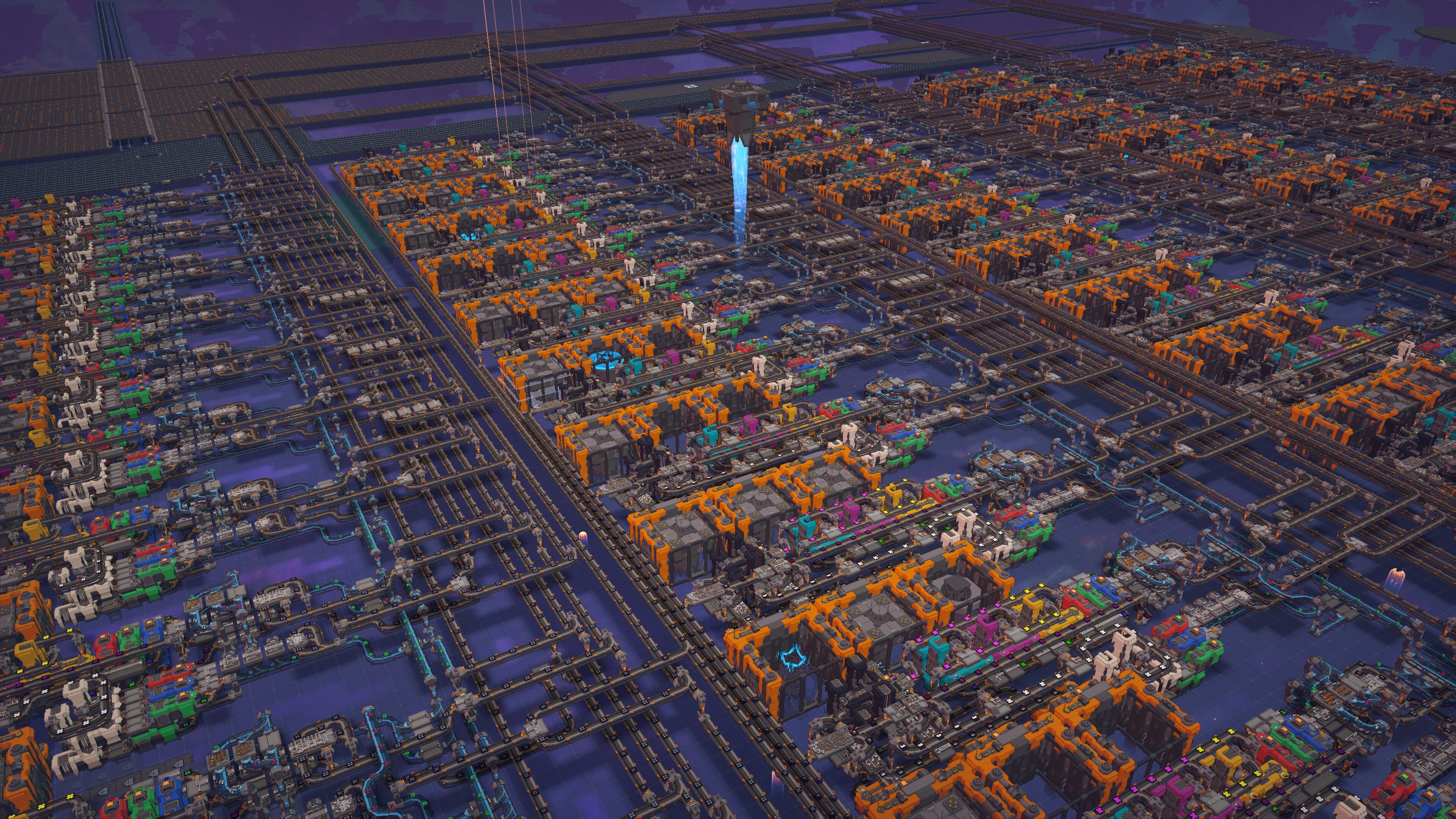

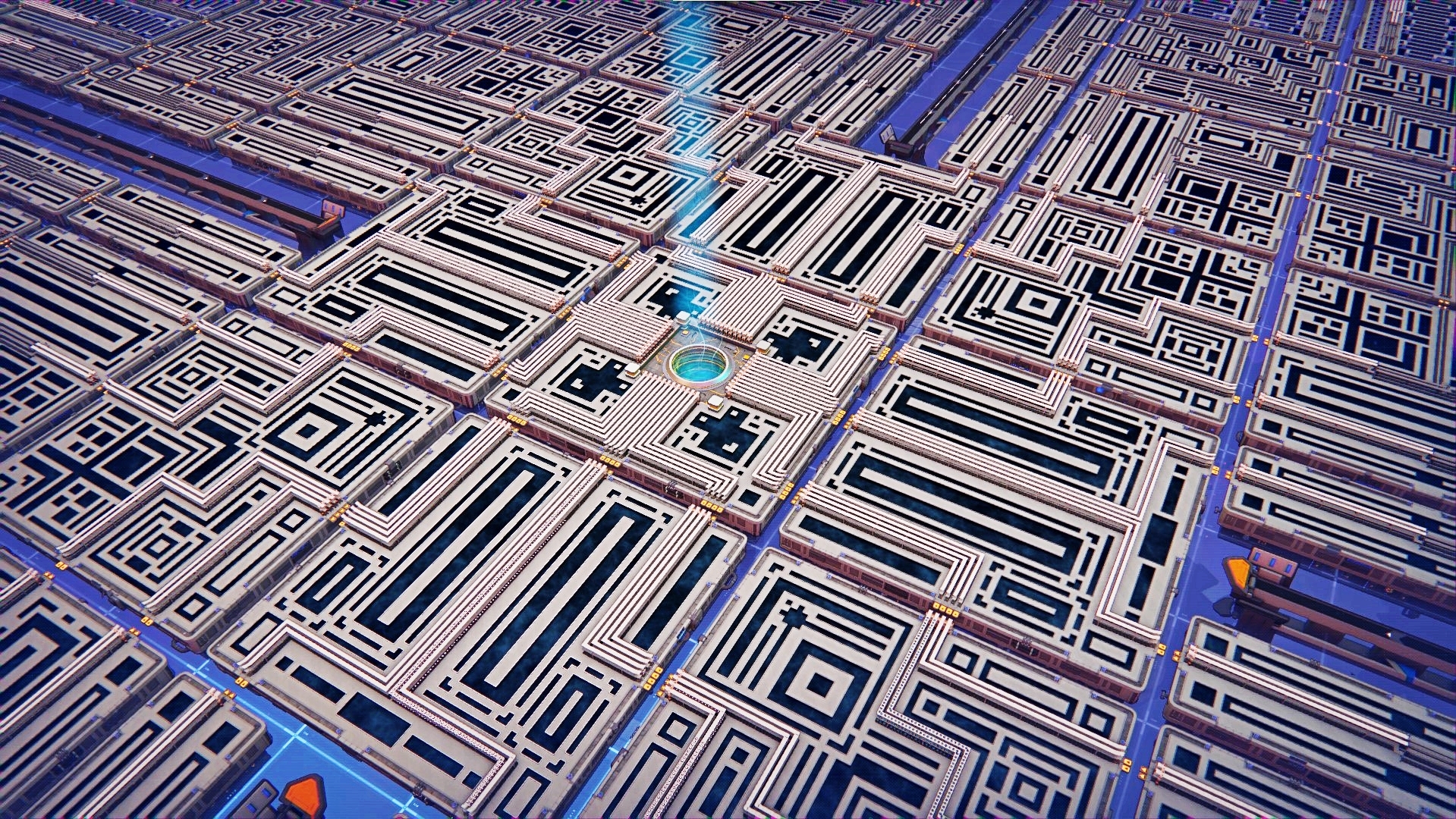 By Raasta
 By Garr890354839 Belt specialist
 By LowJohn